
Pricing calculator guide · Updated Nov 3, 2026
Pricing Calculator Spreadsheets: Which One Fits What You Sell?
Most small businesses that undercharge don't do it on purpose. They price by feel, copy what others charge, or forget a cost that only shows up later: packaging, platform fees, the hour spent on a custom request. A pricing calculator spreadsheet fixes that by making you write every cost down once, then doing the same math on every product, order or job.
The catch is that a cake order, a food truck menu, a freelance project and a remodeling bid are priced in different ways. This page sorts the pricing calculator spreadsheets in the SteadyStackStudio Etsy shop by the way you sell, explains the one formula each one is built around, and says what is in each file. All of them are instant downloads built in Excel, and the ones that say so come with a guide for importing into Google Sheets. The formulas are editable, so you can change any assumption to fit your business.
Start here: which pricing calculator do you need?
Pick by what you sell and how a customer pays you. If two of these fit, start with the one that covers most of your sales.
- You sell finished products and want a margin target for each one: the Product Pricing and Profit Margin Calculator Spreadsheet works out retail and wholesale prices from your costs.
- You make what you sell, by hand: the Handmade Pricing Calculator Spreadsheet adds materials, labor and fees, and tracks craft inventory with restock alerts.
- You take cake, cookie or cottage bakery orders: the Bakery Pricing Calculator Spreadsheet costs each recipe from your ingredient prices and quotes orders.
- You sell boards or grazing tables to order: the Charcuterie Order Form kit has an Excel order, pricing and prep tracker.
- You run a food truck or a short menu: the Food Truck Profit Calculator costs each menu item and shows how many tickets you need to break even.
- You sell your time: the Freelance Rate Calculator Spreadsheet turns your income goal, expenses and tax buffer into an hourly rate and a project price.
- You bid jobs: the Construction Estimate Template Excel adds labor, materials, subcontractors, overhead, markup and tax into a quote summary.
- You already have prices and want to see what is left after fees and ads: the Online Shop Seller Spreadsheet 2026 tracks fees, listing ROI, ad spend and monthly profit.
Margin or markup: the one formula to get right
Markup is how much you add on top of cost. Margin is how much of the selling price you keep. They are not the same number, and mixing them up is the most common pricing mistake. A product that costs 10 to make and sells for 20 has a 100% markup but a 50% margin.
To price from a target margin, divide your full cost by one minus the margin. For a 40% margin on a product that costs 10, that is 10 / 0.6 = 16.67. Full cost means everything: materials, packaging, your labor at a real hourly rate, a share of overhead and the platform or card fees on the sale. A good pricing calculator spreadsheet keeps those costs in their own rows, so when one goes up you change it once and every price that uses it updates.
Wholesale works the same way, one step earlier. Decide the margin you need when you sell to a shop, set that as your wholesale price, and set retail high enough that the shop can add its own markup. If your retail price can't cover that, find out now, before a shop asks for a line sheet.
- Product Pricing Calculator Spreadsheet: a profit margin calculator in an Excel workbook with a pricing calculator, a product cost database, fees, profit margin, and wholesale and retail tabs, plus a printable quick-start guide, a Google Sheets import guide and sample products with editable formulas. You enter materials, labor, packaging, platform fees and overhead, add each product or SKU, pick a target margin or markup, and compare retail and wholesale price targets with profit per unit. A dashboard shows margins, best sellers and underpriced products.
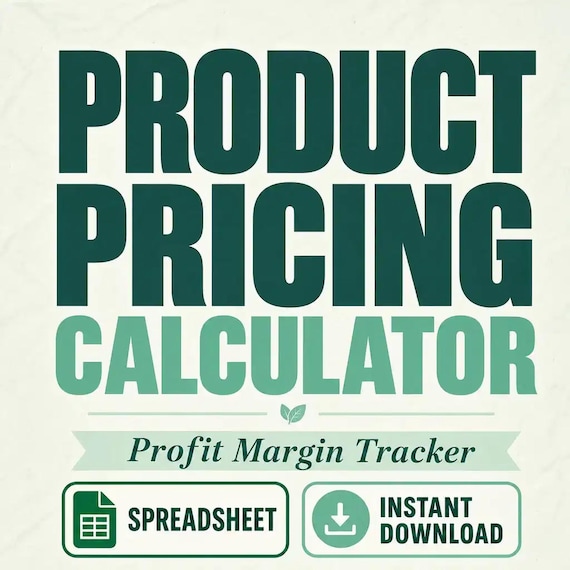
Product Pricing Calculator Spreadsheet
Product Pricing Calculator Spreadsheet with Small Business Profit Margin, Cost of Goods, Wholesale and Retail Price Excel PDF…
Handmade products and baked goods
Makers and home bakers have the same blind spot: time. Materials and ingredients are easy to add up, but the hours spent making, decorating and packing are where the profit goes. Put your labor in as minutes per item at an hourly rate you would accept from an employer, then let the sheet carry it into every price.
Bakery pricing has one extra step. Ingredients are bought by the bag or the pound but used by the cup or the gram, so you need a unit cost for each one before a recipe can be costed. Once that is set, scaling a recipe for a bigger order is a single change. For a craft-specific walkthrough, read the Craft Business Pricing Calculator Guide for Handmade Sellers.
Selling at craft shows or markets? The Jewelry Craft Show Inventory Workflow shows how to keep costs and margins in a separate pricing file, away from the sheet you use at the booth, and the Pottery Studio Inventory Workflow moves reviewed costs into pricing and builds sale tags from the approved inventory record.
- Handmade Pricing Calculator Spreadsheet: an XLSX workbook for Excel or Google Sheets import with a pricing calculator for materials, labor, fees and profit, a craft inventory tracker with quantities and restock alerts, product catalog and material-cost tabs, a sales log for booth, Etsy and market revenue, a profit and margin summary dashboard and a quick-start guide.
- Bakery Pricing Calculator Spreadsheet: an XLSX workbook with a PDF quick start and README. It has an ingredient cost database with unit-cost formulas, a recipe costing and batch scaling calculator, a cake and order quote tracker that adds labor and overhead, a profit dashboard with an order margin summary and an inventory and restock helper, plus a Google Sheets import guide.
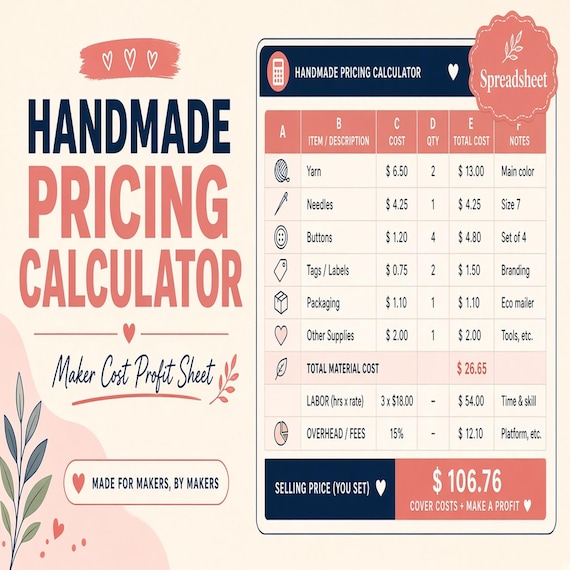
Handmade Pricing Calculator Spreadsheet
Handmade pricing calculator and craft inventory spreadsheet for sellers who need to price products, track material costs…
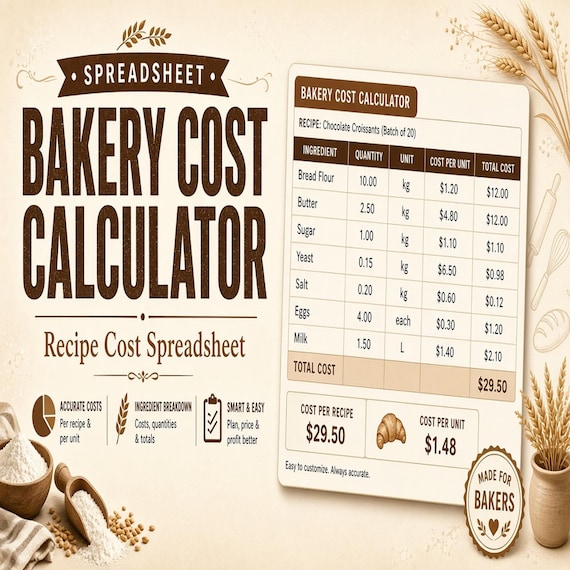
Bakery Pricing Calculator Spreadsheet
Stop underpricing cakes, cookies, and cottage bakery orders. This is an instant digital download designed for buyers who want a…
Food sellers: boards, menus and food cost
Food businesses usually talk about food cost percentage: the cost of the ingredients in an item divided by its menu price. An item with 3 in ingredients that sells for 10 runs a 30% food cost. Track it per item, because one popular item with a high food cost can pull down a whole day.
Break-even is the other number worth knowing before you set a menu. Add up what a day costs you before you sell anything, then divide by what each ticket leaves after its own costs. That tells you how many sales a slow day has to reach. Board and grazing table sellers price per order instead, so their sheet needs board sizes, a quote and the prep list for each pickup. The Charcuterie Order Workflow guide walks through quote, prep and pickup, and the Micro Bakery Porch Pickup Workflow covers orders, labels and handoffs.
- Food Truck Profit Calculator: an Excel file with MenuCosting, DailySales, BreakEven, Dashboard and HowTo tabs and a PDF quick start. Its formulas cover unit labor from labor minutes, contribution per item, food cost %, net per day and tickets to break even. It is an operator worksheet, not accounting or POS software.
- Charcuterie Order Form kit: an Excel order, pricing and prep tracker, a printable order and prep checklist PDF, editable label and menu cards in Word, a quick-start PDF and a README. Use it to plan board sizes, ingredient prep, customer requests, pickup details, labels and quote estimates.
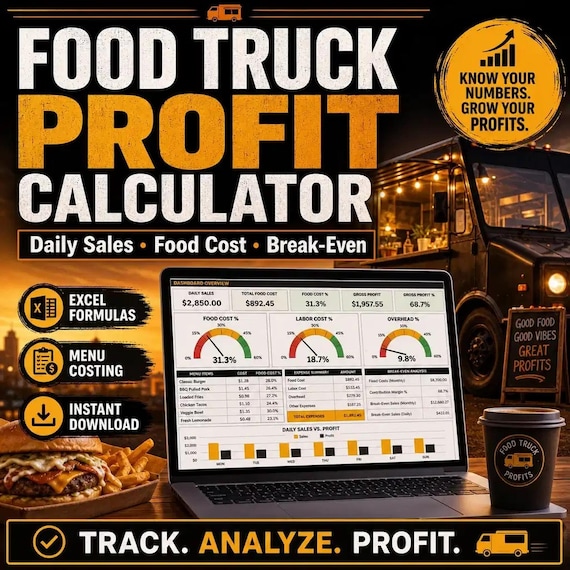
Food Truck Profit Calculator
Food Truck Profit Calculator: Food Cost Calculator, Menu Pricing & Recipe Costing, Break Even and Daily Sales Tracker Excel.
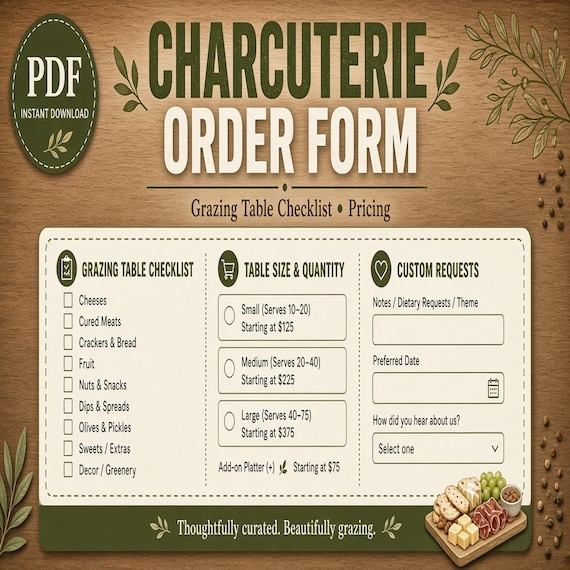
Charcuterie Order Form
Plan board sizes, ingredient prep, customer requests, pickup details, labels, and quote estimates in one kit.
Services: freelance rates and contractor bids
When you sell time, the price starts from the year, not the hour. Add the income you want, your business expenses and a buffer for taxes, then divide by the hours you can actually bill. That is never 40 hours a week once you count admin, sales calls and time off, which is why a rate worked out this way is usually higher than the one people guess.
Bids for building and remodeling jobs go line by line instead: labor hours at your rate, each material, subcontractors, then overhead and markup on top, then tax and the deposit. Keep the same order on every job so you can see later which line you got wrong. The Construction Estimate Calculator Spreadsheet: Bid Template Checklist goes through each step.
Event decor quoted per order works the same way. The Balloon Garland Order Setup guide splits the garland, accents and add-ons into separate lines before you price, then prices from your own time and materials, because there is no universal garland price hiding in a template. The Balloon Garland Order Form kit keeps those order and pricing notes in Excel next to a printable install checklist.
- Freelance Rate Calculator Spreadsheet: an Excel file with RateBuilder, a weighted Pipeline and HowTo tabs, an editable Word proposal outline and a PDF quick start. It turns income goals, expenses and a tax buffer into a recommended hourly rate, project price, rush fee and subcontractor margin.
- Construction Estimate Template Excel: an XLSX workbook with estimate builder, labor, materials, subcontractors, overhead, markup and quote tabs, sample rows, editable formulas, a printable quick-start guide and Google Sheets import instructions. Set your labor rates, markup, overhead and tax, enter the line items, and copy the quote summary with subtotal, markup, tax and deposit into your proposal or invoice.
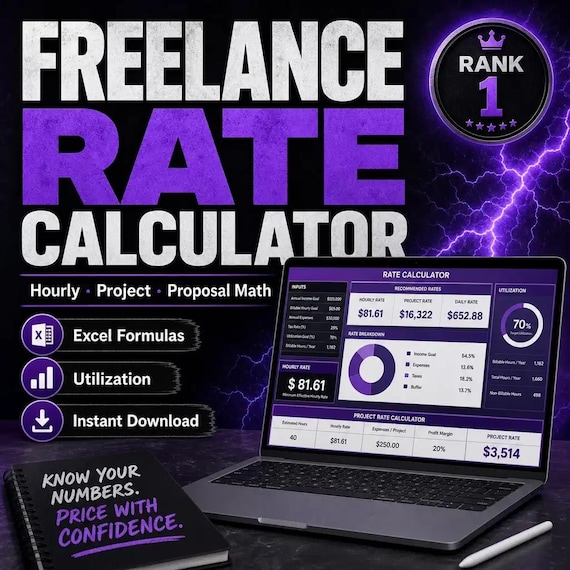
Freelance Rate Calculator Spreadsheet
Freelance Rate Calculator — turn income goals + expenses + tax buffer into a recommended hourly rate, project price, rush fee…
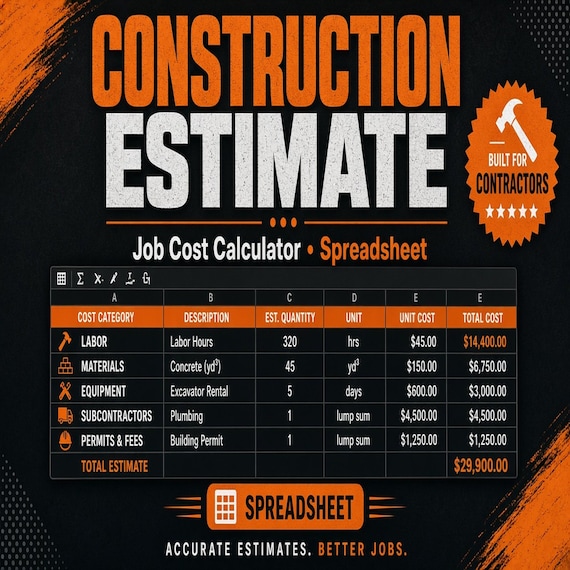
Construction Estimate Template Spreadsheet
A practical bid calculator for contractors, remodelers, and handyman jobs. This is an instant digital download built for a solo…
After the sale: check the price really worked
A price that looked right on paper can still lose money once marketplace fees, ad spend and shipping supplies come out. Check your real numbers once a month: which listings earned more than they cost to promote, and what was left after fees. If a product keeps coming up short, go back to the margin step above and change the price or the cost, not just the ad budget.
- Online Shop Seller Spreadsheet 2026: a printable PDF workbook and an Excel file you can import into Google Sheets, with Monthly Profit, Fee Calculator, Listing ROI, Ads Spend, Inventory Costs, Expense Log, Tax Savings and Dashboard sections, plus a quick-start guide.
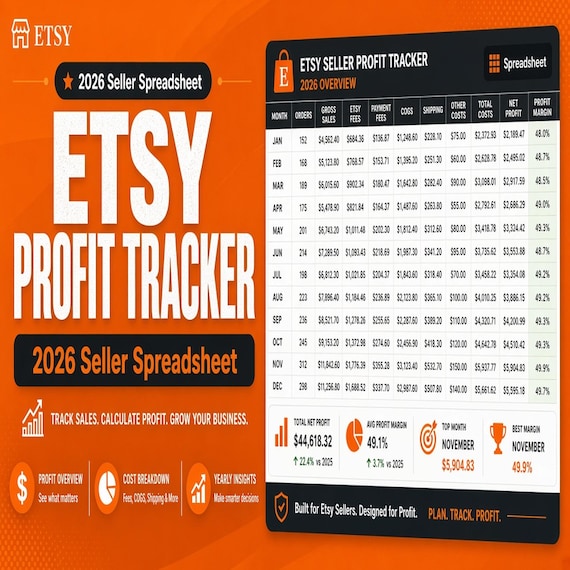
Online Shop Seller Spreadsheet 2026
Online Shop Seller Spreadsheet 2026 with Shop Profit Tracker, Fee Calculator, Listing ROI, Ads Spend, Expense & Tax Log Excel.
Tips for using any pricing spreadsheet
- Enter your real costs, not the sample rows. Delete or overwrite the examples before you trust a result.
- Keep one row per cost that changes on its own, such as packaging, fees or your hourly rate, so one update moves every price.
- Re-check your inputs whenever a supplier raises prices or a platform changes its fees.
- Round prices only at the end, after the margin is worked out.
- To use Google Sheets, upload the XLSX file to Google Drive and open it with Google Sheets, then check that the formulas carried over.
A note on taxes and rules
These are pricing and planning templates, not accounting software or tax, legal or financial advice. Check your own fees, sales tax, licensing and any cottage food or contractor rules where you work before you quote a customer.
Step-by-step guides
- Craft Business Pricing Calculator Guide for Handmade Sellers
- Construction Estimate Calculator Spreadsheet: Bid Template Checklist
- Charcuterie Order Workflow: Quote, Prep, Pickup, and Grazing Table Setup
- Micro Bakery Porch Pickup Workflow: Organize Orders, Labels, and Handoffs
- Pottery Studio Inventory Workflow: Batch IDs, Kiln Logs, Pricing, and Sale Tags
- Jewelry Craft Show Inventory Workflow: Tag SKUs, Count Stock, and Reconcile Sales
- Balloon Garland Order Setup: Confirm Footage, Palette, Pricing, and the Install Checklist
Frequently asked questions
How do I calculate a price from a profit margin?
Divide your full cost by one minus the margin you want. For a 40% margin on a product that costs 10, the price is 10 / 0.6 = 16.67. Include materials, packaging, labor, overhead and fees in the cost, or the margin you see will be higher than the one you get.
What is the difference between markup and margin?
Markup is the amount added to cost, as a percentage of cost. Margin is the profit kept, as a percentage of the selling price. A product that costs 10 and sells for 20 has a 100% markup and a 50% margin.
Do these pricing calculators work in Google Sheets?
They are built as Excel XLSX files. The Product Pricing, Bakery and Construction Estimate calculators include a Google Sheets import guide, and the Handmade calculator and Online Shop Seller spreadsheet are made for Excel or Google Sheets import. After importing, check that the formulas carried over.
Which pricing calculator is best for a handmade business?
The Handmade Pricing Calculator Spreadsheet, because it adds labor and fees to your materials and also tracks inventory and sales by channel. If you sell wholesale as well as retail, the Product Pricing Calculator Spreadsheet has separate wholesale and retail tabs.
How do I work out food cost percentage?
Divide the ingredient cost of one item by its menu price. An item with 3 in ingredients that sells for 10 has a 30% food cost. The Food Truck Profit Calculator works this out for each menu item and adds labor minutes and break-even tickets.
How do freelancers set an hourly rate?
Start from the year: add your income goal, business expenses and a tax buffer, then divide by the hours you can really bill after admin and time off. The Freelance Rate Calculator Spreadsheet does this and also gives a project price and a rush fee.