
Budget planner guide · Updated Oct 31, 2026
Budget Planner Printables & Budget Spreadsheets: Which One Fits How You Budget?
Most people who go looking for a budget planner printable already know they want to get a handle on money. The harder question is which kind of planner. A paper binder suits people who like to sit down with a pen once a month. A spreadsheet suits people who want the totals done for them. And a lot of budgets fail because the tool covers the wrong job: it tracks spending but not the bills, or the debts but not the savings.
This page sorts every budget planner and money tracker in the SteadyStackStudio Etsy shop by the job it does. Each one is an instant download: you print at home or type into the file, and the listing photos show the real pages before you buy. They are planning tools, not financial or tax advice.
Start here: which budget planner fits you?
Pick by how you like to work and by the problem you want to fix first. You can add the others later, since most of them are built to sit in the same binder or folder.
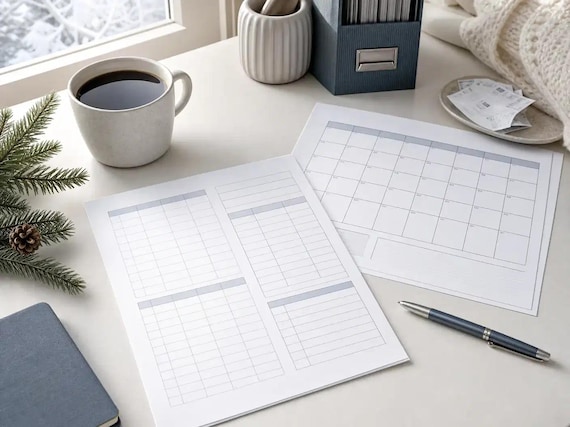
- You want one planner for the whole year on paper: the 2027 Budget Planner Printable has a calendar and a budget page for every month plus bill, sinking fund, savings and debt trackers.
- You want a spreadsheet that does the adding up: the Budget Spreadsheet Bundle or, if you are paid every two weeks, the Budget by Paycheck Spreadsheet.
- Debt is the main worry: the Debt Payoff Tracker Spreadsheet compares the snowball and avalanche methods, and the Debt Payoff Tracker Printable turns payoff into boxes you color in.
- Big yearly costs keep catching you out: start a Sinking Funds Tracker Printable.
- You want to save a set amount: the Savings Challenge Printable has a 52-week challenge, 100-box challenges for $1,000, $5,000 and $10,000, and a 100 envelope challenge.
- Tax season is the stress point: the Tax Organizer 2026 Printable gathers documents, deductions and mileage in one place.
A whole year in one budget binder
A binder works best if you review money on a set day each month. Put the year's goals and bills at the front, then one budget page per month, then the trackers you use every week.
January is the natural time to start, and the holidays are usually what wrecks it. Holiday Budget and January Reset Worksheets bridge the two: a Christmas spending recap of planned versus spent in 10 categories, a dated No Spend January 2027 calendar, a monthly budget with 14 categories, an expense log and a 12-step January reset checklist, plus a spreadsheet that counts your no-spend days. For the Christmas budget itself, see the Christmas planner printables guide.
- 2027 Budget Planner Printable: a 38-page fillable PDF and a matching editable Word file. It covers 2027 at a glance, financial goals with quarterly check-ins, a 12-month income tracker, an annual bill tracker, a subscription tracker, a calendar page and a budget page for each month from January to December 2027, a weekly expense tracker, 6 sinking funds, a 100-box savings tracker, a debt payoff tracker for snowball or avalanche, a 52-week savings challenge, a no-spend challenge and a year-end review. The fillable fields don't calculate totals, so pair it with a spreadsheet if you want the math done.
- Holiday Budget and January Reset Worksheets: 7 pages in US Letter and A4, fillable, with a 3-tab spreadsheet.
- Christmas Gift Tracker Spreadsheet: a 7-sheet Excel workbook with a holiday budget in 8 categories, budgets for up to 60 people, a 300-row gift list and a card list, plus a 6-page fillable PDF companion.
2027 Budget Binder Printable
Plan your whole money year in one binder. This 2027 Budget Binder has a calendar and a budget page for every month, plus trackers…
Holiday Budget and January Reset Worksheets
See what the holidays really cost, then start 2027 with a clean, simple plan. Christmas Spending Recap, planned vs spent for 10 categories No Spend January 2027 calendar, dated Monthly Budget with 14 categories Expense L
Christmas Gift Tracker Spreadsheet
Keep every Christmas gift, dollar, and card in one place. Type a budget, list your people, and add gifts as you think of them.…
Budget spreadsheets: monthly and paycheck budgets
A spreadsheet is the better fit if you want totals, what's left and over-budget warnings without a calculator. If your pay arrives every two weeks, budget by paycheck instead of by month, because rent and bills don't line up neatly with a monthly page.
Not sure whether you need a budget, a bill tracker or a debt plan first? Budget Planner vs Bill Tracker vs Debt Payoff Spreadsheet walks through the difference, and the grocery budget planner setup guide covers the food line, which is where most monthly budgets leak.
Paid by the hour, with hours that change from week to week? The free Timesheet and Overtime Calculator adds up a week of shifts with unpaid breaks and works out regular hours, overtime and gross pay before taxes, using the federal over-40-hours rule or a daily overtime rule. More free calculators are on the free tools page.
- Budget Spreadsheet Bundle: the shop's complete money set, combining a paycheck budget planner, a debt snowball payoff system, bill calendar, subscription and emergency fund tools, and no-spend, grocery budget and sinking fund pages, in Excel, printable PDF and Word.
- Budget by Paycheck Spreadsheet: a paycheck budget workbook for weekly or biweekly pay, with bill and expense tracking and printable budget pages.
- Paycheck Budget Spreadsheet: a starter set that pairs a paycheck budget planner with a debt snowball tracker and a side hustle income and expense tracker.
- Monthly Bill Tracker and Subscription Tracker Spreadsheet: an XLSX workbook plus printable monthly audit pages that track each charge's cost, renewal date and cancellation plan.
- No Spend Tracker and Challenge Printable: no-spend challenge pages, a grocery budget and meal cost planner and a subscription audit tracker, in PDF, Word and Excel.
- Paid by the shift? The Nurse Shift Planner & Overtime Tracker is an Excel workbook where you log each shift, night and weekend differentials and weekly overtime above your threshold to estimate your gross pay before the paycheck lands. It is a personal estimator, not payroll, so check it against your pay stub.
Budget Planner Spreadsheet Bundle
The complete money management bundle combines budgeting, bills, debt payoff, savings, grocery planning and spending reset tools…
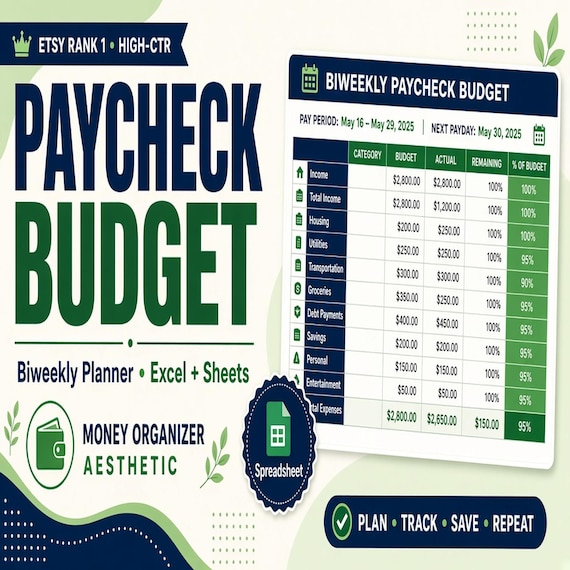
Paycheck Budget Spreadsheet
Plan every paycheck before it disappears with a paycheck budget spreadsheet, bill tracker and printable budget planning pages.
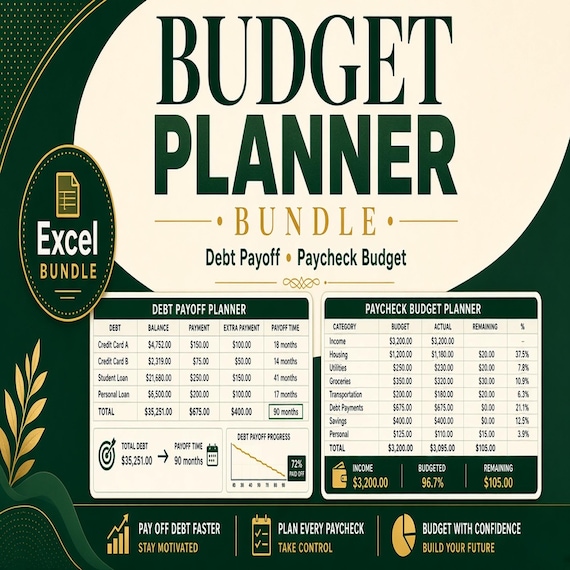
Paycheck Budget Spreadsheet
Get the core money reset tools in one download: paycheck budgeting, debt payoff tracking and side hustle income/expense…
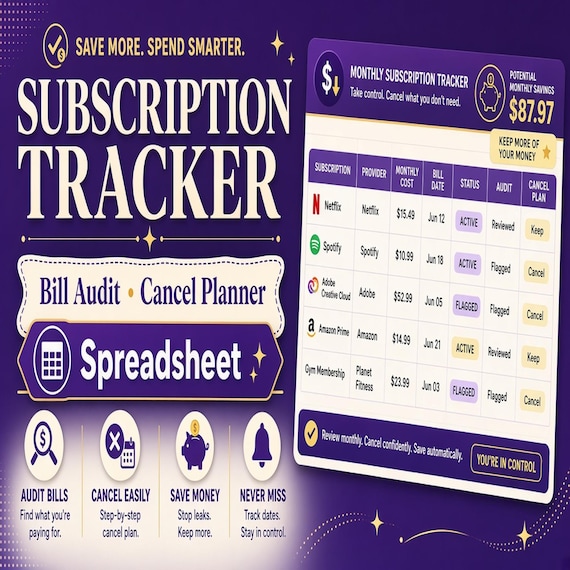
Subscription Tracker Spreadsheet
Catch recurring charges before they drain the budget with a subscription tracker spreadsheet, monthly audit pages and…
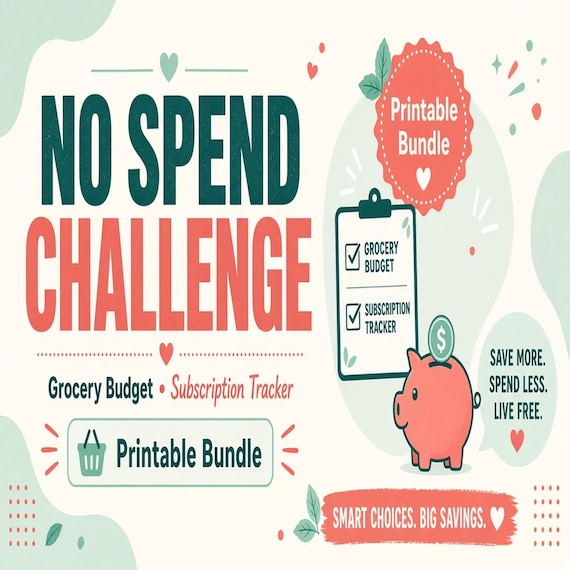
No Spend Challenge Tracker
Reset everyday spending with a no spend challenge bundle, grocery budget planner and subscription audit tools for finding leaks…
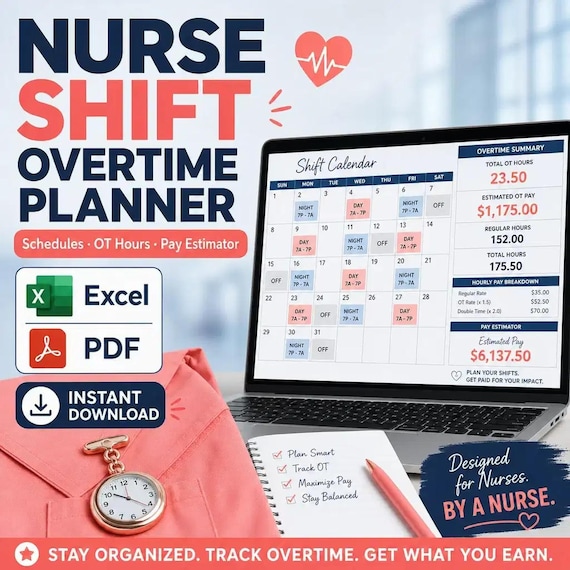
Nurse Shift Planner & Overtime Tracker Spreadsheet
Nurse Shift & Overtime Planner — personal pay estimator for shift workers. Log shifts, night/weekend differentials, and weekly OT…
Debt payoff: snowball or avalanche
The debt snowball pays the smallest balance first, so you see a debt disappear quickly. The avalanche pays the highest interest rate first, which usually costs less overall. Both trackers below show you each order so you can pick the one you'll stick with.
For a side-by-side walkthrough, read Debt Snowball vs Avalanche Spreadsheet: How to Choose and Set Up a Payoff Plan.
- Debt Payoff Tracker Spreadsheet: a 9-sheet Excel workbook with a dashboard, a debts list with balance, APR, minimum payment and estimated monthly interest, separate snowball and avalanche plans, a payment log, a payoff timeline helper and a simple net worth sheet. It comes with a 14-page fillable printable companion and Word method notes, and it can be uploaded to Google Sheets, though some behavior may differ there.
- Debt Payoff Tracker Printable: 9 pages in US Letter and A4 with a plain-English snowball-or-avalanche guide, both worksheets, 4 coloring trackers where each box is 1% of the balance, a debt-free chart and a 2-page payment log. Its 2-tab spreadsheet takes up to 12 debts, estimates months left and flags a payment too low to cover the interest.
Debt Payoff Spreadsheet
Debt payoff spreadsheet with snowball and avalanche planning: Excel-first workbook with debts list, auto priority ranks, payment…

Debt Payoff Tracker Printable
Pay off debt one colored box at a time, with the snowball or avalanche method. Snowball or Avalanche? A plainEnglish guide Debt Snowball Worksheet Debt Avalanche Worksheet 4 coloring trackers (2 per page), each box is 1%
Saving: sinking funds and savings challenges
A sinking fund is money you set aside each month for a cost you know is coming: car repairs, insurance, gifts, the holidays or an annual subscription. Divide the cost by the months left and save that amount each month.
The sinking funds tracker setup guide shows how to name your funds, fund them early and keep cash envelopes honest.
To do the math first, the free Sinking Funds Calculator divides each goal by the months left and adds up how much to set aside every month.
- Sinking Funds Tracker Printable: 8 pages in US Letter and A4 with a how-it-works page and example, an overview for 14 funds, 8 individual fund trackers and an annual expense planner by month. The 2-tab spreadsheet holds up to 20 funds and works out what you've saved, what's left and how much to save each month.
- Sinking Funds Tracker Spreadsheet: a spreadsheet-style tracker with cash envelope and savings goal layouts, multiple fund categories and printable PDF pages.
- Savings Challenge Printable: 7 pages with the 52-week money challenge ($1 to $52, $1,378 total), $1,000, $5,000 and $10,000 challenges in 100 boxes each, the 100 envelope challenge ($5,050 total) and a custom goal page with a deposit log, plus a 3-tab spreadsheet that works in Excel and Google Sheets.

Sinking Funds Tracker Printable
Save a little each month for the big costs you know are coming, so they never catch you off guard.
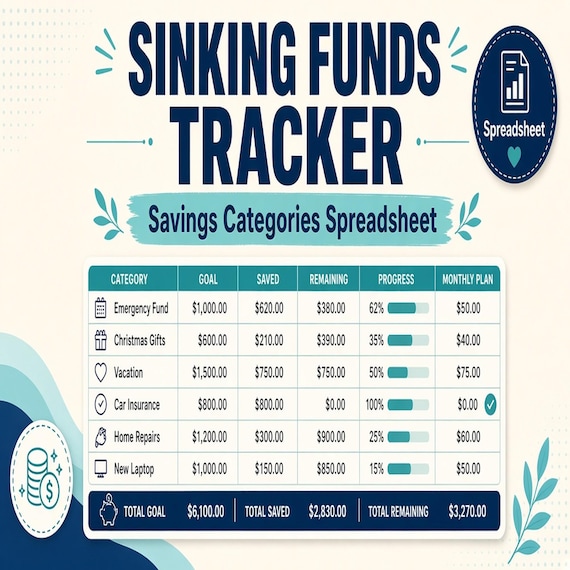
Sinking Funds Tracker Spreadsheet
Plan irregular expenses before they hit with a sinking funds tracker, cash-envelope style savings planner and…

Savings Challenge Printable
Make saving money a game. Color in the boxes as you go and watch the total grow.
The bigger picture: net worth and retirement
Once the monthly budget is running, these show whether it's adding up over the years. Both are Excel workbooks with dashboards.
- Net Worth Tracker Spreadsheet: an 8-sheet workbook with room for 40 accounts and 60 monthly balance columns (5 years). The dashboard shows net worth, total assets and debts, the change from last month and over 12 months, liquid assets and your debt-to-asset ratio, and a goals sheet tells you whether you're on pace.
- Retirement Planner Spreadsheet: a 9-sheet workbook with a retirement budget of 37 common expenses, up to 10 income sources such as Social Security or a pension, a year-by-year savings projection and a what-if sheet. Example rates are filled in, and you change them to your own.
Net Worth Tracker Spreadsheet
See your whole financial picture in one number. List your accounts once, type balances each month, and the workbook adds up what…
Retirement Planner Spreadsheet
Get a clear picture of your retirement. Type your age, savings, and monthly contributions, build a retirement budget, and list…
Taxes and side income
If you freelance or run a side hustle, the tax side of the budget needs its own tracker, so the money for taxes is set aside before you spend it.
- Tax Organizer 2026 Printable: an 11-page fillable PDF with a tax document checklist of 20 common forms and records, income summary, self-employment income and expenses in 16 categories, deductions and credits, donation, medical and mileage logs, estimated payments and questions for your preparer. The 7-sheet Excel workbook totals income, expenses, miles, donations and medical costs for the year.
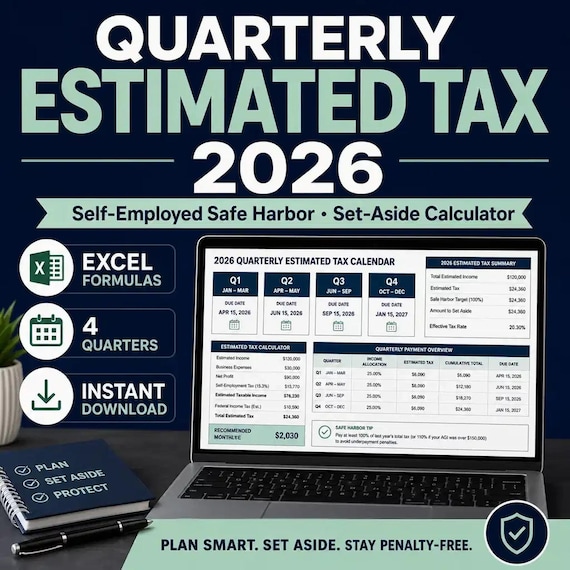
- Quarterly Estimated Tax Spreadsheet 2026: an Excel planner for self-employed and 1099 earners with a set-aside percentage, prior-year safe harbor references, four quarterly payments and an income log. It is not an IRS form, so confirm dates and rules on IRS.gov or with a tax professional.
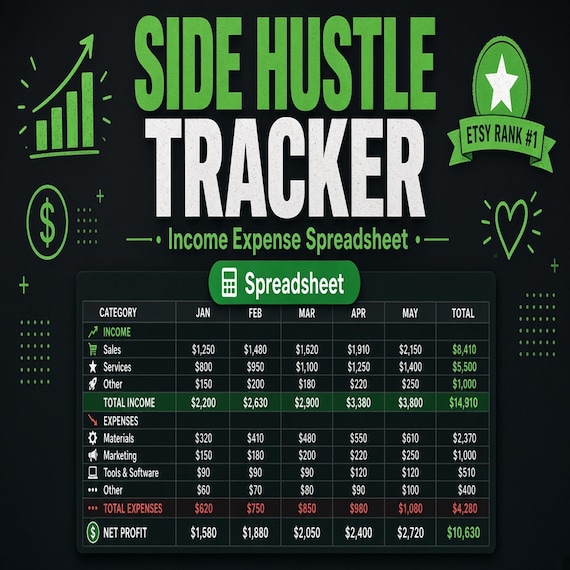
- Side Hustle Income and Expense Tracker: an XLSX workbook for side hustle income, expenses, profit and mileage, with tax set-aside planning.
- Content Creator Income Tracker: an Excel spreadsheet for subscription and multi-platform creators that logs income by platform, tracks deductible expenses and shows net profit and an estimated tax figure on a summary dashboard.
2026 Tax Prep Organizer
Get ready for tax season without the shoebox of receipts. This 2026 Tax Prep Organizer walks you through every document and…
Quarterly Estimated Tax Spreadsheet 2026
Quarterly Estimated Tax Planner 2026 — Excel set-aside + safe-harbor helper for self-employed / 1099 earners. Tracks four…
Side Hustle Income and Expense Tracker
Track a side hustle like a small business with an income and expense tracker, profit spreadsheet, mileage log and tax set-aside…
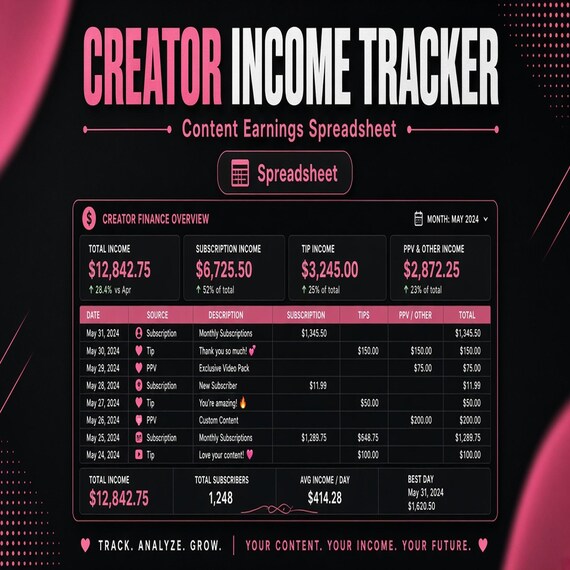
Content Creator Income, Expense & Tax Tracker
Stop guessing your numbers and start treating your content creation like a real business. This professional income, expense, and…
Setting up a budget planner in one evening
You don't need to fill in every page on day one. Do these in order, then add the rest as you go:
- Write down your take-home pay and when it arrives. This decides whether you budget by month or by paycheck.
- List every bill with its due date, including the yearly ones. The yearly ones become your sinking funds.
- Pull last month's bank statement and fill in what you actually spent, not what you think you spent.
- List your debts with balance, interest rate and minimum payment, then choose snowball or avalanche.
- Pick one review day each month and put it in your calendar. A budget planner only works if you come back to it.
Step-by-step guides
- Budget Planner vs Bill Tracker vs Debt Payoff Spreadsheet: Which One Fits?
- Debt Snowball vs Avalanche Spreadsheet: How to Choose and Set Up a Payoff Plan
- Sinking Funds Tracker Setup: Name Irregular Expenses, Fund Them Early, and Keep Cash Envelopes Honest
- Grocery Budget Planner Setup: Plan Meals, Price the List, and Review Actual Spending
Frequently asked questions
Is a printable budget planner or a budget spreadsheet better?
It depends on how you like to work. A printable planner suits a monthly sit-down with a pen, and the 2027 Budget Planner's fillable fields let you type on screen but don't total anything. A spreadsheet adds up income, spending and what's left for you. Many people use both: a spreadsheet for the numbers and a printed page on the fridge for the goal.
What should a budget planner include?
At minimum: income, a monthly budget, a bill tracker with due dates, an expense log, sinking funds for yearly costs, a savings goal and a debt list. The 2027 Budget Planner Printable covers all of these in 38 pages.
Do these work in Google Sheets?
Several do. The Savings Challenge, Sinking Funds Tracker Printable, Debt Payoff Tracker Printable and Holiday Budget spreadsheets use formulas that work in Google Sheets, Excel and LibreOffice: upload the file to Google Drive and open it with Sheets. The Debt Payoff Tracker Spreadsheet can be uploaded to Sheets, though some behavior may differ. Check each listing for its formats.
What is the difference between the debt snowball and the debt avalanche?
The snowball pays off the smallest balance first for quick wins. The avalanche pays off the highest interest rate first, which usually saves more interest. Both debt payoff trackers in the shop show each order so you can compare them.
How much does the 52-week savings challenge save?
Saving $1 in week one, $2 in week two and so on up to $52 adds up to $1,378 by the end of the year. The 100 envelope challenge, $1 to $100, adds up to $5,050.
Are these financial advice?
No. They are planning and tracking tools. For tax or investment decisions, check with a qualified professional, and confirm tax dates and rules on IRS.gov.