Budget & Money Planners · Aug 4, 2026 · 15 min read
Budget Planner vs Bill Tracker vs Debt Payoff Spreadsheet: Which One Fits?
A practical comparison of paycheck budgets, bill and subscription trackers, debt payoff sheets, grocery planners, and complete money bundles so you can choose the smallest tool that fits your routine.
Start with the money question you need to answer
Budget planners, bill trackers, subscription logs, debt payoff sheets, and complete money bundles can share many of the same words in a product title. They are not interchangeable. A bill calendar helps you see due dates. A paycheck budget helps you assign the next income before it is spent. A debt payoff sheet helps you organize balances and an extra-payment order. A subscription tracker isolates recurring charges. A grocery planner connects meals, shopping, and food spending. A complete bundle tries to hold several of those jobs together.
Before choosing a download, finish this sentence: At my next money check-in, I need to decide ____. The answer might be which bills the next paycheck must cover, which subscription should be reviewed, where an extra debt payment goes, whether the grocery plan fits the week, or how several money categories connect. Choose the tool whose main page answers that question without requiring you to maintain several unrelated tabs.
- If the problem is timing, start with a paycheck budget or bill calendar.
- If the problem is recurring charges, start with a subscription audit.
- If the problem is payoff order and progress, start with a debt payoff sheet.
- If the problem is one flexible category, choose a focused planner such as a grocery budget.
- If several of these jobs are genuinely active, compare a starter bundle with a complete system.
Use this quick comparison before opening the product pages
Each tool should earn its place by making one repeated decision easier. Use these roles as a first filter, then confirm the current contents, formats, and preview pages on the individual SteadyStackStudio product page.
- Paycheck budget planner: assigns income to bills, expenses, and planned categories until the next payday.
- Bill tracker or calendar: shows what is due, the expected amount, and whether the payment was handled.
- Subscription tracker: records recurring costs, renewal details, review status, and cancellation follow-up.
- Debt payoff spreadsheet: keeps balances, required payments, a chosen payoff order, and progress together.
- Grocery budget planner: turns a meal outline and shopping list into a food-spending plan and review.
- Starter bundle: connects two or three related jobs without bringing in every possible money worksheet.
- Complete budget bundle: places budgeting, bills, debt, savings, groceries, and spending-reset tools in one larger system.
Choose a paycheck budget planner when cash timing is the problem
A paycheck planner fits when income arrives on a weekly, biweekly, or otherwise repeating schedule and the main question is what that income must cover before the next deposit. The current Paycheck Budget Planner product is described as a paycheck budget workbook with bill and expense tracking pages, printable budget pages, and Excel or Google Sheets-style support. It is the focused choice when the household does not need a large library of debt, grocery, subscription, and savings tools.
The useful setup is a short planning window. Enter the income expected for one pay period, list the bills and necessary expenses that fall inside that window, keep a small line for planned flexible spending, and leave room for a cushion when possible. Do not copy an annual estimate into a paycheck page and assume the timing will work. The page should help you see whether the money available before the next payday matches the obligations due before then.
A paycheck planner may be too narrow if the repeated problem is forgetting renewals, comparing several debts, or managing many connected savings and spending categories. It may be more than enough when due dates are already known and you only need a dependable way to assign each deposit.
- Best fit: income timing and bill timing need to be seen in the same short window.
- Choose the focused product when one paycheck plan is the main missing page.
- Choose a bundle only when debt, subscriptions, savings, or other tools will be reviewed on a real schedule.
- Confirm current file compatibility before assuming every format works on every device.
Choose a bill and subscription toolkit when recurring obligations are scattered
A bill tracker answers a narrower question than a full budget: what is due, when is it due, what amount is expected, and what still needs attention? A subscription tracker narrows the view further to repeating services and memberships. The featured Budget Planner Bundle, Bill Tracker and Subscription Spreadsheet Toolkit currently describes paycheck planning, a bill calendar and monthly payment checklist, a subscription audit tracker, and emergency-fund pages. That combination fits someone who wants recurring obligations and paycheck planning in one practical set.
The stand-alone Subscription Tracker is more focused. Its current product details describe an XLSX workbook, printable monthly audit pages, and sections for cost, renewal, and cancellation tracking. Choose it when the rest of the budget already works but recurring charges are difficult to see. A cancellation planner can record the action and follow-up, but it does not cancel a service, confirm a refund, or replace the provider's actual terms. Keep confirmation details with the account record until the change appears correctly on a statement.
Avoid turning the bill list into a second bank register. The tracker can hold the planned amount, due date, payment status, and a brief note; the bank or card statement remains the place to verify what actually posted. Review unexpected differences instead of changing an old planned number until the record looks tidy.
- Choose the featured toolkit when paycheck planning, bills, subscriptions, and emergency savings belong in the same review.
- Choose the stand-alone subscription tracker when recurring charges are the only missing job.
- Use a bill calendar for dates and status, not as a duplicate of every transaction.
- Verify cancellations, changed prices, and posted payments against the provider and account statement.
Choose a debt payoff spreadsheet when payoff order is the main job
A debt payoff spreadsheet is not simply a monthly budget with a balance column. Its main purpose is to keep each debt, required payment, chosen priority, extra-payment plan, and updated balance visible over time. The current SteadyStackStudio debt product describes a workbook with debt snowball and debt avalanche planning support, printable tracker pages, payment and progress sections, and quick-start instructions.
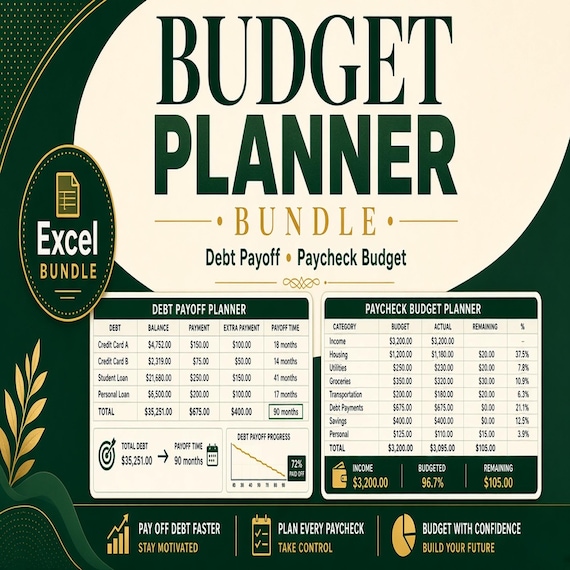
Choose the stand-alone debt tool when the household already has a workable bill or paycheck routine and needs a dedicated place for payoff decisions. Choose the Budget Planner Bundle with Debt Payoff and Paycheck Budget tools when income assignment and debt progress need to be reviewed together. That bundle also currently describes a side-hustle income and expense tracker, so check whether that additional role is useful rather than buying it only because the bundle is larger.
A payoff projection is a planning scenario, not a promise. Interest, fees, payment timing, rate changes, new charges, and actual posted balances can change the result. Protect required payments, check current account information, and seek qualified help when the debt situation involves hardship, collections, legal questions, or choices the spreadsheet cannot evaluate.
- Best fit: balances, minimums, extra payments, and payoff order need one dedicated review.
- Choose the stand-alone tracker if the monthly budget already works.
- Choose the paycheck-and-debt bundle if both cash timing and payoff progress are active problems.
- Use the companion debt guide for a deeper comparison of payoff ordering methods.
Choose a grocery planner when one flexible category needs its own routine
A complete budget can show how much is available for food, but it may not help plan meals, build a shopping list, or compare planned and actual grocery costs. The current Grocery Budget Planner is described as a workbook with meal-cost sections, printable shopping-list and food-budget pages, and quick-start guidance. It fits when grocery spending is the one category that repeatedly breaks the broader monthly plan.
Choose the focused grocery tool when the household is ready to connect a realistic meal outline to quantities, a shopping list, and a receipt review. Keep groceries in the main budget as one category total, then use the grocery planner for the details that explain that total. Do not enter every item in both places unless there is a clear reason; duplicate entry makes a simple routine harder to maintain.
A grocery planner is not a substitute for a paycheck budget, bill calendar, or debt tracker. It is a supporting tool for one variable category. If several spending categories need the same level of attention, a complete budget system may be a better fit than adding a separate detailed worksheet for each one.
Choose a complete budget bundle only when the jobs truly connect
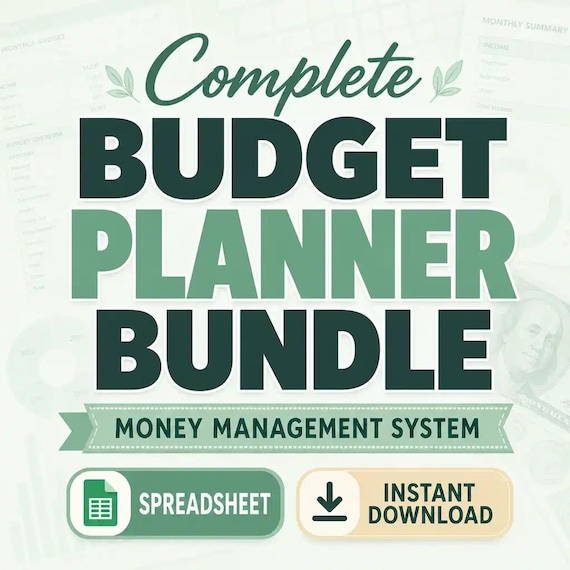
The current Complete Budget Planner Bundle is described as a system that combines budgeting, bills, debt payoff, savings, grocery planning, and spending-reset tools. That breadth is useful when one person or household plans to review those areas together and wants coordinated pages instead of several separate purchases. It can also be too much when only one missed bill or one subscription list needs attention.
Before choosing the complete bundle, assign an owner and a review rhythm to each part you expect to use. Paycheck pages may change every deposit. Bills may be checked weekly. Subscriptions may need a monthly or quarterly review. Debt balances may be updated after statements post. Savings goals and grocery plans may follow different cycles. A large bundle is useful only when those pages have clear roles; unused tabs do not improve the plan.
Start with the smallest useful dashboard rather than filling every page. Keep the current income plan, upcoming bills, one debt or savings priority, and the next review date visible. Add other sections after the first cycle proves they answer a real question. The goal is one understandable routine, not a perfectly completed binder.
- Choose complete when several money jobs need a shared review and you will maintain them.
- Choose a starter bundle when two or three connected jobs cover the current gap.
- Choose one focused tool when the rest of the routine already works.
- Skip the larger purchase when most included pages would have no owner or review date.
Compare a focused tool, starter bundle, and complete system by overlap
The easiest way to avoid duplicate purchases is to make a three-column list: already handled, repeatedly missing, and optional. Put the current bank app, calendar, notebook, spreadsheet, or other system in the first column. Put the one decision that keeps failing in the second. Put interesting but nonessential pages in the third. The right download should close the missing column without replacing tools that already work.
A focused tool is usually best when one job has a clear boundary. A starter bundle fits when two or three jobs feed one another, such as paycheck planning, bills, and subscriptions or paycheck planning and debt payoff. A complete system fits when bills, debt, savings, groceries, and spending reviews all need a shared home. Page count alone does not tell you which level will be easier to use.
Pay special attention to overlap among the current bundles. The featured bill-and-subscription toolkit and the complete system both touch paycheck planning, bills, and savings. The paycheck-and-debt bundle and the complete system both touch budgeting and debt payoff. Compare the current preview and contents list, then choose one primary bundle rather than maintaining two competing copies of the same monthly numbers.
Check the file format and device before checkout
A useful money tool has to open, display, save, and print correctly in the setup you actually use. Product titles and descriptions may mention workbooks, XLSX files, printable PDFs, or Excel and Google Sheets-style use. Those labels do not guarantee that every page appears in every format or that every formula behaves identically in every application. Use the current product preview, file details, and included instructions as the final check.
A spreadsheet is the stronger choice when lists, balances, statuses, or totals change often. A printable PDF can be easier for a bill calendar, a one-page paycheck plan, or a monthly review kept in a binder. A mixed bundle can support both, but decide which format controls the current numbers. If the spreadsheet holds the active plan, treat the printed page as a dated snapshot. If paper is the active plan, schedule the point when totals are carried into any digital summary.
Also check how the download arrives. Confirm that the device can download and extract any supplied ZIP file, that compatible software is available, and that formulas and print areas survive a test save. Keep the original download unchanged and make a working copy before entering personal financial details.
- Confirm the current file list instead of assuming every bundle contains the same formats.
- Choose one active copy for changing numbers and label printed copies with a date.
- Test opening, saving, formulas, and one printed page before completing the whole system.
- Protect the untouched original so a clean copy remains available.
Give each number one home
Money planners become confusing when the same bill, debt payment, or grocery total is entered in several places with no rule about which copy is current. Decide where each number belongs. The paycheck plan can hold the amount assigned from the next deposit. The bill tracker can hold the due date and payment status. The debt sheet can hold the updated balance and extra-payment progress. The grocery planner can hold meal and shopping details while sending one category total back to the monthly budget.
Use a short link note instead of copying detail everywhere. A paycheck row can say debt extra payment and point to the debt tab for the balance history. A monthly budget can show groceries as one total and leave item-level shopping details in the grocery planner. A subscription charge can appear in the bill plan while the subscription tracker holds renewal and cancellation notes. This keeps each tool useful without creating several versions of the same record.
At every review, compare the plan with posted account activity. Keep planned, pending, and posted amounts distinct. When they differ, record the reason if it affects the next decision. Do not overwrite the original plan simply to make it match after the fact; the difference can show where the next estimate needs adjustment.
Run a one-month sample before moving every number
A preview shows layout, but a small sample shows whether the routine fits. Make a working copy and test one ordinary month or one pay period with a limited set of entries. Use sample or carefully minimized information until you are comfortable with where the file will be stored. Enter one income amount, several bills, one recurring subscription, one debt, and one flexible category that reflects the tool you are considering.
Then walk through a normal change. Move a due date, adjust an expected bill, add a subscription renewal, post a debt payment, or compare a grocery estimate with an actual receipt total. Check whether the active page remains understandable and whether the change must be repeated in several places. If a basic update requires touching many unrelated tabs, a narrower product may be easier to maintain.
Finish the sample by closing the period. Mark what was planned, what posted, what remains open, and what carries forward. You should be able to explain the next action without reading every page. If the sample works, begin the real file from a clean copy rather than leaving test values mixed with current records.
- Test one ordinary period instead of importing a year of history.
- Include one changed amount or date so the update path is visible.
- Close the sample and identify the next action in under a few minutes.
- Choose a smaller tool if the full bundle adds steps without improving a decision.
Build a review rhythm the download can support
A planner helps only when its update schedule matches the decisions inside it. Put a short review appointment on the calendar before filling the file. A paycheck plan should be reviewed before or when income arrives. A bill list benefits from a quick check before due dates. Subscription and emergency-savings pages may need less frequent attention. Debt and grocery tools should be updated when the relevant statements or receipts are available, not from memory weeks later.
Keep the review small: verify the starting balance you intend to use, check upcoming obligations, update one focused tracker, and write the next action. Do not open every tab simply because it exists. If the complete bundle has ten useful sections but only three matter this week, use those three and leave the rest alone.
After several cycles, remove pages that are never used and keep the ones that change decisions. A focused routine is easier to trust than a large file that is partly current and partly abandoned. The best sign of fit is not how many totals the download can display; it is whether you can return after a busy week and understand what needs attention next.
Keep financial details protected and know the limits
Budget files can contain income, account names, balances, due dates, debts, and spending details. Store the working file and printed pages where only the intended people can access them. Avoid placing full account numbers, passwords, security answers, or other unnecessary access credentials in a general planning workbook. Use the minimum identifying detail needed to recognize an account, and follow the security tools and instructions provided by the actual financial institution.
These downloads are organizational tools. They do not connect to accounts automatically, move money, pay bills, cancel subscriptions, calculate every possible interest or tax situation, repair credit, provide legal advice, or select the right financial strategy for every household. Formulas and projections depend on the information entered and should be checked against current statements and provider terms.
Pause and seek appropriate help when the issue involves missed-payment hardship, collections, insolvency, legal deadlines, disputed charges, tax treatment, benefits eligibility, or decisions beyond ordinary recordkeeping. A clear spreadsheet can make information easier to discuss, but it does not replace the professional or provider who can address the underlying question.
Use this final fit check
You should be able to answer each point before choosing a download. If several answers remain uncertain, compare the current product previews again and start with the narrowest complete option.
- I can name the money decision this tool must make easier.
- I know whether timing, recurring bills, debt progress, grocery planning, or a connected system is the main need.
- The download adds a missing job instead of duplicating a tool I already maintain.
- The current file formats work with my device, software, printer, and storage plan.
- I know where planned, pending, and posted amounts will be verified.
- Each included section I expect to use has a realistic review rhythm.
- I can test one sample period before entering a large amount of personal information.
- I understand which financial, legal, tax, credit, and account decisions remain outside the template.
Choose the current download that matches the job
Choose the featured Budget Planner Bundle, Bill Tracker and Subscription Spreadsheet Toolkit when paycheck planning, a bill calendar, subscription review, and emergency-savings pages belong in the same routine. Choose the stand-alone Paycheck Budget Planner when assigning each deposit is the central job. Choose the stand-alone Subscription Tracker when recurring charges and cancellation follow-up are the only real gap.
Choose the Debt Payoff Spreadsheet when balances, payment order, and progress deserve a dedicated system. Choose the Budget Planner Bundle with Debt Payoff and Paycheck tools when those two routines need to connect. Choose the Grocery Budget Planner when meal costs and shopping decisions are the problem that a general monthly total cannot explain. Choose the Complete Budget Planner Bundle when budgeting, bills, debt, savings, groceries, and spending-reset tools all have a clear place in one maintained system.
Open the matching SteadyStackStudio product page, inspect the current previews and file details, and use Etsy only after the role and format are clear. Skip the purchase if you need automatic bank connections, bill payment, custom financial advice, credit counseling, legal help, tax guidance, or another service that the current listing does not include. The smallest tool that answers the repeated question is usually the easiest one to keep current.
Printables used in this guide
Instant downloads from the SteadyStackStudio Etsy shop.
Budget Planner Spreadsheet Bundle
The complete money management bundle combines budgeting, bills, debt payoff, savings, grocery planning and spending reset tools…
Paycheck Budget Spreadsheet
Get the core money reset tools in one download: paycheck budgeting, debt payoff tracking and side hustle income/expense…
Paycheck Budget Spreadsheet
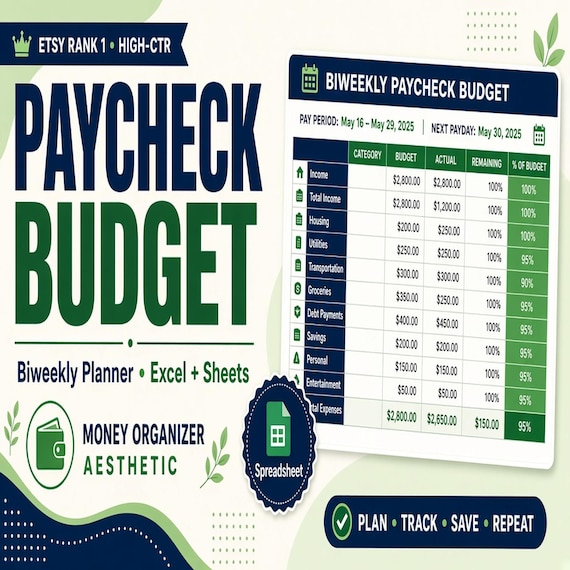
Plan every paycheck before it disappears with a paycheck budget spreadsheet, bill tracker and printable budget planning pages.
Debt Payoff Spreadsheet
Debt payoff spreadsheet with snowball and avalanche planning: Excel-first workbook with debts list, auto priority ranks, payment…