Budget & Money Planners · Jul 29, 2026 · 13 min read
Grocery Budget Planner Setup: Plan Meals, Price the List, and Review Actual Spending
A practical setup guide for turning a grocery budget, meal cost tracker, shopping list, and receipt review into one repeatable weekly routine.
Confirm that a grocery planner matches the job you need to do
A grocery budget planner is most useful when the problem is not simply making a list. It should help you connect a spending limit, meals, ingredients, quantities, the shopping trip, and the amount actually paid. The featured SteadyStackStudio Grocery Budget Planner is currently described as a digital download with a grocery budget planner workbook, meal cost tracker sections, printable shopping-list and food-budget PDF pages, and quick-start instructions. No physical item ships.
That focused scope fits a household that wants a repeatable food-spending routine without opening a complete money-management system every time it plans a store trip. Before checkout, inspect the current preview images and file details. Confirm that you can open the download on the device you plan to use, that the printable pages suit your paper and handwriting needs, and that the workbook approach suits the way your household records spending. A template can organize your own numbers, but it cannot choose an affordable limit, supply current store prices, create a nutrition plan, or guarantee savings.
- Choose a focused grocery planner when meals, lists, and food spending are the main task.
- Check the current workbook, PDF-page, and quick-start details before buying.
- Confirm device, software, printing, and file-access needs before checkout.
- Skip it if you need personalized financial, dietary, medical, or shopping advice.
Choose one budget period before entering any meals
Decide what one completed cycle means in your household. It might run from one regular shopping day to the next, cover a calendar week, or fit inside a paycheck period. Pick the interval you can review consistently rather than forcing a monthly number onto a household that shops several times each week. Write the start date, end date, available amount, and which purchases belong in the cycle. If household supplies, pet items, delivery fees, or restaurant meals are tracked elsewhere, keep them visibly separate so the grocery total has a stable meaning.
Build the starting amount from your real household plan and recent records, not from an online rule or another family’s total. If the amount is still uncertain, label it as a first-cycle target and treat the result as information. Do not quietly raise the limit midway through the cycle just to make the planner look successful. Record the change and its reason, then decide whether the next cycle needs a different target. That keeps the file useful even when prices, schedules, household size, or needs change.
- Name the cycle: shopping week, calendar week, or paycheck period.
- Define which purchases count toward the grocery total.
- Use a household-approved amount rather than a universal percentage or rule.
- Record mid-cycle changes instead of rewriting the original plan.
Take a quick pantry, refrigerator, and freezer snapshot
Look at what is already usable before choosing meals. This does not require a perfect home inventory. Scan the pantry, refrigerator, freezer, and any staples stored elsewhere, then note the items that should shape the next few meals. Pay special attention to opened packages, produce with a short useful window, frozen portions that are easy to overlook, and staples that appear on many lists. The goal is to prevent the shopping list from becoming a second copy of what you already own.
Use practical labels such as enough, low, out, or use first. Exact counts are helpful for items that matter to the plan, but counting every spice packet can consume more time than it saves. If several people shop, decide where the current list lives and ask everyone to update the same copy. A pantry note is only a planning snapshot; check condition, storage, dates, allergies, dietary requirements, and food-safety questions using the package information and appropriate qualified guidance rather than relying on the planner.
- List the ingredients that should be used first.
- Mark dependable staples as enough, low, or out.
- Count only the items that affect this cycle’s meals or shopping quantities.
- Keep one current list when more than one person shops.
Build a realistic meal outline, not an overfilled calendar
Start with the meals that will actually be prepared during the chosen cycle. Mark nights when the household will be away, eating leftovers, using a planned convenience meal, or following an existing commitment. Then choose meals that use some ingredients already on hand and identify ingredients that can serve more than one planned meal. This makes the list easier to compare without pretending every ingredient must be used in exactly one recipe.
Leave room for change. A fully packed meal calendar can create extra purchases when plans shift and unused ingredients remain. One flexible meal, a leftovers slot, or a simple backup assembled from familiar staples can reduce that pressure. Record dietary needs and household preferences as fixed planning constraints, but do not use a budgeting template as a nutrition prescription. If one meal depends on a special item, uncertain attendance, or a price-sensitive ingredient, mark the decision point so the shopper knows whether to buy, substitute, or postpone it.
- Remove meals that will not be prepared at home during this cycle.
- Use on-hand ingredients and planned leftovers before adding extra recipes.
- Include one flexible or backup meal when the schedule is uncertain.
- Mark special items and substitutions that need a household decision.
Turn the meal outline into a quantity-based shopping list
Convert each planned meal into ingredients and usable quantities, then subtract what the household already has. “Vegetables” is too vague for a budget check; a named item and approximate quantity can be priced, checked, and purchased. Combine repeated ingredients before shopping so the same item does not appear in several meal sections. Keep a separate line for staples that are genuinely low instead of adding a full pantry restock to every weekly list.
Give each item a role such as required for a planned meal, replace only if used up, optional, or stock-up. This makes tradeoffs clearer if the estimate is above the available amount. Grouping the final list by the store layout can make the trip easier, but keep the role or meal connection visible enough that a shopper understands why the item is there. Before leaving, check package sizes, preferred alternatives, and any household restrictions. The planner organizes the decision; the current label and store information remain the source for the item being considered.
- Name the item and approximate quantity needed.
- Combine ingredients that appear in more than one meal.
- Separate required, replacement, optional, and stock-up lines.
- Record acceptable alternatives before the shopper is standing in the aisle.
Keep planned prices and actual prices in separate views
Estimate the list before the shopping trip using prices you can reasonably reference, such as a recent receipt, a current store page, or a price observed locally. Add only the charges that genuinely belong in the comparison, and label estimates clearly. The point is not to predict the register total perfectly. It is to find out whether the planned list appears to fit before the purchase happens.
Do not replace the estimates after checkout. Preserve the planned amount and enter the actual amount beside it or in the matching review area. If the workbook already provides labels for planned and actual spending, use them consistently. If it does not, keep the distinction in a separate note or working copy that your software and license allow you to edit. A variance is the difference between the two records; it is not proof of carelessness. Package-size changes, unavailable items, substitutions, taxes, deposits, fees, or an intentional stock-up can all change the result. Keep enough context to understand the difference next week.
- Use a recent, identifiable price source for the first estimate.
- Preserve the planned total after checkout.
- Enter the actual amount from the final receipt or order record.
- Note the reason for a meaningful difference instead of judging the number alone.
Use the shopping trip as a controlled update, not a new plan
Take the current list, not an earlier draft. When an item is unavailable, compare the approved alternative, the meal it supports, and the remaining cycle amount before choosing a replacement. If the substitute changes quantity, price, or another meal, mark it. If an optional item is added, keep it visible rather than hiding it inside a broader category. Clear records are more helpful than a perfectly clean result.
For pickup or delivery, review substitutions, unavailable items, service charges, tips, credits, and the final charged amount in the order record. For an in-store trip, keep the receipt until the cycle review is complete. If purchases are split across stores, assign every receipt to the same cycle and avoid counting a returned, credited, or canceled item twice. Do not store card numbers, account credentials, or other sensitive payment information in a broadly shared planning file; the amount, date, store, and useful note are normally enough for this routine.
- Shop from the current approved list.
- Record substitutions and optional additions while their purpose is still clear.
- Keep every receipt or order record assigned to one cycle.
- Track useful totals without copying sensitive payment details into the planner.
Calculate meal cost without pretending every package is consumed at once
The amount paid for a package and the amount used in one meal are different questions. For a simple first pass, record the cost of the ingredients purchased for the cycle and note which items will carry forward. When a more detailed meal comparison is useful, estimate only the portion used and write down the method. For example, a package used across two planned meals should not automatically be charged in full to both meals.
Avoid false precision. Shared staples, small seasonings, leftovers, waste, and changing portion sizes can make an exact cost per plate more work than the decision requires. A repeatable approximation is often more useful than a complicated calculation that is abandoned after one week. Choose one rule for shared ingredients, apply it consistently, and flag unusual cases. The meal cost tracker should help compare plans and identify expensive combinations; it does not measure nutrition, determine portions for a household, or replace professional financial or dietary advice.
- Distinguish the package purchase from the portion used.
- Do not charge one package in full to several meals.
- Use one consistent rule for staples and shared ingredients.
- Prefer a maintainable estimate over unsupported decimal-level precision.
Review the difference by cause, then change one thing
At the end of the cycle, compare the available amount, planned list estimate, final grocery spending, and any carry-forward purchases. Then sort important differences into useful causes: price changed, quantity changed, item unavailable, substitution chosen, extra trip, optional addition, stock-up purchase, fee, credit, or food that did not get used as planned. Use neutral labels. The review should explain what happened well enough to improve the next cycle, not turn the spreadsheet into a scorecard about the household.
Choose one adjustment. That might be updating a stale reference price, reducing an unrealistic quantity, scheduling leftovers earlier, moving household supplies into their own category, or adding a missing store fee to the next estimate. Do not rebuild the whole system after one unusual week. Repeated differences are more informative than a single event. If the household cannot safely meet essential needs within the available amount, a download is not a substitute for qualified financial support or local food-assistance resources.
- Compare the plan, actual total, and purchases that carry into a later cycle.
- Label why the important differences occurred.
- Make one practical adjustment for the next list.
- Treat essential-needs concerns as a real support question, not a spreadsheet failure.
Separate ordinary groceries from stock-ups and mixed-store purchases
A large package bought for future cycles can make one week look unusually expensive even when the purchase was intentional. Mark the item as a stock-up and record enough context to recognize that later weeks may use it without another purchase. Do not erase it from actual spending. If you want a second planning view, separate current-cycle use from cash paid, but keep both labels clear so they cannot be mistaken for the same total.
Mixed receipts need a similar rule. A store trip may include food, paper goods, pet supplies, personal care items, and another household purchase. Decide which items belong in the grocery routine and assign the rest to the appropriate household category. If splitting every line would make the planner too difficult to maintain, use a simple documented rule and apply it consistently. Consistency makes one cycle comparable with the next; an elaborate classification system that no one updates does not.
- Mark intentional stock-ups instead of treating them as ordinary weekly use.
- Keep cash paid distinct from the portion assigned to a meal or cycle.
- Use a consistent rule for mixed food and household receipts.
- Choose a level of detail the household will actually maintain.
Create a short weekly reset that closes one cycle before the next
Set a small, predictable reset time before the next list is finalized. Review the remaining ingredients, meals that changed, actual spending, open leftovers, and one lesson from the completed cycle. Carry forward only information that still matters. A price reference may need updating; a meal that worked can return to a future outline; an ingredient already on hand should move back to the pantry snapshot rather than staying on an old shopping list.
Archive or label the completed cycle before making the next working copy. This protects the planned-versus-actual record and prevents last week’s list from being mistaken for the current one. If several household members participate, agree on who closes the record and when additions for the next cycle should be submitted. A ten-minute reset that happens regularly is more useful than a detailed monthly review that is repeatedly skipped.
- Review remaining food, changed meals, actual spending, and one useful lesson.
- Update only the price notes or rules that need attention.
- Label the completed cycle before opening the next working copy.
- Give the household one deadline and one owner for the current list.
Give the workbook and printable pages different roles
Keep one untouched copy of the original download, then create a working copy for the household. The workbook can hold changing numbers and completed-cycle history, while a printable shopping page can serve as a focused trip view. If someone writes a substitution or extra purchase on paper, move the useful information back into the working record during the cycle review. Do not maintain separate digital and paper masters that disagree.
Print one test page before producing a larger set. Check scaling, margins, writing space, and contrast using your actual printer settings. If you move a workbook into different spreadsheet software, inspect the tabs, labels, formulas, and totals before relying on the converted copy. File compatibility depends on the specific device and software, so use the listing details and a real-file check rather than assuming every spreadsheet opens identically everywhere. Store completed records only as long as they remain useful, and protect household information according to your own needs.
- Protect an untouched original and use a separate household working copy.
- Use the workbook for changing records and paper for a focused trip view.
- Test printing and any file conversion before building the routine around it.
- Return paper updates to one current digital record.
Choose the focused grocery planner or a broader budget bundle
Choose the featured Grocery Budget Planner when the main job is connecting a food-spending plan, meal costs, a shopping list, and the actual trip. Its current description places a planner workbook, meal cost tracker sections, printable shopping-list and food-budget PDF pages, and quick-start instructions in one focused digital download. Review the latest product previews and file details before opening Etsy, and skip it if you need a physical planner, live pricing, automatic bank connections, a custom meal plan, or individualized financial or dietary guidance.
Choose the No Spend Challenge Bundle when the grocery routine also needs no-spend pages, a subscription audit, and broader spending-reset planning. Choose the standalone No Spend Challenge when the challenge and reflection pages are the real job rather than meal costing. Choose the Bill Tracker and Subscription Bundle when recurring bills, paycheck spending, subscriptions, and emergency savings matter more than a detailed food routine, or the standalone Subscription Tracker when recurring charges are the narrow task. Choose the Paycheck Budget Planner when each paycheck is the organizing period, and the Complete Budget Planner Bundle only when bills, debt payoff, savings, grocery planning, and other money-management pieces truly need to live in a larger system.
More pages are not automatically more useful. Compare the current titles, previews, included-file details, and the routine you will maintain. The best fit is the smallest complete download that solves the household’s real task without creating several competing places to record the same purchase.
- Use the grocery planner for meal, list, and food-spending decisions.
- Use a no-spend bundle when grocery planning is part of a wider spending reset.
- Use a bill, subscription, or paycheck tool when that is the controlling budget task.
- Choose the complete system only when the household will maintain its broader scope.
Printables used in this guide
Instant downloads from the SteadyStackStudio Etsy shop.
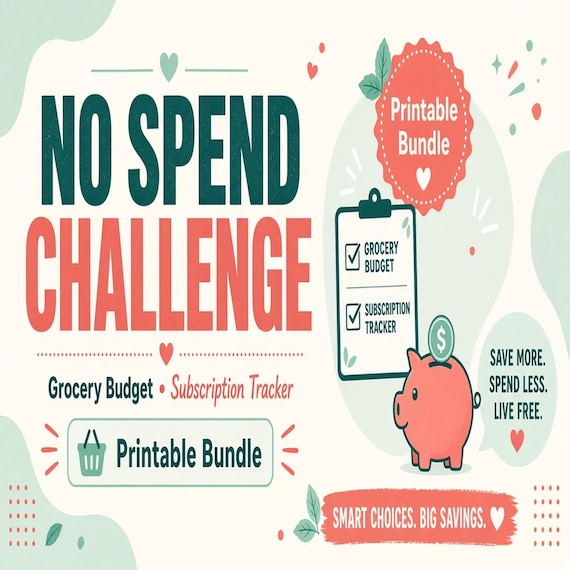
No Spend Challenge Tracker
Reset everyday spending with a no spend challenge bundle, grocery budget planner and subscription audit tools for finding leaks…
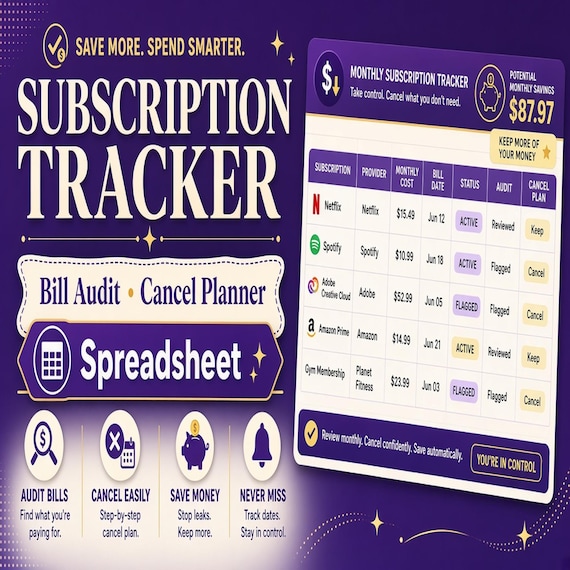
Subscription Tracker Spreadsheet
Catch recurring charges before they drain the budget with a subscription tracker spreadsheet, monthly audit pages and…
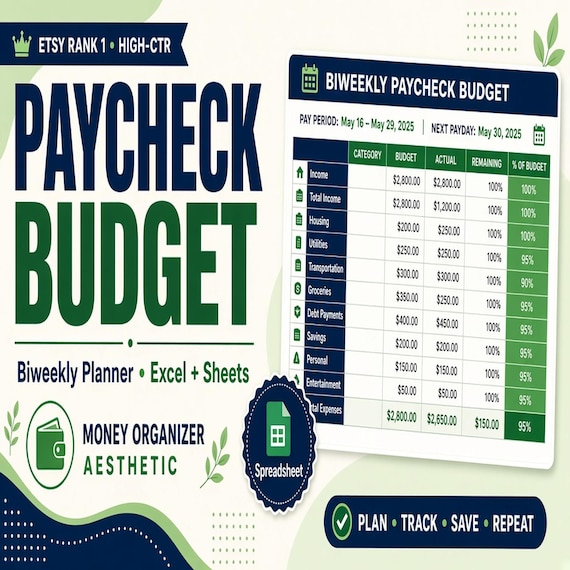
Paycheck Budget Spreadsheet
Plan every paycheck before it disappears with a paycheck budget spreadsheet, bill tracker and printable budget planning pages.
Budget Planner Spreadsheet Bundle
The complete money management bundle combines budgeting, bills, debt payoff, savings, grocery planning and spending reset tools…