Budget & Money Planners · Sep 2, 2026 · 18 min read
Sinking Funds Tracker Setup: Name Irregular Expenses, Fund Them Early, and Keep Cash Envelopes Honest
A practical setup plan for turning known-but-irregular costs into named funds, matching spreadsheet pages to cash envelopes, and keeping those savings out of your emergency pile.
Confirm what the current sinking-funds download includes
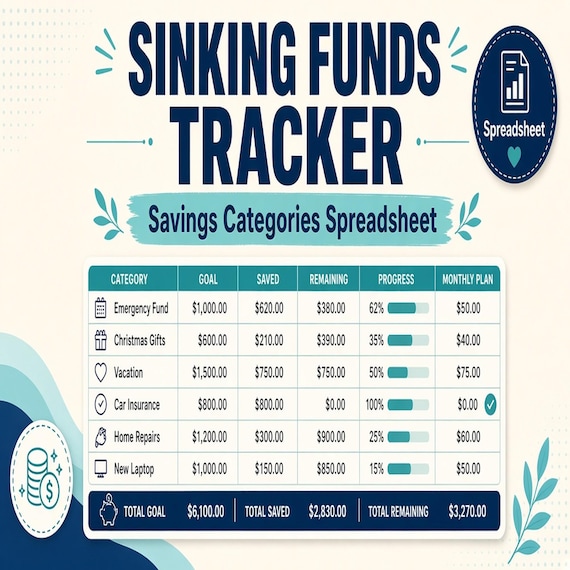
Begin with the files the current listing actually describes. The SteadyStackStudio sinking funds tracker is a digital download for planning irregular expenses before they hit, using a cash-envelope style savings planner and printable or spreadsheet organization pages. The listed contents are a sinking funds spreadsheet-style tracker, printable savings tracker PDF pages, a cash envelope and savings-goal planning layout, multiple fund categories with progress tracking, and quick-start instructions. It is an instant digital download. No printed binder, cash envelopes, worksheets, or other physical item ships.
Open the quick-start instructions before you rename categories or print a stack of pages. Compare the listed pieces with the job you need: named funds for known future costs, a way to see progress toward each target, and a layout you can review at a money check-in. Keep the original download and one untouched copy. If you need a bank connection, an automated transfer, a tax filing tool, or a promise that the files will work in a specific app the listing does not name, stop there and choose another method.
These pages are organization tools. They are not financial, tax, legal, or professional advice. You remain responsible for the amounts, due dates, account choices, and spending decisions you record. Use the files for your own household or small-business planning as the listing describes. Do not treat the download as a product you can resell, share, or upload as your own competing pack.
- Verify that the downloaded files match the listed tracker, printable PDF pages, envelope layout, and instructions.
- Read the quick-start notes before renaming funds or printing a full set.
- Keep an untouched master copy and make a separate working copy.
- Remember that this is a digital planner, not a shipment of envelopes or a financial-advice product.
Separate sinking funds from emergency savings, bills, and debt payoff
A sinking fund is money you set aside on purpose for a cost you can reasonably see coming. Car registration, an annual insurance premium, holiday gifts, school fees, a planned vet visit, or a known home-maintenance season are typical examples. The date may flex by a few weeks. The fact that the cost will arrive does not. The tracker’s job is to make that future amount visible now, in smaller pieces, so it does not land on one paycheck as a surprise.
An emergency fund is a different pile. It is for costs you did not plan: a sudden job gap, an urgent medical bill, or a repair you could not have dated on a calendar. If you pay a known annual bill from the emergency pile, you refill it under stress and then call the next known bill an emergency too. A monthly bill tracker is also a different job. Rent, utilities, and subscriptions that repeat on a set date belong on a bill list or paycheck plan. A debt payoff sheet is a third job: balances, required payments, and extra-payment order. Mixing those four records into one unlabeled savings line makes every review guesswork.
Write the boundary in plain language before you fill a single row. Sinking funds: known, irregular, and dated. Emergency savings: unknown and disruptive. Bills: repeating and due this cycle. Debt: money already owed, with a payoff plan. If a cost could sit in two places, pick the stricter definition. Car insurance due in six months is a sinking fund. A blown tire on a Tuesday is an emergency unless you already named a car-repair fund and the amount fits. Do not move the same dollars into two trackers and count them twice.
- Use sinking funds for known costs that do not hit every month.
- Keep emergency savings for costs you could not have dated in advance.
- Leave repeating bills on a bill tracker or paycheck plan.
- Leave balances and extra payments on a debt payoff sheet.
- Do not count the same dollars in two places.
Start with the expenses that actually break a month
Do not begin by inventing twenty cute envelope names. Begin with the last twelve months of statements, receipts, or calendar notes and mark every large cost that was not a normal monthly bill. Insurance renewals, holiday spending, back-to-school, pet procedures, car registration, memberships billed once a year, travel you already intend to take, and appliance or HVAC service are common. If you thought “I knew this was coming” while you paid it, it belongs on the first list.
Sort that list by the strain it caused, not by how tidy the category sounds. A $900 premium that arrives the same month as rent is more urgent than a $40 gift envelope you could cover from the grocery leftover. Start with one to four funds that would actually wreck a month if they landed tomorrow. You can add quieter funds later. A tracker with three funded categories beats a tracker with twelve empty ones.
Skip a separate fund when the cost is small enough to absorb in the month it arrives, or when it already has a clear home. Weekly groceries belong on a grocery plan. A streaming subscription belongs on a bill or subscription list. A true unknown repair belongs in emergency savings until you have enough history to estimate a yearly maintenance number. If you cannot name a due month and a rough amount, it is not ready to be a sinking fund. Park it on a watch list and review it at the next check-in instead of pretending you have a plan.
- Pull a year of real costs before naming new funds.
- Start with the one to four expenses that most often blow a month.
- Leave tiny or truly monthly costs in the tools you already use for those jobs.
- Hold off on a fund until you can name a due window and a rough amount.
Give every fund a name, a due date, and a target
Each fund needs three facts that a stranger in your household could read without a meeting: a name that matches the actual expense, a due month or deadline, and a target amount. “Car” is too vague. “Car insurance — March — $1,200” can be funded. “Holidays” is a mood. “December gifts and travel — $600” can be divided. If two costs share a month but not a purpose, keep them separate so you do not empty the insurance fund to cover gifts.
Set the target from evidence, not from a round number that feels virtuous. Use last year’s bill, a current quote, a school fee list, or a written estimate. If the amount is a range, record the number you would rather have on hand, then note that it is an estimate. Inflating every target until the monthly total is impossible is how sinking funds get abandoned. Understating a target so the page looks green is how you still scramble in December. Prefer a slightly conservative number you will actually fund.
Write the “why this fund exists” line once. That sentence is the rule you will use when you are tempted to borrow from it. A car-registration fund is not a parking-ticket fund. A vet-wellness fund is not a last-minute boarding fund unless you named boarding in the same envelope on purpose. If you want a flexible buffer for small surprises inside a category, say so in the name: “Car repair buffer — rolling — $400.” Rolling funds still need a refill rule after you spend, or they quietly become empty.
- Name the expense, not a vague theme.
- Record a due month or deadline next to the target.
- Base the target on a bill, quote, or last year’s cost.
- Write one sentence that says what the fund may and may not pay.
Divide the target across the months or paychecks you still have
The useful math is simple and easy to skip. Take the remaining amount you still need, not the original target if you already have some cash set aside. Divide that remainder by the number of months, or paychecks, before the due date. That number is the contribution this fund needs from each cycle. If March insurance is $1,200 and you have six months and nothing saved, the plan is $200 a month, or the equivalent per paycheck. If you already have $300, the remainder is $900.
When the required contribution does not fit the current paycheck plan, change the plan in writing instead of hoping the tracker will forgive you. You can lower the target, extend the deadline if the bill allows it, pause a less urgent fund, or reduce a flexible category such as dining out. What you should not do is enter a contribution you will not make, then color the progress bar as if the money exists. The tracker only helps if the contribution line matches money that actually moves.
Paycheck timing matters as much as the monthly total. A bill due on the 3rd is not funded by a contribution you intended to make on the 15th. Map the last contribution to a payday that arrives before the due date, with a few days of slack for transfer time. If income is uneven, fund more in a stronger month and record that as a planned extra, not as a random dump that you cannot repeat. The current download is an organization tool. It does not move money between bank accounts for you.
- Divide the remaining need, not only the original target.
- Match the contribution to months or paychecks that arrive before the due date.
- If the number does not fit, change the target, timeline, or other spending in writing.
- Do not record a contribution until the money has actually been set aside.
Match spreadsheet pages, printable pages, and cash envelopes to the same plan
The current download includes a spreadsheet-style tracker, printable savings tracker PDF pages, and a cash envelope or savings-goal planning layout. Those are three views of one plan, not three competing systems. Pick a primary view for the running totals and a secondary view for the check-in you will actually keep. Many people keep live numbers on the spreadsheet-style tracker and print envelope labels or progress pages for a binder. Other people work only on paper. Either path works if every fund has the same name, target, and due date in both places.
Cash envelopes are a handling method, not a second budget. If you put $50 cash in a “gifts” envelope, the tracker should show $50 in that fund, not $50 in the envelope plus $50 still marked available in checking. If the money lives in a savings account instead of paper envelopes, the tracker still needs one line per fund so you can see the labels inside one account balance. A single savings account with five named funds on paper is fine. Five forgotten transfers with no labels is how the plan dissolves.
Print only the pages you will use this month. A full binder of unused categories becomes clutter, and clutter is a reason people stop opening the file. Fill one sample fund on the working copy before you print a set for the household. Check that the progress layout has room for the contribution schedule you chose. If a page asks for a field you do not have, such as an account number you do not want on paper, leave it blank or keep that detail in the place you already store private records. The listing does not require you to put bank credentials on a printable page.
- Treat spreadsheet pages, printables, and envelopes as one plan with two or three views.
- Choose one place as the live total so cash and accounts are not double-counted.
- Print only the funds you are running this month.
- Test one complete fund on the working copy before making a household set.
Keep sinking money out of the emergency pile
The most common setup failure is using one unlabeled savings balance for everything. The account looks healthy until the insurance bill, the holiday month, and a car repair arrive close together. Then the “savings” is gone and the next surprise has nowhere to land. If you also keep a separate emergency-fund tracker, give that tracker its own target and its own rule. Sinking funds can sit in the same bank account as emergency savings only if the tracker, not the account nickname, is the source of truth for each dollar’s job.
Decide in advance what happens when a real emergency lands and a sinking fund is the only cash nearby. Some households allow a documented loan from a distant sinking fund, with a refill date. Others refuse that loan so a known bill stays funded. Either rule can work. An unwritten rule does not. Write the exception on the emergency page and on the sinking-fund page so you do not invent a new story under pressure.
Do not refill emergency savings by silently emptying a sinking fund and leaving the old target in place. If you borrow, lower the sinking-fund current balance, keep the original target, and raise the contribution until the due date still works or until you change the due date. If you cannot refill in time, rename the plan: the insurance bill will be paid another way, and the tracker should say so. A green progress bar that no longer matches the bank is worse than a red bar you can act on.
- Give emergency savings its own target and its own tracker, even if the cash shares an account.
- Write one exception rule for borrowing between funds.
- If you borrow, update the balance and the refill plan the same day.
- Never leave a completed-looking fund that the bank no longer supports.
Fund the envelopes from a paycheck plan without double-counting
Sinking-fund contributions have to come from somewhere in the current cycle. The cleanest method is to treat each contribution as a planned line on the paycheck budget, the same way you treat rent or groceries. After you assign income to bills, debt payments you already committed to, and ordinary spending, the remaining amount is what can move into funds. If nothing remains, the sinking-fund plan is not a tracker problem. It is a timing or spending problem that belongs on the paycheck page first.
Record the contribution in only one direction. The paycheck plan shows money leaving available cash. The sinking-fund tracker shows money arriving in a named fund. Adding the same $100 as leftover paycheck money and as a funded envelope will make you feel $200 richer than you are. Likewise, do not list a sinking-fund contribution as a bill on the bill calendar and as a savings transfer unless you know which record is the live one. Pick the paycheck plan as the assignment tool and the sinking-funds tracker as the progress tool.
If you use a complete money bundle that already includes sinking-funds planning pages, do not run a second set of the same categories in this focused tracker unless you have a reason. Two live copies drift. Choose the focused sinking-funds download when the missing job is named irregular expenses and you already have a paycheck or bill tool you like. Choose a larger bundle when you are replacing several scattered money pages at once. In either case, one live list of fund names is enough.
- Assign each contribution on the paycheck plan before moving money.
- Let the sinking-funds tracker show progress, not a second copy of available cash.
- Avoid listing the same transfer as a bill, a leftover, and a funded envelope.
- Keep one live list of fund names if you also use a larger money bundle.
Spend from the right fund and reset the target afterward
When the expense arrives, pay it from the fund that was named for it. Note the date, the amount, and the remaining balance. If the bill is smaller than the target, leave the extra in that fund or move it on purpose: toward next year’s version of the same bill, toward a related fund, or toward a goal you have already written down. Do not treat leftover sinking money as unmarked spending money unless that is the rule you wrote.
If the bill is larger than the fund, record the shortfall instead of hiding it. Pay the difference from the place you already chose for overages, such as the current paycheck leftover or, if your written rule allows it, emergency savings. Then change next year’s target using the real bill, not the old guess. A tracker that never updates targets after a real invoice will be wrong in the same month next year.
Reset rolling funds the week you spend. A car-repair buffer that goes from $400 to $80 needs a new contribution plan the same day, or it will still look like a safety net on the page. Annual funds can reset on a calendar: after you pay March insurance, set the next due date to next March and start the contributions again. Emptying a fund to zero without a next date is how people assume the job is finished.
- Pay the named expense from the named fund and record the actual amount.
- Decide where leftover money goes; do not let it become unmarked cash.
- If the bill overruns the fund, record the shortfall and update next year’s target.
- Give every spent fund a next due date or a refill plan immediately.
Run a monthly review that does not rebuild the whole budget
A sinking-funds review should take one short sitting, not a weekend relaunch. Once a month, or once a pay period if that is when you already sit down, open the live tracker and ask four questions. Which contributions actually moved? Which due dates are inside the next 60 days? Which fund is behind, and what will change so it can still work? Which fund is done for the year and needs a reset? Write the answers on the page. Do not start by redesigning category names.
Bring only the neighboring tools you need. If a contribution did not happen, the paycheck plan is the next page, not a new sinking-fund design. If a due date is really a repeating monthly bill, move it to the bill tracker and delete the fund. If you are behind because extra cash went to debt, look at the debt sheet and decide whether the extra payment or the sinking fund has priority for the next cycle. Those are tradeoffs. The tracker should show the tradeoff, not hide it under a renamed envelope.
Keep grocery spending, subscriptions, and ordinary bills out of this sitting unless they are stealing the contribution. A grocery planner can sit beside the paycheck page. A sinking-funds review that turns into a full life audit is a review you will skip. If the household shares the plan, agree on who updates the live totals and who only reads them. Two people editing two copies is the fastest way to lose trust in the numbers.
- Review contributions, near due dates, shortfalls, and resets in one short sitting.
- Fix a missed contribution on the paycheck plan, not by inventing new fund names.
- Move a cost to a bill tracker if it has become a true monthly obligation.
- Let one person keep the live totals if more than one person uses the plan.
Choose a focused sinking-funds tracker or a larger money bundle
Choose this focused download when the missing piece is a way to name irregular expenses, track progress toward each one, and keep a cash-envelope or savings-goal layout without replacing every other money page you already use. It fits when paycheck timing already has a home, bills already have a list, and the remaining pain is the annual or seasonal cost that still feels like a surprise. It also fits if you want printable pages for a binder plus a spreadsheet-style tracker for the live math.
Choose a neighboring tool when the missing job is different. Use an emergency-fund tracker when the problem is an unlabeled safety net, not a dated bill. Use a paycheck budget planner when income assignment is still the bottleneck. Use a bill and subscription toolkit when due dates and renewals are scattered. Use a debt payoff spreadsheet when extra payments and balances need their own order. Use a grocery budget planner when food spending is the category that overruns. Use a complete money-management bundle when you want budgeting, bills, debt, savings, grocery planning, and spending-reset tools in one larger set, including sinking-funds planning pages where that bundle includes them.
This focused tracker may not be the right fit if you need a bank-connected app, a physical envelope kit in the mail, investment advice, or a guarantee about a specific spreadsheet program beyond what the listing shows. It is also the wrong first purchase if you do not yet know whether your problem is irregular expenses or a missing monthly budget. In that case, use the companion comparison of paycheck budgets, bill trackers, and debt payoff sheets first. Confirm the current title, price, file list, and related downloads on the product page before you leave for checkout.
- Use this tracker when named irregular expenses are the missing job.
- Use the emergency-fund tracker for unlabeled shock savings.
- Use paycheck, bill, debt, or grocery tools when those are the actual bottlenecks.
- Use a complete bundle only when you will maintain several of those jobs together.
- Confirm the current file list on the product page before opening Etsy.
Watch for setup mistakes that make the tracker lie
The tracker fails in predictable ways. The first is too many funds on day one. Twelve empty categories look organized and then none of them receive money. The second is targets with no due dates, which turns every fund into a vague wish. The third is counting cash in an envelope and in checking at the same time. The fourth is paying a sinking-fund bill from a card and never lowering the fund balance, so the page still claims the money is available. The fifth is raiding a distant fund for a fun purchase and leaving the original target untouched.
A sixth mistake is treating last year’s amount as sacred when prices changed. Update the target when you have a new bill. A seventh is hiding a missed contribution by lowering the target so the progress bar stays pretty. Change the contribution or the timeline instead. An eighth is keeping two live files, one on a phone and one printed, that no longer match. Pick the live copy and treat the other as a snapshot with a date on it.
Do a final pass after the first month. Every active fund should have a name, a due window, a target, a contribution that actually moved, and a current balance that matches the envelope or the labeled savings. If a fund cannot pass that check, pause it. A short honest tracker is more useful than a decorative one. These pages help you see the plan. They do not create money, approve a loan, or replace your own judgment about what to fund first.
- Start with a few funded funds rather than a long empty list.
- Give every fund a due date and a target you will actually fill.
- Count each dollar once, in one place.
- Lower the balance when you spend, including when you pay by card.
- Keep one live copy and date any printed snapshot.
Printables used in this guide
Instant downloads from the SteadyStackStudio Etsy shop.
Sinking Funds Tracker Spreadsheet
Plan irregular expenses before they hit with a sinking funds tracker, cash-envelope style savings planner and…
Budget Planner Spreadsheet Bundle
The complete money management bundle combines budgeting, bills, debt payoff, savings, grocery planning and spending reset tools…
Paycheck Budget Spreadsheet
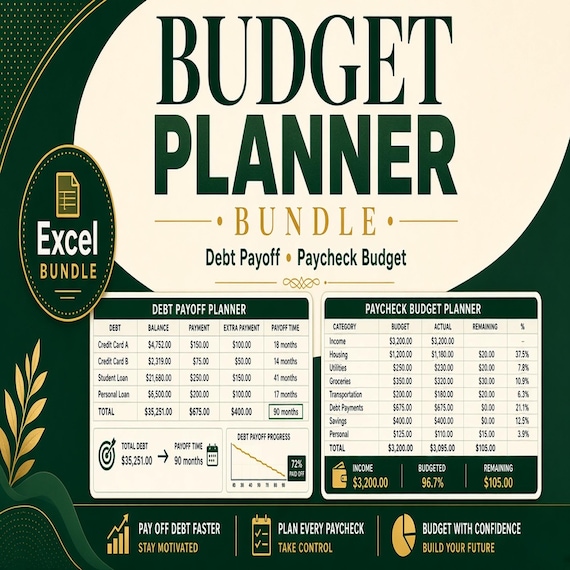
Get the core money reset tools in one download: paycheck budgeting, debt payoff tracking and side hustle income/expense…
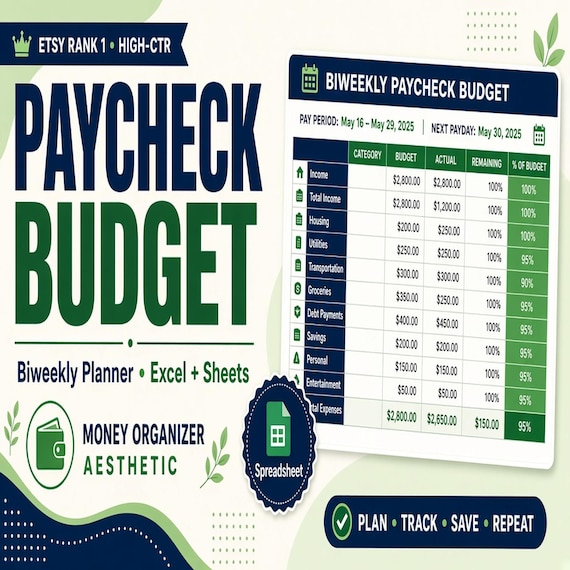
Paycheck Budget Spreadsheet
Plan every paycheck before it disappears with a paycheck budget spreadsheet, bill tracker and printable budget planning pages.