Planners & Trackers · Jul 4, 2026 · 6 min read
Pickleball Round Robin Spreadsheet: Schedule and Score Sheets
Set up a pickleball round robin spreadsheet: enter players, build the schedule, log scores, watch standings update, and print score sheets for the courts.

Pickleball round robin spreadsheet in 30 seconds
A pickleball round robin spreadsheet is a live workbook for social doubles or a small club night: you list players, assign each round to a court, enter scores, and standings update from wins, losses, and point differential. Printable score sheets stay on the courts so play does not wait on one laptop.
- Players sheet: names, optional skill, Active = Yes (starter rows for about 16; insert more if needed)
- Round Robin Schedule: Round #, Court, Side A (2 names), Side B (2 names)
- Scorecards: A1/A2 vs B1/B2 plus Score A / Score B; Winner and Point Diff calculate
- Standings: Wins, Losses, Ties, Points For/Against, Point Diff, Games Played, Win % when names match
- Court Assignments + printable signup, blank scorecards, and court rotation cards for paper backup
Round robin vs tournament bracket
Search results mix "pickleball tournament bracket" with round robin sheets. They solve different jobs. A single-elimination or double-elimination bracket shrinks the field until one winner; most players sit after one loss. A round robin (or rotating-partner mixer) keeps everyone playing every round and ranks the field from the full set of results.
Use a bracket when the event is elimination-style and you need a poster-style path to a champion. Use a round robin spreadsheet when club night, social doubles, or a small tournament should give everyone similar court time and a standings table at the end.
- Round robin: schedule every side, log every score, sort standings by wins then point diff
- Bracket: seed players/teams, advance winners, track byes—not the same sheet as a mixer
- Hybrid nights: play round-robin pools first, then feed top finishers into a short bracket if you want a final
What you need before the first game
Write down the event constraints before you open Excel. The file has to match player count, court count, and whether partners stay fixed or rotate.
- Player count and whether late arrivals or odd numbers need a bye
- Number of courts reserved and how long each round should run
- Fixed partners (standings by pair) vs rotating partners (standings by player)
- Who will type scores: host laptop, court captain clipboards, or both
- A printed signup sheet and spare blank scorecards if Wi-Fi or battery fails
Step-by-step: run the Excel workbook
Facts below come from the SteadyStack Pickleball Round Robin Tracker workbook (8 sheets) and its 14-page printable companion. Yellow cells are for typing; pale cells are formulas—do not overwrite those.
- 1. Open Start Here, then enter up to 16 players on the Players sheet (insert rows if you need more). Set Active = Yes for anyone in tonight's pool.
- 2. On Round Robin Schedule, fill Round, Court, Side A Player 1/2, and Side B Player 1/2. Copy names from Players so spelling stays identical.
- 3. After each game, log Round, Court, A1/A2, B1/B2, Score A, and Score B on Scorecards. Winner (A/B/TIE) and Point Diff fill in automatically.
- 4. Check Standings: Wins, Losses, Ties, PF, PA, Diff, Games Played, and Win % pull from Scorecards when names match Players. Sort by Wins, then Point Diff, when the night ends.
- 5. Use Court Assignments for the next-round callouts (court, sides, start time, status).
- 6. Glance at Dashboard for active players, schedule rows, games scored, and win counts so you know nothing is stuck.
- 7. Print blank scorecards, the signup sheet, and court rotation cards from the PDF when you want paper at the facility.
Pickleball round robin for 8 players (and other sizes)
Autocomplete often asks for sheets sized to a specific group. Even numbers work best for doubles; use a bye if the count is odd. For 8 players in social doubles with rotating partners, a common pattern is 7 rounds so each player meets most of the field without a huge night.
Keep partner rotation intentional: change partners each round when the goal is social play, and keep the same spelling of every name from Players through Scorecards so Standings stay honest. One clipboard scorecard per court, then update Excel between rounds if you can.
- 6 players: fewer courts or shorter rounds; expect more byes or stacked waiting
- 8 players: 7 rotating-partner rounds is a common social format on 2 courts
- 12–16 players: use the starter 16 rows, add courts, and pre-build more schedule rows before people arrive
- Over 16: insert Players rows and expand Scorecards/Schedule the same way—formulas follow matching names
Printable pickleball score sheets vs the live spreadsheet
A printable pickleball score sheet is the court-side form: round, court, Side A names, Side B names, Score A, Score B, winner/notes. The spreadsheet is the system of record that turns those scores into standings.
Use paper when volunteers walk courts, when outdoor glare makes a laptop hard to read, or when you need a backup. Use Excel when you want Winner/Point Diff formulas and a standings table you can sort and display. Many club nights use both: clipboards during play, Excel between rounds.
- Print extras of blank scorecards (the PDF includes multiple copies)
- Cut court rotation cards so players know where to go next
- Keep the signup sheet on a clipboard at check-in
- Re-enter paper scores into Scorecards before you trust Standings
Common mistakes that break standings
Most "the standings look wrong" nights come from name mismatches or overwritten formulas, not from bad math.
- Different spellings of the same player on Players vs Scorecards
- Typing over Winner or Point Diff formula cells instead of Score A/B only
- Leaving Active = No (or blank) for someone who is still playing
- Entering team nicknames on one sheet and full names on another
- Skipping a game on Scorecards so Games Played and Diff drift
Generator apps vs an Excel template
"Pickleball round robin generator" tools build pairings in a browser. They are fine for a one-off mix when you only need who plays whom. An Excel (or Sheets-friendly) template is better when you also need score entry, point differential, a reusable player list, and printable court pages you already printed.
If you only need pairings once, a generator can be enough. If you host weekly club night, keep a workbook you control offline at the facility.
Printable kit: what is in the SteadyStack download
The Pickleball Round Robin Spreadsheet is an instant-download ZIP built for personal, club, and social play (not an official tournament system). File facts from the package:
Excel workbook — 8 sheets: Start Here, Dashboard, Players, Round Robin Schedule, Scorecards, Standings, Court Assignments, Notes. Scorecards compute Winner and Point Diff; Standings pull Wins/Losses/PF/PA/Diff/Win % when names match.
Printable PDF — 14 pages: how-to-run guide, player signup sheet, multiple blank scorecard copies, paper standings sheets, court rotation cards, pairing tips, and an event-day checklist (courts confirmed, signup printed, scorecards printed, Excel Players list ready).
Editable Word — how-to-run guide plus an editable version of the printable pages so you can change headings or add rows before printing.
Quick Start README — folder map and formula notes. Designed for about 16 starter players; expand rows as needed.
See the listing on Etsy. Browse more trackers in Planners & Trackers.
Related guides
Running the whole night, not just the sheet? See how to run a pickleball league night for check-in, court rotations, and final standings habits. For another club-night score workflow, try the mahjong club night setup. If you also host bracket-style office pools, the soccer office pool spreadsheet covers picks, results, and a leaderboard.
Frequently asked questions
What is a pickleball round robin spreadsheet?
It is a workbook for social or club doubles where every side keeps playing. You enter players, assign rounds and courts, log scores, and standings update from wins, losses, and point differential. Printable score sheets cover the courts while the host updates Excel between rounds.
How do you set up a pickleball round robin schedule for 8 players?
List all 8 names on the Players sheet with Active = Yes. Build the Round Robin Schedule with Round, Court, and two names per side. For rotating-partner social doubles, 7 rounds on 2 courts is a common pattern. Keep spellings identical when you copy names onto Scorecards so Standings match.
Do I need a pickleball tournament bracket or a round robin sheet?
Use a tournament bracket for elimination events that crown one winner and sit losers early. Use a round robin sheet when everyone should keep playing and you want standings from the full set of scores. Some events run round-robin pools first, then a short bracket for the top finishers.
What should a pickleball score sheet include?
At minimum: round, court, Side A names, Side B names, Score A, Score B, and a winner or notes line. Clipboard-friendly blocks that you can cut apart help court captains. Re-enter those scores into the spreadsheet Scorecards tab before you trust standings.
Can I use a free round robin generator instead of Excel?
Yes, if you only need pairings once. A generator will not usually replace live score entry, point-diff standings, a reusable player list, and printable court cards. For weekly club night, an offline Excel template you already printed pages from is usually less fragile.
Why do my pickleball standings look wrong?
Almost always a name mismatch between Players and Scorecards, a blank Active flag, or typing over formula cells. Enter scores only in Score A/Score B, keep names identical, then sort Standings by Wins and Point Diff after the last game.
Printables used in this guide
Instant downloads from the SteadyStackStudio Etsy shop.
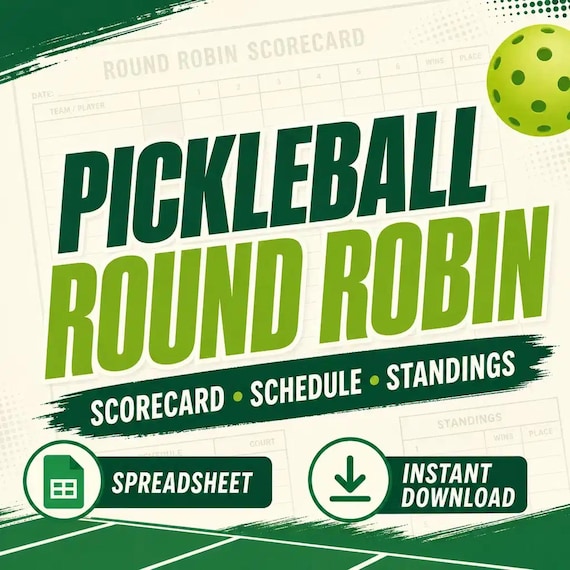
Pickleball Round Robin Spreadsheet
Pickleball round robin spreadsheet for clubs and social play: Excel-first workbook with players, schedule, scorecards, standings…
Office Pool Spreadsheet
Run a 2026 soccer tournament office pool with a cleaner tracker, leaderboard, printable bracket pages, score sheets and watch…
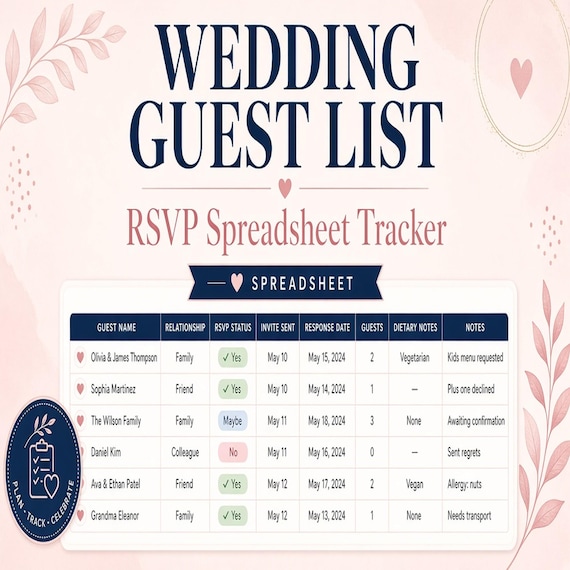
Wedding Guest List Spreadsheet
Plan RSVPs, seating, meals, gifts, and day-of lists in one workbook. This is an instant digital download designed for buyers who…
Seed Starting Spreadsheet
Seed starting spreadsheet for home gardeners: Excel-first workbook with seed inventory, planting calendar, germination log (auto…