Planners & Trackers · Aug 22, 2026 · 13 min read
2026 Soccer Office Pool Setup: Picks, Match Results, Bracket, and Leaderboard
A practical guide to setting clear pool rules, collecting picks, recording match results, moving qualifiers into the bracket, and keeping a fair leaderboard throughout a 2026 soccer tournament.
Start with the pool decisions the download cannot make for you
A soccer office pool runs smoothly when everyone knows what they are predicting, when entries close, how points are awarded, and how a tie will be settled. The spreadsheet can organize those decisions, but it cannot choose fair rules for your group. Make the rules first, then fit the tracker around them. Starting with names and picks before the rules are settled usually creates avoidable corrections once the tournament is underway.
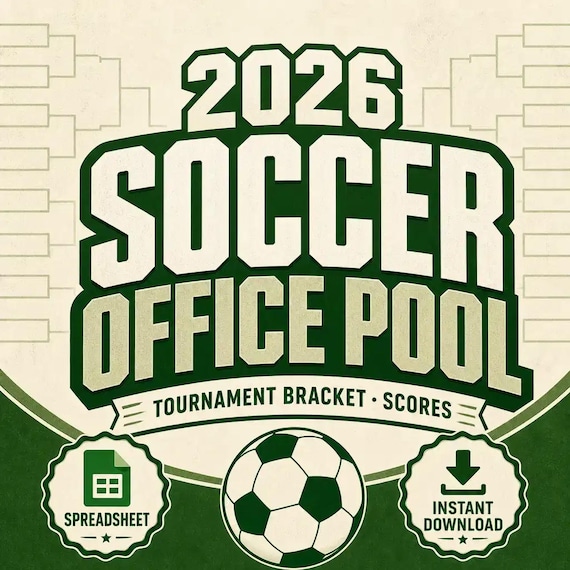
The current SteadyStackStudio listing describes a spreadsheet-style office pool tracker and leaderboard, printable bracket and group-stage chart pages, a team draw sheet, scorecards, and watch-party pages. It is an unofficial digital fan template, not an official tournament product, and no physical item is shipped. Those pieces can support the pool, but the organizer still needs to decide the scoring method, deadlines, source for official results, correction policy, and who is responsible for updates.
Write a one-sentence purpose before setting up the file. A friendly office prediction game, a family watch-party contest, and a detailed score-prediction challenge can use the same tournament but need different rules. Keep the first version no more complicated than the group can explain and check consistently.
- Name the pool format before entering any participant or team data.
- Choose one person to maintain the official working copy and one backup person if needed.
- Treat the included tracker, charts, scorecards, and party pages as organization tools rather than official tournament records.
- Keep the rules in writing where every participant can see the same version.
Confirm the exact file package and editing fit before checkout
The product description lists several useful roles, but a buyer should still confirm the exact delivered file types in the current Etsy details and previews. The listing uses qualified wording about Google Sheets and Excel-friendly planning where supported by the included files; it does not justify assuming that every page is editable in every spreadsheet app. If a particular extension, shared-editing method, or device is essential, verify it before purchase rather than relying on the product title alone.
Look for direct previews of the participant tracker, leaderboard, group-stage chart, bracket, team draw, and printable pages. A themed cover can show the idea of the product without showing whether the working areas are readable. Check that names, picks, results, and standings have enough room for the way your pool will run. If the preview does not make a critical page clear, use the product page to inspect all images and ask before buying.
Also decide whether the pool will be maintained on one computer, shared through a compatible service, or printed and updated by hand. A file that works well on a desktop may feel cramped on a phone. A printable chart may be ideal for a watch-party wall but inefficient as the only place to recalculate a multi-round leaderboard. Match the package to the real update routine, not only to the tournament theme.
- Confirm the delivered extensions, not just the words spreadsheet, printable, Excel, or Google Sheets in the listing.
- Inspect working-page previews for readable columns, labels, and writing space.
- Check that the intended device and spreadsheet or PDF software can open the files.
- Do not assume live scores, automatic imports, shared permissions, or a mobile app unless they are explicitly included.
Write a one-page rules sheet before collecting picks
A short rules sheet prevents most disputes. Put the pool name and version date at the top, then state who can join, what each person must predict, the submission deadline, whether edits are allowed, how points are awarded, which published result is treated as final, and what happens when two participants finish level. Everyone should receive this page before they send a pick.
Be precise about deadlines. Instead of saying entries close before the tournament, state the date, time, and time zone. Decide whether all picks lock at once or whether later-round picks can be entered after qualifiers are known. If you allow changes, explain the last moment a change can be made and how the original submission will be preserved. Apply the same rule to every participant.
If the pool includes money, prizes, workplace participation, or minors, check the rules that apply to the setting before proceeding. A downloadable tracker does not determine whether a contest is permitted or suitable. A no-fee friendly pool can still be fun, and it is often easier to run because the focus stays on clear predictions and a visible leaderboard.
- State the entry deadline with a date, time, and time zone.
- Define whether participants pick match outcomes, exact scores, advancing teams, a champion, or a limited combination.
- Name the result source and the moment a result becomes final for pool purposes.
- Publish one tie-break sequence instead of inventing a solution at the end.
- Explain how postponed, abandoned, corrected, or rescheduled matches will be handled.
Choose a scoring method that fits on one small card
Simple scoring is easier to enter, check, and trust. One option is to award points for choosing the correct match outcome. Another is to award more for an exact score and fewer for the correct outcome. A bracket-focused pool may award points for correctly choosing teams that advance, with later rounds worth more. These are organizer choices, not promises about formulas inside the download.
Write the method with two or three examples. If a participant predicts a draw and the match is later decided by an extra stage or tie-breaking procedure, your rules must say which result counts. If knockout picks use the team that advances rather than the score at a particular time, say so. Avoid changing the definition after seeing which entries benefit.
Use the lightest model that creates the experience you want. Exact-score points can add interest, but they also create more data entry and more opportunities for disagreement. Outcome-only picks are easier for casual groups. Advancement picks work well for a bracket challenge. Combining every possible method may produce a sophisticated sheet that nobody can audit quickly.
- Outcome pool: record the predicted winner or draw and compare it with the result defined in your rules.
- Score pool: record a predicted score and explain partial versus exact credit.
- Bracket pool: record advancing teams and state how points change by round.
- Hybrid pool: include only the extra champion or tie-break prediction that the group can check easily.
- Test every scoring rule with at least one correct, incorrect, tied, and exact-pick example.
Build the participant list and team draw without duplicate identities
Create one participant list before opening entry collection. Give every person a single display name or short code and use it on the picks sheet, leaderboard, and any printed bracket. This prevents the same person from appearing under a full name in one place and a nickname in another. If two people use the same first name, assign a clear second identifier before the first pick is recorded.
The current package description includes a team draw sheet. If your pool assigns teams randomly, document the draw method before running it and keep the final assignments beside the rules. If participants choose teams instead, decide how duplicate choices are handled. The tracker records the outcome of the draw or selection; it does not make the draw fair by itself.
Collect only information the pool needs. A display name and a reliable way to return a correction may be enough. Do not place private contact details on a leaderboard shown at work, online, or at a watch party. Keep any contact list separate from the public-facing standings, and remove it when the pool is finished.
- Use one unique participant name or code everywhere.
- Freeze the roster when entries close and mark withdrawals rather than silently deleting them.
- Keep team assignments, entry status, and submission time in the maintained copy.
- Separate private contact details from anything displayed or shared with the group.
Run a four-entry test before inviting the whole group
Make a working copy and enter four fictional participants before distributing the pool. Give them deliberately different predictions: one correct outcome, one incorrect outcome, one exact pick if exact scores are used, and one case that activates the tie-break rule. Then enter a sample result and follow it from the picks area to the leaderboard. This exposes missing fields and unclear rules while corrections are still easy.
If the file contains formulas, confirm which cells should be edited and whether the totals respond as the current instructions describe. Do not overwrite formula cells merely because they look blank. If the leaderboard is manual, write a repeatable calculation checklist and have the backup person reproduce one sample total independently. A correct sample matters more than a decorative finished screen.
Open the test on the device that will be used during the tournament. Print one bracket or scorecard at the intended scale. Check clipped names, narrow columns, page breaks, small type, color contrast, and whether black-and-white printing remains understandable. Preserve an untouched copy of the original download before customizing the working version.
- Use fictional test names so no real entry is confused with setup data.
- Trace one result through every place it affects.
- Reproduce one participant total independently before launch.
- Test the actual device, printer, and display size rather than assuming the preview will match.
- Archive a clean original and label the tested working copy clearly.
Collect and lock picks with a visible submission record
Choose one entry path and use it for everyone. Participants might return a copy of a sheet, send a clearly formatted message, or submit through another method you already manage. Whatever you choose, record the received time and transfer the picks into the maintained copy before the deadline. Ask the participant to review a confirmation when practical, especially if names or team abbreviations could be misunderstood.
At the deadline, preserve a locked snapshot. Save a dated copy or export that shows each accepted entry before any results are added. If late changes are permitted under the written rules, keep the previous value and record the change time rather than replacing it without a trace. This protects both the participant and the person maintaining the pool when memories differ later.
Avoid letting many people edit the scoring copy directly unless the permissions and audit history have been tested. Shared access can be convenient, but accidental sorting, pasted values, deleted formulas, and inconsistent names can damage the pool quickly. A view-only standings copy or scheduled screenshot may be safer than unrestricted editing for a casual group.
- Record who submitted, when the entry arrived, and whether it passed the completeness check.
- Return unclear or incomplete picks before the deadline when possible.
- Save a locked pre-tournament snapshot of accepted entries.
- Keep an edit note for every approved post-submission correction.
- Share results without exposing the editable scoring copy unnecessarily.
Use one match-result routine throughout the group stage
Consistency matters more than speed. After each match, check the result against the source named in the rules, enter it once, and note the update time. Keep official match results separate from participant predictions so a copied value cannot overwrite an entry. If the group-stage chart is printed for display, update the maintained spreadsheet first and the display second so there is one clear record when the two differ.
Work in small batches. Enter the completed match, verify the row or cell, review the affected participant totals, and then publish the leaderboard update. A second person can spot-check a few entries after each batch. This is faster than rebuilding the entire standings after several days of unreviewed changes.
Set expectations for update timing. The pool does not need to change the instant a whistle blows unless that pace was promised. A daily update at a stated time may be easier for an office or family group. When an official result is corrected later, add a correction note and recalculate from the named result source instead of quietly changing the leaderboard.
- Enter results from the same named source every time.
- Keep predictions, official results, and awarded points in distinct fields or areas.
- Verify the affected totals before sharing a new leaderboard.
- Publish an update schedule the person maintaining the pool can actually keep.
- Log corrections with the match, old value, new value, date, and reason.
Make a deliberate handoff from group charts to the knockout bracket
The move from group play to a knockout bracket is a common failure point because team positions and later matchups may not be known when early picks are collected. Decide in advance whether participants predict specific advancing teams, exact bracket positions, later-round winners after the field is set, or some combination allowed by the rules. Do not silently switch methods when the bracket becomes easier to see.
Once advancement is official under your chosen result source, copy the qualified teams into the bracket carefully. Check each placement against the printed or digital chart before opening the next prediction window. If the pool locks all bracket picks at the beginning, preserve those original picks and compare them with the actual path; do not rewrite them to match the newly populated bracket.
Use a version name that makes the transition obvious, such as Group Stage Final followed by Knockout Bracket Open. If a printable bracket will be displayed, print after the qualifiers and positions are verified. Keep a prior copy so an accidental move, wrong team abbreviation, or later correction can be traced without reconstructing the whole tournament.
- State when knockout picks are made and when they lock.
- Verify every advancing team and bracket position before collecting the next round.
- Preserve original pre-tournament bracket picks when the format requires them.
- Save a group-stage final copy before creating the knockout working version.
- Recheck the tie-break rule before the final rounds, not after a tie appears.
Use scorecards and watch-party pages as a display layer, not a second record
The current product description includes printable scorecards and watch-party pages. These can make the tournament easier to follow in a break room, living room, or group event, but they should not become an untracked second scoring system. Decide which sheet is the maintained record and which pages are for display, notes, or casual predictions during a match.
Print one sample before making a full set. Check margins, scale, contrast, handwriting room, and whether team names fit. If a wall bracket will be photographed or shared, use participant display names rather than private contact details. Mark the update time so viewers know whether the page reflects the latest completed match.
A party page can also work as a low-pressure side activity for people who did not join the full office pool. Keep those guesses separate unless the rules explicitly say they count. This lets the printable extras add fun without changing the standings or forcing the person updating the leaderboard to reconcile scraps of paper after every match.
- Label the maintained record and the display copies clearly.
- Add a last-updated time to any public bracket or leaderboard.
- Test print size and writing space before the event.
- Keep casual match-day guesses separate from locked tournament entries.
- Remove private information from anything posted, projected, photographed, or shared.
Complete the final fit check before opening Etsy
This download is a practical candidate when you want one digital package described as a spreadsheet-style pool tracker and leaderboard plus printable group-stage charts, a bracket, team draw sheet, scorecards, and watch-party pages. It is best suited to a friendly tournament pool whose organizer is comfortable confirming the file types, setting the rules, entering results, checking totals, and maintaining a clean working copy.
It may not be the right fit if you need an official tournament feed, automatic live-score imports, a hosted registration website, payment collection, complex user permissions, a dedicated mobile app, custom rules built for you, or printed materials shipped to the event. Those are separate jobs. The current listing also identifies the product as unofficial and not affiliated with or endorsed by a tournament organization.
Before checkout, inspect every current preview and confirm the delivered formats against the device and software you plan to use. Make sure the working pages support your participant count and scoring choices without assuming an unlisted feature. If the rules can be explained on one page, four test entries can be scored correctly, and the group-stage-to-bracket handoff is clear, the pool is ready to launch. If any of those checks fail, simplify the rules or choose another tool before collecting real picks.
- I confirmed the exact included files and can open them on the device I will use.
- I wrote the entry deadline, scoring method, result source, correction policy, and tie-break sequence.
- I tested four fictional entries from picks through leaderboard totals.
- I know how group-stage results will move into the knockout bracket.
- I understand that this is an unofficial digital organization template, not an official feed, hosted pool service, or physical product.
Printables used in this guide
Instant downloads from the SteadyStackStudio Etsy shop.
Office Pool Spreadsheet
Run a 2026 soccer tournament office pool with a cleaner tracker, leaderboard, printable bracket pages, score sheets and watch…
Pickleball Round Robin Spreadsheet
Pickleball round robin spreadsheet for clubs and social play: Excel-first workbook with players, schedule, scorecards, standings…
Board Game Playtest Kit
Capture playtest feedback, organize mechanics, and print playtest session cards without rebuilding the system from scratch.

Seed Starting Spreadsheet
Seed starting spreadsheet for home gardeners: Excel-first workbook with seed inventory, planting calendar, germination log (auto…