Planners & Trackers · Aug 15, 2026 · 14 min read
Caregiver Binder vs Daily Care Log vs Appointment Organizer: Which Printable Fits?
A side-by-side guide to choosing an all-in-one caregiver binder, a repeat-entry daily care log, or a focused appointment organizer based on the handoff you need, the file format you use, and how often the information changes.
Choose the handoff first, not the biggest page count
A caregiver binder, a daily care log, and an appointment organizer can all contain contact, medication, and care information, but they are not interchangeable. The useful difference is the handoff each one needs to support. A binder gives an approved helper a broad reference point. A daily log records what happened across repeated days or shifts. An appointment organizer prepares questions, captures visit notes, and turns them into follow-up tasks.
Before comparing covers or the number of pages, name the moment that currently breaks down. Does a backup caregiver need a reliable overview? Do family members keep losing track of dated entries? Do appointments begin without a current question list and end without a clear follow-up record? Start with the smallest printable that fixes that moment. A larger package is only better when its additional sections will have an assigned owner and a realistic update routine.
These files organize information; they do not create a medical care plan, tell anyone how to take medication, replace a clinician's record, or provide emergency guidance. Copy instructions only from current, appropriate source documents, and direct medical or urgent questions to the qualified person or service responsible for them.
- Choose by the next handoff that must become clearer.
- Prefer a focused file over a large bundle with sections no one will maintain.
- Decide who owns updates before entering private information.
- Keep clinical decisions and emergency instructions in their proper official sources.
Use this quick comparison to identify the primary job
The three formats overlap because caregiving tasks overlap. The key is to choose one primary record and let any secondary file point back to it. If the household buys several overlapping templates without assigning separate jobs, medication lists, contacts, and appointment notes can quietly disagree. That is more confusing than having one modest system that everyone understands.
Think about how often the information changes and how it will be used. Stable reference details belong in a binder or medical-information organizer. Repeated observations and completed tasks belong in a dated log. Visit-specific questions and next steps belong in an appointment organizer. A file can include all three roles, but one role should still lead the purchase decision.
- Full caregiver binder: best when one household needs a broad working reference for contacts, care-team details, medication information, appointments, daily notes, and regular reviews.
- Daily care log: best when the main problem is repeat entry—who did what, when it happened, what still needs attention, and what the next approved caregiver should know.
- Appointment organizer: best when preparation, notes, provider details, questions, and follow-up are scattered before and after visits.
- Medical information binder: best when the central need is a concise health-information reference rather than a complete daily-care workflow.
- Emergency or life-admin binder: better when household contacts, document locations, home details, or wider just-in-case planning are the main concern.
Choose a full caregiver binder for one shared working reference
A full caregiver binder is the strongest starting point when several kinds of information must stay connected. It can give an approved family member or backup helper a care profile, emergency contacts, a care-team directory, current medication information, appointments, daily notes, questions, and a weekly review in one recognizable place. This works well when the problem is not one missing sheet but the lack of a dependable overview.
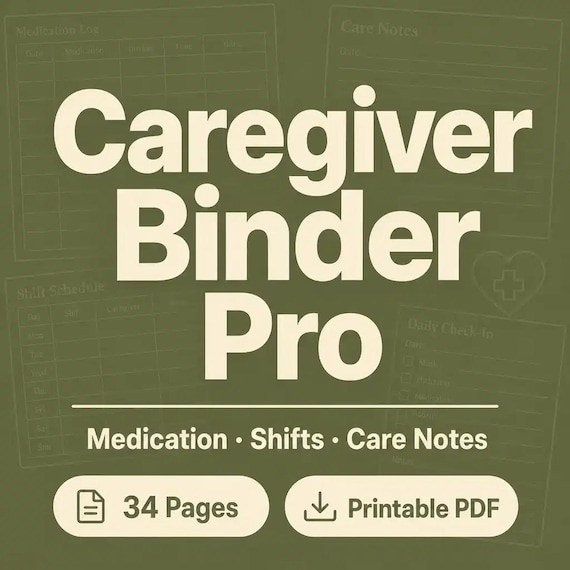
The current SteadyStackStudio Caregiver Binder is described as a 12-page printable PDF workbook plus an Excel workbook with eight organized sheets. The listed materials include medication, appointment, vital-sign, daily-note, emergency-contact, and care-team logs, along with a three-page quick-start guide, Google Sheets import instructions, a README and license, and one ZIP download. Check the current listing and preview images before purchase, because a broad package is useful only if those formats match the household's actual devices and habits.
Choose this route when someone will maintain the active copy and the household needs both printable pages and structured rows. Skip it when the only unresolved job is a visit packet or a short daily handoff; a narrower organizer may be easier to keep current.
- Good fit: several approved caregivers need the same overview and recurring records.
- Good fit: printable pages and an Excel-based tracker each have a clear role.
- Pause: no one has agreed to review the active medication, contact, and appointment pages.
- Pause: most included sections would duplicate a system the household already uses reliably.
Choose a daily care log when repeated entries are the real gap
A daily care log is narrower and more repetitive by design. It is useful when caregivers need a consistent place for dated entries, completed routine tasks, medication-record fields copied from the current care instructions, appointment status, practical notes, and a clear handoff to the next person. It should make the next shift easier to understand without becoming an unstructured diary or an unofficial clinical record.
The current SteadyStackStudio Senior Caregiver Log is described as an editable Excel or Google Sheets system with medication, daily care, vital-sign, appointment, emergency-contact, and care-instruction areas, plus a reusable CSV template for medication journaling. Its listing also describes built-in formulas and status fields. Treat those tools as organizational aids, not as a determination that a dose, reading, symptom, or care action is safe or correct. Verify entries against current source instructions and ask the responsible qualified professional about any uncertainty.
Choose the log when repeated rows are more valuable than a large set of reference pages. If a backup caregiver also needs stable contacts, insurance details, provider directories, or an emergency snapshot, pair the log with one controlled reference page rather than copying the same information into every daily tab.
- Use a date, time, and author or caregiver identifier for each entry where appropriate.
- Keep observations factual and separate from questions that need professional review.
- Mark unfinished follow-up clearly for the next approved helper.
- Do not let a spreadsheet formula replace current labels, written instructions, or professional judgment.
Choose an appointment organizer when visits are the bottleneck
An appointment organizer is the better first purchase when the household already manages daily care but visits feel fragmented. Its job is to gather the current provider and contact details, the care recipient's priorities, a short question list, relevant notes from approved records, and the practical items needed for the visit. Afterward, the same system should capture the provider's written or clearly understood instructions, referrals or tests to arrange, questions that remain open, and the next date to confirm.
The current SteadyStackStudio Elder Care Organizer is described as a printable PDF and editable Word package with a quick-start file. Its named sections include a care-team directory, daily care notes, medication schedule, appointment preparation and summary pages, caregiver shift handoff, home-safety checklist, supplies and refill tracker, important-documents map, family communication log, and update log. This makes it broader than a single appointment sheet while still centering family coordination and visits.
Choose it when typed narrative notes and printable visit pages are more useful than a row-based spreadsheet. If the household needs frequent daily entries or calculations across many records, an Excel-based log may fit better. If it needs an all-in-one reference plus repeated tracking, compare the full caregiver binder first.
- Before the visit: list the top questions, current concerns, and records to bring.
- During the visit: let the care recipient participate to the fullest appropriate extent and capture clarification needs without guessing.
- After the visit: record assigned follow-up, responsible person, and due date.
- Keep the organizer as a coordination aid, not a substitute for the provider's official record.
Use a medical information binder when reference details matter most
Sometimes the household does not need a full caregiver workflow at all. It needs one place to find current medication information, allergies and reactions, providers, appointments, insurance and pharmacy details, medical-document locations, and questions for upcoming visits. In that case, a medical information binder can be more direct than a daily log and less demanding than a full caregiver system.
The current SteadyStackStudio Medical Information Binder is described as printable PDF pages plus an editable Microsoft Word version, a quick-start PDF, and a README and license note. Its listed sections include an emergency medical snapshot, medication list, allergy and reaction log, doctor and provider directory, appointment tracker, lab and test tracker, insurance and pharmacy information, medical-document checklist, symptom or question notes, care instructions, and an update log. Confirm the current previews and description before relying on any named section.
This format fits a person or family who wants a concise reference that can travel to an appointment or be shared with an approved helper. It is not the best fit when the central task is logging each day or coordinating several caregiver shifts. For those jobs, start with a daily log or full caregiver binder and keep the medical reference controlled rather than duplicated.
- Choose it for stable reference information that must be easy to locate.
- Review high-priority pages whenever medications, providers, insurance, contacts, or instructions change.
- Carry only the pages needed for the immediate purpose.
- Use official records and current labels as the source, not an old printable entry.
Compare PDF, Word, Excel, and Google Sheets by maintenance style
File format changes the work required after download. A PDF is usually the simplest option for handwriting, binder tabs, and a stable snapshot. An editable Word file is useful for typed narrative pages, family-specific labels, and clean reprints of information that changes occasionally. Excel is better suited to repeated rows, dates, filters, status fields, and entries that need to be reviewed over time. Google Sheets may be convenient for approved shared access, but imported formatting, formulas, dropdowns, dates, and print settings should be checked before real information is entered.
The featured caregiver binder combines PDF and Excel. The elder care and medical information organizers are described as PDF and Word packages. The senior caregiver log is described around Excel or Google Sheets use. None of those combinations is automatically best. Choose the one the responsible person can open, update, protect, and print without creating several uncontrolled copies.
Before buying, confirm the exact formats in the current listing, whether the download arrives in a ZIP, which apps are available on the intended device, and whether the people using the system are comfortable with those apps. Save an untouched source copy. Test one blank page or sample row before building the active record.
- PDF: useful for handwriting, portability, and a dated snapshot.
- Word: useful for editable narrative pages and occasional clean reprints.
- Excel: useful for repeated logs, sortable rows, and structured review.
- Google Sheets: useful only after import behavior, permissions, formulas, and printing are checked.
- ZIP delivery: make sure the intended device can download, extract, and store the files.
Inspect previews for real writing space and clear handoffs
A polished cover does not show whether a caregiver page will work. Look for direct previews of the pages or sheets that solve the primary job. Medication information needs enough room for the exact fields the household is authorized and prepared to maintain. Daily notes need dates, times, and practical handoff space. Appointment pages need room for priorities, questions, notes, follow-up, and responsibility. Contact pages should be easy to scan without squeezing critical details into tiny type.
Check whether repeated pages can be duplicated cleanly, whether headings are understandable without the product description beside them, and whether the layout still works when printed at the intended scale. If the file will be used on a screen, confirm that zooming, scrolling, and entry cells feel manageable. If it will travel in a binder, print one blank page and check margins, text size, hole-punch space, and handwriting room before printing the full set.
Also look for an update date or a sensible place to add one. A beautifully completed page can still be unsafe to rely on when no one knows whether it is current. The active version should be obvious to every approved person who uses it.
- Can the page hold the details required for its stated job without cramped handwriting?
- Can another approved helper understand the labels without a separate explanation?
- Can repeated pages be copied without breaking formulas, headers, or print layout?
- Is there a clear reviewed date, version label, or update log?
- Do the preview images show the actual inside pages rather than only styled covers?
Build the smallest complete system and avoid duplicate truth
If one file solves the current problem, begin there. A household may need only a daily log plus one current contact sheet. Another may need the full caregiver binder but not a separate appointment organizer. A third may already have reliable care notes and need only the PDF and Word appointment pages. Buying several overlapping downloads at once can create more setup work and make it unclear which medication list, provider directory, or follow-up page is current.
When two files are genuinely useful, assign each a distinct job. For example, the medical information binder can hold stable reference details while the daily log records dated activity. The appointment organizer can hold visit preparation and follow-up while the full binder points to the current appointment packet. Use a short reference such as “see current medical snapshot” instead of copying a full page into several folders whenever that is appropriate for the household's process.
Review the system after one or two real handoffs. Remove blank sections that distract from urgent information, add only the repeated page that proved useful, and write down who updates each active record. The goal is not to complete every included page. It is to make the next approved handoff calmer, faster, and less ambiguous.
- One primary record should control each changing fact.
- Secondary files should reference the active source instead of competing with it.
- Add another organizer only after a real gap appears.
- Archive replaced pages away from the working copy so old information is not mistaken for current information.
Protect private information and keep the active copy current
Caregiver files may contain names, phone numbers, medication information, provider details, insurance notes, appointment summaries, home-access details, and family communications. Store paper copies where approved helpers can reach them but casual visitors cannot. Protect digital files with the household's normal security controls, grant access only to the people who need it, and avoid placing private details in file names, shared links, or devices that are not appropriate for the information.
Create a simple update rule before the first page is filled. Put a reviewed date on high-priority reference pages. Name the person responsible for the active copy. Replace changed pages promptly, and move superseded versions out of the working binder or shared folder. Review open follow-up on a short regular schedule and update immediately when a responsible professional, current label, official record, or care plan changes the source information.
For an appointment or temporary handoff, share only the relevant pages. A sitter, driver, relative, or backup helper may not need the entire file. If you are unsure what information can or should be recorded, retained, or shared in a work setting, follow the applicable privacy, employment, professional, and local requirements rather than assuming a household template answers that question.
- Label the current copy and remove superseded pages from active use.
- Limit access and carry only what the immediate task requires.
- Keep a reviewed date on information that can become stale.
- Do not enter private information into a device, app, or shared location that has not been approved for it.
Match common caregiving situations to a sensible starting point
A family coordinating an older parent's contacts, appointments, medication records, daily notes, and backup help may benefit from the full caregiver binder because the information needs to stay connected. A household that already has reliable reference pages but struggles with repeated handoffs may be better served by the daily care log. An adult child who mainly prepares for visits and communicates follow-up to siblings may find the elder care appointment organizer easier to maintain than a larger spreadsheet system.
A person organizing their own provider directory, medication list, insurance details, and appointment questions may prefer the medical information binder. A family whose main concern is broader household readiness—contacts, document locations, home details, and just-in-case planning—should compare the family emergency or complete life-admin options rather than forcing a caregiving tracker to hold unrelated records.
Needs can change. Start with today's recurring problem, test the file through a real but non-urgent handoff, and expand only when the limits become clear. If several people will use the system, agree on the format and update owner together before one person spends hours filling pages that others cannot open or will not use.
- Broad care coordination: start with the full caregiver binder.
- Repeated day or shift entries: start with the daily care log.
- Visit preparation and follow-up: start with the elder care appointment organizer.
- Current health-information reference: start with the medical information binder.
- Wider household readiness: compare emergency and life-admin organizers.
Complete this final fit check before checkout
Open the matching SteadyStackStudio product page and compare the current title, description, preview images, file list, software needs, delivery format, and license with the job you named at the start. Confirm whether you need printable PDF pages, editable Word pages, an Excel workbook, Google Sheets import, or a combination. Do not assume that two products with similar words include the same pages or work the same way.
A good fit should let you answer four questions: which handoff will improve, who will maintain the active copy, where the file will be protected, and how another approved person will recognize the current version. If those answers are unclear, pause before buying. A narrower file or an existing household system may be the better choice.
After choosing, use the companion caregiver-binder setup guide for a practical sequence: complete urgent contacts first, separate a current medication list from dated logs, prepare appointments as a before-during-after workflow, keep daily notes factual, and schedule regular reviews. The comparison on this page chooses the right type of printable; the setup guide helps turn the chosen file into a maintained handoff system.
- Confirm the current included files and direct page previews.
- Confirm that the intended device can open, edit, extract, and print the files.
- Choose one primary record for each changing fact.
- Skip the purchase if the file would duplicate a system that already works.
- Use qualified professional, official, or emergency sources for decisions the printable cannot make.
Printables used in this guide
Instant downloads from the SteadyStackStudio Etsy shop.
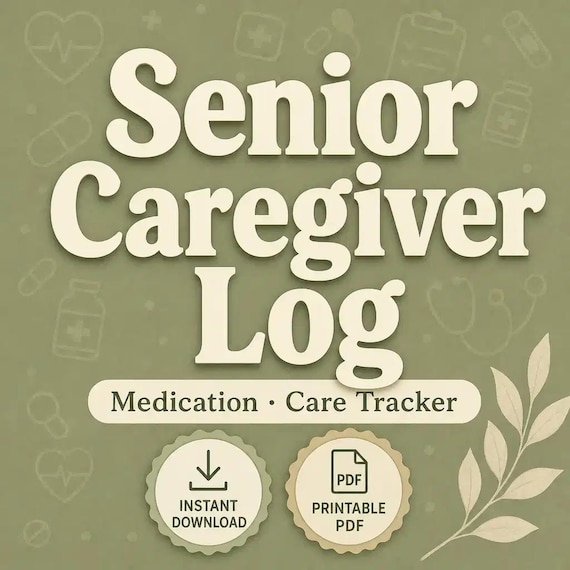
Senior Caregiver Log Printable
Senior Caregiver Log pack for family caregivers and home-care helpers: 26-page fillable PDF with medication logs, vitals, meals…
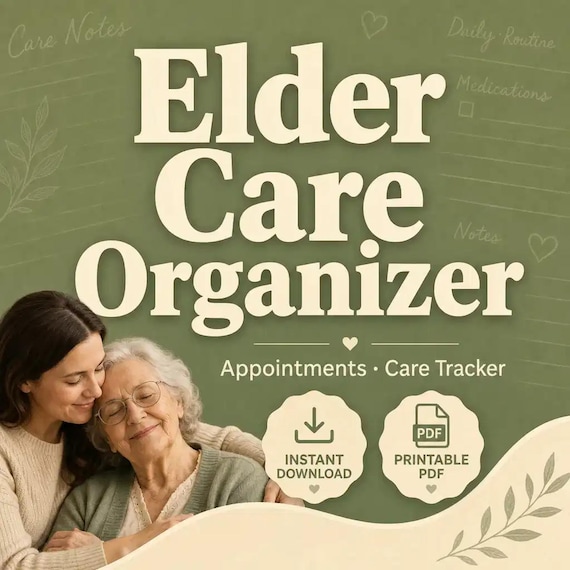
Elder Care Planner Printable
A practical elder care organizer for adult children and family helpers coordinating senior appointments, care notes, medications…
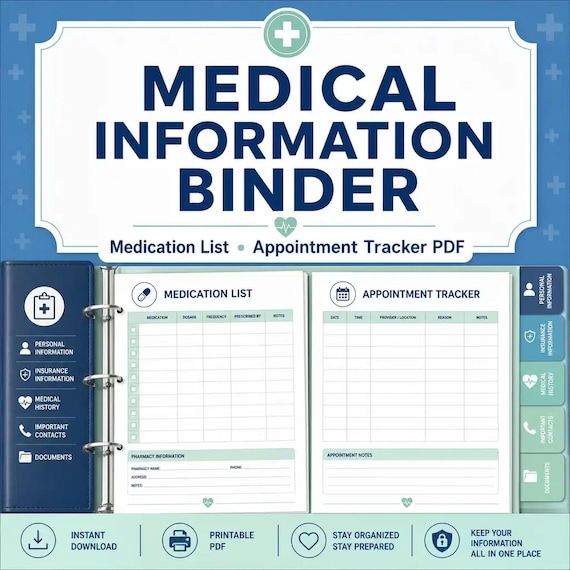
Medical Binder Printable
A practical medical information binder for families who want health contacts, medications, appointments, and insurance details…
Family Emergency Binder Printable
Family emergency binder for households: 28-page fillable PDF with household profile, emergency contacts, medical info pages…