Planners & Trackers · Aug 12, 2026 · 15 min read
Fantasy Football Auction Draft Spreadsheet Setup: Track Budget, Bids, and Roster Spots Live
A practical auction-draft workflow for any spreadsheet: set league inputs, track every winning bid, protect roster-slot money, and hand a clean final roster into weekly planning.
Use this workflow for the live auction, not for choosing player values
Short answer: a fantasy football auction draft spreadsheet needs three live numbers for every manager: money left, roster spots still open, and the most they can bid next. The max bid is money left minus the league minimum bid for every other open spot, so with 83 left, 8 open spots and a 1 minimum, the ceiling is 76. Enter your league inputs before the draft, add one row per winning bid, and check that money spent and money left move by the same amount after each purchase.
An auction-style fantasy football draft creates a different bookkeeping problem from a snake draft. Every winning bid changes both the money left and the number of roster spots still to fill. A useful spreadsheet keeps those two facts visible while the room moves from one nomination to the next. It should help you record the draft accurately; it should not pretend to know the right price for a player or replace the official league room.
This guide assumes you already have an auction-capable spreadsheet, whether you built it yourself or downloaded one. It focuses on setting up the working copy, recording nominations and winning bids, preserving enough money for open spots, and closing the night with a roster that can be checked against the league platform. The companion checklist covers what a draft spreadsheet should track in the first place. Keeping those jobs separate prevents the live auction page from becoming a crowded season-long notebook.
Before entering any numbers, open the official league settings. Use the budget, minimum bid, roster size, position limits, keeper costs, and draft rules shown there. Examples in this guide explain the method, not universal league rules. If the platform and your spreadsheet disagree, pause and correct the spreadsheet from the official settings before another bid is recorded.
- Use the official draft room for nominations, bids, timers, eligibility, and final results.
- Use the spreadsheet as a visible planning and recordkeeping layer.
- Keep player lists, projections, and personal valuations in a separate view.
- Confirm league-specific rules before relying on any budget calculation.
Set up one clean working copy before draft day
Most auction spreadsheets fall into two groups: a sheet you build from scratch, or a template with tabs for a draft board, auction budget, roster depth chart and weekly lineup. Either works, as long as you know which parts calculate and which parts you fill in by hand. A spreadsheet will not pull player data, connect to a league account, or process official bids. Plan to enter and verify the information yourself.
Keep the original file untouched and make one clearly named season copy. A name such as league-name-2026-auction is easier to recognize than a trail of files called final, final-two, and newest. If you manage more than one league, make a separate copy for each because budgets, roster rules, keepers, and draft formats may differ.
- Source copy: the untouched original file.
- Working file: one copy for the specific league and season.
- Official source: the league platform for settings and completed draft results.
- Manual boundary: do not assume live data or account synchronization is included.
Enter the six league inputs that control the budget
An auction sheet is only as reliable as its starting inputs. Record the total starting budget for each manager, the minimum legal bid, the total roster spots, the required position slots, any flexible or reserve positions, and all keeper or pre-draft costs. Add a visible checked-on date or a setup status so everyone can tell whether the numbers were copied from the current league settings or carried over from an old season.
Do not hide unusual rules in memory. If the league allows different minimum increments, applies keeper inflation, limits nominations, uses position caps, or handles unfilled spots in a special way, write a short note beside the setup area. You do not need to reproduce the entire constitution. Capture only the rules that change what can be bid, who can be rostered, or how much money must remain.
Reconcile the totals before the first nomination. Starting budget should match the official setting. Open roster spots should match the lineup and bench structure. Keeper costs should reduce the available budget and occupy the correct roster positions when the league treats them that way. If one manager begins with a different amount because of league rules, record that difference explicitly rather than forcing every row to look identical.
- Starting budget for each manager.
- Minimum bid and permitted bid increments.
- Total roster size and required position slots.
- Keeper names, costs, and occupied roster positions when applicable.
- Any special rule that changes spending or roster eligibility.
- A completed setup check against the official league page.
Build a live table that can be read in one glance
During the draft, the most useful table is usually the simplest one. Give each completed purchase one row with the nomination number, player name, eligible position as shown by the league, winning manager, winning bid, time or round marker if useful, and entry status. The manager summary should show money spent, money remaining, filled spots, open spots, and the positions still required. Keep personal notes out of the cells that hold official copied facts.
Use consistent status labels. Nominated, won, corrected, and voided are clearer than colors alone, especially when the sheet is printed or viewed by someone with a different display. Do not delete a mistaken row without leaving a trace. Mark it corrected or voided, add the corrected entry, and explain the change briefly so the totals can be audited if the room questions a budget later.
Decide who types before the draft begins. In a home league, one person can record while a second person checks the winning manager and amount in the official room. If every manager edits the same sheet, limit the shared area and avoid simultaneous changes to formulas or headers. The goal is not to create a complicated command center. It is to make the next available budget and roster need easy to see before the next nomination starts.
- Purchase row: nomination, player, position, manager, winning bid, and status.
- Manager summary: spent, remaining, filled spots, open spots, and required positions.
- Correction trail: never make a disputed bid disappear without explanation.
- Draft roles: one recorder and one checker are safer than several people editing totals.
Separate remaining budget, minimum reserve, and theoretical ceiling
Three numbers answer different questions. Remaining budget is the starting amount minus confirmed keeper costs and confirmed winning bids. Minimum reserve is the money that must be protected to fill every roster spot that will remain after the next purchase, using the league's current minimum bid. The theoretical ceiling is what could be spent on the next player while still preserving that reserve. It is a mathematical limit, not a recommendation or predicted winning price.
For a simple example, suppose the official starting budget is 200, confirmed spending is 117, eight roster spots are open, and the league minimum is 1 per player. The remaining budget is 83. If you are considering the next purchase, seven spots would remain afterward, so the minimum reserve would be 7. The theoretical ceiling for that next purchase would be 76. A personal planned cap may be much lower, and the official draft room may apply additional constraints.
Recalculate from confirmed results only. A player you hope to win does not belong in money spent, and a submitted bid is not a completed purchase until the official room shows it. If the league uses a minimum greater than 1, variable bid rules, keeper adjustments, or another roster mechanism, adapt the reserve calculation to those rules. Label the result as a planning figure so nobody mistakes it for an instruction to spend to the limit.
- Remaining budget = official starting amount minus confirmed costs.
- Minimum reserve = spots remaining after the possible win multiplied by the applicable minimum bid in a simple fixed-minimum league.
- Theoretical ceiling = remaining budget minus that reserve.
- Planned cap = your own lower decision limit, kept separate from the mathematical ceiling.
Plan position money as flexible envelopes, not rigid promises
A position plan can keep one early purchase from quietly consuming money needed elsewhere, but it works best as a flexible envelope. List the required positions, the number of open slots, a working amount reserved for each group, and a review trigger. The totals should fit inside the available budget after keeper costs. Leave a visible contingency amount if you want room to respond when the draft develops differently from the first plan.
Do not treat the envelopes as player prices or guarantees. Their job is to reveal tradeoffs. If one position group uses more than planned, choose where that difference will come from before the next bid. If a position is filled for less, decide whether the savings returns to contingency or supports another open group. Updating the plan deliberately is safer than letting several small overruns erase the final roster reserve.
Keep required roster coverage visible beside the money. A manager can have a healthy total budget and still create a difficult finish by leaving several mandatory slots until late. Conversely, an open flexible slot may not need the same urgency as a required position. Use the official eligibility labels and roster rules rather than assuming a player can fill a slot based on memory or a different platform.
- Assign working envelopes only after keepers and mandatory costs are entered.
- Keep a contingency amount visible instead of allocating every dollar immediately.
- Move money between groups consciously and record the revised plan.
- Track required positions and money together; neither view is sufficient alone.
Prepare a nomination queue with a purpose for each name
A nomination queue should answer why a name is there. Use short purpose labels such as target for an open slot, price check, roster-fit alternative, or nomination intended to reveal how the room is spending. Keep those labels as private planning notes and confirm that every nominated player is available and eligible in the official draft room before acting.
Build alternatives by roster job rather than by one perfect name. If several available players could fill the same required slot, group them together and note the planned range for that roster job. When one is won by another manager or exceeds your planned cap, move to the next option without changing confirmed budget rows. This prevents a missed target from turning into an unplanned bid on a player who does not solve the same need.
Refresh the queue after every small group of purchases. Remove players who are no longer available, mark positions that are filled, and reorder choices when the room's confirmed spending changes what remains possible. The spreadsheet can preserve your reasoning, but current availability and eligibility must still come from the league platform. Avoid presenting ordered player lists, projections, or an expected market as facts.
- Give each nomination a roster purpose rather than keeping an unexplained list.
- Group alternatives that solve the same open-slot problem.
- Keep a planned cap separate from the theoretical spending ceiling.
- Verify availability and eligibility in the official draft room immediately before use.
Use a five-check loop after every winning bid
A repeatable check is more reliable than trying to remember what changed. First, confirm the winning player, manager, and amount in the official room. Second, enter the completed purchase once. Third, verify that money spent and money remaining changed by the same amount. Fourth, reduce the open roster count and fill the correct position or flexible slot. Fifth, review the new reserve and theoretical ceiling before the next nomination.
Do not rush through a mismatch. If the official room shows 24 and the sheet shows 42, stop and correct it while the result is fresh. Check for duplicate rows, a keeper counted twice, a formula range that missed the latest entry, or a bid assigned to the wrong manager. A brief pause is cheaper than discovering several nominations later that the visible budget was wrong.
Use a small visual signal only after all five checks pass. A checked row, reviewed status, or initials from the second recorder can show that the entry was reconciled. Color alone should not carry the meaning because it can disappear in print or be unclear on another screen. The status should tell the next person whether the row is confirmed, awaiting review, corrected, or voided.
- Confirm the official result.
- Enter the purchase once.
- Reconcile spent and remaining money.
- Update roster spots and position coverage.
- Review reserve and ceiling before bidding resumes.
Handle keepers, corrections, and special rules without hiding them
Keeper leagues often begin with uneven budgets or occupied roster spots. Enter keepers in a dedicated setup area or as clearly labeled pre-draft rows so their cost and roster effect remain visible. Do not place them in the ordinary nomination sequence if that would make the draft order confusing. Reconcile the resulting starting totals for every manager against the official room before live bidding begins.
When the commissioner corrects a result, preserve both the old and corrected state in a readable way. Mark the original entry voided or corrected, add a note, and enter the approved amount or manager once. Then check the affected budget and roster summary. If the platform itself updates the result, copy the final official state rather than maintaining a separate interpretation in the spreadsheet.
Special rules deserve a named note, not a guessed formula. Examples can include nonstandard minimum bids, reserved positions, limits on a position group, traded draft money, or different treatment of keepers. The exact handling belongs to the league. Test those cases before draft night with sample rows, and do not unlock or rewrite formula areas during the live auction unless you understand the consequence and have an untouched source file available.
- Label keepers and pre-draft costs separately from live nominations.
- Preserve a correction trail and reconcile every affected total.
- Document nonstandard rules beside the fields they change.
- Use the official commissioner's decision when a local note conflicts with the league.
Rehearse the workbook on the device used for draft night
Open the working copy on the actual laptop or tablet that will be used. If you plan to import an Excel workbook into Google Sheets, perform that import before draft day and inspect the budget, draft board, and roster areas afterward. Check that formulas, number formats, frozen headers, filters, and printed or shared views still behave as expected. Compatibility can vary, so the real file and real device are the only meaningful test.
Run a short practice with sample managers and bids. Include one keeper, one normal win, one corrected amount, and one player assigned to a flexible slot. Confirm that budget and roster totals return to the expected state after the correction. Then remove the sample data from a fresh working copy rather than trying to clean every practice row out of the file used for the live draft.
Prepare a fallback that matches the room. A printed copy of the budget page, or a blank sheet with columns for winning player, manager, price, and roster spot, is enough. A backup does not need every formula. It needs enough information to preserve completed results until the working spreadsheet is available again.
- Test the exact app, device, and shared-screen arrangement.
- Practice keepers, normal bids, corrections, and flexible roster spots.
- Start draft night from a clean working copy, not the rehearsal file.
- Keep a simple paper or local fallback for confirmed results.
Close the auction by reconciling every roster and dollar
When the final bid ends, do not immediately repurpose the sheet for weekly decisions. Reconcile each manager's roster against the official completed draft. Check the number of players, required positions, flexible and bench spots, total spent, and money left. Look for duplicate names, blank prices, purchases assigned to the wrong manager, and rows that remain marked pending or corrected without a final result.
Keep the draft board as the historical record of what happened. Transfer or verify the current team in a roster or depth-chart tab rather than rewriting the draft history. If the league permits post-draft moves, those belong in the living roster and transaction workflow, not as edits that make the auction record appear different from the completed draft.
Save a dated snapshot or export after reconciliation, then keep one clearly named working master. If another manager or commissioner needs a copy, share only the agreed version and explain whether it is a historical draft record or a current planning sheet. If you started from a paid template, check its usage terms before sharing the blank file.
- Match every completed purchase to the official draft result.
- Verify roster count, required positions, total spent, and money remaining.
- Preserve the draft board as history and the roster tab as the living team view.
- Archive one dated snapshot without creating several competing master files.
Move only verified information into weekly planning
After the draft record is clean, carry the verified roster into a roster or depth-chart tab. Weekly lineup, waiver, trade-note and standings tabs can follow, but give each one its own job. The draft budget does not need to remain the main view once the auction is complete, and a proposed waiver or trade should not overwrite the roster before the official platform shows a completed transaction.
Write a short handoff note for the first weekly review: positions that are thin, roster slots that need confirmation, league waiver method, the displayed transaction deadline and time zone, and any question that must be checked in the official settings. Do not carry stale nomination targets into the owned-player list. Close them or move still-relevant names into a separate watch area after confirming availability.
Once the season starts, give the weekly routine its own tabs: final rosters, waiver choices, lineup preparation, trade notes, and standings context kept separate. The clean handoff matters because the auction sheet records a finished event, while the weekly views change as official transactions and lineups are processed.
- Transfer the verified final roster, not the pre-draft target list.
- Record current waiver and lineup rules from the official league settings.
- Keep proposed moves outside the owned roster until they process.
- Archive the auction state before beginning the weekly cycle.
Quick test before draft night
A spreadsheet is a practical fit when you want a manual record that keeps the budget and roster consequences of each confirmed bid visible, and someone is prepared to enter and verify the data. Choose another tool when the essential requirement is automatic player data, live projections, direct league synchronization, or official bidding inside the file.
The best test is simple: you should be able to explain who will record each winning bid, where the remaining budget appears, how open spots are protected, and how the final roster will be checked.
- Good fit: a deliberate manual auction record and budget-planning workflow.
- Pause: you need automatic data, official bidding, or league synchronization.
- Rehearse: the exact device, app, and shared screen you will use.
- Proceed only when the spreadsheet and official draft room have clearly separate roles.
A note on what we sell
SteadyStackStudio does not currently sell a fantasy football template, so this guide is written to work with any spreadsheet, including one you build yourself in Excel or Google Sheets. Nothing here depends on a specific product.
If you are also the person who runs the office pool, the club night, or the rec league, the same record-it-live habits carry over. Our soccer office pool spreadsheet and pickleball round robin tracker use the same idea of a live table plus a standings view, and the Planners & Trackers section has the rest of our printable and spreadsheet trackers.
Frequently asked questions
How do I calculate the most I can bid in a fantasy football auction?
Take your remaining budget, then subtract the league minimum bid for every roster spot that would still be open after this purchase. With 83 left, 8 open spots and a 1 minimum, the ceiling for the next player is 83 minus 7, which is 76. That is a limit, not a target.
What columns does an auction draft spreadsheet need?
One row per completed purchase with nomination number, player, position, winning manager, winning bid and status, plus a manager summary showing spent, remaining, filled spots and open spots.
Does a spreadsheet replace the league's draft room?
No. The official draft room handles nominations, bids and results. The spreadsheet is a planning and recordkeeping layer you check against it.
How should I split my auction draft budget by position?
There is no fixed split that fits every league. Give each required position group a working amount that fits inside your budget after the minimum reserve for every open roster spot, treat those amounts as flexible envelopes, and review them after each purchase instead of locking them in before the draft.
Can I run an auction draft spreadsheet in Google Sheets or Excel?
Yes. Any spreadsheet works because the math is simple subtraction. If you plan to move an Excel file into Google Sheets, import it before draft day and check the budget, draft board and roster areas still calculate on the device you will use.
Other league and game trackers
Not fantasy football templates. These are our sports and game-night spreadsheets, sold on Etsy.

Office Pool Spreadsheet
Run a 2026 soccer tournament office pool with a cleaner tracker, leaderboard, printable bracket pages, score sheets and watch…
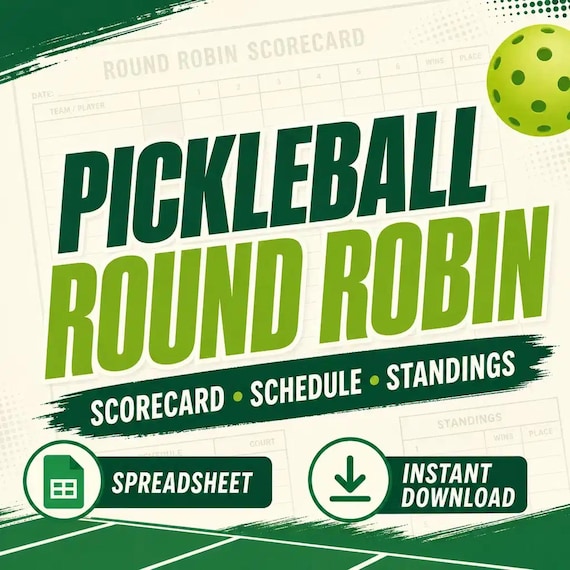
Pickleball Round Robin Spreadsheet
Pickleball round robin spreadsheet for clubs and social play: Excel-first workbook with players, schedule, scorecards, standings…