Planners & Trackers · Jul 18, 2026 · 12 min read
Run a Pickleball League Night: Player Check-In, Court Rotations, and Final Standings
A practical after-download workflow for using the included 8-, 12-, or 16-player schedule tab, sign-in pages, scorecards, and standings workbook to run a calm pickleball league night from arrival through closeout.
Confirm what the current pickleball download includes
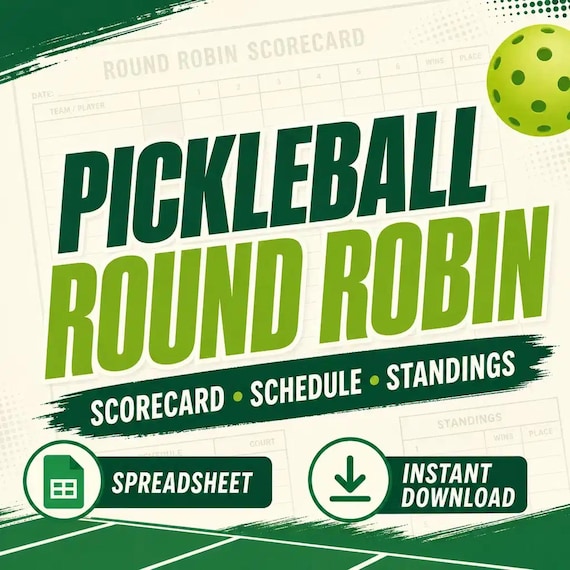
Begin with the current listing and quick-start material instead of treating every round-robin spreadsheet as interchangeable. The featured download presently describes an XLSX scoring workbook, schedule tabs for 8, 12, and 16 players, printable scorecards and player sign-in pages, and automatic standings support for wins, losses, points, and point differential. It is a digital download for casual leagues, clubs, recreation events, and family play; no printed packet or physical scoreboard is shipped.
Those details define the useful boundary of this workflow. The file provides three named player-count schedules, not a promise that every attendance total or custom tournament structure will fit. Open the current previews, read the listing, and identify the exact tab and pages you expect to use. If your group needs a different player count, a special court pattern, a separate division, or an unfamiliar scoring method, resolve that mismatch before event night rather than expecting the workbook to decide it for you.
- Confirm that you can open an XLSX workbook in the spreadsheet app you plan to use.
- Match the current 8-, 12-, or 16-player schedule options to the expected attendance.
- Identify which sign-in pages and scorecards should be printed before the event.
- Treat the current listing and included instructions as the final description of the download.
Protect the original files and create one league-night copy
Keep the downloaded workbook, printable pages, and instructions together in an untouched master folder. Make a working copy for the event and give it a plain name that includes the date, location, and planned player count. This makes it easier to recover from an accidental edit and prevents last month's names or results from being mistaken for tonight's information. Save printed pages from that same event copy so the paper packet and digital record are easy to reconnect.
Before entering real names, use a separate test copy to follow the quick-start steps with obvious sample data. Enter enough sample results to confirm that wins, losses, points, and differential respond as expected in your chosen spreadsheet app. Do not delete formulas, rearrange protected areas, or clear cells simply because they look reusable; follow the included directions and start again from a clean master if the test becomes uncertain. Compatibility is proven by a successful rehearsal, not merely by opening the file without an error message.
- Keep one untouched master download with the current instructions and license note.
- Name each working copy with the event date, location, and selected player count.
- Use sample names and scores in a disposable test copy before entering live information.
- Return to a fresh copy if formulas or input areas no longer behave as the guide describes.
Choose the schedule tab only after check-in is stable
A schedule built for a specific number of players works best when that number is actually present. Use the sign-in page to confirm arrivals before announcing the first rotation. Decide in advance when check-in closes, who can approve a substitute, and how an unfilled place will be handled. Then choose the provided 8-, 12-, or 16-player schedule that matches the confirmed group. Keep the participant names written consistently across the sign-in page, schedule, scorecards, and workbook so similar names do not create duplicate records.
If attendance lands between the supported totals, do not squeeze extra names into a tab or erase a scheduled player without understanding what that changes. The pairings, rotations, and standings can depend on the original structure. Pause and use a separately verified plan, reduce the group only under a clearly announced policy, or ask whether another format is available. A five-minute attendance decision is safer than repairing several rounds after players have already followed a schedule that no longer matches the workbook.
- Use the sign-in page as the confirmed attendance source before selecting a schedule.
- Write player names the same way everywhere, including initials when needed to avoid confusion.
- Set a clear check-in cutoff and substitute policy before the first court call.
- Do not assume a schedule tab can absorb a different player count without a separate test.
Write the scoring and standings rules before play begins
The workbook can organize results, but the host still needs to define the event's rules. Write down how a match ends, which score is reported, how an unfinished match is recorded, and which standings fields settle a tie. The current file tracks wins, losses, points, and differential; your group must decide how those fields are used. Follow the venue's current rules and the format your players agreed to rather than presenting a generic house rule as universal pickleball procedure.
Put the short rule note beside check-in and repeat the essentials during the opening briefing. If one field is only informational, say so. If differential matters after wins, state that order before anyone sees a close table. Also decide whether standings remain provisional until every scorecard is entered. The goal is not a long rulebook. It is one stable explanation that the host, data-entry person, and players can all apply without changing the standard after an unexpected result.
- State the match-ending and score-reporting method in plain language.
- Define how wins, losses, points, differential, and ties will be interpreted.
- Record the policy for unfinished matches before weather, time, or injury creates one.
- Keep the same announced rules for the entire event unless safety requires play to stop.
Run a paper-to-workbook rehearsal before players arrive
Rehearse one fictional round from beginning to end. Print or view a sign-in page and scorecard, locate the first matchup on the chosen schedule, write a clearly fictional result, and transfer it into the test workbook by following the included instructions. Check that the expected standings fields change and that the result can be traced back to one scorecard. Then repeat with a second match so you can see whether a rushed duplicate entry would be noticeable.
Use the rehearsal to settle practical questions: who holds the blank cards, where completed cards are placed, who enters results, and when players may view the provisional standings. Confirm that the device has power, the file is available without depending on uncertain venue internet, and the printed text is readable in the actual room. Clear or discard the test materials afterward and open the clean event copy. A rehearsal is successful when another coordinator could follow the same path without guessing which paper or screen controls the next action.
- Trace one fictional match from sign-in through schedule, scorecard, entry, and standings.
- Check a second result so duplicates and skipped cards are easier to recognize.
- Confirm power, file access, printer output, and readable text before leaving home.
- Start the real event from a clean copy rather than trying to erase every test value.
Build a clear check-in and court-call station
Give the event one control point. Keep the sign-in page, master schedule, blank scorecards, completed-card tray, writing tools, and workbook device within reach of the coordinator but out of drink and foot traffic. Label the place for completed cards so a player does not return a result to the blank stack. If courts are spread out, post or carry a readable schedule copy and use the same player names and court labels at every station.
The control point should reduce lines, not create one. Let players check the next assignment without leaning over the device or touching the master workbook. Keep only the information needed to run play; avoid collecting phone numbers, addresses, or other personal details on public sheets when names or agreed identifiers are enough. Make the station accessible for the people attending, leave walkways clear, and follow venue guidance for equipment placement. The best arrangement lets one coordinator receive a card, verify it, and return attention to the next court call in a few calm steps.
- Separate blank scorecards, completed scorecards, and the master sign-in page.
- Use identical player names and court labels on every printed and digital reference.
- Keep the workbook device protected and limit editing to the assigned coordinator.
- Collect only the participant information that the event genuinely needs.
Brief players on score reporting before the first match
A short opening explanation prevents most paperwork confusion. Show players where to find their next assignment, which side of the scorecard to complete, and where the finished card goes. Ask both sides to agree that the names and final score are correct before the card leaves the court. If the event uses initials or a simple mark to show agreement, demonstrate it. The confirmation is not about making a casual night formal; it prevents the coordinator from deciding later which of two conflicting numbers was intended.
Explain that the posted table is provisional until all completed cards are entered and checked. Ask players not to edit the workbook or rewrite a card after submission without speaking to the coordinator. Give one path for corrections and one person who can receive them. Include any venue safety, hydration, footwear, warm-up, accessibility, or court-use instructions required for the group. Players should begin knowing three things: where they play, how they report, and where they go when the schedule or result appears wrong.
- Show the assignment, scorecard, completed-card location, and correction path.
- Have both sides confirm the player names and final score before submission.
- Describe standings as provisional until the round's cards have been entered and checked.
- Include the venue's current safety and court-use instructions in the opening briefing.
Move one verified result from scorecard to workbook
Process completed cards one at a time. Check that the card identifies the expected matchup, both player sides, and one readable final result. Compare it with the schedule before entering anything. Follow the workbook instructions for the designated result cells, then pause long enough to confirm that the entry was accepted and the expected standings fields updated. Mark the paper as entered or move it to a separate verified stack so the same result is not recorded twice.
Use one designated data-entry person whenever possible. If coordinators change shifts, complete a handoff: identify the last verified card, count the remaining cards, and point out any correction that is still unresolved. Do not type a guessed score because a card is hard to read, and do not repair a mismatch by editing a calculated standings cell. Return to the source result, ask the players while the match is still fresh, and document the confirmed correction. The paper card and workbook should tell the same story before the next batch is processed.
- Match every scorecard to the scheduled players before entering the result.
- Enter one card, verify the update, and mark that card complete before taking the next one.
- Correct the confirmed source result instead of overwriting a calculated standings value.
- Use a clear last-card handoff when the data-entry coordinator changes.
Watch the standings without changing the rules mid-event
Automatic standings save arithmetic only when the inputs and event rules remain consistent. At the end of each round, compare the number of completed matches with the number of entered cards. Spot-check one player's wins, losses, points, and differential against the paper results instead of assuming every visible total is correct. If the table appears surprising, look first for a missing card, duplicate entry, reversed score, or inconsistent name. Keep the test focused on source data before touching the workbook structure.
Do not alter the tie method or scoring interpretation because a particular player is close to the top. Use the order announced before play and keep the table provisional while an exception is unresolved. When sharing an update, say which rounds are complete so players understand what the numbers represent. A standings display is most useful when it answers a simple question accurately: which verified results are included right now? It becomes less useful when a polished table hides missing cards or a rule that changed after scores were known.
- Reconcile completed matches, submitted cards, and entered results after each round.
- Spot-check one player's totals against the original cards before sharing an update.
- Investigate missing, duplicate, reversed, or inconsistent source entries first.
- Apply the tie and scoring order announced at the start of the event.
Handle late arrivals and unfinished matches consistently
Exceptions should follow the written policy, not the loudest request. When someone arrives after check-in, withdraws, cannot finish, or misses a court call, record what actually happened before deciding how it affects the schedule and standings. Do not invent a played score. If the provided schedule no longer fits the confirmed group, stop and determine whether the remaining rotations can continue fairly under a separately verified plan. A quick workaround that changes partners or repeats opponents can have effects that are not obvious from one court.
Keep an exception note beside the event record: affected players, match, time, decision, and the announced rule used. If the workbook does not clearly support the needed outcome, preserve the original cards and calculate or present the exception separately only after checking the event rules. Weather, venue closure, injury, and safety concerns may require play to end rather than forcing a complete table. Consistency means similar situations receive the same treatment; it does not mean pretending every scheduled match occurred.
- Record the actual event before deciding how it affects the schedule or table.
- Never manufacture a score for a match that was not played to that result.
- Use the same written policy for comparable late, absent, withdrawn, and unfinished cases.
- Stop play when venue guidance or safety conditions require it, even if the schedule remains incomplete.
Close the night with a final review and clean archive
Before announcing final standings, walk the schedule from first match to last. Every slot should have a verified result, a clearly documented exception, or an unplayed status. Compare the completed-card stack with the workbook and resolve any duplicate, missing, or corrected result. Then produce the final table under the rules announced at check-in. If an exception is still undecided, say that the table is not final rather than hiding the gap behind a screenshot.
Save a read-only event copy with the date, final standings, rule note, and exception record. Store the paper scorecards for the period your group needs, then dispose of them appropriately when they are no longer required. Share the final results in the format the participants agreed to, but do not distribute the blank workbook or source download as a group file. The current listing permits buyer use and prohibits reselling or redistributing the digital template. Keep the master private, and create the next event from a fresh working copy rather than erasing the only final record.
- Account for every scheduled match before calling the standings final.
- Resolve paper-to-workbook differences and retain a note of confirmed corrections.
- Archive one dated final copy and begin the next event from the untouched master.
- Share event results, not the seller's blank digital template or source files.
Decide whether the tracker fits the next event
This tracker is the closest fit when the group wants an XLSX workflow, plans for exactly 8, 12, or 16 players, and benefits from printable sign-in pages and scorecards alongside automatic wins, losses, points, and differential. It is especially useful when one coordinator can maintain the master workbook and players can report results through a consistent paper path. The combination gives a casual club or recreation event a repeatable record without asking every player to edit the same file.
Choose another method when the expected attendance does not match a provided schedule, the event needs several divisions or a custom bracket, the venue cannot support the planned digital workflow, or the rules cannot be represented clearly in the current standings setup. Review the direct previews, file details, current price, and usage terms before checkout. If you are still choosing rather than setting up, use the companion score-sheet and schedule checklist first. A sound purchase decision ends with a supported player count, a tested app, one named coordinator, and a simple score-reporting path.
- Strong fit: 8, 12, or 16 players using the included schedule, scorecards, and standings workflow.
- Pause: a different attendance total, multiple divisions, or a format not shown in the current materials.
- Preview the listing and test your spreadsheet app before relying on the file at a live event.
- Choose the smallest dependable system that your players and coordinator can follow consistently.
Printables used in this guide
Instant downloads from the SteadyStackStudio Etsy shop.
Pickleball Round Robin Spreadsheet
Pickleball round robin spreadsheet for clubs and social play: Excel-first workbook with players, schedule, scorecards, standings…
Mahjong Score Sheet Printable
A calm, practical download for casual mahjong groups and club hosts organizing players, tables, hosts, attendance, and their own…

Office Pool Spreadsheet
Run a 2026 soccer tournament office pool with a cleaner tracker, leaderboard, printable bracket pages, score sheets and watch…
Board Game Playtest Kit
Capture playtest feedback, organize mechanics, and print playtest session cards without rebuilding the system from scratch.