Event & Wedding Pros · Jul 22, 2026 · 11 min read
Mobile Bar Event Workflow: Build the Order, Plan Batches, and Pack for Service
A practical mobile bar workflow for confirming the event order, organizing an approved drink menu, planning batches and shopping, preparing printed service cards, packing the bar, and closing out the event record.
Confirm the downloaded files before building the event
Start with the files that are actually included, not with an assumed bar-management system. The current SteadyStackStudio mobile bar kit describes an Excel event-order and cocktail-batch tracker, a printable bar-prep and event-checklist PDF, editable drink-menu and prep-card PPTX files, a quick-start PDF, and a README with the license note. The files arrive as a digital download in a ZIP folder; drinks, ingredients, glassware, equipment, printing, staffing, transport, and on-site service are not included.
Open the quick-start PDF first, keep the original ZIP untouched, and extract a clean master folder. Confirm that the XLSX, PDF, PPTX, quick-start guide, and README open in the software you plan to use. Create a separate event folder and copy only the working files into it. This protects the blank master from accidental edits and makes it easier to tell which version belongs to the current client or event. If a file type, field, formula, or page shown in the current listing matters to your process, verify it before committing the event plan to the template.
- Keep the original ZIP and one unedited extracted master.
- Verify the XLSX, PDF, PPTX, quick-start guide, and README in your own software.
- Use a clearly named working folder for each event.
- Remember that this is a digital planning kit, not beverages, equipment, staffing, or bar service.
Turn the inquiry into one controlled event order
Choose one event-order record as the source the team will check when details conflict. Begin with confirmed basics such as the client contact, event date, venue, access contact, planned service window, expected guest information, and the beverage scope approved for the job. Review the actual workbook before entering data, because a useful detail suggested in this guide may not be a prebuilt field. Add or adapt a working field only when your software and process support it, and avoid creating several side lists that can drift apart.
Separate confirmed information from open questions. Venue access, setup location, water and power availability, refrigeration, ice, glassware, waste removal, staffing, service boundaries, and who supplies each item should be verified with the responsible parties rather than guessed from a previous event. Record the decision and the person or source that confirmed it. The template organizes information; it does not approve a venue, determine licensing, authorize alcohol service, or replace current venue rules, local requirements, insurance terms, contracts, or professional guidance.
- Use one event-order record as the current source for the job.
- Mark open questions separately from confirmed details.
- Name who supplies ingredients, ice, equipment, disposables, menus, and cleanup materials.
- Confirm venue and service requirements with the responsible parties.
Approve the menu before calculating batches or shopping
A batch plan is only dependable when it starts from an approved menu. List each drink exactly as it will appear on the working menu, then connect it to the recipe source your team is authorized and trained to use. Distinguish alcoholic drinks, nonalcoholic choices, mixers, garnishes, water, and any other promised service items. Keep the menu narrow enough for the available time, workspace, equipment, staffing, and venue conditions. A polished menu card does not solve a service plan that is too complicated for the event setup.
Record client-provided ingredient restrictions or preferences as notes that require review, not as a guarantee that a drink is safe for every guest. Confirm brands, substitutions, garnish choices, serving vessels, and presentation expectations before purchasing. If the client changes a drink, revise the menu record first and then update the batch, shopping, prep, and printed materials that depend on it. Removing an old version is safer than leaving two menus in the event folder and expecting the team to know which one is current.
- Give every approved drink one consistent name across the workbook and printed cards.
- Link each drink to the recipe source the team is permitted and prepared to follow.
- Review the menu against staffing, equipment, workspace, and service time.
- Route substitutions and ingredient questions through the responsible service lead.
Plan batches from a tested single-serve source
Enter a batch only after the single-serve recipe, unit system, intended yield, and serving method have been confirmed. Keep units consistent rather than mixing ounces, milliliters, bottles, and informal measures in the same calculation without an explicit conversion. Review the included Excel tracker before relying on any formula, and test your own entries with a small, easy-to-check example. A spreadsheet can multiply what you enter, but it cannot detect an incorrect recipe, a mistyped unit, an unsuitable container, or a service method the team has not tested.
Treat dilution, chilling, carbonation, perishable ingredients, garnish timing, storage, and maximum preparation windows according to the approved recipe, current food-safety guidance, manufacturer instructions, and the team's training. Do not assume every cocktail can be combined and held in the same way. Record which components are prepared in advance and which are added during service. Before scaling further, make a controlled test using the actual method and have the responsible lead approve the result. The template supports arithmetic and organization; it is not beverage-safety or responsible-service training.
- Verify the single-serve recipe and serving method before scaling.
- Use one unit system consistently and check every conversion.
- Test spreadsheet entries with a simple example before entering the full event quantity.
- Follow approved recipes and current guidance for dilution, chilling, carbonation, storage, and timing.
Convert the batch plan into a checkable shopping list
Build the shopping list from the approved menu and batch record rather than from memory in the store. For each item, identify the ingredient or supply, the planned amount, the package size or unit you expect to buy, who is responsible for purchasing it, and whether it has been confirmed. Grouping the list by purchasing source or storage need can make the handoff easier, but keep the event total visible so the same ingredient is not bought twice under two drink names.
Review nonalcoholic ingredients, water, ice, garnishes, cups or glassware, napkins, straws or stirrers where appropriate, labels, cleaning supplies, waste bags, and service tools according to the actual agreement and venue plan. These are workflow prompts, not a claim that every item appears as a dedicated field in the download. Check the current workbook and adapt only what you need. Before purchasing, compare the list with what the client, venue, rental company, and service team have each agreed to supply, then mark the confirmed owner beside every shared item.
- Generate quantities from the current menu and batch record.
- Keep package size, planned quantity, purchaser, and confirmation status visible.
- Combine duplicate ingredients before purchasing.
- Check shared supplies against the client, venue, rental, and team responsibilities.
Schedule prep in the order the bar will need it
Turn the shopping list into a prep sequence with an owner and a completion check for each task. Separate tasks that can be completed early from work that must wait until the approved time. Useful categories may include receiving and checking supplies, preparing permitted components, labeling containers, organizing garnishes, packing service tools, and printing the final menu or prep cards. Follow the actual recipe, product directions, storage requirements, and local rules when deciding when and how any ingredient is prepared.
Use clear labels that identify the event, item, preparation or service note, and any other information your approved process requires. Keep labels readable and compatible with the container and storage conditions. Do not rely on color alone to distinguish similar batches. If the service lead needs a yield, unit, or next-step note, place it where the team can check it without opening several files. A prep card should communicate an approved instruction; it should not create a recipe, safety rule, or service authorization on its own.
- Give every prep task an owner and a visible completion check.
- Separate early prep from time-sensitive work.
- Label similar items with text, not color alone.
- Keep recipe, storage, and service decisions under the responsible lead's review.
Use the PPTX cards and PDF checklist for different jobs
Use a duplicate of the editable PPTX when the drink menu or prep cards need event-specific wording, approved drink names, or supported layout changes. Keep one blank PPTX master and name the working copy with the event and revision date. Use the printable PDF checklist as the stable reference for bar prep and event checks after reviewing the pages included in the current download. Do not assume every internal note belongs on a customer-facing menu or that every client-facing promise belongs on a prep card.
Proof the most demanding page before printing a full set. Test the longest drink name, the smallest required note, and the layout with the most entries. Confirm paper size, orientation, scale, margins, and clipping in print preview, then print one physical copy and read it under normal event lighting. Reopen any exported PDF to catch font changes or shifted lines. If the menu becomes crowded, simplify the approved wording or choose a better supplied layout rather than shrinking text until it is difficult to read.
- Edit a working PPTX copy and protect the blank master.
- Keep customer menus and internal prep instructions separate.
- Proof the page with the longest realistic text before batch printing.
- Check exported files for font substitution, clipping, margins, and changed line breaks.
Pack by service sequence, not by storage habit
Build the pack list around the order in which the team will set up and serve. Group arrival and setup items, menu and display materials, service tools, approved ingredients, backup supplies, cleaning materials, and closeout items in a way the team can identify quickly. Keep anything that requires special handling under the appropriate current instructions. The included checklist can support the process, but the responsible team must decide what equipment, protective materials, transport methods, and site-specific supplies are required.
Mark each container or case clearly and connect it to the pack list. Avoid placing the only copy of a critical item in a box that will not be opened until late in service. Use a load-out check, a vehicle or transport plan, and an arrival check so a tick made at the prep location is not mistaken for proof that the item reached the venue. Follow current transport, food-safety, alcohol, venue, and insurance requirements. A digital checklist cannot determine whether a container, vehicle, temperature, load, or route is suitable.
- Group supplies by setup, service, restock, cleaning, and closeout sequence.
- Label cases so the pack list and physical load match.
- Check items at load-out and again on arrival.
- Keep transport and handling decisions within current rules and qualified guidance.
Run a final event handoff from one current packet
Before departure, assemble one current event packet with the confirmed order, venue contact, service window, approved menu, batch and shopping records, prep status, pack list, and the final printed or digital cards the team will use. Remove superseded drafts from the working folder or move them into a clearly marked archive. Brief the team on the setup location, point of contact, who may approve changes, where backup supplies are stored, and how an unexpected request should be escalated.
At the venue, compare the actual setup with the confirmed plan before unpacking everything. Verify access, workspace, power or water where applicable, storage, waste handling, and the service boundary with the authorized contact. If the conditions differ, pause the affected step and send the decision to the responsible lead rather than improvising a promise to the client or guests. The kit helps keep the handoff visible; it does not replace responsible-service training, age verification, venue procedures, emergency planning, or compliance with alcohol and food-service laws.
- Carry one current event packet and remove superseded drafts from active use.
- Brief the team on contacts, approved changes, service boundaries, and backup locations.
- Compare the venue setup with the confirmed order before service begins.
- Escalate changed conditions through the responsible lead instead of improvising.
Close out quantities, changes, and reusable files after service
After the event, reconcile the working record while the details are still clear. Note which approved items were prepared, which were used, which supplies require an authorized return or disposal step, and which client or venue changes affected the plan. Record only information your business is permitted and prepared to retain. Keep financial, client, incident, and service records under the business's established privacy, accounting, insurance, and retention practices rather than placing sensitive details in a general reusable template.
Store the completed event folder apart from the blank master. Include the final order, current batch and shopping records, approved menu and prep files, pack-list notes, and a short process review if those records belong in your workflow. Remove client names and event details before reusing any file. Note practical lessons such as an unclear supply owner, a card that was hard to read, or a case that was packed in the wrong sequence. Update a clean process note for the next event instead of overwriting the original download or distributing the template files to another business.
- Reconcile the final event record before details are forgotten.
- Protect client, financial, and incident information under established policies.
- Separate completed event records from the blank master files.
- Carry lessons forward in a clean process note without sharing the original download files.
Decide whether the mobile bar kit matches the task
The featured mobile bar kit is a strong fit when you need an Excel event-order and cocktail-batch tracker, a printable bar-prep and event-checklist PDF, editable PPTX drink-menu and prep cards, a quick-start guide, and a README in one digital package. It works best for a team that already has the appropriate recipes, training, service authority, and venue information and wants a clearer path from confirmed order to batch plan, shopping, prep, packing, service handoff, and closeout. Confirm the current Etsy previews, included files, software fit, and license note before purchase.
Choose a neighboring download when the central job is different. The charcuterie order form focuses on grazing-table orders, board pricing, and setup checks. The balloon-garland tracker focuses on event specifications, pricing, and installation. The day-of coordinator workbook centers on the full pro timeline and run sheet, while the florist tracker centers on stem counts, recipe cards, and delivery. The iPad photo booth kit supports a different event-service offer with client paperwork and visual assets. None of these replaces alcohol-service licensing, legal or safety advice, trained staff, beverages, equipment, venue approval, or a contract. Select the template that matches the record your team actually needs to maintain.
- Choose the mobile bar kit for connected event orders, batch planning, bar prep, menu cards, and service checks.
- Choose an adjacent event template when the main work is food display, decor installation, pro coordination, floral production, or photo booth service.
- Skip the kit when you need staffing, beverages, equipment, legal authorization, safety training, or venue approval.
- Verify current files, software requirements, digital-only delivery, and usage terms before checkout.
Printables used in this guide
Instant downloads from the SteadyStackStudio Etsy shop.
Mobile Bar Business Forms
Plan event drinks, batches, shopping lists, garnish prep, and bar-service notes without messy one-off spreadsheets.
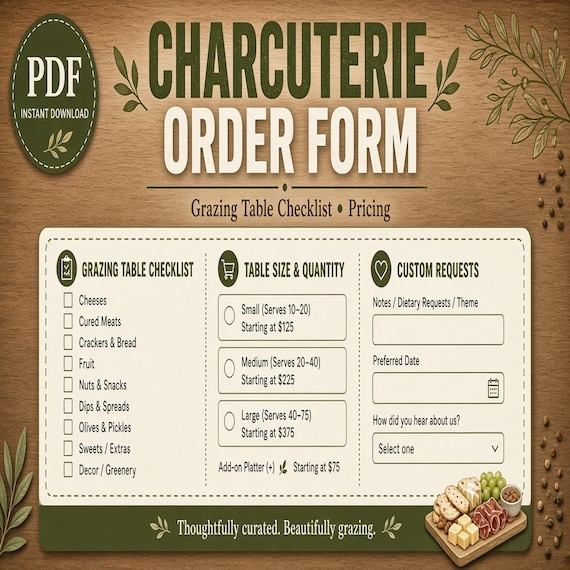
Charcuterie Order Form
Plan board sizes, ingredient prep, customer requests, pickup details, labels, and quote estimates in one kit.
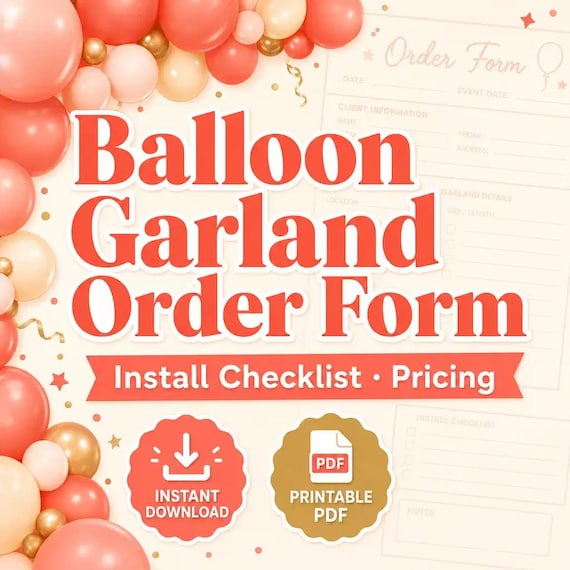
Balloon Order Form
Track client requests, garland footage, color palettes, install notes, add-ons, and setup-day checklists in one kit.
Florist Spreadsheet
Florist stem count spreadsheet for wedding and event florists: Excel-first workbook with stem inventory, wedding recipe cards…