Service Business Forms · Aug 23, 2026 · 13 min read
Cleaning Business Forms Setup: Inquiry, Walkthrough, Estimate, Checklist, and Invoice
A practical way to connect a cleaning inquiry, walkthrough notes, quote, service agreement, recurring or deep-clean checklist, quality check, and invoice without retyping the same job details.
Build one paperwork chain instead of a folder of separate forms
Cleaning paperwork becomes useful when each page hands the job to the next page. A new inquiry should lead to a walkthrough record, the walkthrough should support the estimate, the accepted scope should carry into the service agreement and job checklist, and the completion record should support the invoice. If those pages use different names, dates, or service descriptions, the team has to reconstruct the job at every step.
Start by drawing the chain on one sheet of paper: inquiry, walkthrough, estimate, acceptance, job checklist, quality check, invoice, and archive. Give the client and job one consistent identifier, even if it is only a short combination of the client name, service date, and location code. Put that identifier on every working page so printed forms can be reunited if they are separated.
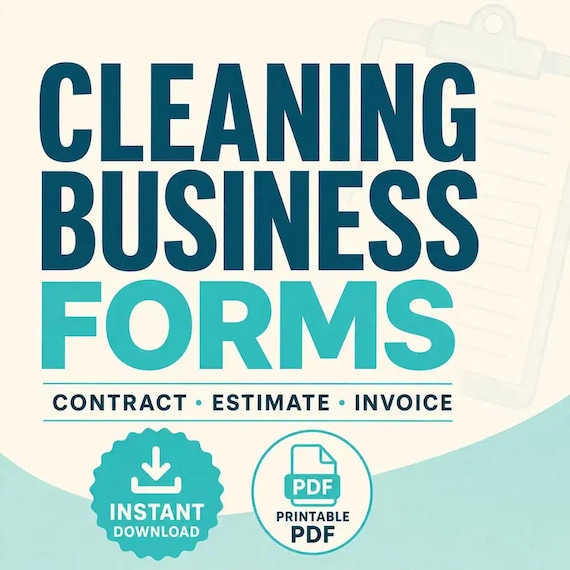
The current SteadyStackStudio cleaning forms package is described as a residential cleaning paperwork kit with a client intake and walkthrough form, estimate or quote, service agreement, recurring and deep-clean checklists, invoice, and quality-control signoff. That is enough to support a connected routine, but the templates cannot decide your services, prices, terms, or local requirements. Make those business decisions before filling the pages with live client information.
- Use the same client name, service address label, and job identifier on every page.
- Write each detail once, then copy it forward only after checking it.
- Keep accepted scope language separate from informal inquiry notes.
- Mark the current version so an old estimate or checklist is not mistaken for the active one.
Confirm the file package and editing fit before checkout
The listing currently describes printable PDF files, editable Word DOCX files, a quick-start guide, a README, and a US Letter layout. No physical forms are shipped. Those details make the bundle a practical candidate for someone who wants to edit wording in Word and print clean working pages, but they do not promise an online booking system, accounting connection, automatic estimate calculator, electronic-signature service, or shared client portal.
Look at the direct previews rather than relying on the cover. Check whether the intake and walkthrough areas have room for the properties you normally quote, whether the estimate can describe your usual service options, and whether the recurring and deep-clean checklists are distinct enough to prevent the wrong list from reaching a job. If your printer normally uses another paper size, expect to test scaling and margins rather than assuming the US Letter layout will transfer perfectly.
Also check the editing software on the device that will prepare the forms. A DOCX file is intended for compatible word-processing software, while a printable PDF is better treated as a stable print or annotation copy unless the listing explicitly shows fillable fields. Preserve an untouched original before changing business names, service descriptions, or page order.
- I can open and edit DOCX files with software available to me.
- US Letter is suitable, or I am prepared to test print scaling.
- I need printable forms rather than a promised scheduling or payment platform.
- The previews show the working pages I would use, not only a styled cover.
- I understand this is a digital download and not a box of printed forms.
Turn the first inquiry into a quote-ready intake record
The first form should collect enough information to decide the next step without trying to complete the entire walkthrough by message. Record the client name, a reliable reply method, the service location, the requested timing or frequency, and a plain description of what they believe needs attention. Then mark whether the next step is a phone clarification, an on-site walkthrough, a remote review you already support, or a polite decline.
Use a small set of consistent service labels. For example, keep recurring service, first visit, deep clean, move-related clean, or another service you actually offer under fixed names rather than inventing a new description for every inquiry. The labels should match the estimate and checklist later. Do not promise a category merely because it appears on a template; remove choices that your business does not provide.
Collect only information needed to prepare and carry out the service. Access instructions, alarm details, payment information, and other sensitive notes should not be scattered through casual messages or printed on every page. Decide where necessary private information belongs, who needs it, and when it should be removed. The intake form is a handoff record, not a reason to keep every detail indefinitely.
- Record the inquiry date and who responded.
- Use one approved name for each service type.
- State the next action and its owner instead of leaving the inquiry open-ended.
- Separate necessary access details from general job notes.
- Do not copy unverified client descriptions directly into an accepted scope.
Use the walkthrough to define included work, exclusions, and open questions
A walkthrough should turn a broad request such as “clean the house” into a scope that both sides can recognize. Move through the property in a consistent order and record the spaces included, the service level being discussed, visible conditions that affect the quote, requested add-ons, access constraints, and any question that must be answered before pricing. Use neutral descriptions rather than judgments about the client or property.
Keep three columns or clear areas: included, not included, and needs confirmation. That separation is more useful than a long paragraph because it shows exactly what belongs in the estimate. If an item changes after the walkthrough, date the change and update the estimate rather than quietly altering the checklist on service day. A checklist tells the worker what belongs to the accepted job; it should not become the first place a scope decision appears.
The form bundle can organize observations, but it is not a substitute for your own training, safety procedures, insurance requirements, product instructions, or decision to refuse work. Do not add a hazard, specialty treatment, lifting task, chemical method, or access arrangement to a standard checklist simply because a client requested it. Route anything outside your normal service to the appropriate review before quoting.
- Follow the same room or area order on every walkthrough.
- Separate included tasks, exclusions, add-ons, and unanswered questions.
- Photograph or document conditions only with an appropriate business reason and permission.
- Resolve scope questions before turning notes into a fixed price or schedule.
- Keep specialized procedures in the proper instructions, not in a generic downloaded form.
Build the estimate from the recorded scope, not from memory
Open the estimate only after the walkthrough notes are complete enough to price. Copy the client and job identifier first, then describe the service using the same labels that will appear on the accepted agreement and checklist. Show the service date or frequency being quoted, the included work, selected add-ons, stated exclusions, price, and how long the quote remains open if your business uses an expiration period.
The cleaning bundle is described as a Word and PDF paperwork set, not as an automatic pricing spreadsheet. Treat every quantity, rate, subtotal, discount, fee, tax line, deposit, and total as something that must be entered and checked according to your own pricing method. Recalculate the finished estimate independently before sending it. A polished template can make a guessed number look official, so the arithmetic and scope review matter more than the design.
Use revision labels when the client changes the job. An original quote, a revised quote with an added area, and an accepted quote should not all have the same filename. Keep the prior version, record what changed, and make the accepted version obvious. If a requested change affects timing, staffing, supplies, or price, update all affected fields together rather than adding an unexplained note at the bottom.
- Copy the final included and excluded work from the walkthrough record.
- Check every amount and total independently before delivery.
- Give each revision a date or version number.
- State what changed instead of sending an unlabeled replacement.
- Do not imply that a DOCX or PDF template calculates prices unless the current file explicitly does.
Move only the accepted details into the service agreement and job file
Once the client accepts the estimate, create the working job file from that accepted version. Carry forward the client and job identifier, service address label, agreed service, frequency or date, price, and approved add-ons. Do not build the agreement from an earlier draft or from the original inquiry. This is the point where informal possibilities become the specific job the business intends to perform.
Customize the service agreement wording for the business and location before using it. A downloaded agreement is a starting template, not legal, insurance, employment, tax, or compliance advice. Remove clauses that do not match the service, do not leave placeholder language in a client copy, and have important terms reviewed appropriately for the setting. The same caution applies to cancellation, access, breakage, payment, pets, supplies, and rescheduling language.
Create a small job cover record that names the active documents: accepted estimate, current agreement, assigned checklist, access note location, quality-control page, and invoice status. This makes the handoff clear without attaching every private detail to every sheet. If an agreement or scope changes, replace the active version deliberately and note the change rather than editing a printed page without a trace.
- Create the job file from the accepted estimate, not an earlier draft.
- Replace all placeholders and remove terms that do not apply.
- Keep private access details separate and limited to people who need them.
- List which document version is active for the job.
- Review important agreement language against the actual business and local requirements.
Choose the recurring or deep-clean checklist deliberately
The current package describes separate recurring-cleaning and deep-clean checklists. That distinction should survive the entire handoff. Mark the selected checklist on the accepted job record, then remove or clearly label any task that is outside the agreed scope. Never send both lists to the job without showing which one controls, because the extra page can look like an extra promise.
Arrange the working list in the order the property will normally be handled. Group tasks by room, zone, or another sequence that reduces backtracking. Add a place for completion, exception notes, and a final review, but keep the page readable. A checklist that tries to hold pricing, access codes, client history, chemical instructions, and every possible task will be harder to use and easier to expose accidentally.
Use exception notes for facts that affect the current visit: an agreed room was unavailable, an item could not be completed, the client approved an add-on, or follow-up is required. The note should identify the task, what happened, and the next action without blaming the client or hiding the change. If a recurring request becomes permanent, update the accepted scope and master checklist instead of relying on a handwritten reminder forever.
- Label the checklist as recurring, deep clean, or another service you actually provide.
- Remove tasks that are not part of the accepted scope.
- Order the page to match the real work sequence.
- Record exceptions and follow-up without turning the checklist into a private client profile.
- Update the master scope when a repeated change becomes part of the service.
Complete the quality check before preparing the invoice
The listing describes a quality-control signoff alongside the invoice template. Use the quality page as a pause between finishing the work and billing it. Compare the completed checklist with the accepted scope, review exception notes, confirm any approved add-ons, and identify anything that still requires client communication. The signoff should show who checked the job and when; it should not certify something that was not actually reviewed.
Resolve discrepancies while the service record is still fresh. If an included task was missed, follow the business response process before treating the job as complete. If a room was inaccessible or the client changed the request, record the agreed outcome. If an extra service was performed, make sure the approval and price are documented before adding it to an invoice.
Keep the client-facing completion message short and consistent with the records. State that the scheduled service was completed, identify any exception or approved follow-up, and provide the next step. Avoid copying internal notes, private access details, or unrelated observations into the message. A clean handoff is easier for the client to understand and easier for the business to match to the invoice later.
- Compare the completed checklist with the accepted scope.
- Review every exception before marking the job complete.
- Match approved add-ons to a recorded approval and price.
- Name the person and time associated with the quality review.
- Keep client communication factual and limited to the service.
Make the invoice match the accepted scope and completion record
Prepare the invoice from the job file rather than retyping from memory. Use the same client and job identifier, then match the service description and base price to the accepted estimate. Add only documented changes or approved add-ons, apply the business's reviewed payment terms, and check the total independently. The invoice should make it easy to connect the billed amount with the job the client approved.
A template does not decide tax treatment, numbering rules, payment methods, late terms, record-retention periods, or accounting categories. Set those details for the actual business with appropriate professional guidance where needed. Remove any example values before sending the page, and do not assume a Word or PDF invoice posts to bookkeeping software or confirms payment automatically.
After delivery, mark invoice status separately from service completion. Sent, due, paid, partly paid, disputed, and corrected are different states. Preserve corrected invoices instead of overwriting the only copy, and link a credit or replacement to the original job identifier. This creates a clear history without changing the service checklist after the work is done.
- Match the invoice description and base price to the accepted estimate.
- Include only documented changes and approved add-ons.
- Remove sample names, amounts, and placeholder terms.
- Track invoice status without rewriting the service record.
- Keep corrected versions connected to the original job identifier.
Run one fictional job through every page before using the forms
Before entering real client information, duplicate the files and create a fictional test job. Start with an inquiry, complete a sample walkthrough, prepare an estimate, revise one line, mark the accepted version, choose a checklist, add one exception, complete the quality check, and prepare an invoice. The purpose is to find missing handoffs and duplicated fields before a live job depends on them.
Print one full test set on the printer that will be used. Check US Letter margins, page breaks, writing space, checkbox alignment, font substitutions, and whether any editable paragraph pushes a signature or total onto a new page. Open the DOCX on the actual editing device and the PDF on the actual viewing or printing device. If pages will be annotated digitally, test that routine with a copy rather than assuming a printable PDF is fillable.
Finally, ask another person who understands the business routine to follow the fictional file from estimate to invoice. They should be able to identify the active scope, correct checklist, unresolved exception, completed quality check, and billed amount without an oral explanation. If they cannot, simplify the naming and handoff before adding more fields.
- Use fictional names, addresses, and amounts for the test.
- Include one revision, one exception, and one approved change.
- Test the real editor, PDF viewer, printer, and paper.
- Preserve the original download separately from the customized master.
- Remove all test data before creating the first live client file.
Complete a final fit check before opening Etsy
This cleaning forms bundle is a strong fit when a residential cleaning business wants printable and Word-editable pages for intake and walkthrough notes, estimates, a service agreement, recurring and deep-clean checklists, quality review, and invoicing. It is most useful for someone willing to define services and policies, customize the wording, test the pages, and maintain one connected job record instead of treating every form as an isolated document.
It may not be enough if the main need is automated pricing, online booking, route scheduling, staff timekeeping, electronic signatures, payment processing, bookkeeping synchronization, chemical or safety procedures, a mobile client portal, or custom legal review. Those features are not established by the current description of the PDF and DOCX package. If one is essential, verify it explicitly or choose a system built for that job rather than expecting a printable bundle to become software.
Before checkout, review the direct previews and current Etsy details one last time. Confirm the included page roles, DOCX and PDF formats, US Letter layout, editing software, and intended use. Name the first job you would test and identify where the active records will be stored. If the package can carry that job from inquiry to invoice without unsupported assumptions, it is a practical candidate; if the handoff still depends on a missing tool, solve that gap first.
- I need the listed intake, walkthrough, estimate, agreement, checklist, quality, and invoice page roles.
- I can customize business wording and review important terms before use.
- I understand that printable and editable forms are not an automated business platform.
- I have a plan for version names, private information, and active job records.
- I will test one fictional job before using the forms with a client.
Printables used in this guide
Instant downloads from the SteadyStackStudio Etsy shop.
Cleaning Business Forms Bundle
Cleaning business forms bundle for residential cleaners and small cleaning companies: 26-page fillable PDF with client intake…
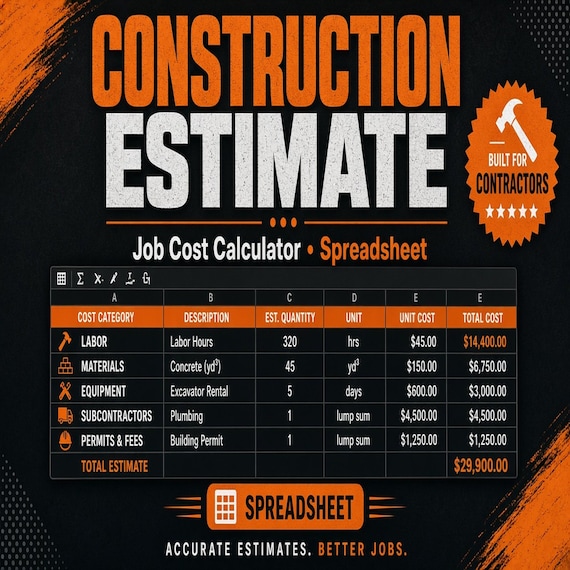
Construction Estimate Template Spreadsheet
A practical bid calculator for contractors, remodelers, and handyman jobs. This is an instant digital download built for a solo…
Party Rental Forms
Track bookings, rental items, checkout condition, damage notes, deposits, returns, and inventory follow-up.
Pet Sitting Forms Bundle
A polished template kit for pet sitters, dog walkers, house sitters, pet care businesses, and solo service providers.