Service Business Forms · Aug 7, 2026 · 17 min read
Horse Barn Management Spreadsheet Setup: Chores, Care Records, and Handoffs
A practical setup guide for separating horse profiles, current care instructions, recurring barn chores, completed-event records, supply checks, and shift handoffs.
Divide the barn workbook into profiles, plans, and event logs
A useful horse barn management spreadsheet should answer three different questions without mixing them together. A profile answers who the horse is and who should be contacted. A current plan answers what approved care or barn work is supposed to happen. An event log answers what was actually recorded on a particular date. Those records may refer to one another, but they should not be treated as interchangeable.
Begin by writing the job of each page or tab in a short note at the top. Stable details such as a horse name, owner contact, regular providers, and the location of current source documents belong with the profile. Recurring chores, feed instructions, turnout assignments, maintenance tasks, and review dates belong with the current plan. Completed chores, deliveries, appointments, farrier visits, incidents, supply changes, and handoff notes belong in dated logs.
This separation matters when several people use the same file. A completed entry from last month is not automatically an instruction for today, and an undated instruction is difficult to verify. Keep the active plan easy to find, put an effective or reviewed date on it, and let the logs preserve history. The spreadsheet organizes administrative records; it does not decide the care, feeding, medication, exercise, safety, or emergency plan for a horse.
- Profile: horse, owner, emergency, provider, and record-location details that change infrequently.
- Current plan: approved instructions, assigned recurring work, effective dates, and responsible people.
- Event log: dated facts about work completed, visits, observations, changes, and follow-up.
- Archive: replaced plans and closed records kept away from the active working view.
Check what the current horse barn download actually includes
The current SteadyStackStudio Horse Barn Management and Care Dashboard is described as a 23-page horse and barn management pack. The listing says it includes an editable Word version and an Excel workbook with trackers for horses, care, chores, feed, farrier work, veterinary and dental records, medication, turnout, exercise, equipment, expenses, and facility maintenance. It also lists horse intake, care-plan, handoff, incident, inventory, and monthly-review pages.
The files have different roles. The US Letter PDF is intended for printing or digital annotation. The Word version can support careful changes to headings and fields. The Excel workbook is designed for maintained tables and lists. The files are packaged in a ZIP folder as an instant digital download; no printed binder, completed record service, physical barn supplies, or other shipped item is included.
Review the direct inside-page previews before checkout rather than relying on the styled cover. Confirm that the visible columns, writing space, page flow, and file formats fit the barn you need to organize. If a particular field, calculation, dropdown, page size, or print layout is essential, verify it in the current product page and listing. Keep one untouched copy after download so a working file can be compared with the original later.
- Confirm the current 23-page scope and the listed PDF, Word, Excel, and ZIP formats.
- Look at the direct page previews and identify the pages you would use in the first week.
- Check that the intended computer or tablet can extract the ZIP and open the needed files.
- Do not infer an unlisted field or automatic function from the product title alone.
Create one horse profile from verified source information
Set up one complete profile before entering every horse in the barn. Use the horse's ordinary barn identifier consistently, then add the owner and emergency contacts, regular veterinary and farrier contacts, and other details that the current page is designed to hold. Copy important information from the owner-provided records, provider instructions, labels, or other approved sources instead of relying on memory. Add a source or reviewed date where the template allows it.
Keep the profile short enough to scan. It should point a permitted user toward the current plan and the correct source documents rather than becoming an improvised medical history. If the barn uses stall cards, paper binders, a boarding platform, or provider portals, decide which system holds the authoritative information. The spreadsheet can link the administrative pieces together, but duplicate copies should not compete with one another.
After the first profile is complete, ask a second authorized person to find the current contacts, active care instructions, next scheduled provider item, and most recent handoff. Any detail that is hard to locate needs a clearer label or a direct reference. Once that test works, duplicate the clean structure for another horse and replace every sample value. Never leave one horse's details in another horse's working record.
- Use one stable name or identifier across the profile, task board, and dated logs.
- Copy information from current approved sources and record when it was checked.
- Point to protected source documents instead of duplicating every sensitive detail.
- Test one profile fully before creating the rest of the barn roster.
Keep current instructions separate from completed care history
The current-instructions page should show what an authorized person is expected to follow now. A completed-care log should show what someone recorded as happening at a stated time. If those two jobs share one crowded table, an old entry can look like an active direction and a planned task can look completed when it is not. Use separate pages or clearly separate tables even when the same horse and task names appear in both.
Give every active instruction an effective date, source, and review point when the barn's process permits it. When a qualified professional or authorized owner changes an instruction, update the active plan through the barn's approved process and move the replaced version out of the working view. Do not overwrite history in a way that makes the sequence impossible to understand, and do not copy a change from a casual message without confirming the source required by the barn.
Use plain status labels with defined meanings. Planned, assigned, completed, deferred, and needs follow-up can be useful only if everyone knows when each label applies. Avoid a checkbox that can mean either prepared or finished. The goal is not to collect the most entries; it is to let the next authorized person see the current direction, the recorded result, and anything still unresolved.
- Active instruction: what applies now, who supplied it, and when it was reviewed.
- Completed record: date, time, person making the entry, and factual result.
- Change record: what was replaced, who authorized the update, and where the source is stored.
- Open item: the named person and next review point rather than an unexplained blank.
Turn recurring barn chores into a board another person can read
A chore board works when each row describes one recognizable job. Name the horse or barn area, the task, the assigned person, the due window, the status, and the place for a short completion or exception note. Keep task names stable so morning feed, water checks, turnout-related work, stall work, supply checks, and closing tasks do not acquire a new label every shift.
Separate recurring assignments from the daily completion record. The recurring page can show who usually owns a job and how often it returns. The dated page should show who actually recorded the task that day. If coverage changes, update the assignment rather than relying on a color or a verbal assumption. For boarding, training, volunteer, family, or staff settings, follow the real authority, employment, access, and safety rules of the barn.
Make exceptions visible without turning the note box into a long diary. Record the fact, the person notified, and the next administrative action. If a situation calls for immediate action under the barn's emergency or professional-care procedure, follow that procedure first. A task row is not a substitute for training, supervision, safe work practices, or a qualified decision about the horse.
- Use one row for one task, one horse or area, one due window, and one clear status.
- Record the person who actually completed or checked the work, not only the usual assignee.
- Define what each status means before several people begin using the file.
- Carry an unfinished item into the handoff with a named owner and next action.
Set up feed and supply records without making nutrition decisions in the spreadsheet
A feed tracker should preserve current, approved information and make routine work easier to confirm. It should not invent a ration, interpret a label, or decide that one horse should receive what another horse receives. Enter the exact item names, units, instructions, and effective dates supplied through the barn's approved process. Keep owner, veterinarian, equine nutrition professional, and product-label guidance in the source system where it belongs.
Separate the current feed plan from the inventory list. The plan explains the authorized routine for a particular horse. The inventory list shows what is on hand, what was received, what is nearing the barn's chosen reorder point, and who owns the next supply action. A low-stock note should not silently change the care plan. If an item is unavailable, follow the approved contact and substitution procedure rather than editing the spreadsheet as though it were a professional recommendation.
Use consistent item names and units so entries can be reviewed later. If one person writes a brand name, another writes a nickname, and a third uses a broad category, the totals and history may be difficult to understand. Test the page with one fictional item before entering live information. Confirm that a printed copy still shows the horse, item, unit, date, and instruction source clearly.
- Copy current feed information from the source approved for that horse and barn.
- Keep care instructions, completed feed records, deliveries, and stock levels in distinct views.
- Use consistent names and units; never let an empty shelf become an unapproved care change.
- Route questions and substitutions to the qualified person named by the barn's procedure.
Record farrier, veterinary, dental, and medication events factually
Provider and medication logs are most useful as a dated administrative index. Record the horse, date, provider or source, the type of visit or event, the location of any official instructions, and the next confirmed administrative action. Use neutral language and copy only what the authorized source supports. A short record that points to the provider's document is safer than an improvised interpretation.
Keep scheduled items separate from completed events. A future appointment belongs on a schedule; a completed visit belongs in history; a follow-up task belongs on the action list. When a date changes, update the schedule without making the old date look completed. When an instruction changes, use the approved update process and preserve the current source rather than relying on a note copied forward indefinitely.
The template is not a veterinary chart, medication order, diagnostic tool, safe-range calculator, farrier recommendation, dental plan, or emergency guide. Do not use a formula, average, checkbox, or previous entry to decide treatment. Follow qualified veterinary, farrier, dental, nutrition, pharmacy, product-label, and local guidance. If the barn must keep a specific official record, use that required system and treat the spreadsheet only as the permitted administrative companion.
- Schedule: confirmed future date, provider, purpose label, and preparation owner.
- History: factual completed event with the source document or record location.
- Follow-up: named task, responsible person, due date, and confirmed instruction source.
- Professional decision: kept with the qualified provider and approved barn procedure, not inferred from the tracker.
Use turnout and exercise logs for coordination, not prescriptions
Turnout and exercise pages can help coordinate space, timing, assigned work, and completed records, but a spreadsheet cannot determine what is appropriate for a horse. Begin with the plan supplied through the barn's authorized process. Record who is responsible, the planned window, the relevant location, and any administrative notes needed for a clear handoff. Keep the active plan visibly dated.
On the completed log, record what actually occurred in plain terms and identify the person making the entry. If a task was not completed or the plan could not be followed, use the barn's established notification path. Do not turn a brief observation into a diagnosis, and do not use a previous horse's pattern as a default for another horse. Weather, footing, behavior, health, facility rules, staffing, and professional instructions may affect the real decision in ways a generic template cannot evaluate.
Review the tracker for communication gaps rather than trying to make every horse's rows look identical. Repeated blanks may mean the page is hard to use, the task is recorded elsewhere, or the assignment is unclear. Resolve the workflow question with the authorized people before adding more columns. A smaller page that is completed consistently is more useful than an elaborate table that nobody trusts.
- Keep the approved plan and the completed record in separate, dated views.
- Identify the assigned person, actual recorder, location, and follow-up path clearly.
- Use factual observations and route concerns through the barn's approved procedure.
- Do not treat matching rows as proof that the same plan fits every horse.
Build the shift handoff around changes and unfinished work
A handoff should help the next authorized person begin the shift without rereading every log. Start with the date, time, outgoing recorder, incoming person or audience, and the horses or areas covered. Then summarize only the information that affects what happens next: completed priority work, a verified plan change, an open task, a supply concern, a scheduled arrival, an incident follow-up, or a question waiting for the named contact.
Use a consistent structure such as completed, changed, open, notified, and next. That structure distinguishes a fact from a request. For example, an item listed under open still needs an owner; an item listed under notified should name the contact and time; an item listed under next should show who is expected to act. Avoid vague phrases such as keep an eye on it unless the approved procedure explains exactly what the next person should do.
Keep the handoff short and link back to the detailed record when necessary. Do not copy an entire provider note, incident narrative, or private owner message into every shift summary. Close resolved items so they do not remain in the active handoff for days. At the end of the week or another chosen review interval, move recurring unresolved issues to the proper plan, maintenance, supply, or professional follow-up list.
- Completed: the priority work that the outgoing person recorded as finished.
- Changed: a verified update with its effective date and approved source.
- Open: the unfinished task, named owner, and due or review point.
- Notified: who was contacted, when, and where the detailed record can be found.
- Next: the first clear action the incoming authorized person should confirm.
Keep an incident note beside, not instead of, emergency procedures
An incident page can preserve a factual timeline after immediate responsibilities have been handled. It should never delay the barn's emergency action, qualified care, safety response, owner contact, or required reporting. Make the emergency contacts and approved procedures available through the system the barn already relies on; do not assume that opening a spreadsheet will be the right first step during an urgent event.
For a permitted administrative note, record the date, time, location, people present, observable facts, action taken under the approved procedure, contacts made, and where supporting records are stored. Avoid blame, diagnosis, speculation, and rewritten memories. If another person provides a statement, keep authorship clear. Follow the barn's requirements for photos, privacy, insurance, boarding records, staff records, retention, and access.
After the immediate matter is closed, move follow-up tasks to the correct place. A repair belongs in facility maintenance, a supply replacement belongs in inventory, a provider instruction belongs with the current approved care source, and a communication task belongs in the handoff. Keeping the incident page as the only place for every next step makes those tasks easy to miss.
- Follow the approved emergency and safety procedure before administrative logging.
- Record observable facts, timing, contacts, and record locations without speculation.
- Protect access and follow applicable reporting, insurance, employment, and privacy rules.
- Move each follow-up task into the active list where the responsible person will see it.
Separate horse care from equipment, expenses, inventory, and maintenance
The current pack lists equipment, expense, inventory, and facility-maintenance records alongside horse care pages. Keep those administrative areas connected through clear names and dates, but do not crowd them into the horse's active care view. A broken latch, an ordered supply, an equipment check, and a paid invoice have different owners and closeout evidence even when they all affect the same barn day.
For equipment and maintenance, identify the item or area, the reported issue, the date, the person responsible for the next step, the status, and the completion record. Follow qualified facility, electrical, fire, fencing, machinery, tack, riding, workplace, and local safety guidance rather than treating a template as an inspection standard. If equipment or an area is restricted from use, use the barn's approved physical and communication controls in addition to the spreadsheet.
For supplies and expenses, use stable pro and category names, preserve receipts or invoices in the chosen record location, and separate an order from a delivery and a delivery from a payment. A monthly review can then look for open purchases, low supplies, overdue maintenance, and records that need an authorized update. It should not turn a rough spreadsheet total into accounting, tax, insurance, or legal advice.
- Horse care view: current authorized plan and dated horse-specific records.
- Inventory view: item, quantity or status, last check, next action, and responsible person.
- Maintenance view: area or equipment, issue, restriction, owner, status, and closeout record.
- Expense view: purchase, supporting document, category, payment status, and review point.
Choose PDF, Word, or Excel by the maintenance job
Use the PDF when a stable US Letter page is useful for a clipboard, binder, controlled printout, or permitted digital annotation. Print one page at actual size before producing a full set. Check margins, type size, writing room, page identification, and whether a loose page still makes sense away from the binder. Decide how completed paper is collected, protected, entered, archived, or destroyed under the barn's rules.
Use Word when a heading or field needs approved customization. Keep the original unchanged, create a clearly dated working copy, and make sure edits do not remove scope or safety notes. Export and inspect a test PDF if the edited page will be printed, because line breaks and page breaks can move between devices. Do not add fields merely because space is available; every field creates another record that someone must maintain and protect.
Use Excel for repeated rows, filterable lists, schedules, and review tables when the intended users can maintain it reliably. Define status labels, dates, names, and units before live entry. Test sorting and filtering on fictional data so rows stay intact. Protect access, backups, and version names, and avoid sending uncontrolled copies with sensitive owner, staff, or care information. Confirm the current file behavior in the software you will actually use; compatibility can vary after import into another spreadsheet app.
- PDF: stable print or annotation layout with a one-page test first.
- Word: controlled field or heading changes with the original preserved.
- Excel: repeated records and review tables with definitions, access controls, and backups.
- ZIP: extraction, file names, README, and all needed formats checked on the intended device.
Run a fictional horse and one mock shift before adopting the system
A fictional test is the safest way to learn whether the pack fits. Use an invented horse, owner, provider, feed item, chore assignment, appointment, equipment issue, and handoff. Do not use a real horse with altered names, because the remaining details may still identify a real owner or situation. Open every format you expect to use and complete only the pages needed for one mock day.
Start with the profile and current plan. Assign three recurring chores, record two as completed, leave one open, and write a handoff that shows the next owner. Add a fictional provider appointment and confirm that the scheduled item remains separate from the completed-event history. Add one low-supply record and one maintenance item, then verify that neither disappears inside the horse's care notes.
Finally, test the review path. Filter the Excel records, print one PDF page, make one permitted Word edit, close and reopen the working files, and check that dates and horse identifiers remain visible. Ask another authorized tester to find the current plan and open items without coaching. If the system requires a long explanation, remove unnecessary fields or use fewer pages. Only after the fictional workflow is clear should real records be entered under the barn's approved access and recordkeeping process.
- Every required file opens and the ZIP structure remains understandable.
- The active plan cannot be confused with completed history.
- A second tester can find today's work, open items, and the current handoff quickly.
- Printed pages retain the horse, date, page role, and enough writing space.
- Access, backup, archive, and disposal steps are settled before live information is added.
Compare the neighboring downloads and run a final fit check
Choose the featured Horse Barn Management and Care Dashboard when the central job is connecting horse profiles, recurring chores, current care records, feed and turnout coordination, provider-event logs, handoffs, incidents, equipment, supplies, expenses, and facility maintenance across PDF, Word, and Excel files. It is best suited to a private owner, small barn, boarding operation, trainer, or barn manager who already has the qualified care and safety guidance and needs a clearer administrative system.
Choose the Flower Farmer Spreadsheet when crop plans, harvest logs, bouquet recipes, and sales records are the actual work. Choose the Seed Starting Spreadsheet when seed inventory, sowing, tray, germination, transplant, succession, and harvest tracking are the main task. Choose the Pet Sitting Forms when a pet-service business needs client intake, emergency information, and visit logs, or the Mobile Pet Grooming Forms when appointments, pet profiles, grooming notes, routes, and follow-up records better match the business. Those downloads may use similar recordkeeping ideas, but they should not be repurposed as horse-care systems.
Before opening Etsy, confirm the current inside-page previews, the listed 23-page scope, the exact PDF, Word, Excel, and ZIP files, the intended software, and the people who will maintain the records. Skip the purchase if you need physical barn supplies, a boarding contract, automatic staff scheduling, accounting software, a veterinary record system, a prescribed care plan, professional training, emergency guidance, or a custom database. Use the download only when the file roles and maintenance routine are clear enough to test with fictional information first.
- The product page visibly includes pages for the first barn jobs you need to organize.
- The intended users can open, maintain, protect, and back up the listed file formats.
- Qualified people and approved procedures still make care, nutrition, medication, safety, and emergency decisions.
- The current listing and preview agree on the scope before checkout.
- A smaller neighboring download is chosen instead when its recordkeeping job is the true fit.
Printables used in this guide
Instant downloads from the SteadyStackStudio Etsy shop.
Horse Barn Management Spreadsheet
Keep horse profiles, owner and emergency contacts, daily chores, feed, turnout, exercise, farrier, veterinary and dental records…
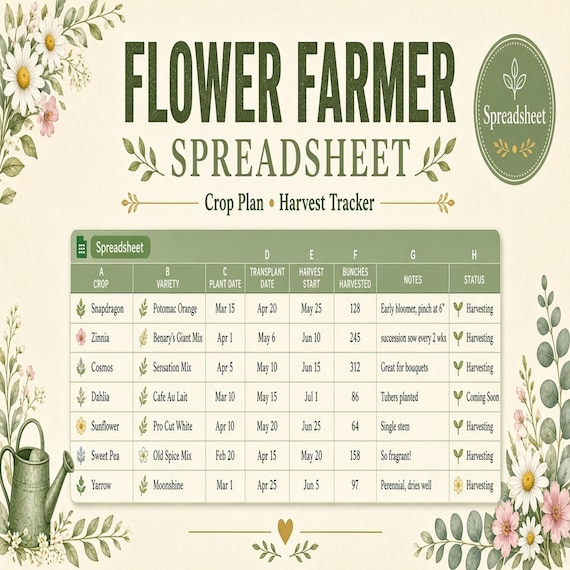
Flower Farm Planner Spreadsheet
The pages are designed to help you prepare, record decisions, and keep the next action visible without building your own system…
Seed Starting Spreadsheet
Seed starting spreadsheet for home gardeners: Excel-first workbook with seed inventory, planting calendar, germination log (auto…
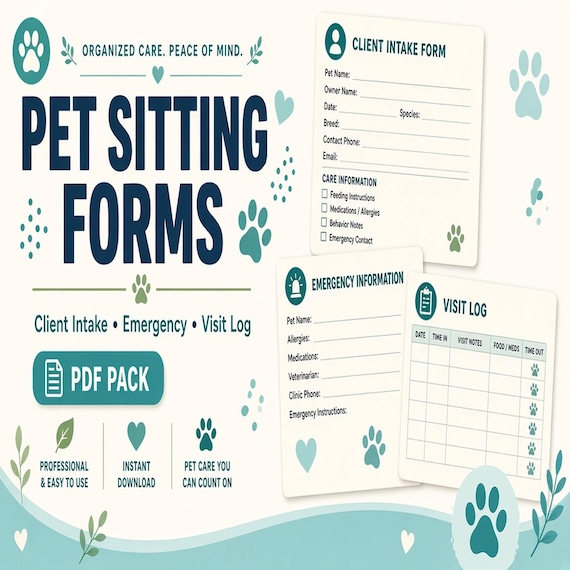
Pet Sitting Forms Bundle
A polished template kit for pet sitters, dog walkers, house sitters, pet care businesses, and solo service providers.