Tattoo Flash · Aug 8, 2026 · 16 min read
Western vs Gothic vs Cyber Sigil Tattoo Flash: How to Choose a Style Pack
A practical visual-fit guide for comparing western fine-line motifs, gothic moth artwork, ornamental cyber sigils, celestial symbols, minimal hearts, and witchcore botanicals before choosing a printable flash pack.
Make one style decision before comparing download sizes
Tattoo flash packs can share the same basic file types while feeling completely different on a reference board. A western set built around boots, hats, horseshoes, and cactus imagery does not solve the same visual task as a gothic moth set, an abstract cyber-sigil set, or a page of tiny hearts. Start with the atmosphere and motif family you want to review, then compare the number of sheets and formats.
Write three short notes before opening product pages: the motifs that must be present, the motifs that should not dominate, and the way the artwork will be reviewed. Someone assembling a country-themed inspiration board may want recognizable western objects. Someone comparing dark botanical ideas may want a strong moth or insect focal point. Someone looking for nonliteral symbols may prefer ornamental, abstract forms. That first choice removes packs that are attractive but wrong for the actual project.
This guide stays with style fit and pack selection. If the main question is how JPG, PNG, and PDF files behave, how to make a measured test print, or how to protect the original download, use the companion file-setup guide instead. If the goal is a scheduled studio flash day, use the separate workflow guide for menu codes, client choices, and handoffs.
- Name one lead style: western, gothic botanical, abstract ornamental, celestial, minimal symbolic, or witchcore botanical.
- List two or three must-have motifs rather than choosing from a cover color alone.
- Decide whether you need whole printable sheets, a consultation reference set, or finished-project artwork allowed by the current license.
- Treat sheet count as a fit check after the visual direction is clear.
Check the current sheet and file scope pack by pack
The current listings do not all promise the same package. The Cowboy Western pack lists five high-resolution JPG flash sheets, five matching PNG copies, one compiled printable PDF, and a README or license note. The Minimal Heart pack lists the same five-JPG, five-PNG, compiled-PDF structure. Those are focused sets for a narrower motif family.
The current Gothic Moth, Ornamental Cyber Sigil, and Witchcore Botanical listings each describe eight high-resolution JPG artwork sheets, eight matching PNG artwork sheets, one printable PDF containing the sheets, and a README or license note. The Celestial listing is smaller: it currently lists three high-resolution JPG sheets, three PNG exports of the same finished artwork, and a README or license note. It does not list a compiled PDF in the current product description, so do not assume one is included.
Confirm these details again on the product page before checkout because a listing can be updated. A larger sheet count is useful only when the theme fits. Five focused western sheets may be more useful for a western project than eight dark botanical sheets, while an eight-sheet pack may give a broader view within its own named style. No physical sheets, stencil paper, printer, transfer supplies, or tattoo service ship with these digital downloads.
- Cowboy Western: five JPG sheets, five matching PNG copies, a compiled printable PDF, and a README or license note.
- Minimal Heart: five JPG sheets, five matching PNG copies, a compiled printable PDF, and a README or license note.
- Gothic Moth, Ornamental Cyber Sigil, and Witchcore Botanical: eight JPG sheets, eight matching PNG sheets, a printable PDF, and a README or license note in each current listing.
- Celestial: three JPG sheets, three PNG exports of the same artwork, and a README or license note in the current listing.
- Open the inside previews and current file list rather than inferring contents from a styled cover.
Choose western flash when recognizable country motifs should lead
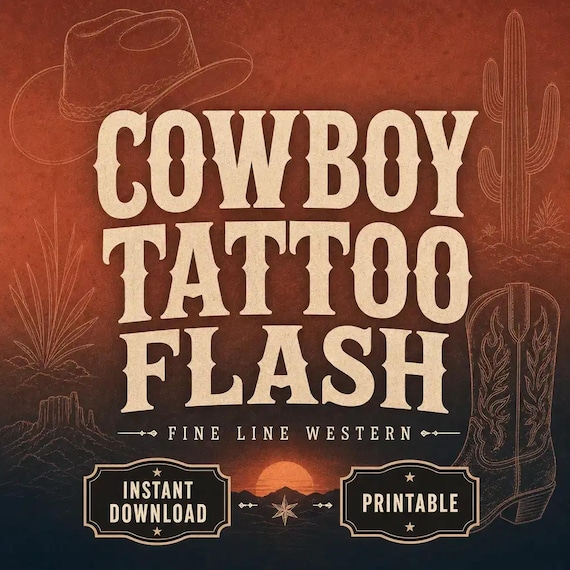
The Cowboy Western pack is the clearest starting point when the board should read as western at a glance. Its current title and tags identify fine-line boots, hats, horseshoes, and cactus imagery. Those recognizable objects make the theme easy to describe and can help a reviewer say which part of the western direction feels right: ranch objects, desert details, lucky symbols, or a broader country mood.
Use the previews to check how much variety appears across the five sheets. Do not assume that every western object you can imagine is included. Look for the actual balance of small symbols, taller shapes, rounded motifs, and more detailed focal designs. If one specific object is essential, find it visibly in the preview or confirm it from the listing before purchasing.
Western is less suitable when the goal is a dark botanical focal image, a set of abstract symbols, or a quiet page of tiny universal icons. It can pair visually with celestial or minimal motifs only when the final board still has one clear lead direction. Combining every available theme usually creates a collection that is harder to review, label, and narrow down.
- Best visual question: Do boots, hats, horseshoes, cactus imagery, and related country motifs match the reference direction?
- Preview check: Is the mix of recognizable objects and decorative details useful across the visible sheets?
- Skip it when: The project needs abstract ornament, moth-led blackwork imagery, or a botanical-moon theme instead.
- File check: Confirm that whole-sheet JPG, PNG, and compiled-PDF files fit the planned review method.
Choose gothic moth flash when one dark botanical focal family should lead
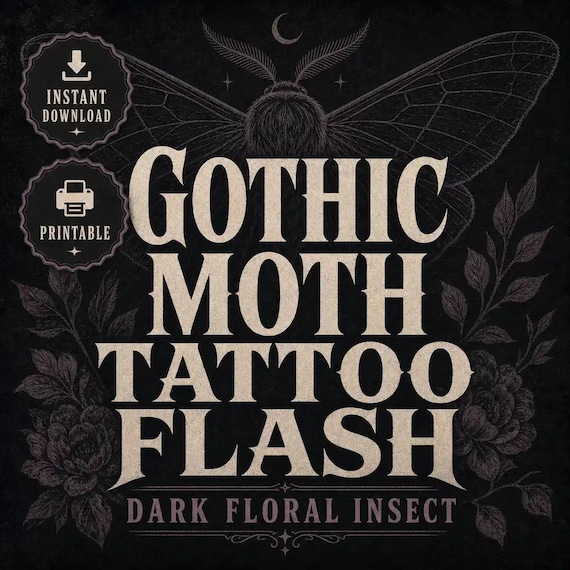
The Gothic Moth pack is organized around a more specific visual center. Its current listing describes dark floral insect artwork and names gothic, moth, insect, dark floral, blackwork, and fine-line themes. Choose it when the attraction is the relationship between a moth or insect focal image and surrounding botanical detail, not simply because the artwork is dark.
A focused motif family can make a reference board feel deliberate, but the preview still needs to do the work. Check whether the visible sheets repeat one composition or offer useful changes in silhouette, wing shape, floral framing, and visual density. Look at the negative space around the darker areas. A design that reads clearly in a large listing image may feel crowded when viewed as a smaller reference, so identify the designs you would actually shortlist.
This pack is not interchangeable with the Witchcore Botanical set. Both use botanical language, but the Gothic Moth listing centers moth and insect imagery, while the Witchcore listing centers moon and floral imagery. Choose the focal family first; use color, sheet count, and price only after that distinction is settled.
- Best visual question: Should moth or insect imagery be the main subject rather than an accent?
- Preview check: Do the visible silhouettes, floral frames, and dark areas remain distinct at the intended review size?
- Compare with Witchcore Botanical when: The real preference may be moons and florals rather than insects.
- Skip it when: Familiar western objects, tiny hearts, or purely abstract symbols are the clearer brief.
Choose ornamental cyber sigils when abstract symbol shapes are the point
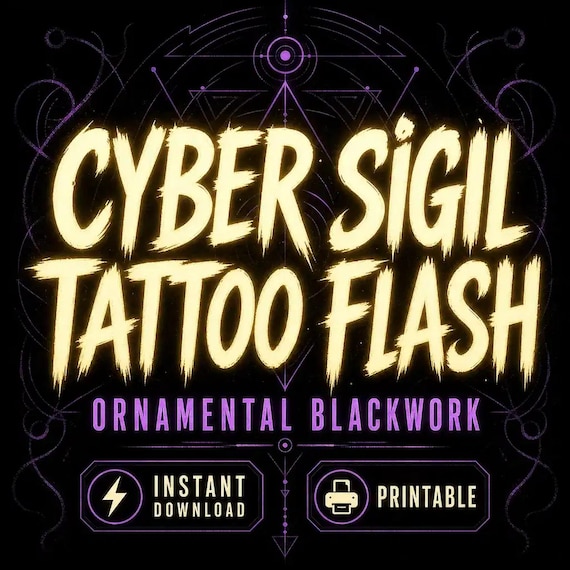
The Ornamental Cyber Sigil pack is the strongest match in this group when the desired forms are abstract rather than object-led. Its current listing describes abstract blackwork ornament shapes and uses cyber sigil, ornamental, abstract, blackwork, symbol, and fine-line language. That makes it a different decision from choosing a cowboy boot, moth, heart, moon, or flower that already carries an obvious subject name.
Abstract artwork needs a careful preview because a title cannot tell you which shapes will feel balanced to you. Compare the overall symmetry, vertical or horizontal emphasis, open space, repeated points, and amount of fine detail visible on each sheet. Mark the shapes that still feel distinct when several appear together. If every design begins to blur into the same silhouette, a smaller shortlist or another pack may be easier to use.
Do not treat the word stencil in the title as a promise that the files can go directly from download to skin. The current product describes finished reference sheets in JPG, PNG, and PDF formats. A qualified tattoo professional still needs to review the selected reference, intended size, placement, line behavior, and any adaptation or stencil preparation required for real tattoo work.
- Best visual question: Do you want nonliteral ornamental symbols rather than named objects or botanical subjects?
- Preview check: Compare symmetry, open space, density, and whether each silhouette stays recognizable.
- File boundary: The current listing describes artwork sheets, not editable vectors or ready-to-apply individual stencils.
- Professional boundary: Final adaptation and tattoo use belong with a qualified professional.
Use celestial or minimal hearts for familiar symbolic themes
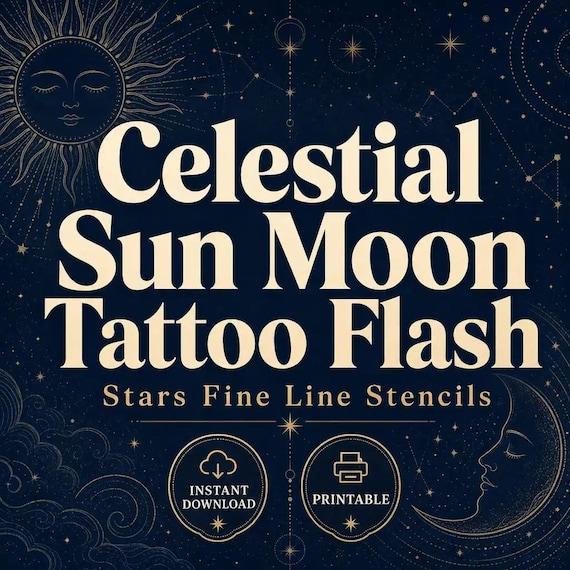
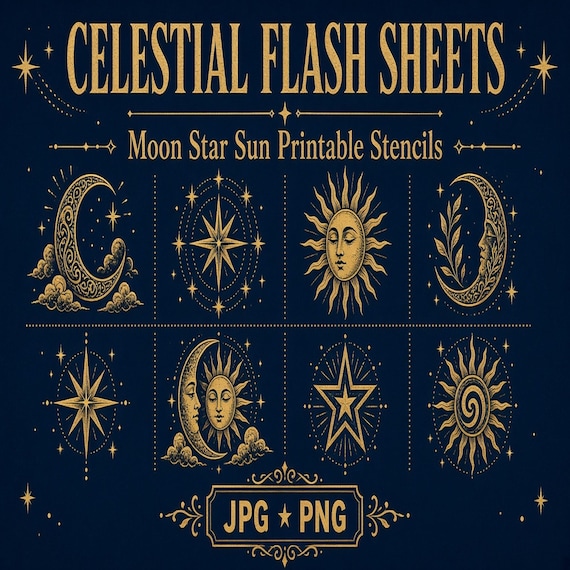
The Celestial and Minimal Heart packs sit closer to familiar symbolic imagery. The Celestial listing names moon, star, and sun themes across three JPG sheets and three matching PNG exports. The Minimal Heart listing describes tiny fine-line love and heart imagery across five JPG sheets, five matching PNG copies, and a compiled PDF. Both can be easier to label than an abstract sigil pack because the subject family is immediately recognizable.
They still solve different briefs. Choose celestial when the board should revolve around sky symbols and their variations. Choose minimal hearts when love, matching-symbol, or small heart imagery is the central idea. Do not assume that familiar subject matter makes every design suitable at any size or placement. Use the visible previews to compare line complexity and ask a qualified professional what can be adapted responsibly.
The smaller current Celestial pack can be useful when a concise moon-star-sun set is enough. The Minimal Heart pack offers more listed sheets, but that does not automatically make it the better value for a celestial brief. Buy the subject family you will actually review rather than the larger number attached to a different idea.
- Choose Celestial for moon, star, and sun reference sheets.
- Choose Minimal Heart for tiny heart, love, or matching-symbol directions.
- Compare the actual visible designs instead of assuming all familiar symbols have the same complexity.
- Check the current package carefully because the Celestial listing does not currently list a compiled PDF.
Choose witchcore botanical when moons and florals should share the theme
The Witchcore Botanical pack combines fine-line moon and floral language in an eight-sheet artwork set. It is the best comparison point when a buyer likes dark or magical atmosphere but does not want moth imagery to control the collection. The current tags also use botanical, blackwork, moon, and floral wording, so the inside previews should show whether the balance feels more botanical, more celestial, or evenly mixed.
Compare it directly with both Gothic Moth and Celestial. Choose Gothic Moth if insect imagery is the focal family. Choose Celestial if moon, star, and sun symbols should stand without a larger botanical mood. Choose Witchcore Botanical if the combination itself is the attraction. This three-way check is more useful than treating every dark or moon-themed pack as interchangeable.
The current Witchcore listing includes whole artwork sheets in JPG, PNG, and PDF formats and explicitly says it does not claim transparent individual cutouts or SVG/vector files. Plan around the finished sheets that are actually included. If the intended project requires separate transparent elements or scalable vector paths, this listing does not promise that deliverable.
- Best visual question: Should moons and florals work together as one coordinated mood?
- Compare with Gothic Moth when: You are deciding whether insect imagery should be central.
- Compare with Celestial when: You may prefer standalone moon, star, and sun symbols.
- Format boundary: Do not infer individual transparent cutouts or SVG/vector files from the PNG label.
Build a simple style scorecard from the previews
A short scorecard prevents a beautiful cover from making the entire decision. Create one row for each pack and five columns: lead motif, supporting motifs, visual density, useful designs visible in the preview, and file fit. Use plain notes such as western objects, moth plus florals, abstract ornament, sky symbols, hearts, or moon plus botanicals. Then count only the designs you would genuinely place on a shortlist.
Do not give points for features the listing does not state. A PNG artwork sheet is not automatically a set of transparent individual elements. The word printable does not guarantee a preferred paper size, borderless result, or exact scale. The word stencil does not remove the need for professional review and preparation. Record unknown when a preview or file list does not answer the question, then verify that point before checkout.
Finally, add a no-go column. A pack may lose the comparison because the focal motif is wrong, the sheets are denser than desired, the file package lacks a needed format, or the license does not fit the intended finished use. Eliminating the wrong pack is a useful result. The goal is not to award every option a high score; it is to identify one coherent set that fits the real review task.
- Lead motif: What subject or shape family is unmistakably central?
- Preview usefulness: How many visible designs would make the real shortlist?
- Density: Do the designs remain easy to compare at the intended viewing or print size?
- File fit: Are the specifically listed JPG, PNG, PDF, and README files sufficient?
- No-go reason: What would make this pack attractive but wrong for the project?
Do not mistake a PNG sheet for separate transparent artwork
PNG describes a file format, not a guarantee about how the artwork is separated. The current Gothic Moth, Ornamental Cyber Sigil, and Witchcore Botanical descriptions call their PNG files matching artwork sheets and explicitly say they do not claim transparent individual cutouts. The Cowboy Western and Minimal Heart descriptions list matching PNG copies, while the Celestial description lists PNG exports of the same finished artwork. None of that wording promises one isolated design per file.
If the plan requires separate transparent elements, editable paths, or unlimited enlargement, look for those exact promises in the current listing. Do not infer them from a thumbnail, a transparent-looking background, or the presence of PNG files. The same caution applies to SVG and vector formats: the three eight-sheet listings specifically say SVG/vector files are not included, and the other selected listings do not list SVG files in their current package descriptions.
For whole-sheet review, the listed files may be exactly what is needed. A PDF can keep several sheets together when that format is included. JPG and PNG sheets can be opened in compatible image or layout software. Keep an untouched original and work only within the current license. For a fuller file-format and test-print routine, follow the companion guide rather than turning a style comparison into a software tutorial.
- PNG does not automatically mean a transparent background or one cutout per design.
- JPG and PNG are listed as finished sheets or matching copies in these current products.
- SVG/vector files are not listed as included in the selected packs.
- Verify any essential transparency, editability, dimensions, or software requirement before purchasing.
Keep one lead pack when combining themes
Two packs can work together when one has a clear supporting role. A western lead pack might use a small number of celestial references if sky symbols fit the brief. A gothic moth lead pack might be compared with witchcore botanicals when the open question is insects versus moon-and-floral imagery. A minimal heart pack might sit beside a broader tiny-design library when hearts are one part of a larger symbolic menu.
Avoid merging packs simply because they share fine-line, blackwork, or printable wording. Those labels are broad. Western objects, dark insects, abstract ornaments, and tiny hearts can still create four unrelated visual directions. Keep a separate folder or board for each candidate theme, select the lead family, and add supporting references only after the main direction remains obvious without explanation.
Licenses also remain separate when packs are combined. One product's permission does not expand another product's terms. Keep each README with its source files, label the folder with the product name and purchase record, and avoid redistributing raw sheets to people who are not covered by the license. If a collaborator or professional needs to review a reference, confirm the permitted method rather than sending the entire raw download by default.
- Use one pack as the visual anchor and state why any second pack is needed.
- Keep candidate themes on separate boards until a clear direction is chosen.
- Retain every README and purchase record with the matching source files.
- Do not let one pack's license terms stand in for another pack's terms.
Treat the artwork as reference material until a professional reviews it
These downloads can support inspiration, consultation, reference boards, client previews where permitted, and other uses stated by the current listing. They do not include a tattoo appointment, consultation service, medical screening, placement assessment, custom redraw, or guarantee that a chosen image can be tattooed exactly as shown. The Cowboy Western and Minimal Heart listings specifically tell users to review, resize, adapt, and stencil professionally before real tattoo use.
Bring a small, clearly labeled shortlist to a qualified tattoo professional rather than presenting every sheet as a fixed instruction. Explain which motifs, proportions, and overall mood matter most and which details are flexible. Let the professional assess the intended size, placement, line spacing, adaptation, stencil preparation, skin considerations, sanitation, consent, and local requirements. A printable reference is a starting point for that conversation, not a substitute for it.
If the artwork is being used for a finished craft, graphic, client comp, or small-business project instead, stay within the current license and perform the final quality and rights review for that project. Tattoo reference use and commercial artwork use are different jobs. Choose the product and license that name the intended use instead of assuming every allowed use transfers across every pack.
- Use the sheets to narrow a visual direction, not to bypass professional assessment and adaptation.
- Keep motif preferences separate from decisions about size, placement, technique, and suitability.
- Follow the current product license for non-tattoo finished projects as well as studio-reference use.
- Skip the download if the real need is custom art, a professional service, or a guaranteed ready-to-use stencil.
Read the license and creative disclosure for each listing
The selected products include creative and license details that should be reviewed before purchase. Their current descriptions disclose seller-directed or seller-curated AI-assisted artwork. Buyers who need a particular creation method for a studio, client, platform, contest, publication, or commercial project should read that disclosure and decide whether it fits before downloading.
The current Gothic Moth, Ornamental Cyber Sigil, and Witchcore Botanical listings describe single-buyer or single-business commercial use for finished projects and prohibit reselling, redistributing, sharing, or claiming the raw asset files as a competing pack. The Cowboy Western and Minimal Heart listings describe single-buyer or single-business commercial use for in-studio planning and client preview use and also prohibit redistribution of the raw sheets. The Celestial listing allows personal and small-commercial finished use unless its README says otherwise.
Those summaries are not a replacement for the current listing and included README. Read both. Confirm whether the intended user, team, client-preview method, finished product, quantity, platform, or handoff is covered. When the terms are unclear for the planned use, ask before purchasing or choose a different solution. Never upload the raw bundle to a shared library, resale listing, public download, or competing asset pack.
- Check the current AI-assisted artwork disclosure before purchase.
- Match personal, studio-reference, and finished commercial uses to the exact listing and README.
- Do not resell, redistribute, share, or give away the raw artwork sheets.
- Ask about an unclear use rather than assuming a broader permission.
Run a fifteen-minute fit check before opening Etsy
Begin with the motif brief. If western objects must lead, open the Cowboy Western preview first. If a moth and dark florals must lead, start with Gothic Moth. If nonliteral ornamental shapes are the point, start with Ornamental Cyber Sigil. Use Celestial for moon-star-sun imagery, Minimal Heart for heart-led tiny symbols, and Witchcore Botanical for the combined moon-and-floral mood.
Next, inspect the actual inside previews and write down the designs that would make the shortlist. Confirm the current sheet count, file list, digital-delivery notice, creative disclosure, and license. Check whether whole finished sheets are sufficient, because these listings do not promise individual transparent cutouts or SVG/vector files. If a required format, motif, dimension, or use permission is not stated, do not fill the gap with an assumption.
Finally, decide whether one focused pack answers the question. Open the SteadyStackStudio product page for the larger preview and related style options, then use Etsy only when the theme, included files, license, and professional-use boundary are clear. Skip the purchase if the preview does not show enough useful designs, the needed deliverable is unlisted, the license does not fit, or the actual need is custom work from a qualified professional.
- The lead motif family matches the real brief without needing a long explanation.
- The visible designs provide a useful shortlist rather than only an attractive cover.
- The specifically listed JPG, PNG, PDF, and README files fit the planned workflow.
- The creative disclosure and license fit the intended personal, studio, or finished-project use.
- Professional review and adaptation remain part of any real tattoo decision.
- The current product page and Etsy listing agree before checkout.
Printables used in this guide
Instant downloads from the SteadyStackStudio Etsy shop.
Cowboy Tattoo Flash Sheet
I built these cowboy tattoo flash sheets for western tattoo studios and fine-line artists who need ready-to-print boot, hat, and…
Gothic Moth Tattoo Flash Sheet
I built these gothic moth tattoo flash sheets for blackwork and dark-floral studios that need ready-to-print moth and insect…
Cyber Sigil Tattoo Flash Sheet
I built these ornamental cyber sigil tattoo flash sheets for blackwork and fine-line studios that need ready-to-print abstract…
Celestial Tattoo Flash Sheet
I built these celestial moon, star, and sun tattoo flash sheets for fine-line studios that need ready-to-print cosmic motifs…