Tattoo Flash · Oct 4, 2026 · 13 min read
Celestial Flash, Clipart, or Stream Background: Match the File Before You Download
A practical file check for a sun, moon, or star job. Confirm whether you need a consult sheet, a transparent sticker crop, or a 1920 by 1080 still scene, then open only the celestial download that matches that file.
Name the finished file before you compare moons
A sun, a moon, and a few stars can belong to four different jobs. Write the job in one sentence before you open a preview: a consult sheet someone can point to, a sticker or card with a clear edge, or a still scene behind a camera and a title. If the sentence is only "I like celestial," you are shopping for a mood. The download will not decide the job for you.
These SteadyStackStudio packs share a theme and almost nothing else about the folder. The Celestial Sun Moon Tattoo Flash Sheets are a longer artwork-sheet set with a PDF. The smaller Celestial Tattoo Flash Sheets are three JPG sheets and three PNG exports of the same artwork. The Celestial Moon Clipart bundle is built for transparent sticker and card work. The Celestial Stream Background Pack is four still 1920 by 1080 scenes. None of them is a physical stencil, a printed poster, or a moving loop.
Keep that sentence on a note next to the product page. A pretty cover image can make a stream scene look like flash, or a flash sheet look like a sticker pack. The file list is the decision. The moon in the thumbnail is only a clue.
Read the four file lists as four different folders
Open the current listing and read the included-file lines literally. Do not borrow a file list from a neighbor pack, and do not fill a gap with a guess.
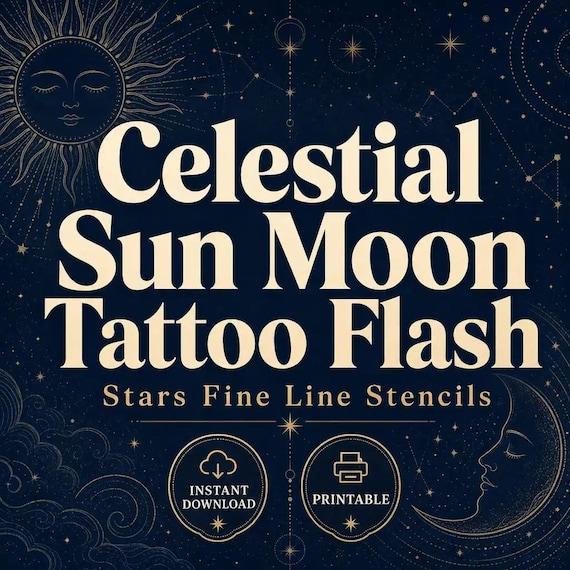
The featured Celestial Sun Moon set lists 8 high-resolution JPG artwork sheets, 8 matching PNG artwork sheets, 1 printable PDF of those sheets, and a README or license note. It says it does not include SVG or vector files, and it does not claim transparent individual cutouts. Instant download only. No physical item ships.
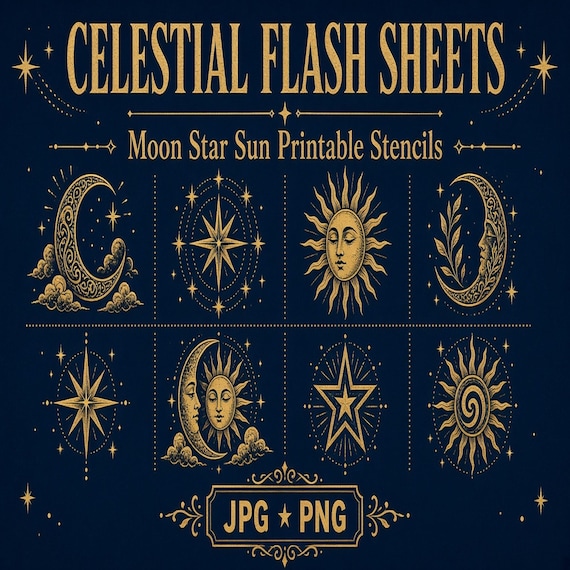
The shorter Celestial Tattoo Flash Sheets listing lists 3 high-resolution printable JPG sheets, 3 high-resolution PNG exports of the same finished artwork, and a simple README or license note. No compiled PDF is listed. No pixel size is listed. No separate cutout folder is listed.
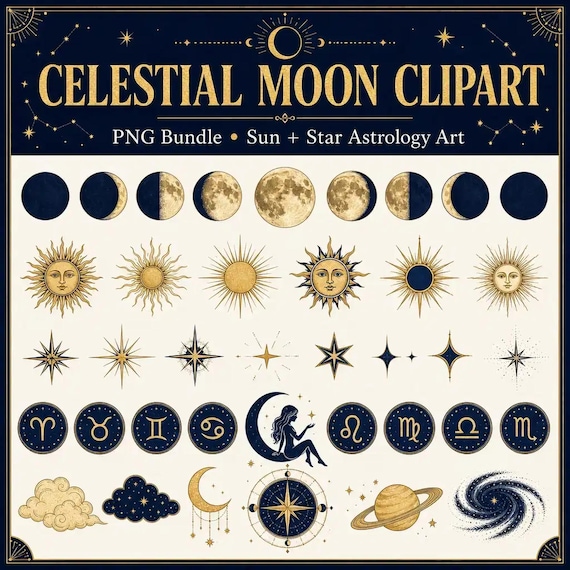
The clipart bundle lists 3 full clipart sheets as JPG files, 3 transparent-background PNG sheet exports made from the same artwork, individual transparent PNG crops where a clean separation was possible, and a simple README or license note. The stream pack lists 4 landscape JPG backgrounds at 1920 by 1080, 4 PNG exports of those same backgrounds, and a README or license note. Its tags describe a static JPG pack and say no MP4.
Count the files after you unzip. Eight JPG sheets plus eight PNG sheets plus one PDF is not the same folder as three JPG sheets and three PNG exports. A transparent crop is not the same file as an artwork sheet that happens to be saved as PNG. A 1920 by 1080 scene is not a flash page.
Use the eight-sheet set when the consult needs a board
Choose the Celestial Sun Moon sheets when the appointment is already about sun, moon, or star symbols and you want a coordinated gallery to review. The listing is titled and tagged as fine-line celestial flash for planning, mockups, reference boards, and client comps. That is a reference pack. It is not a custom drawing made for one person, and it is not a ready-to-apply stencil.
The PDF is the practical starting file for a consult board. It keeps the eight sheets in one document, so you can flip through them without opening sixteen image files first. Use a JPG or PNG sheet when you need to place one page into a layout, crop a working copy, or send a single page to the printer. Leave the original ZIP untouched and save any crop under a project name.
Do not treat the PNG sheets as sticker cutouts. The listing is explicit: it does not claim transparent individual cutouts. A PNG extension only tells you the file format. It does not promise a checkerboard background or one file per drawing. If you need a clear edge for a sticker, this is the wrong folder even if the moon is the right subject.
Before any real tattoo use, a qualified artist still has to review the line, resize the reference, and prepare a stencil in their own workflow. Colors and line darkness can shift by screen, software, printer, and paper. The buyer is responsible for that review. A shop preview cannot make that decision.
Use the three-sheet set only for a short menu
The smaller celestial flash listing is the better fit when a short moon, star, and sun menu is enough. Three JPG sheets and three PNG exports of the same artwork can be easier to print and easier to keep on one table. It is a poor substitute when you wanted the eight-sheet PDF, because that PDF is not in this file list.
Open both previews before you assume the shorter pack is a sample of the longer one. They are separate listings. The drawings, the number of sheets, and the license note are not guaranteed to match. Buy the set you can actually point to in the preview, not the set with the more familiar title.
This shorter pack also does not state a pixel size or a paper size. After you open one JPG, read the width and height in your own software and write them down. Then decide whether that page can cover the consult print you named. If the file is small, do not enlarge it and hope. Print one proof at the real size first.
Skip this pack when the job is a clear sticker, a card with an isolated icon, or a full-screen scene. Three flash sheets will not become those files after checkout.
Point to the symbol on the sheet before you promise it
A celestial title is not a labeled chart of every sky symbol. Write the symbol the person actually asked for: a crescent, a full moon, a sun with a face, a single star, or a small cluster. Then open the preview and point to that symbol on a page. If you can point to it, the pack can be the reference. If you cannot, do not tell them it is included.
Do the same check for line weight. Both flash listings use fine-line wording in the title or tags. That wording is a starting hint, not a measurement. Zoom into the preview and look at the thinnest line you would have to reproduce. If the line breaks up on your screen, it will not become cleaner because the file is named flash. Ask the person who will do the work whether that line is a responsible reference for the placement in question.
Keep the consult page and the working crop separate. Name the crop with the symbol, the approximate size you are testing, and the date. Do not rename the master files inside the ZIP. A short name such as moon-consult-sheet-3 is enough. The original filename should stay recoverable.
Switch to clipart when the edge has to be clear
Choose the Celestial Moon Clipart bundle when the finished piece is a sticker, a label, a card, a planner mark, or another small graphic that needs a clear edge. The listing describes transparent-background PNG sheet exports and individual transparent PNG crops extracted where a clean separation was possible. That is the file shape a sticker or cut-out card actually needs.
The JPG sheets in that same bundle are not the transparent files. A JPG keeps its own backdrop. If you open a JPG and the moon sits on a colored or textured field, that field will print. Use the JPG to judge the full sheet. Use a transparent PNG when the moon has to sit on your own paper, vinyl, or card color.
Do not assume every motif became its own crop. The listing says individual crops were extracted where clean separation was possible. After you unzip, look for a separate PNG of the exact moon or star you need. If that crop is missing, you can still work from a transparent sheet, but you should not promise a one-icon file that is not in the folder.
This clipart pack does not state a pixel size. Open the crop you plan to print, read the width and height, and test it at the sticker or card size. A file that looks sharp in a shop thumbnail can turn soft when you stretch it across a large label. Shrink a large file if you must. Do not invent resolution the listing never gave you.
Test one transparent crop before you print stickers
Pick one PNG crop, or one motif on a transparent sheet if no separate crop exists. Place it on a background that is not white: a dark card color, a kraft label, or a colored box in your layout app. If a white box or a halo appears around the moon, that file is not ready for a clear sticker. If the edge is ragged or the star merges into a neighbor, do not send the whole set to print.
Then place the same file on the real material in the print dialog. Sticker paper, vinyl, and ordinary cardstock do not hold a fine edge the same way. Print or order one sample. Check the cut line, the margin, and whether the moon still reads at the size you will actually hand to someone. A screen checkerboard is not that test.
Save the approved crop in a project folder and leave the download complete. Write one line next to it: file name, size you printed, material, and whether the edge passed. The next sticker should start from that note, not from another guess about which PNG is transparent.
If the test fails because you needed a full-page scene rather than an icon, stop. A transparent moon will not fill a 16:9 canvas just because you stretch it. That job belongs to the stream pack, and only after you confirm the scene itself.
- The PNG shows a clear edge on a non-white background
- No white box or halo around the moon or star
- The printed sample still reads at the real sticker size
- The approved file name and material are written down
Use the stream pack only for a 16:9 still scene
Choose the Celestial Stream Background Pack when the job is a still screen: an OBS scene, a video or streaming starting frame, a promo layout, or a mood board that needs a wide celestial room. The current file list is 4 landscape JPG backgrounds at 1920 by 1080 and 4 PNG exports of those same backgrounds, plus a README or license note. A common full-HD horizontal canvas is also 1920 by 1080, so this pack states a size you can match instead of guessing.
That size is landscape. It is not a vertical 1080 by 1920 story frame, and it is not a square post. If your scene is vertical, do not crop one of these files down the middle and call it a portrait background. The important part of the artwork may sit in the area you just cut off. Use a pack that is actually built for the vertical frame.
The PNG exports are copies of the same finished backgrounds. The listing does not describe them as transparent cutouts, emotes, panels, alerts, or webcam frames. Do not expect a checkerboard, a looping motion, or an MP4. The tags say static JPG and no MP4. If the job needs movement, this download will not grow an animation after checkout.
Open one JPG and read the dimensions yourself even though the listing states 1920 by 1080. Confirm the file you received matches that size before you build a scene around it. If a file is a different size, do not stretch it to hide the difference. Use a different file from the four, or stop and reread the listing.
Place the camera and the title on one scene
A celestial scene fails when the moon sits where the camera, the name, or the caption has to go. Before you download all four, sketch the foreground on paper or in a blank 1920 by 1080 frame. Mark the camera box, the title, and any corner you need to keep quiet. Then open one background and drop those boxes on top.
Look at the result at the size a viewer will actually see, not only at full zoom. A detailed star field can turn into noise behind thin text. A bright moon behind a face can compete with the person. If the only calm area is a thin strip at the edge, that file is a poor scene even if the moon is beautiful. Try another of the four before you decide the whole pack is wrong.
Keep type inside the picture, away from the outer edge. Platform players and mobile crops can cover the border. The listing does not promise a safe margin, so you have to make one. If the title only fits by covering the main moon, choose a quieter file or a shorter title.
Once one scene works, save that layout under a project name. The other three files can wait. A second scene is useful only when you have a second show layout, not because the folder contained four pictures.
Do not cut a moon out of the wrong download
The fastest way to waste the afternoon is to crop a moon out of a flash sheet or a stream scene and call it clipart. The eight-sheet pack and the witchcore botanical neighbor both say they do not claim transparent individual cutouts. A crop you make yourself may still carry a paper-colored background, a neighbor drawing, or a line that was meant to be read as part of a sheet.
Use the witchcore botanical sheets only when the brief has moved from a sun-and-star menu to moon-and-floral artwork. That pack lists 8 JPG sheets, 8 matching PNG sheets, and 1 PDF, and it also excludes SVG and claimed individual cutouts. It is a different subject, not a hidden sticker folder inside the celestial set.
Use the tiny fine-line bundle only when the job is many separate small drawings rather than one celestial gallery. That listing describes 128 separate transparent PNG designs on 1200 by 1200 pixel canvases, eight themed A4 PNG sheets, eight matching A4 JPG sheets, one eight-page A4 PDF, and a README. Celestial is one of eight themes in that library. It is not the same artwork as the sun-and-moon sheet pack, and it is not a 1920 by 1080 scene.
If the sentence changes, change the download. A ghost, a birth flower, a mountain, or a western boot is a different subject. Do not force a celestial file to stand in for it because the page feels decorative.
Read the license on the pack you are buying
The terms are not identical, so do not remember them from a different listing. The eight-sheet celestial pack describes single-buyer, single-business commercial use for finished projects, including your own content, marketing, printables, small-batch products, and client comps. It does not allow you to resell, redistribute, share, upload, give away, or claim the raw files as your own competing download.
The three-sheet flash pack, the clipart bundle, and the stream pack point you to the included README. They describe personal and small-commercial use for finished projects unless that README says otherwise, and they still forbid reselling or redistributing the original files as-is. Open the README in the folder you bought. Do not apply the eight-sheet wording to a pack whose note you have not read.
Finished use is not the same as handing someone the ZIP. A printed consult page, a sticker you made, or a scene playing behind your own show can be a finished project. The raw JPG, PNG, and PDF files are not a product you can relist. If a client needs a file, give them the finished piece you agreed to make, not the master download.
These packs also note that some artwork was made with seller-directed AI-assisted tools, then selected and packaged as finished files. That is another reason to review the preview yourself. An attractive moon is not automatically a clean line, a clear sticker edge, or a scene with room for type.
Approve one proof, then leave the other packs closed
End with one proof that matches the sentence you wrote at the start. For a consult, print or export one sheet at the size you will put on the table and confirm you can point to the symbol. For a sticker or card, print one transparent crop on the real material and check the edge. For a scene, place the camera box and the title on one 1920 by 1080 file and view it at a normal distance.
Write the result in one line: which pack, which file name, what size, and whether it passed. If it failed, name the failure. Wrong subject, no clear edge, no room for type, or a file list that did not match the listing. Then open the neighbor that fixes that failure. Do not buy a second celestial pack just to see if the moon looks nicer.
If the proof passes, stop. Keep the original ZIP intact, keep the working copy in the project folder, and use the printable flash guide only if the approved file is a sheet that still needs paper and scale. Use a stream setup only if the approved file is already the 16:9 scene. The other folders can stay closed until the job itself changes.
Printables used in this guide
Instant downloads from the SteadyStackStudio Etsy shop.
Sun and Moon Tattoo Flash Sheet
I built these celestial sun and moon tattoo flash sheets for fine-line studios that need ready-to-print star and cosmic motifs…
Celestial Tattoo Flash Sheet
I built these celestial moon, star, and sun tattoo flash sheets for fine-line studios that need ready-to-print cosmic motifs…
Celestial Moon Clipart PNG Bundle
Celestial Moon Clipart PNG Bundle is a ready-to-use digital clipart download for printable sellers, sticker makers, sublimation…
Witchcore Tattoo Flash Sheet
I built these witchcore botanical tattoo flash sheets for fine-line artists who need ready-to-print moon and floral motifs…