Tattoo Flash · Oct 2, 2026 · 17 min read
Greek Mythology Flash Sheets: Check the Statue File List and Print One Consult Reference
A practical setup for tattoo artists, flash collectors, and clients who need a Greek statue or goddess reference rather than a moth, an abstract sigil, or a page of tiny icons. Confirm the eight JPG sheets, eight matching PNG sheets, one printable PDF, and README, then print one figure at the size you will actually discuss.
Name the statue consult before you open a preview
A mythology flash sheet is useful only when it matches the appointment in front of you. Write one plain sentence before you open a preview: this consult is a Greek statue or goddess figure, a dark moth, an abstract symbol, a moon and flowers, or a tiny icon from a larger menu. If you cannot finish that sentence, you are shopping for a mood, not preparing a reference.
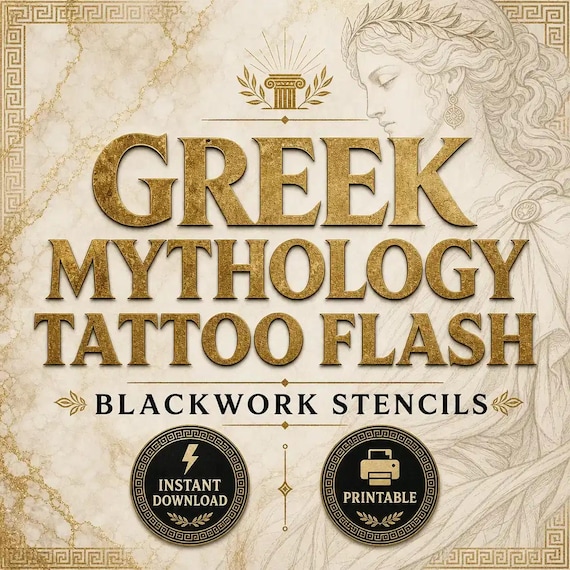
The Greek Mythology Tattoo Flash Sheets are the pack to open when that sentence names a statue or a goddess figure and the artwork should read as blackwork flash. The current title and tags point to mythology, Greek imagery, goddess artwork, statue artwork, and blackwork. Those words describe the theme. They are not a cast list, and they are not a promise that every classical figure you can name is drawn on a sheet.
Do the note on paper. Client initials, the body area they mentioned, the width they think they want, and the one subject they keep repeating. A sheet that cannot answer that note does not belong on the consult board, even if the cover looks classical. A pine, a shell, a birth flower, a boot, or a paw is a different appointment. Those requests already have their own fit checks.
- Write the subject in one sentence before you compare covers.
- Use this pack when the sentence names a statue or goddess figure.
- Treat the title and tags as a theme, not a guaranteed list of deities.
- Leave the pack closed when the request is a landscape, a pet, or a western object.
Confirm the current file list, and nothing beyond it
Read the file list on this listing. Do not borrow it from a neighboring pack. The current Greek Mythology Tattoo Flash Sheets describe eight high-resolution JPG artwork sheets, eight matching PNG artwork sheets, one printable PDF that contains the artwork sheets, and a README or license note. It is an instant digital download. No printed flash, stencil paper, or transfer ships.
Count those files after you unzip, and write the count next to the product name. Eight JPG sheets are eight picture files of finished pages. Eight matching PNG artwork sheets means eight PNG exports of those same sheets, not a library of separate goddess cutouts. The PDF is one printable file that gathers the sheets. The README belongs in the same folder as the images.
The listing is explicit about what is missing. It does not include SVG or vector files, and it does not claim transparent individual cutouts. If the next step needs an isolated file for every figure, a plotter path, or a brush set, stop. This download is a finished sheet pack for planning, a client preview, a reference board, and a printed consult page.
Check the product page again before you pay. A listing can be updated. If the count, the formats, or the no-vector note no longer match what you need, do not fill the gap with a guess from an older description.
- Current package: 8 JPG sheets, 8 matching PNG sheets, 1 printable PDF, and a README.
- The PNG files are sheet copies, not a claimed set of separate cutouts.
- SVG, vector files, and individual transparent icons are not in this file list.
- No physical flash sheet, stencil, or transfer ships with the download.
Point to a figure on the preview before you assume a deity is included
A classical name is easy to say and easy to get wrong. Someone may ask for a specific goddess, a hero, a column, a helmet, or a statue base. The honest check is visual. Open the current previews and point to the figure you mean. If you cannot see it, do not assume it is waiting inside the ZIP under a file name you have not read.
The listing does not publish a roster of named deities, and this guide will not invent one. Goddess and statue are the subject family you can rely on from the title and tags. Everything more specific has to be visible on a sheet or stated on the current page. A beautiful cover is not evidence that a second, unnamed figure is included.
Use the same rule for style. Blackwork in the title means you should expect darker, denser artwork than a hairline icon. It does not mean every sheet is a solid silhouette, and it does not mean the lines will hold at any size. Look at the preview at a small zoom as well as a large one. If the figure you need turns into a dark shape with no readable edge, it is the wrong reference for that placement even if the theme is right.
Write down what you actually see: a standing figure, a bust, drapery, a statue plinth, ornament around the figure, or a sheet of several related drawings. That note is what you will match to the consult. If the client’s request is not on that note, change the pack or ask for a different reference. Do not relabel a visible statue as a different deity to make the appointment fit.
- Find the figure on a current preview before you treat it as included.
- Do not turn a theme word into a hidden cast list.
- Record the shapes you can see: figure, bust, drapery, plinth, or ornament.
- If the required figure is not visible, this download is not the reference.
Choose this pack when a statue or goddess figure should lead
Keep one lead subject. This pack fits when the board should read as Greek statue or goddess artwork at a glance, in a blackwork flash style. It is a poor fit when the attraction is an insect, a moon, a boot, or a page of unrelated tiny symbols that happen to feel dramatic.
The Gothic Moth Tattoo Flash Sheets are the neighboring blackwork pack when a moth or dark floral insect should lead. That download currently uses the same sheet shape: eight JPG artwork sheets, eight matching PNG artwork sheets, one printable PDF, and a README. It also says it does not include SVG or vector files and does not claim transparent individual cutouts. The file shape is close. The subject is not. A moth is not a statue.
The Ornamental Cyber Sigil Tattoo Flash Sheets are the match when the forms should be abstract rather than a recognizable figure. That listing also describes eight JPG sheets, eight matching PNG sheets, one PDF, and a README, with the same no-vector and no-cutout limit. Choose it for nonliteral ornament. Do not use it as a substitute goddess because both packs use the word blackwork.
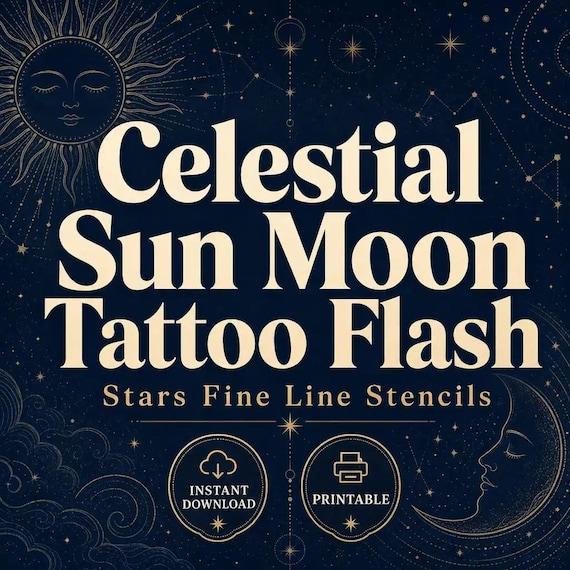
Witchcore Botanical sheets are for moons and florals together. The Celestial Sun Moon sheets are for sun, moon, and star symbols. Both of those current listings use the same eight-JPG, eight-PNG, one-PDF shape and the same limit on SVG files and individual cutouts. Open one of those when the consult is a symbol. Open the mythology sheets when the consult is a figure.
- Lead with this pack only when a statue or goddess figure is the subject.
- Choose Gothic Moth sheets when an insect, not a statue, should lead.
- Choose the ornamental cyber-sigil sheets when the shape should stay abstract.
- Choose witchcore or celestial sun-and-moon sheets when the request is a symbol.
Protect the masters and make one working copy
Unzip once into a folder named with the product and the date you downloaded it. Leave that folder untouched. Copy the JPG sheets, the PNG sheets, the PDF, and the README into a second folder called something plain, such as consult-working-copy. Every crop, print test, and renamed page happens in the copy.
Do not rename the originals to match a client. A file called athena-final.jpg is a claim you may not be able to support, and it makes the next consult harder to audit. If you need a short label for the board, write it on a sticky note or in a separate text file: sheet number, what you see, and the width you printed. Keep the source file name in that note.
Back up the original ZIP before you start printing. A working copy that gets cropped, color-shifted, or overwritten is not a substitute for the download you paid for. If a printer dialog offers to save changes back into the PDF, cancel that and print from the copy.
The same rule applies if a second person in the studio needs to look. Hand them the working copy or a printed page, not a link to the master folder. The license section below is the reason. Sharing is a permission question, not a convenience question.
- Keep one untouched folder with the ZIP, the sheets, the PDF, and the README.
- Do all cropping and test prints in a dated working copy.
- Label what you see in a note. Do not rename a source file as a specific deity.
- Do not point a collaborator at the master folder by default.
Use the PDF, a JPG sheet, and a copied PNG for different jobs
The three image formats in this pack are not three different artworks. They are three ways to open the same finished sheets. Pick the format by the job, then stop.
Use the PDF when you want the sheets together for a consult packet or a print-shop handoff. Open it, confirm you can move through the pages, and print from that file when you want the set to stay in one document. Do not expect the PDF to be a vector you can reopen and restroke. It contains the artwork sheets. It is not a drawing file.
Use a JPG sheet when you need one page for a quick screen review or a single-sheet print. JPG is the simple picture file. It is the right choice for a folder of candidates you will flick through with a client, as long as you are showing a sheet and not pretending each drawing has been cut out.
Use a copied PNG sheet when a layout app needs a PNG page, or when you are placing one whole sheet into a board. A PNG extension does not mean the background is transparent and it does not mean each figure is its own file. If you need 128 separate transparent icons, that is a different download: the Tiny Fine Line Tattoo Flash Bundle currently includes 128 separate transparent PNG design files, eight A4 PNG flash sheets, eight matching A4 JPG flash sheets, one eight-page A4 PDF, and a README across three ZIP downloads. That pack is a tiny-icon library. This mythology pack is not.
- PDF: one document for reviewing and printing the sheet set.
- JPG: one finished sheet for a quick preview or a single-page print.
- PNG: a matching sheet export, not an isolated goddess cutout.
- Switch to the tiny fine-line bundle only when you need separate transparent icons.
Print one figure at the width you will actually discuss
A thumbnail is not a placement test. Before you print the whole pack, choose the one figure the consult sentence named and print that area at the width you would actually discuss. If the client said two inches on a forearm, the test is two inches, not a full sheet scaled to look impressive on letter paper.
Measure the printed figure, not the paper. A fit-to-page setting can shrink a statue until the face, hands, or drapery you liked on screen disappear. A 100 percent setting can run a wide sheet off the page. Write down which setting you used, the paper size, and the measured width of the figure. That note travels with the print.
Print from the working copy. If you need only one figure, crop a copy of the sheet and leave the original page intact. Cropping is a review aid. It does not create a new transparent asset, and it does not change the license.
Hold the print at the distance the client will see it, then hold it near the body area they named. A statue that looks clear on a desk can turn into a dark mass on a wrist. If the width they want cannot keep the figure readable, say so before anyone treats the page as the design. Offer a larger width, a different visible figure, or a different pack. Do not promise that a tattoo professional can simply shrink it later without looking.
- Print the discussed width, then measure the figure rather than the paper.
- Record the scale setting, paper size, and measured width on the print.
- Crop a copy when you need one figure. Do not edit the original sheet.
- Reject the size if the figure stops reading at the body area they named.
Check whether dense blackwork still reads at that size
Statue flash often fails in a different way than a tiny icon. The risk is not only a line that gets too thin. It is a dark area that fills in, a face that loses its edge, or ornament that merges with drapery once the print is small. Look for those failures on the paper, not on the bright listing photo.
Use a short readability pass. Can you still tell where the figure ends and the background of the sheet begins? Can you point to the head, the shoulders, and the base or plinth if those parts are in the drawing you selected? Do repeating ornaments stay separate, or have they become one texture? If you cannot answer from the print, the reference is not ready for the consult board.
Do not invent detail that the print does not show. If a helmet, a column, or a hand is unclear, write unclear. A client should not leave thinking a specific attribute is part of the reference when the test print cannot support it. That is also why you do not rename the file after a guess.
Color shift is a separate check. The listing says colors may vary by device, software, printer, paper, and export settings. A blackwork sheet should still be judged in black on the paper you will actually hand someone. If your printer turns dense black into muddy gray, fix the print settings or the paper before you judge the artwork. Do not conclude the sheet is faint because a draft setting was left on.
- Check filled-in dark areas, lost edges, and merged ornament on the paper.
- Point to the head, shoulders, and base only if the print still shows them.
- Mark unclear details as unclear. Do not guess them into the note.
- Judge a blackwork print in black, after you rule out a draft printer setting.
Treat the word stencil as a label, not a finished transfer
The product title includes the word stencil. Read that as a description of flash-style reference art, not as a claim that the files are a ready transfer. The download is digital artwork sheets in JPG, PNG, and PDF. No temporary tattoo, stencil paper, or prepared transfer is included.
A printed reference is a way to agree on the figure, the width, and the placement conversation. It is not approval to put the image on skin. A qualified tattoo professional still has to review line behavior, size, placement, skin, and any adaptation. If that person needs a different file for their own stencil process, the mythology pack does not promise to be that file.
The listing also discloses that these finished assets were created and curated with AI-assisted image tools. Read that note if a studio policy, a client, or a publication cares how the artwork was made. The disclosure is part of the buying decision, not a footnote to skip after the preview looks right.
The same page says the buyer is responsible for final review, printer and software settings, professional use requirements, and trademark or copyright safety for the specific project. A classical subject is not a clearance. If the figure resembles a modern character, a logo, or a living artist’s statue, stop and resolve that before you print a consult card. This download does not perform that review for you.
- Stencil in the title does not mean a finished transfer is included.
- The print is a reference for the figure and the width, not skin approval.
- Read the AI-assisted artwork note if creation method matters for the job.
- A classical theme is not a trademark or copyright clearance.
Read the license before anyone else sees a sheet
The current Greek mythology listing describes single-buyer, single-business commercial use for finished projects. You may use the artwork in your own content, marketing, printables, small-batch products, client comps, and finished designs. You may not resell, redistribute, share, upload, give away, or claim the raw asset files as your own competing digital download pack.
That split matters in a studio. Showing a printed page during a consult is a different act from emailing the ZIP, posting the PNG sheets in a shared drive, or uploading a sheet to a flash group. When a collaborator needs to see the reference, use the print or a cropped working copy and keep the README with the source files. If you are not sure the handoff is covered, ask before you send the raw download.
Licenses do not travel between packs. The tiny fine-line bundle has its own terms, including use for personal tattoos, client tattoo work, flash-day displays, and finished physical products in a small commercial practice, plus permission to adapt a design for an individual client. It still forbids reselling or uploading the digital files as a competing download. The patchwork bundle points you to its README for personal and small-commercial use on finished projects. Read the note in the file you actually bought.
Keep the receipt, the README, and the untouched ZIP together. A working folder without the license note is how a careful consult turns into an accidental redistribution six months later.
- Finished-project use is not permission to share the raw sheets.
- Hand over a print or a cropped copy, not the original ZIP, unless the terms allow it.
- Read each pack’s own README. A neighboring license does not cover this one.
- Store the receipt, the README, and the untouched download in one place.
Skip this pack when the subject is a moth, a symbol, or a tiny menu
Change packs when the consult sentence changes. A moth or dark floral insect belongs with the Gothic Moth sheets. An abstract blackwork symbol belongs with the ornamental cyber-sigil sheets. A moon-and-floral mood belongs with the witchcore botanical sheets. A sun, moon, or star symbol belongs with the celestial sun-and-moon sheets. All four of those current listings are eight-sheet JPG and PNG packs with one PDF, and none of them claim SVG files or individual transparent cutouts. You are choosing a subject, not a better file format.
Change packs when the job is a large menu of separate icons. The tiny fine-line bundle is the one that currently includes individual transparent PNG files, and its sheet size is stated as A4. Use that when each small design must move on its own. Use the mythology sheets when the useful asset is the finished statue page.
The Patchwork Tattoo Flash Sheet Bundle is a smaller, different package: three high-resolution printable JPG sheets, three PNG exports of the same finished artwork, and a README. No compiled PDF is listed. It can suit a mixed flash board. It is not a Greek statue set, and it is not a substitute if you needed the mythology PDF.
Artwork and paperwork stay separate. The Tattoo Consent Form Bundle is the download for intake, deposit policy, and aftercare pages. A flash print does not collect a signature, a deposit note, or care instructions. Open that forms download when the missing job is the appointment record, and keep this guide for the reference image only.
- Moth, abstract sigil, witchcore, and celestial packs are subject changes, not format upgrades.
- Use the tiny fine-line bundle when you need separate transparent icons.
- The patchwork bundle is three JPG sheets and three PNG exports, with no compiled PDF listed.
- Use the tattoo consent bundle for intake, deposit, and aftercare. Do not stretch a flash sheet into paperwork.
Run the statue-consult check before you open Etsy
You are ready to preview the Greek mythology download when every line below is true. You named the consult as a statue or goddess figure. You pointed to that figure on a current preview, and you did not rename it as a deity the page does not show. You wrote down the file list: eight JPG sheets, eight matching PNG sheets, one printable PDF, and a README, with no SVG files and no claimed transparent cutouts. You know the width you still need to print, and you know the print is a reference rather than a stencil.
You also know why the neighboring packs lost. The moth pack lost because the subject is an insect. The sigil pack lost because the subject is abstract. The tiny-icon bundle lost because you do not need 128 separate cutouts. The consent bundle lost because you are not shopping for intake pages. If one of those sentences is no longer true, open that download instead of forcing this one to cover it.
Read the license and the AI-assisted artwork note on the page you are buying, not the note you remember from another listing. Then open the SteadyStackStudio product page for the larger preview. Use Etsy only when the figure, the file list, the license, and the professional-use boundary are clear. Skip the purchase if the required figure is not visible, the needed format is unlisted, or the real next step is a custom drawing from a qualified professional.
- The consult sentence names a statue or goddess figure you can see.
- The file list on the current page still matches the eight-sheet JPG, PNG, and PDF package.
- The print width is chosen, and the print is labeled as a reference.
- A moth, sigil, tiny-icon, or consent job has been sent to its own download.
Printables used in this guide
Instant downloads from the SteadyStackStudio Etsy shop.
Greek Mythology Tattoo Flash Sheet
I built these Greek mythology tattoo flash sheets for blackwork and classical-art studios that need ready-to-print goddess and…
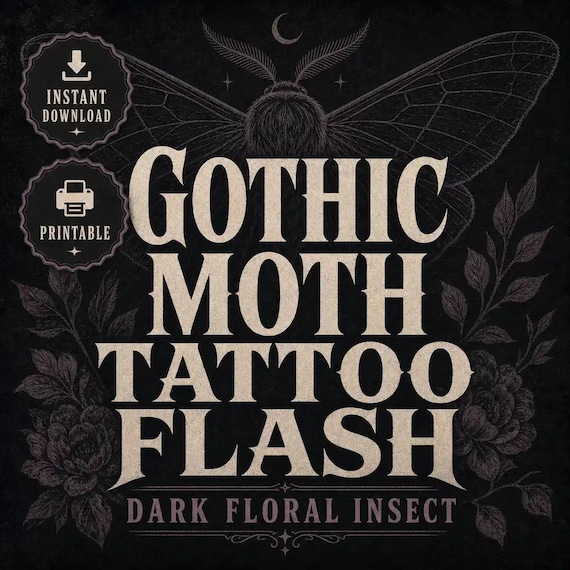
Gothic Moth Tattoo Flash Sheet
I built these gothic moth tattoo flash sheets for blackwork and dark-floral studios that need ready-to-print moth and insect…
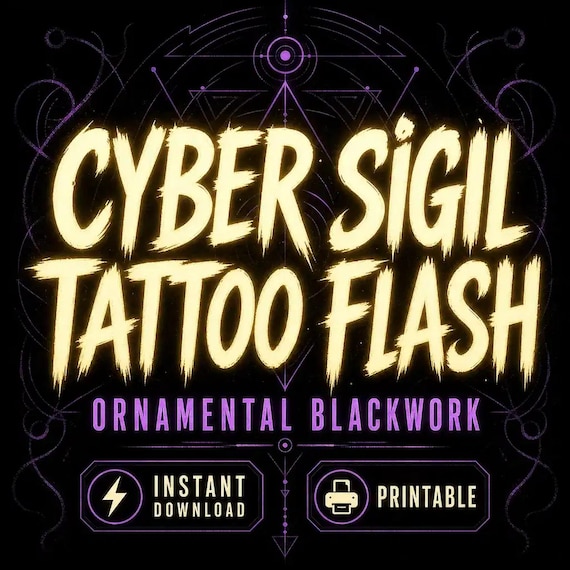
Cyber Sigil Tattoo Flash Sheet
I built these ornamental cyber sigil tattoo flash sheets for blackwork and fine-line studios that need ready-to-print abstract…
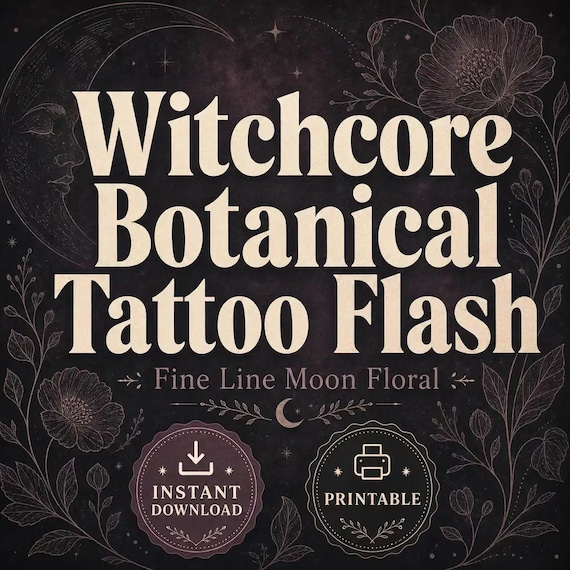
Witchcore Tattoo Flash Sheet
I built these witchcore botanical tattoo flash sheets for fine-line artists who need ready-to-print moon and floral motifs…