Tattoo Flash · Oct 1, 2026 · 14 min read
Pet Memorial Tattoo Flash Sheet Setup: Prepare a Private Keepsake Consult
A practical setup for tattoo artists, pet memorial shops, and pet owners who need a private keepsake reference rather than a public flash-day menu. Confirm the five JPG sheets, five matching PNG copies, compiled PDF, and README, then print one motif at the size you will actually discuss.
Name the private consult before you open a flash wall
A pet memorial reference is not a walk-in flash menu. Someone is asking for a small mark that stands in for a particular animal, and they usually want that conversation kept quiet. A public board of every sheet you own is the wrong first move. Start by writing down who the consult is for, whether they want a paw, an angel, or another simple symbol, and the size they are willing to discuss.
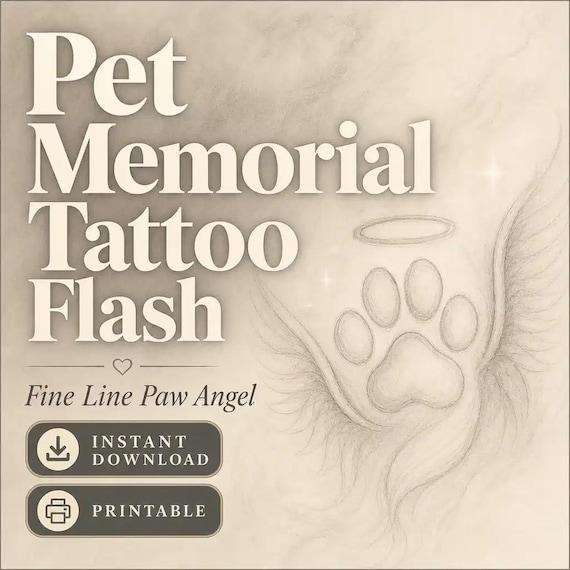
The current Pet Memorial Tattoo Flash Sheets download is finished fine-line artwork for that planning job. The listing describes it for tattoo artists, pet memorial shops, flash collectors, and pet owners who are gathering keepsake ideas. It is a digital reference pack. It is not a portrait commission, a grief-counseling packet, a consent form, or a finished tattoo.
Write one sentence before you unzip anything: the consult needs a private paw or angel reference at about this size. If you cannot write that sentence, you do not yet know whether these sheets are the right files. A collector building a personal idea book can still use the same sentence. The job is a private reference, not a shop-window display.
- I can name the person or shop this reference is for.
- I know whether the first idea is a paw, an angel, or another simple symbol.
- I have a proposed size, even if the artist may change it later.
- I am not treating this download as a portrait, a counseling session, or an approved stencil.
Confirm the current file list, and nothing beyond it
The listing states a specific package: 5 high-resolution JPG tattoo flash sheets, 5 matching PNG copies, 1 compiled printable PDF, and a README/license note. It is an instant digital download. No physical flash sheet, stencil, or printed consult card ships with it.
Read those counts literally. Five JPG sheets are five picture files of finished flash pages. Five matching PNG copies means five PNG exports of those same sheets, not a promised library of separate paw cutouts. The compiled PDF is one printable file that gathers the sheets. The README/license note belongs with the package and should stay there. The listing says only the finished digital files described above are included, so do not expect SVG, AI, EPS, a vector cut path, or individual transparent icons unless the current file list says so. Check the product page again before you buy, in case the package notes change.
The title names fine-line paw and angel artwork. The tags also point to dog and cat memorial themes. That is a theme description, not a count of drawings and not a promise of a named breed, a realistic face, or a handwritten date. The sheets and the listing previews are how you see what is actually drawn. If you need a specific pose and you cannot see it, do not assume it is hidden in the ZIP.
- 5 JPG tattoo flash sheets are the picture files.
- 5 matching PNG copies are sheet exports, not a claimed set of separate cutouts.
- 1 compiled printable PDF gathers the sheets for review and printing.
- A README/license note is included and should stay with the files.
- No physical item ships, and vector files are not in the current file list.
Match the request to a paw, an angel, or a different download
Open the PDF or the JPG sheets only far enough to answer one question: does a visible motif fit the request the client already made? A paw can be the right first reference when they want a small, recognizable mark and do not need a likeness. An angel can fit when they want a quiet symbol rather than an animal drawing. If the previews show a line style they dislike, stop. A different pack will not fix a style mismatch by being opened later.
Do not stretch this file list into jobs it does not describe. A photorealistic portrait, a nose print taken from the animal, handwriting, coordinates, or a custom date banner are common memorial ideas, and none of them is listed as a file in this download. You can bring a separate photo to the artist as your own reference. You should not tell the client that these sheets already contain that portrait.
Use a neighboring pack when the sentence you wrote at the start no longer matches. The Tiny Fine Line Tattoo Flash Bundle is the broad menu of 128 minimal designs when the consult is a flash-day choice, not a private pet keepsake. The Tiny Hand Tattoo Flash Sheets are the better file check when the mark has to live on a finger. Celestial sun, moon, and star sheets fit a symbol consult that is not about a pet. Witchcore botanical sheets fit a moon-and-floral symbol. Mountain sheets fit a place or an adventure mark. None of those swaps requires you to force a paw sheet to become a portrait.
- Choose a paw or an angel only if that motif is visible in the previews.
- Bring a separate photo if a likeness matters. Do not claim this ZIP contains the portrait.
- Use the 128-design tiny flash bundle for a public menu, not for a private memorial.
- Use finger, celestial, botanical, or mountain sheets when the sentence no longer matches this pack.
Keep the pet's story off the public display
A memorial consult often includes a name, a date, a photo, and a short story. Those details belong in the studio's private notes, not on a flash wall, a social post, or a shared sample board. The sheets in this download are generic finished artwork. They do not know the animal's name, and they should not be labeled with a client's story before the client has agreed to that display.
Make two folders after you download. Keep the original ZIP, the five JPG sheets, the five PNG copies, the PDF, and the README in a source folder you do not edit. Make a second folder for this consult only. Put a copied print or a cropped working file there, plus a short note that does not travel with the artwork if you later reuse the sheet. A memorial shop can keep a quiet sample book in the same way: show the line style, not someone else's pet.
If you are the pet owner rather than the artist, the same split helps. Save the download for your own idea book. When you visit a studio, bring one printed reference or one image on your phone, and leave the full ZIP at home. You do not need to hand over every sheet, the README, or a folder of unrelated files for the artist to understand a single paw or angel.
- Do not write a client's name, date, or story on the master sheets.
- Keep the original ZIP separate from the consult folder.
- Show line style in a sample book without exposing another client's animal.
- Bring one reference to the studio. Leave the full package at home.
Pick one motif and record where it sits
A useful consult uses one lead motif. Browse the compiled PDF first, because it gathers the sheets in one file. When you see a paw or an angel that matches the request, write down the sheet number and the position on that sheet. If the PDF page order is unclear, use the JPG filename instead. That note is how you find the same drawing later without reopening every file in front of the client.
Close the rest of the pack once the note is written. Five sheets can look like a menu if you leave them all on the table. A grieving client, or a client who is simply unsure, will often pick a second and third drawing just to be polite. Your job at this step is to confirm one direction. Extra sheets can stay in the source folder for a later consult.
If two motifs are genuinely in play, print or save both and label them A and B. Do not build a collage, and do not promise that both will be tattooed together. The listing allows the sheets to be used as flash, reference, stencil-style planning pages, client preview sheets, or studio inspiration. It does not say the drawings are designed as a matched pair. One clear choice is kinder than a page of maybes.
- Browse the compiled PDF, then note the sheet and position.
- Use the JPG filename if the PDF page order is unclear.
- Leave unused sheets closed.
- If two ideas remain, label them A and B instead of combining them.
Treat the print as a reference, not an approved stencil
The listing is direct about the next professional step: review, resize, adapt, and stencil professionally before any real tattoo use. A print from this download can show line style, subject, and approximate size. It is not a stencil, a skin transfer, or permission to tattoo. The artist still has to redraw or adapt the line, check placement, and prepare the mark with their own process.
Say that out loud in the consult. A client who sees a clean fine-line paw may think the printed sheet is the tattoo they will receive. Tell them it is a reference for discussion. Ask what must stay recognizable, what can change, and what size they are actually considering. Write those answers next to the print. Do not write them on the master file.
The finished artwork was created with AI-assisted image generation, then curated, formatted, packaged, and quality checked. That note is a reason to look closely at paws, wings, lettering, and repeated shapes before you show the sheet. Odd joins, extra toes, or a mushy line are reasons to choose a different motif on the sheet or to ask the artist to redraw. They are not reasons to hide the disclosure, and they are not a substitute for the artist's own review.
- Call the print a reference, not the tattoo.
- Leave stencil, placement, and skin decisions to the tattoo professional.
- Ask what must stay recognizable and what size is actually being discussed.
- Inspect paws, wings, and line joins before the client sees the sheet.
Check fine line at the size you will actually discuss
The listing does not state a pixel size, a sheet size, or a recommended tattoo size. Do not invent one from the thumbnail. Set the chosen motif to the width you will discuss, then print that working copy. A paw that looks delicate on a phone can turn into a gray smudge at a small size, or into a sparse outline at a large size. The print in your hand is the check.
Hold the print next to a simple size cue the client already understands: a coin, a finger width, or a mark on paper the size of the area they are considering. Do not draw on the client. Do not assume a fine-line angel will stay readable if you shrink it to a tiny dot. If the line breaks up or the shape stops reading as a paw, the size is wrong for this file, even if the drawing is pretty on screen.
Resize from a corner and keep proportions locked. Stretching a paw wider to fill a gap makes the reference dishonest. If the client wants a wider mark, that is an adaptation for the artist to redraw, not a reason to distort the JPG. Print one corrected size. A stack of random sizes makes the consult noisier than it needs to be.
- Do not guess dimensions from the listing thumbnail.
- Print the motif at the width you will discuss.
- Compare that print with a coin, a finger width, or a paper size cue.
- Reject a size that turns the fine line into a smudge or a broken outline.
- Do not stretch the drawing to force a fit.
Use the PDF, the JPG, and a copied PNG for different jobs
Each file type in this package has a narrow job. The compiled PDF is the easiest way to browse all five sheets and to print a review copy for a binder. A JPG sheet is a picture of one flash page. It is a good file for a careful look at the whole page and for a print of that page. A PNG copy is the matching sheet export to open in a design app when you need to crop a working reference. None of these files is described as an individual transparent sticker cutout.
That distinction matters if you also make cards, memorial prints, or small shop graphics. You can crop a working copy of a sheet for a client preview. You should not promise a clean transparent paw on a colored card unless you have tested that crop and the edge actually releases from the background. This listing does not say the PNG files are isolated icons. If the edge is a rectangle of flash-sheet background, use the file as a sheet, not as a sticker.
Keep the three jobs separate in the consult folder. One PDF or JPG print for the table. One cropped working file if you need to show a single motif on a screen. The original five PNG copies stay in the source folder. If a software app offers to 'optimize' or flatten the file on open, save the result as a new name. Do not overwrite the download.
- Browse and bind with the compiled PDF.
- Review a full page with the matching JPG.
- Crop from a copied PNG only when you need a single motif on screen.
- Do not promise a transparent sticker cutout from a sheet export.
- Save edits under a new name. Leave the download unchanged.
Keep this artwork choice separate from consent and aftercare
Choosing a paw or an angel does not finish the studio paperwork. This download does not include a client intake, a deposit policy, a consent form, or an aftercare card. Those pages live in a forms bundle, not in a flash ZIP. The Tattoo Consent Form Bundle is the nearby paperwork set for intake, deposit policy, and aftercare. Use it, or your studio's own forms, as a separate step after the reference is chosen.
A memorial appointment still follows the studio's normal consent process. The fact that the artwork is gentle does not remove questions about placement, health history, or aftercare. Do not tuck a consent paragraph into the margin of the flash sheet and call that a form. Do not let a printed paw stand in for a deposit note or a care card.
If you are a pet owner using the sheets to prepare for a visit, bring the reference and your questions. Let the studio use its own intake and consent pages. You do not need to edit those legal or care pages into the PDF of the flash sheets. Mixing the files makes both harder to update when a policy or a design changes.
- This ZIP does not include intake, deposit, consent, or aftercare pages.
- Use a consent bundle, or the studio's own forms, as a separate step.
- Do not write care instructions into the margin of a flash sheet.
- Keep the reference print and the paperwork in different folders.
Skip this pack when the job is a portrait, a tiny symbol, or a reflection workbook
This download fits a private fine-line reference built around paw and angel themes. It is a poor fit when the client needs a likeness and the previews do not show that animal. It is a poor fit when the only acceptable placement is a finger-scale symbol; the tiny hand sheets and a true-size finger print check are the closer file test. It is a poor fit when the consult is a mountain, a coast, a birth flower, or a celestial symbol. Those packs already have their own fit checks.
It is also the wrong download when the need is support on paper rather than a tattoo reference. The Grief Therapy Worksheets packet is a bereavement workbook for counseling tools, not a flash sheet and not a memorial portrait. A worksheet can help someone prepare thoughts before a hard conversation. It cannot show a paw at tattoo size, and a flash sheet cannot do the work of a counseling page. Choose the file that matches the job in front of you.
License limits are part of the skip test. Single-buyer, single-business commercial use is included for in-studio planning and client preview. You may not resell, redistribute, share, give away, or claim the raw sheets as your own competing digital tattoo flash bundle. If the plan is to send the ZIP to another artist, post the full sheets as a free download, or sell the files as a new flash pack, this license does not allow that. A client preview in your own studio is a different use from handing out the masters.
- Skip it for a portrait the previews do not show.
- Skip it for a finger-only symbol, a nature scene, or a sun-and-moon symbol.
- Use a grief workbook for reflection pages, not as a substitute for these sheets.
- Do not resell, share, or repackage the raw JPG, PNG, or PDF files.
Run the private-consult check before you open Etsy
Read the current listing once more and compare it with the note you wrote at the start. The useful download is the one whose previews show a paw or an angel you would actually put on the table, whose file list matches the five JPG sheets, five PNG copies, PDF, and README, and whose license matches a single studio or a personal idea book. A longer flash bundle is not more appropriate just because it contains more drawings.
If any line below fails, leave this ZIP closed. Choose the tiny flash menu, the finger sheets, a nature or symbol pack, the consent forms, or the grief workbook, and come back only when the job is a private keepsake reference. The buyer is responsible for the final review, for platform and local rules, and for professional use decisions. A clean download does not replace that review.
- I named one private consult and one proposed size.
- I confirmed 5 JPG sheets, 5 matching PNG copies, 1 compiled PDF, and a README.
- The previews show a paw, an angel, or another simple motif I would actually discuss.
- I will print one reference and call it a reference, not a stencil.
- I will keep the client's story off the master files and off a public board.
- I will keep consent, deposit, and aftercare in a separate forms set.
- I will not resell the raw sheets or send the full ZIP out as a flash pack.
Printables used in this guide
Instant downloads from the SteadyStackStudio Etsy shop.
Pet Memorial Tattoo Flash Sheet
I built these pet memorial tattoo flash sheets for fine-line artists and pet owners who need ready-to-print paw and angel motifs…
Fine Line Tattoo Flash Sheet Bundle
Tiny Fine Line Tattoo Flash Bundle — 128 minimal designs in one instant-download pack. A practical gift for a tattoo artist or…
Sun and Moon Tattoo Flash Sheet
I built these celestial sun and moon tattoo flash sheets for fine-line studios that need ready-to-print star and cosmic motifs…
Witchcore Tattoo Flash Sheet
I built these witchcore botanical tattoo flash sheets for fine-line artists who need ready-to-print moon and floral motifs…