Small Business Templates · Aug 14, 2026 · 13 min read
Wedding Officiant Ceremony Workflow: From Couple Questionnaire to Final Script and Rehearsal
A practical way to turn couple interviews, ceremony choices, script drafts, pronunciation notes, rehearsal cues, and day-of details into one clear officiant workflow without losing track of approvals.
Confirm the current files before building your ceremony system
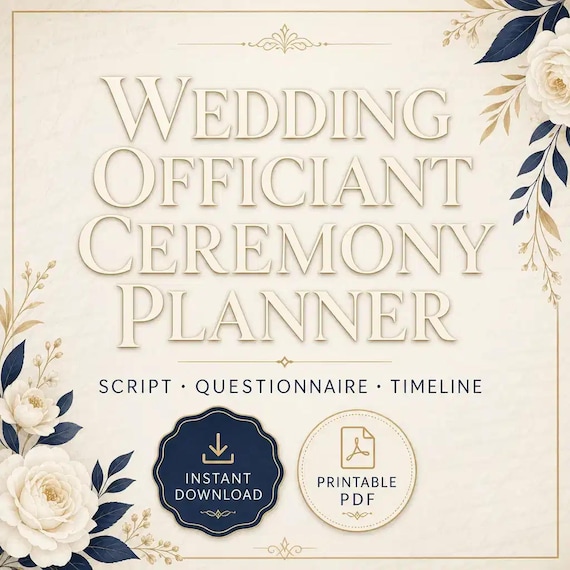
Begin with the package that is actually offered. The current SteadyStackStudio officiant kit is described as a 23-page planning and ceremony workbook, an editable Word version, and an Excel workbook for couples, milestones, ceremony outlines, rehearsals, contacts, and payments. The named pages include a client questionnaire, love-story interview, script builder, pronunciation notes, rehearsal material, a run sheet, and contingency pages. The printable file is US Letter size, the files arrive in one ZIP folder, and the listing describes the PDF as suitable for printing or digital annotation.
That combination gives each file a different job. The PDF can support handwriting, meetings, or a stable reference copy. The Word file is the place to customize headings, prompts, and the ceremony script. The Excel workbook can keep repeatable status information visible across more than one couple. Do not assume that every detail belongs in every format. Repeating the same answer in several files makes it harder to know which version is current.
Compare the product description with the downloaded folder before entering client information. Open each file in compatible software, make sure pages display correctly, and preserve the README or license note with the source files. If a preview, format, or field does not match your needs, resolve that before adapting the kit for a real ceremony.
- Keep the untouched ZIP and included notes as your clean source copy.
- Assign the PDF, Word file, and Excel workbook separate roles.
- Test printing or annotation with one sample page before preparing a client packet.
- Do not promise a feature or file type that the current listing does not describe.
Separate ceremony planning from legal authority and filing duties
A ceremony planner can organize questions, choices, scripts, contacts, and timing, but it cannot establish that someone is legally permitted to officiate. The current product description is explicit: the kit is not legal advice, an officiant credential, a marriage license, a jurisdiction-specific ceremony script, a contract, or proof of legal authority. Treat that boundary as the first checkpoint, not as a note to review after the script is finished.
Before accepting a ceremony, confirm the rules that apply to the ceremony location through current official sources. Identify the duties that belong to the couple, the officiant, witnesses, the issuing office, and anyone responsible for returning or recording documents. Keep this legal check separate from creative planning so a warm, polished ceremony draft is never mistaken for proof that the administrative requirements are complete.
Use the workbook to record that a question has been checked and where the current answer came from, but do not turn a reusable template into a permanent statement of local law. Requirements and procedures can vary by place and can change. If the situation is unusual or an official source does not answer the question, seek qualified local guidance before proceeding.
- Confirm authority and current local requirements before treating the booking as ready.
- Keep license, witness, filing, and record duties distinct from ceremony wording.
- Use official local sources for current requirements rather than copying an old client file.
- Escalate unanswered legal questions instead of guessing inside the template.
Create one clean master and one clearly named couple folder
Customize the kit once as a business master before using it with a couple. Add only the headings, service language, contact details, and recurring prompts that genuinely fit your work. Remove unused placeholders and sample wording. Then lock or protect that clean master as your starting point, and create a separate folder for each booking rather than editing the master directly.
Use a naming pattern that remains understandable months later. A folder name can include a booking reference, couple names or initials where appropriate, and the ceremony date. Inside it, separate intake, interview notes, working script, approved script, rehearsal, day-of, and closeout. If personal information should not appear in a file name or shared calendar, use a neutral booking reference and keep the identifying key in an appropriately protected location.
Decide which file controls each fact. For example, the couple tracker may show milestone status, while the current script contains the exact approved ceremony wording and the day-of run sheet carries immediate contacts and cues. Link or reference those records instead of copying full details everywhere. When a date, name, reading, or participant changes, update the controlling file first and then refresh only the pages that need the change.
- Source files: untouched download, README, and license note.
- Business master: your approved reusable headings and blank workflow.
- Couple folder: booking-specific answers, drafts, approvals, and day-of files.
- Archive: the records you are permitted and required to retain after closeout.
Use the questionnaire to collect choices before writing polished prose
The first questionnaire should make decisions easier, not ask the couple to write the finished ceremony for you. Start with practical facts and preferences: names and forms of address, pronunciation, ceremony date and location, participants, desired tone, meaningful traditions, readings or music under consideration, and any topics the couple wants included or avoided. Adapt the prompts to your service and setting, and collect only information you have a clear reason to use.
Mark every answer by status. A requested idea is not the same as a confirmed choice, and a name entered by one person is not automatically approved by everyone responsible for the decision. Simple labels such as requested, awaiting details, confirmed, declined, and not applicable prevent an early conversation from quietly becoming final ceremony wording.
End the questionnaire with a short list of open decisions and their owners. If a reader needs to send the final text, record who will send it and by when. If the couple is deciding between two ritual options, keep both options out of the current script until one is approved. A good intake stage should leave you with enough clarity to prepare an interview and outline, not a folder of answers that still require interpretation at rehearsal.
- Ask for the information needed to plan the ceremony, not every possible personal detail.
- Distinguish preferences, tentative ideas, and confirmed choices.
- Record who owns each unanswered question and the decision date.
- Do not add an unapproved answer to the working ceremony script.
Turn the love-story interview into a usable ceremony outline
The love-story interview and the ceremony outline solve different problems. The interview captures language, memories, priorities, and boundaries. The outline decides where approved material may belong. Keep the interview conversational, then review the notes afterward rather than trying to write finished paragraphs while the couple is speaking.
Sort the notes into three groups: details that are clearly approved for the ceremony, details that need confirmation, and details that remain private. Do not assume that a funny, emotional, or memorable story is public simply because it was shared during planning. When two people remember an event differently, preserve the difference in the notes and ask what wording, if any, they both want used. The aim is an accurate, welcome ceremony, not the most dramatic version of the story.
Build the outline as a sequence of sections, participants, and transitions before drafting every sentence. Place the couple's approved choices into that structure and flag missing information beside the relevant section. Add rough timing only as a planning aid and revise it after reading the script aloud. This makes gaps visible early: a reading may have no confirmed reader, a ritual may lack setup instructions, or a story section may still be waiting for joint approval.
- Approved for use: wording or details the couple has clearly accepted.
- Needs confirmation: material that may fit but is not ready for the script.
- Private: information that stays in protected notes and out of the ceremony.
- Outline gap: a section, participant, cue, or transition still needs an answer.
Build the script in reviewable stages and control every version
Use the editable Word version to create a working script from the approved outline. Draft in stages: first the complete structure, then transitions, then the personalized language, and finally the spoken delivery copy. This keeps a late change to one story or reading from destabilizing the whole document. Keep placeholders obvious and never send a draft labeled final while unresolved items remain inside it.
Give each issued draft a version number or date and a clear status such as working, couple review, revised, or approved. When feedback arrives, collect it into one controlled copy. Comments scattered across text messages, emails, printed pages, and shared documents can produce conflicting edits. Ask the couple to identify the version they reviewed and consolidate requested changes before issuing the next draft.
Read the script aloud before approval. Spoken wording can reveal long sentences, repeated ideas, difficult transitions, unclear names, or stage directions that look fine on the page but interrupt delivery. Keep private production notes visually distinct from words that will be spoken. Once the couple approves the ceremony, preserve that exact version and create a separate delivery copy only for formatting changes that do not alter the approved substance.
- Use one version label on the file name and inside the document.
- Resolve placeholders before marking a script approved.
- Gather feedback against one identified draft.
- Keep the approved wording unchanged while preparing the delivery layout.
Make pronunciation and participant checks part of approval
Pronunciation deserves its own check because correct spelling alone does not tell an officiant how a name is spoken. Use the kit's pronunciation material for the couple, wedding party, family members, readers, places, cultural terms, and any other words that could be unfamiliar. Ask the person who owns the name or term whenever possible, and record a phonetic reminder in a form that makes sense to the person delivering the ceremony.
Do not rely on a pronunciation note that has never been spoken aloud. Practice it during a planning call or rehearsal and invite correction without making the person defend the spelling or origin. Titles, relationships, honorifics, pronouns, and forms of address should receive the same deliberate confirmation. Update the script, run sheet, and pronunciation page together when a change affects all three.
Also verify every participant's exact role. A person listed as a reader may also need a cue, a microphone handoff, a printed text, a place to stand, and a clear return path. The script controls the words; the rehearsal and run sheet control the movement and handoff. Connecting those records prevents a correctly written name from being attached to the wrong cue on the day.
- Confirm how each unfamiliar name or term is spoken, not only how it is spelled.
- Practice the pronunciation aloud before the ceremony day.
- Keep titles, roles, pronouns, and forms of address current across all files.
- Match every participant to both their spoken part and their physical cue.
Use the rehearsal to test movement, cues, and handoffs
A rehearsal is most useful when the main ceremony choices and current script are already settled. Use the rehearsal pages and timeline to test where people enter, stand, move, speak, exchange items, and leave. Coordinate with the couple, venue, planner or coordinator, and other responsible participants so the officiant's notes support the actual event plan rather than creating a second, competing schedule.
Walk the sequence in order and identify who gives each cue. Confirm where readers wait, how they reach the speaking position, whether a microphone handoff is involved, who has any ceremony items, and what signals a transition. Use only details that match the venue and the couple's approved plan. If a logistical question belongs to another professional or the venue, assign it for confirmation rather than filling the gap with an assumption.
Record changes during the rehearsal, but protect the approved script from casual rewrites. A movement correction can usually be added to the run sheet or delivery notes. A change to spoken content should return to the agreed approval path. After the rehearsal, issue one concise update that identifies what changed, who owns any remaining task, and which script and run sheet are now current.
- Test entrances, positions, speaking cues, handoffs, and exits in sequence.
- Name the person responsible for each cue and unresolved logistical question.
- Keep movement notes separate from changes to approved spoken wording.
- Send one current rehearsal update instead of several informal corrections.
Prepare a compact day-of run sheet and contingency plan
The day-of file should be shorter than the full planning record. Use the kit's run-sheet and contingency material to carry the ceremony date and location, arrival plan, essential contacts, current script version, participant order, major cues, document responsibilities, and the few open checks that still matter on site. Avoid placing the couple's full interview or unnecessary personal details in a packet that may be visible around a venue.
Plan responses to realistic disruptions without trying to predict everything. Weather, access, a delayed participant, a missing reader, an unavailable item, or an audio problem may affect timing and movement. For each relevant situation, identify who decides, who must be told, and which parts of the plan can change without altering approved ceremony wording or local requirements. Coordinate those choices with the people responsible for the venue and event timeline.
Carry the approved delivery script separately from editable files and make it easy to identify. If you use a device, prepare it according to your own tested practice and venue conditions; if you use paper, check page order and readability. A backup is useful only if it is current. Compare the backup with the approved version after the final change rather than assuming an earlier export is close enough.
- Carry only the contacts and details needed to perform the day-of role.
- Name a decision owner for each realistic contingency.
- Keep one unmistakable approved delivery script.
- Verify that every backup matches the current approved version.
Close the booking without mixing creative and official records
After the ceremony, complete the closeout steps that apply to your service and location. Keep any official document duties on the timetable required by current local rules and follow the procedures supplied by the responsible authority. Do not rely on the creative script, rehearsal page, or payment tracker as a substitute for an official record or receipt when another document is required.
Update the couple and milestone records with the actions that are actually complete. Record outstanding follow-up, payment status, or file delivery only in the appropriate working record, and do not mark an item complete because the ceremony itself has ended. If another person must return a document, provide a clear handoff without claiming completion before the responsible office or person confirms it under the applicable process.
Then review privacy and retention. Love-story notes, contact details, pronunciation recordings, payment information, and ceremony drafts may not all need the same storage period. Keep what your reviewed business and legal practices require, protect it appropriately, and remove duplicate working copies when permitted. Before reusing the business master, make sure no couple-specific names, stories, comments, contacts, or tracked changes remain inside it.
- Complete official duties according to current local instructions and deadlines.
- Track unfinished follow-up instead of treating the ceremony as automatic closeout.
- Store each type of record according to its sensitivity and required purpose.
- Start the next booking from a clean master, never from another couple's folder.
Check whether this officiant planning kit fits before checkout
This kit may fit an independent officiant or celebrant who wants reusable planning pages plus editable Word and organized Excel files for moving from couple intake to outline, script review, rehearsal, day-of coordination, and closeout. It is especially useful when the current gaps are scattered answers, unclear approvals, competing script versions, missing pronunciation notes, or a ceremony plan that never becomes a concise run sheet.
Pause if you need legal authorization, a marriage license, a jurisdiction-specific contract or ceremony, legal advice, or confirmation that a particular filing step is correct. The current listing expressly says those are outside the download. Also pause if you need a cloud client portal, automatic reminders, electronic signatures, accounting software, or live collaboration built into the files; those features are not described in the current package.
Before buying, inspect the direct page previews, confirm that US Letter PDF, editable Word, Excel, and ZIP delivery work with the way you plan to prepare ceremonies, and decide which file will control intake, script wording, milestone status, rehearsal notes, and day-of cues. A good fit should let you name the next task for each included format. If the pages would only duplicate a system you already trust, keep that system rather than adding another set of records.
- Good fit: you need a reusable questionnaire-to-script-to-rehearsal workflow.
- Confirm: previews, file formats, software access, printing needs, and license terms.
- Pause: you need credentials, legal guidance, official forms, or built-in online automation.
- Choose the kit only when each file has a clear job in your current ceremony process.
Printables used in this guide
Instant downloads from the SteadyStackStudio Etsy shop.
Wedding Officiant Ceremony Planner
Guide each couple from first inquiry through story interview, ceremony outline, script review, rehearsal, day-of coordination…
Bridal Makeup Trial Forms
Bridal makeup trial forms for MUAs: 26-page fillable PDF with client consultation, skin/allergy intake, trial booking and look…
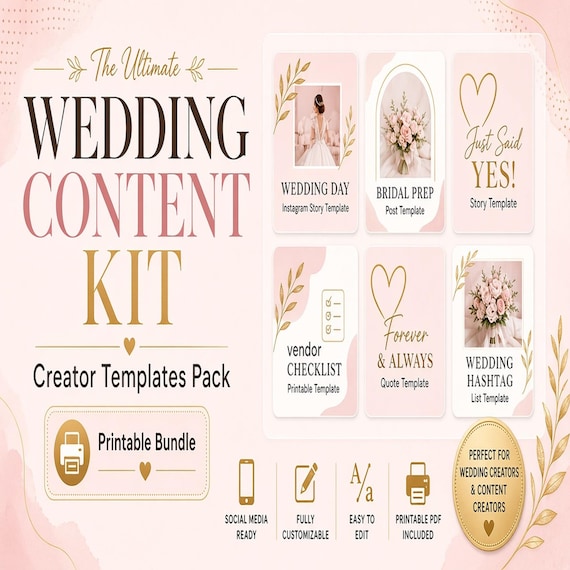
Wedding Content Creator Kit
A practical digital template bundle built around an urgent buyer need: Client intake, shot list, wedding-day timeline…
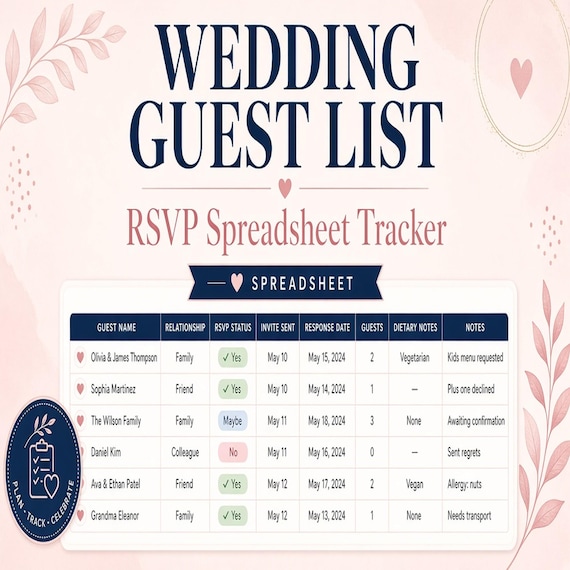
Wedding Guest List Spreadsheet
Plan RSVPs, seating, meals, gifts, and day-of lists in one workbook. This is an instant digital download designed for buyers who…