Small Business Templates · Sep 11, 2026 · 16 min read
Soap and Candle Inventory Setup: Count Cure Racks, Ready Stock, and Reorder Points
A practical setup plan for the soap and candle inventory tracker: confirm the Excel workbook and printable PDFs, give every SKU and batch a stable ID, keep curing stock separate from ready-to-sell bars and jars, count the cure rack without guessing, and set reorder points for supplies that actually stop a batch.
Confirm what the current download includes
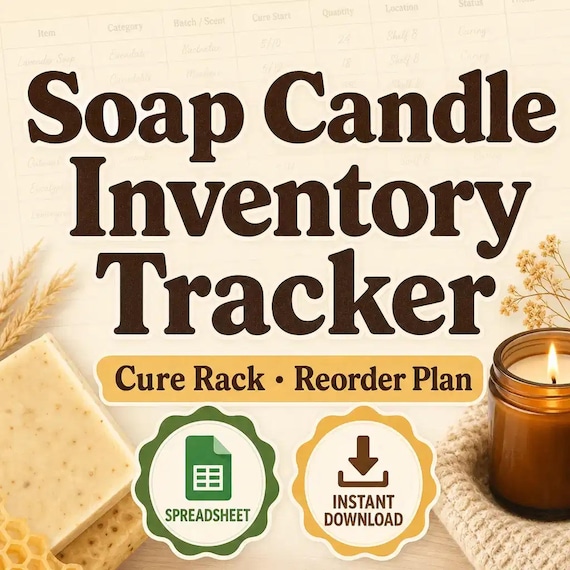
Start with the files the current listing actually describes. The SteadyStackStudio Soap and Candle Inventory Tracker Spreadsheet, Cure Rack and Reorder Planner is a digital operations toolkit for soap makers, candle makers, handmade product sellers, makers, and home studio businesses. The listed contents are an Excel inventory workbook, cure-rack and supply-count printable PDFs, a reorder dashboard, a quick-start guide, and a README or license note. It is an instant digital download. No physical inventory tags, cure racks, bins, printers, or office supplies ship.
Open the Quick Start PDF first, then keep the original ZIP and one untouched copy. Compare the listed pieces with the job you need. This pack is built around two working formats: an Excel workbook with organized tabs, styled inputs, formulas, and dashboard-style summary areas where they apply; and printable PDF pages for binders, clipboards, testing stations, cure racks, product-prep tables, or market-day counts. The listing tells you to use the yellow spreadsheet cells for your inputs and to review the green calculated cells where formulas are included. It does not name Google Sheets, a shared live shop database, barcode scanning, a POS connection, or a shipping scale. If you expected a recipe costing sheet, a wick-test log, or printable product cards, those are neighboring downloads rather than this inventory pack.
The listing is also explicit about scope. This is a business organization template. It is not legal, tax, safety, cosmetic, labeling, or professional advice, and it does not guarantee compliance with any product, label, marketplace, craft fair, insurance, or location-specific requirement. You remain responsible for formulas, claims, ingredients, warning statements, label wording, tax categories, safety practices, and business rules. Single-buyer, single-business use inside your own studio is included. Do not resell, share, or redistribute the raw template files.
- Verify that the ZIP matches the listed Excel workbook, cure-rack and supply-count PDFs, reorder dashboard, Quick Start PDF, and README.
- Read the license note before you print a page that will sit on a shared studio clipboard.
- Keep an untouched master copy and make a separate working copy before you type live counts.
- Treat the pack as editable inventory paperwork, not as a shipped rack, scanner, or shop system.
Decide whether inventory and reorder is the missing job
This pack fits when the friction is stock you cannot see at a glance. A pretty product card does not tell you how many bars are still curing, how many jars are labeled and ready to sell, or whether the next batch will stall because fragrance oil or a wick size is gone. The useful question is not “does the cover look like a soap studio.” It is “can one SKU, one batch identity, one cure-rack count, one ready-to-sell count, and one reorder note travel together without living in three notebooks.”
It also fits when you already keep batch notes and still lose the operating trail. Makers often keep the recipe in one file, the cure date in a photo, the market count in a text thread, and the supply list in memory. That works until a market table looks full while the ready stock is actually still on the rack, or until a wholesale request is accepted for a scent that will not be saleable for weeks. A printed PDF on the rack plus a workbook you can update later is a better match for that job than a decorative cover with no status trail.
- Use this pack when cure-rack counts, ready stock, supplies, and reorder points are the gap.
- Use it when paper on the rack and a workbook at the desk need to describe the same SKU.
- Do not expect Google Sheets, barcode scanning, a POS, or a shipped physical rack.
- Do not buy it first if the real need is recipe costing, wick tests, or product-card wording.
Protect the masters and set up a working copy
Download the ZIP once, unzip it into a folder you will not edit, and duplicate that folder for daily work. Name the master something obvious, such as original-soap-candle-inventory, and leave it closed. All count experiments, printed tests, and live SKUs happen in the working copy. If a print-margin experiment clips a tally column or a formula cell is overwritten, you still have the listed files.
Keep the two formats in their roles. Print the PDF when a page has to travel to the cure rack, the packing table, or a market bin. Use the Excel workbook for SKU lists, current counts, reorder notes, and the dashboard view. The listing asks you to type into yellow cells and leave green calculated cells alone unless you know why you are changing them. Do not treat the printed PDF as the only record if the workbook is where you will look before the next pour.
Write a one-line use note in the working folder: internal stock count, supply reorder sheet, or combined studio tracker. That note stops the same file from being handed to a helper on Saturday and used as a private cost log on Sunday without a fresh review. Finished-business use is not the same as redistributing the raw pack. If more than one person will print from the files, keep one working copy and a short rule about who may change SKU names.
- Unzip once, keep a locked master, and edit only a duplicate.
- Use PDF for a traveling count page and Excel for SKU status and reorder notes.
- Type into yellow input cells and review green calculated cells before you trust a total.
- Write the intended job on the working folder so the same files are not reused blindly.
Give every SKU and batch a stable identity
A count is useless if nobody can tell which product it belongs to. Before the first live count, decide how a SKU will be named and how a batch will be named. A SKU identity can be as simple as a scent plus a form, such as lavender-bar or cedar-8oz-jar. A batch identity can be the pour or cut date plus a short code, such as 2026-09-11-A. Write the same identity on the printed page and in the workbook row.
List what is actually on the rack, not a marketing collection name. “Fall set” does not help a later reorder if three scents and two sizes were mixed in one photo. “Lavender bar, 4 oz, batch 2026-09-11-A, still curing” does. Include the pieces that disappear in conversation: size, container, scent, current stage, and whether the units are wrapped, labeled, or still bare. If those details do not have a home on the record, they will not be there when a market helper asks what can leave the studio.
Put a current-status word on the SKU as soon as it exists. Useful first words are supply, in-mold, curing, ready, reserved, and sold-out. Pick a short list and do not invent a new word for every pour. The Excel workbook is the place for that status if you need to scan the week. The printed PDF is the place for the same identity when you cannot open a laptop over a drying rack.
- Give each SKU and batch a short identity that appears on paper and in the workbook.
- Record size, scent, container, and stage, not only a collection nickname.
- Use a short status list such as supply, curing, ready, reserved, and sold-out.
- Do not keep a second unofficial list in photos that uses different names.
Keep curing stock separate from ready-to-sell stock
The most common inventory mistake in a soap or candle studio is counting everything that looks finished. A bar that came out of the mold is not the same as a bar you can wrap and sell. A jar that is cooling or still waiting on a label is not the same as a jar that can go in a market bin. If those two groups share one total, you will overstate what you can take to a table and understate how much space the rack still needs.
Give curing stock its own line, even when the SKU name is the same. A practical split is units in cure or cool-down, units ready to label, and units ready to sell. You do not need a manufacturing-accounting lecture to do this. You need a count you would trust if a customer asked for twelve of one scent tomorrow. If the twelve units are still on the rack, the honest answer is not “we have twelve.” It is “those twelve are still curing, and this is the ready count.”
This pack does not set your cure time, dry time, or quality rule. Cold-process soap, hot-process soap, melt-and-pour, and different candle systems do not share one calendar, and the listing does not claim one. Write the rule you already use in the working copy, then date the batch identity so a later count can see whether the rack time has elapsed. If your own process, insurance, or marketplace rules require a longer wait, follow that wait. The tracker records the stage. It does not decide it.
- Count curing or cooling units on a separate line from ready-to-sell units.
- Use the same SKU name on both lines so the split stays readable.
- Write your own ready rule in the working copy; the listing does not set a cure calendar.
- Do not promise a market or wholesale quantity from stock that is still on the rack.
Count the cure rack without guessing
The printable cure-rack pages exist so the count happens where the product sits. Take one page to the rack, write the batch identity, and count what is actually there. Do not reconstruct the rack from memory at the desk later. A photo can help as a backup, but a photo without a batch identity becomes another unlabeled pile. The page should be able to answer three questions: which batch, how many units, and what stage.
Count in the unit you will later sell or use. Bars, jars, tins, and melts should not share a vague “pieces” column if those units are not interchangeable. If one batch made 36 bars and 8 were already pulled for photos or gifts, write 28 remaining, not “about a batch.” If a rack holds more than one scent, give each scent its own line instead of a combined scribble that you will not trust next week.
Bring the page back to the workbook the same day. The Excel file is the index; the PDF is the field count. If those two disagree, the rack page wins until you recount. Do not “fix” the paper to match a hopeful workbook number. A lower honest count is more useful than a tidy number that sends you to a market short.
- Count on the rack with the printed page, then update the workbook the same day.
- Use the selling unit — bar, jar, tin — not a mixed “pieces” total.
- Give each scent and batch its own line when they share a rack.
- When paper and workbook disagree, recount instead of editing the paper to look tidy.
Track the supplies that actually stop a batch
Finished stock is only half of the inventory job. A studio also stalls when a supply is missing: a wick size, a jar, a fragrance oil, a colorant, a box, or a label sheet. The supply-count PDFs and the workbook are there so those stopping items have a home. You do not need to catalog every spoon in the studio. You need the items that would cancel tomorrow’s pour.
Name supplies the way you reorder them, not the way you talk about them at the table. “Lavender” is not enough if one bottle is a 1 oz tester and the next order is a 16 oz bottle. Write the size, supplier nickname if you use one, and a rough on-hand amount you can actually check. Keep the count boring: enough for the next planned batch, low, or out. If a number is a guess, mark it as a guess and check the bottle before you schedule a large pour.
This kit is not a purchasing system and it does not place orders. It does not calculate tax, shipping, or landed cost unless a listed formula cell already does that work in the file you received. Use it to notice the gap while there is still time to reorder. If costing per recipe is the missing job, use the soap batch-record download rather than stretching this inventory pack into a formula sheet it does not claim to be.
- Track the supplies that would stop the next pour, not every tool in the studio.
- Name each supply with the size you actually reorder.
- Mark guessed amounts and confirm them before a large batch is scheduled.
- Use the batch-record download when recipe cost is the missing job.
Set reorder points you will actually use
A reorder dashboard is only useful if the trigger is specific. “Low” is not a trigger. “Four jars left and the next market needs twenty” is a trigger. Before you rely on the dashboard, write a reorder point for the few items that fail most often: the best-selling jar size, the wick you actually use, the fragrance that sells through, and the box you pack in. Keep the list short enough that you will look at it weekly.
Tie the reorder point to the delay you already live with, not to an ideal shipping promise. If a jar restock takes two weeks, the point has to fire before the ready-stock count hits zero. If a soap batch still needs rack time after you pour, the point has to fire while the previous batch is still curing. The listing does not calculate lead time for you. It gives you a place to write the number you will act on.
Review the dashboard after a count, not instead of a count. If the workbook says reorder but the rack is full of unlabeled ready stock, the issue may be labeling, not inventory. If the dashboard is quiet but the next pour cannot start, a supply line was never entered. The dashboard summarizes what you recorded. It cannot see a bottle that never got a row.
- Write a numeric reorder point for the few items that actually stall production.
- Include rack time and restock delay in the point you choose; the file does not invent lead times.
- Look at the dashboard after a real count, not as a substitute for one.
- Add a missing supply row when a pour is blocked by something the dashboard never listed.
Use the workbook as an index, not a second story
The Excel workbook is for identities, counts, stages, supplies, and reorder notes. It is not a place to rewrite the full studio diary. If the workbook becomes a journal and the PDF becomes decoration, you will maintain two stories. Keep the tracker columns boring on purpose: SKU, batch identity, stage, curing count, ready count, reserved count, and a reorder note. Open the matching paper file when you need the rack tally.
Pick one closing habit for status changes. A week of invented stage words is harder to scan than a short list. The words from setup — supply, in-mold, curing, ready, reserved, sold-out — are enough for most small-batch soap and candle work. If a batch is split between the rack and a market bin, do not overwrite the first line. Keep both counts under the same SKU so you can see the split.
Protect the file the same way you protect the paper masters. Keep a blank workbook in the original folder. Work in a dated copy. If two people might edit it, agree that only one live file is open. The listing does not include shared-cloud setup, permissions, or automatic backups. A simple folder rule plus an untouched master is the method that matches the files you actually received.
- Use Excel for identity, counts, stage, supplies, and reorder notes.
- Keep full rack tallies on the PDF pages, not duplicated as workbook essays.
- Keep curing and ready counts on separate lines under the same SKU.
- Keep a blank workbook master and edit only a working copy.
Who this fits and who should skip it
This setup fits soap makers, candle makers, and small-batch sellers who already pour, cut, or fill and need one consistent path from rack to ready stock to reorder. It is especially useful when a home studio, a market bin, and a reserved wholesale box share the same SKUs. A PDF page that can sit on a clipboard and a workbook that can be updated later match that rhythm better than a long form nobody files.
Choose a neighboring kit when the studio is not soap or candles. A pottery kiln-log inventory kit, a jewelry craft-show inventory kit, or an estate-sale tagging kit uses different stages and different units. Do not stretch soap-and-candle rack language over those jobs. The related product pages exist so you can compare the closest kit instead of rewriting this one into something it is not.
- Good fit: soap and candle makers who need cure-rack counts, ready stock, supplies, and reorder points in one kit.
- Weaker fit: studios that already have a complete inventory app, or buyers who only needed cards, wick tests, or a recipe sheet.
- Use the related spreadsheet pages when the real job is batch costing, burn tests, or a full maker bundle.
- Use the product-card guide when the missing job is labels and market-display wording.
When this download may not be the right fit
A good match for Soap and Candle Inventory Setup: Count Cure Racks, Ready Stock, and Reorder Points should be practical, specific, and easy to use after checkout. It may not be the right fit if you need a fully custom service, a physical rack or scanner shipped to you, professional review included with the purchase, a live shop database, or a file format the listing does not show. Use this page as a comparison step, not as a promise that every download will fit every studio, printer, device, or professional requirement.
It is also the wrong first download if the missing job is recipe costing and a soap cure log, candle wick testing, or batch labels and care cards. Those kits use different pages for a different task. It is the wrong download if you expected Google Sheets, barcode hardware, or a POS connection. The listed files are an Excel workbook, printable PDFs, a reorder dashboard, a Quick Start PDF, and a README.
For labeling, ingredient claims, tax categories, safety, or marketplace rules, review the final wording and your own process against your local requirements before relying on it. The files help you keep a clearer stock trail. They do not replace formula review, testing, or a checked professional procedure.
- Check the preview images and file details before opening Etsy.
- Choose the smallest complete download that solves the real job.
- Use related product pages when recipe, wick-test, or card files fit better.
- Review your own ready rule, labels, and local requirements before a live market uses the counts.
Before you click through to Etsy
Use the SteadyStackStudio product preview as a final check. Confirm the title, price, file type, preview image, and related downloads all point to soap and candle inventory, cure-rack counts, ready stock, supplies, and reorder points. If the recommended product looks close but not exact, compare the batch-record, burn-test, product-card, or maker-bundle pages before leaving the site. A good match should show an Excel workbook and printable PDFs, not a shipped rack and not a card-only ZIP.
Once the product page and Etsy listing agree on what is included, the Etsy click is the checkout step rather than a blind jump. Answer the inventory question first, compare the matching download second, then use Etsy only when the fit is clear. After checkout, run one fictional SKU through batch identity, rack count, ready count, supply note, and reorder point before a live market uses the pages.
This page is a comparison and setup step, not a promise that every download will fit every printer, device, or professional requirement. For labeling, claims, safety, or other regulated use, review the final wording against your local requirements before relying on it. The files help you keep a clearer record. They do not replace professional judgment, testing, or a reviewed procedure.
- Check the preview images and file details before opening Etsy.
- Choose the smallest complete download that solves the real job.
- Use related product pages when another maker kit fits better.
- Review your ready rule and local requirements before a live count uses the files.
Printables used in this guide
Instant downloads from the SteadyStackStudio Etsy shop.
Candle and Soap Inventory Spreadsheet
This system is built for real small-batch makers who need to track batches, costs, supplies, tests, inventory, product-card…
Soap Batch Record Spreadsheet
This system is built for real small-batch makers who need to track batches, costs, supplies, tests, inventory, product-card…
Candle Burn Test Log Spreadsheet
Candle burn test tracker spreadsheet — Excel-first wick test log, batch record, and burn-rate (g/hr) formulas — plus a 13-page…
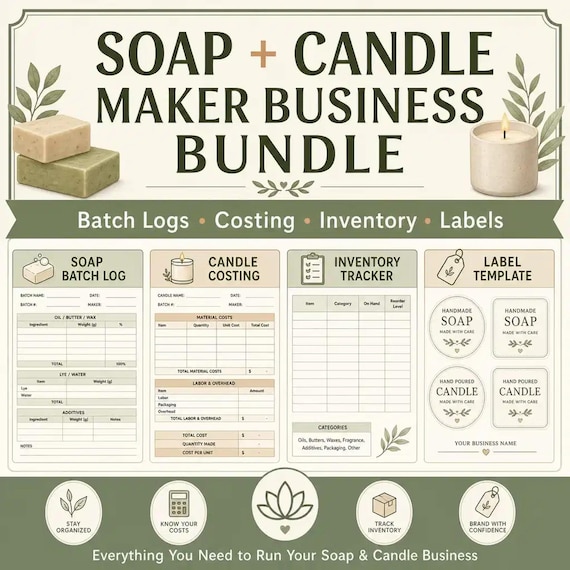
Soap and Candle Business Planner Bundle
Soap and Candle Maker Business Bundle, Batch Logs Costing Inventory and Label Templates