Small Business Templates · Sep 8, 2026 · 16 min read
Event Rental Damage Checklist Setup: Record Checkout Condition, Returns, and Inventory Follow-Up
A practical setup plan for a mixed event-rental paperwork kit: confirm the PDF, DOCX, and XLSX files, give every booking and item a stable ID, record checkout condition before anything leaves, inspect at return, and close damage notes, deposits, and inventory follow-up.
Confirm what the current download includes
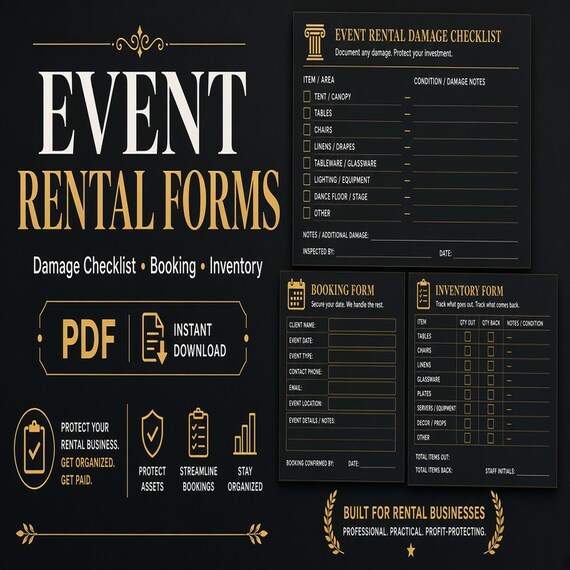
Start with the files the current listing actually describes. The SteadyStackStudio Event Rental Damage Checklist, Booking Form and Inventory Tracker is a digital template kit for party rental businesses, decor rental shops, wedding rental pros, and event inventory managers. The listed contents are printable PDF workbook and form pages, an editable DOCX template, an Excel XLSX tracker, and a README or license note. It is an instant digital download. No printed binder, clipboards, tags, or rental equipment ships.
Open the README first, then keep the original ZIP and one untouched copy. Compare the listed pieces with the job you need. This pack is built around three working formats: a PDF you can print, a DOCX you can rewrite in your own wording, and an XLSX workbook for appointment and status follow-up. The listing does not name PowerPoint cards, a compiled booking platform, photo-storage software, or a Google Sheets file. If you expected inflatable-specific delivery and cleaning pages, skip to the bounce house kit instead of stretching this pack.
The listing is also explicit about scope. The files help you track bookings, rental items, checkout condition, damage notes, deposits, returns, and inventory follow-up. They do not provide legal, medical, health, safety, licensing, tax, or compliance advice. You remain responsible for final review, local requirements, platform rules, and professional use decisions. Single-buyer, single-business commercial use inside your own business is included. Do not resell, share, or redistribute the raw template files.
- Verify that the ZIP matches the listed PDF pages, DOCX template, XLSX tracker, and README.
- Read the license note before you print a customer-facing page.
- Keep an untouched master copy and make a separate working copy.
- Treat the pack as editable paperwork, not as a shipped binder or a legal service.
Decide whether a mixed event-rental pack is the right tool
This pack fits when the missing piece is a shared record for mixed inventory: tables, chairs, décor, linens, arbors, dance floors, serving pieces, or similar party and wedding rental stock. The useful question is not “which cover image looks busiest.” It is “can one booking, one item list, one checkout condition note, and one return note travel together without living in three chat threads.” A PDF page you can mark at the truck and a workbook row you can update later are a better match for that job than a decorative checklist with no status trail.
It also fits when checkout and return are the friction, not a specialty production workflow. Party and décor rental shops lose money in two quiet places: damage that is noticed too late, and missing pieces that were never written down as leaving. A condition note taken before the load leaves, plus a matching note when the load comes back, is the whole point of this guide. The pack does not replace a signed contract reviewed by a lawyer, manufacturer instructions, or the records your insurer asks for.
Skip this pack, or use it only as a starter, if the real need is bounce-house delivery, setup photos, and a cleaning log. That is a different download with different files. Skip it if you need balloon-garland footage and install notes, mobile-bar batching, photo-booth contracts and overlays, or a guest-facing vacation-rental house manual. Skip it if you already run a live inventory platform with scanning and you only wanted a decorative PDF. Choose the smallest complete download that matches the missing job.
- Use this pack when mixed bookings, checkout condition, damage notes, deposits, and returns are the gap.
- Use it when paper at the truck and a workbook at the desk need to describe the same rental.
- Do not expect inflatable delivery and cleaning pages, PPTX cards, or a live booking system.
- Do not buy it first if the real need is a specialty event-service kit or a scanned warehouse tool.
Protect the masters and set up a working copy
Download the ZIP once, unzip it into a folder you will not edit, and duplicate that folder for daily work. Name the master something obvious, such as original-event-rental-forms, and leave it closed. All wording changes, printed tests, and sample bookings happen in the working copy. If a print-margin experiment clips a signature line or a status column is overwritten, you still have the listed files.
Keep the three formats in their roles. Print the PDF when a page has to travel on a clipboard, in a truck folder, or to a venue. Edit the DOCX when your business name, return window, deposit wording, or item categories need to match how you actually talk to customers. Use the XLSX tracker for appointment dates, current status, and follow-up, not as a second set of conflicting notes. Do not treat the PDF as the only record if the workbook is where staff will look tomorrow.
Write a one-line use note in the working folder: internal checkout sheet, customer-facing booking page, or combined desk tracker. That note stops the same file from being handed to a client on Saturday and used as a private damage log on Sunday without a fresh review. Finished-business use is not the same as redistributing the raw pack. If more than one person will print from the files, keep one working copy and a short rule about who may change headings.
- Unzip once, keep a locked master, and edit only a duplicate.
- Use PDF for a traveling page, DOCX for wording, and XLSX for status follow-up.
- Write the intended job on the working folder so the same files are not reused blindly.
- Follow the listed license: business use is not the same as reselling the raw pack.
Give every booking and every rental item a stable identity
A damage note is useless if nobody can tell which event it belongs to. Before the first live rental, decide how a booking will be named and how an item will be named. A booking identity can be as simple as a short code plus the event date, such as 2026-09-20-rivera. An item identity can be a category plus a count, such as chiavari-gold x 40, or a unique tag if you already number tables and arbors. Write the same identity on the printed page and in the workbook row.
List what actually leaves, not a marketing package name. “Gold wedding package” does not help a return inspection. “40 gold chiavari chairs, 5 60-inch rounds, 8 lanterns, 1 arch” does. Include accessories that disappear easily: clips, weights, liners, extra bulbs, hardware bags, and table numbers. If an accessory does not have its own line, it will not be missed until the next event needs it.
Put a current-status word on the booking as soon as it exists. Useful first words are reserved, packed, out, returned, inspected, and closed. Pick a short list and do not invent a new word for every rental. The XLSX tracker is the place for that status if several people need to see it. The printed PDF is the place for the same identity when the person at the truck cannot open a spreadsheet.
- Give each booking a short, reusable identity that appears on paper and in the workbook.
- List countable items and small accessories, not only package nicknames.
- Use a short status list such as reserved, packed, out, returned, inspected, and closed.
- Do not keep a second unofficial list in messages that uses different names.
Record checkout condition before anything leaves
Checkout is the first half of a damage record. If you only inspect at return, you cannot show what left in good shape. Complete the checkout note while the items are still in your control: in the warehouse, on the packed trailer, or at a staffed setup. Write the booking identity, the date and time, who packed or delivered, and a condition line for each item group that could be disputed later.
Pre-existing wear belongs in that same note. A chair with a known scuff, a table with a repaired edge, or a linen with a faint mark should be written down before the customer sees the load. If you skip that line, a later photo of the same mark looks like new damage. Keep the wording plain: “gold chiavari #12, existing scuff on back left leg, still rentable.” Do not write a legal conclusion such as “customer accepts all risk.”
The current listing does not claim a built-in photo field. Use your phone anyway, and store the photos next to the booking identity. A quick set of packed-load photos, plus any close-up of a noted mark, is enough for most party-rental disputes. Name the photo folder with the same booking code you wrote on the PDF. The paper page and the photo folder should be findable from the workbook row without opening every camera roll.
- Write checkout condition before the load leaves your control.
- Note existing wear in ordinary language, not as a legal conclusion.
- Photograph packed items and any already-known marks; store them under the booking identity.
- Copy the same booking code onto the PDF, the workbook, and the photo folder.
Keep the booking page customer-facing and the damage log specific
The DOCX template exists so you can change wording before a customer sees a page. Put business name, contact method, event date, delivery or pickup window, item list, and return instructions on the booking side. Keep internal comments, repair estimates, and staff names on the copy that stays with you unless you have a reason to share them. A customer should be able to read the page without seeing your private follow-up notes.
Customize deposit language only after you know how you actually collect and return money. The listing includes deposits as a tracked job. It does not tell you how much to charge, whether a deposit is refundable, or how fast you must return it. Those are business and local-rule decisions. If you collect a refundable damage deposit, say so in plain words on the booking page and record the amount and status in the tracker. If you do not collect a deposit, do not leave leftover deposit fields on a customer page.
Do not treat the edited DOCX as a finished contract just because it looks official. The listing states that the kit is not legal advice. If you need a rental agreement that can be enforced, have a lawyer in your area review the wording you will actually use. The template is a starting structure for bookings, condition notes, and follow-up. It is not a substitute for required forms, insurance documents, or venue rules.
- Edit the DOCX so customer pages show only the details the customer needs.
- Record deposit amount and status only if you actually collect a deposit.
- Remove unused deposit or legal-looking fields rather than leaving them blank.
- Have required agreements reviewed separately; this kit does not replace that step.
Inspect at return before you clean, restock, or close the booking
Return is the second half of the record. Inspect as close to pickup or drop-off as you can, before items go through a wash, a repair bench, or a mixed storage pile. Once linens are laundered or chairs are stacked with the next order, it is harder to say when a tear or a missing clip appeared. Write the return date, who inspected, and whether each listed line came back, came back incomplete, or came back with a new mark.
Look for missing accessories as carefully as you look for broken frames. Weights, hardware bags, extra bulbs, clips, and table numbers are the items that silently shrink inventory. Count against the checkout list, not against memory. If the checkout page said eight lanterns and seven came back, the damage note is “lantern missing,” even if nothing is scratched. A missing piece is an inventory event, not a debate about whether someone “probably left it in the truck.”
When you can, point out a new issue while the customer or venue contact is still there. A calm, specific note plus a photo taken before you move or clean the item is more useful than an email two days later. If you cannot inspect on site, inspect as soon as the load is back and date the note. Do not wait for a quiet afternoon. The XLSX status should move from out to returned, then to inspected, only after that check is written.
- Inspect before cleaning, restacking, or mixing the load with other inventory.
- Count every accessory against the checkout list, not against memory.
- Photograph new damage before you move or clean the item.
- Change the booking status to inspected only after the return note exists.
Write damage notes a second person can follow
A useful damage note answers four questions: which booking, which item, what is different from checkout, and what happens next. “Chairs scuffed” is not enough. “Rivera 2026-09-20, gold chiavari x 2, new crack on back rest, photo in booking folder, hold from next weekend, estimate repair or replace” is enough for someone who was not at the pickup. Write as if the next reader is covering a Saturday you will miss.
Separate ordinary wear from a real inventory problem. A small scuff on a table leg after a busy wedding weekend is often expected use. A torn tent wall, a broken chair leg, a burned linen, or a missing specialty piece is not. You do not need a courtroom definition on the form. You need a consistent habit: describe what you see, compare it with the checkout note, and decide whether the item is still rentable, needs repair, or should be parked.
Keep money talk out of the first description. Write the condition first, then the follow-up. If a deposit may be affected, record that as a later status on the tracker rather than arguing it in the same sentence as the crack. Fair handling usually means documenting promptly, describing the actual repair or replacement need, and closing the unused portion of a deposit without delay. Those are operating habits. They are not legal conclusions, and local rules may set their own timelines.
- Name the booking, the item, the change from checkout, and the next action.
- Describe what you see before you decide rentable, repair, or park.
- Keep deposit or charge decisions on a follow-up status, not inside the first sentence.
- Write the note so a coworker can act without calling you.
Close inventory follow-up so the next event is honest
A rental is not finished when the truck is empty. It is finished when every listed item is back in a known state: ready, in repair, missing, or retired. Use the XLSX tracker for that close-out. The appointment or event date stays on the row. The status moves to closed only after return quantities match, damage notes have an owner, and parked items are not silently left on the “available” mental list.
Park damaged pieces with the same identity you used on the checkout page. If gold chiavari #12 is waiting on a repair, it should not be counted in next Saturday’s 40-chair order. A simple hold note in the tracker is enough if your shop is small. If several people pull inventory, a physical hold tag that repeats the booking code prevents a well-meaning restock. The template does not claim a barcode system. The habit is to keep the hold visible in the same place you look when you pack.
Review open follow-ups on a fixed day, not only when the next event is already late. Look for rows still marked out, inspected with no owner, or closed while a repair is unfinished. Those rows are how inventory quietly shrinks. If the sample run shows that you need live availability software, scanning, or a maintenance system, choose that tool instead of forcing extra columns into a general XLSX tracker.
- Close a booking only after quantities, damage owners, and holds are written.
- Keep damaged items out of the next pack list until they are ready again.
- Review open “out” and “repair” rows on a regular day, not only in a rush.
- Move to specialized software when scanning or live availability is the real need.
Test the files with one fictional booking before a busy weekend
A sample run shows whether the PDF, DOCX, and XLSX describe the same rental without putting a live customer or real inventory at risk. Duplicate the clean master and create a clearly fictional event. Move it through booking, item list, checkout condition, a made-up return with one missing accessory and one new mark, a deposit status if you use deposits, and a final close. Use invented names and remove every sample value before the live version is used.
Ask one person who did not build the customization to follow the trail. They should be able to find the booking identity, what left, what came back, the damage note, and the next owner without opening every file. Print one copy of each PDF page you expect to use and check margins, writing room, contrast, and whether the booking code remains visible after folding. Open the DOCX in the software that will edit it and make sure your rewritten headings still fit the page.
Keep the first live rollout small. Use the system for one or two rentals, then review where staff still relied on texts or memory. Change only the labels or handoffs that caused confusion, and keep a dated clean version after the revision. If the sample reveals that you need electronic signatures, route planning, live inventory counts, or a regulated inspection form, choose the appropriate tool instead of stretching this kit.
- Use fictional names, item lists, and contact details for the test.
- Have a second person find the booking, the missing piece, and the next action.
- Print one PDF page and open the DOCX and XLSX before a full set is prepared.
- Choose specialized software or required forms when the missing job is outside this template’s scope.
Choose this pack or a neighboring event kit by the missing job
The featured event-rental pack is the clearest fit when the missing workflow centers on mixed bookings, checkout condition, damage notes, deposits, returns, and inventory follow-up. Its current package combines printable PDF forms, an editable DOCX template, an XLSX tracker, and a README. Choose it only if those formats and page roles match the way the business will actually work.
The Bounce House Rental Delivery Checklist, Cleaning Log and Inventory Tracker is narrower and more physical. Its current listing describes an Excel delivery and equipment tracker, printable delivery, cleaning, and return PDF pages, editable PowerPoint customer and setup cards, a quick-start PDF, and a README. Choose that kit when inflatable delivery, setup-photo naming, cleaning, and equipment reset are the handoffs that break down.
The balloon-garland, mobile-bar, photo-booth, and vacation-rental downloads belong to different jobs. Balloon-garland files organize orders, footage, palettes, and install notes. The mobile-bar kit plans drink batches, prep, and service notes. The photo-booth business kit groups flyers, contract-style pages, pricing materials, and event visuals. The vacation rental host welcome book is a house manual, checkout signs, cleaning checklist, and guest-facing inventory for a stay, not a party-rental warehouse. They can sit beside this pack in a company with several service lines. They should not be treated as substitutes for checkout-and-return damage records on mixed event inventory.
- Choose this pack for mixed-inventory checkout, damage notes, deposits, and returns.
- Choose the bounce house kit for inflatable delivery, cleaning, and equipment reset.
- Choose another event-service kit only when that service’s order or guest-facing workflow is the real need.
- Do not expect any operations template to supply legal, insurance, safety, or compliance decisions.
Complete a file-fit and scope check before opening Etsy
Before checkout, name the first rental you would run through the system and the exact handoff that currently breaks down. Confirm the listed printable PDF pages, editable DOCX template, XLSX tracker, README, and ZIP delivery. Check the current product previews for readable fields and page flow, and make sure your device, software, printer, and staff routine can support those formats. If a column, signature line, photo box, or mobile view is essential but not shown, verify it before buying rather than assuming it from the title.
Confirm the scope just as carefully. The current listing calls this a template kit and states that it does not provide legal, medical, health, safety, licensing, tax, or compliance advice. It does not replace a reviewed rental agreement, manufacturer instructions, training, inspection requirements, qualified technical decisions, local rules, or the records your insurer or authority requires. It is also a digital download; no physical binder, printed cards, rental equipment, setup service, or customized business system is shipped.
Skip the download if your real need is a customer-booking platform, barcode scanner, electronic-signature service, maintenance system, official inspection form, or technical safety manual. If the package is close but not exact, compare the bounce house turnaround kit and neighboring event-service tools on this site before leaving for Etsy. Open the Etsy listing only when the file formats, first handoff, editing plan, storage plan, license, and practical limits are all clear.
- I can name the first rental and the handoff this file needs to improve.
- I checked the current previews and the listed PDF, DOCX, XLSX, README, and ZIP formats.
- I know which booking codes, status words, and storage location the working copy will use.
- I understand that the template records operations and does not make legal or safety decisions.
- I will choose another tool if I need regulated forms, live booking, scanning, signatures, or maintenance control.
Printables used in this guide
Instant downloads from the SteadyStackStudio Etsy shop.
Party Rental Forms
Track bookings, rental items, checkout condition, damage notes, deposits, returns, and inventory follow-up.
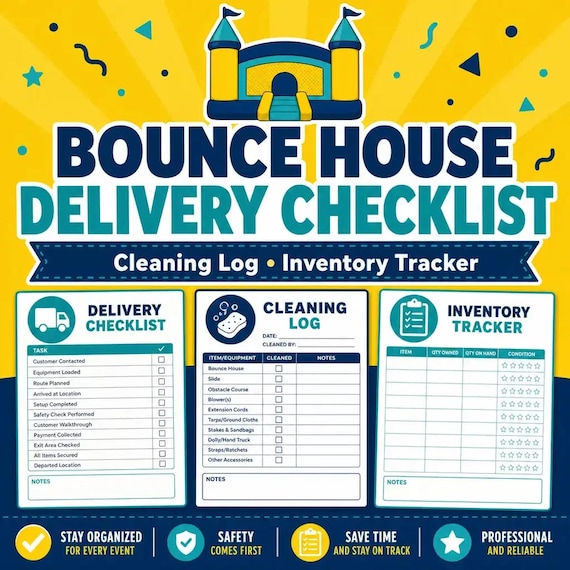
Bounce House Rental Forms
Keep delivery details, setup photos, cleaning logs, equipment inventory, and return checks easier to track.
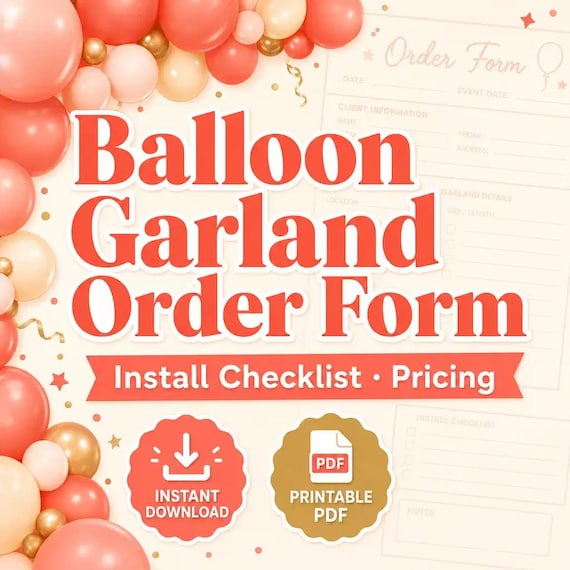
Balloon Order Form
Track client requests, garland footage, color palettes, install notes, add-ons, and setup-day checklists in one kit.
Mobile Bar Business Forms
Plan event drinks, batches, shopping lists, garnish prep, and bar-service notes without messy one-off spreadsheets.