Small Business Templates · Sep 10, 2026 · 16 min read
Notary Journal Setup: Record Appointments, Document Checklists, and Fee Follow-Up
A practical setup plan for a notary paperwork kit: confirm the PDF, DOCX, and XLSX files, give every appointment a stable ID, keep the document checklist and ID-check reminders with the same record, and track fees and follow-up without mixing them into the signing notes.
Confirm what the current download includes
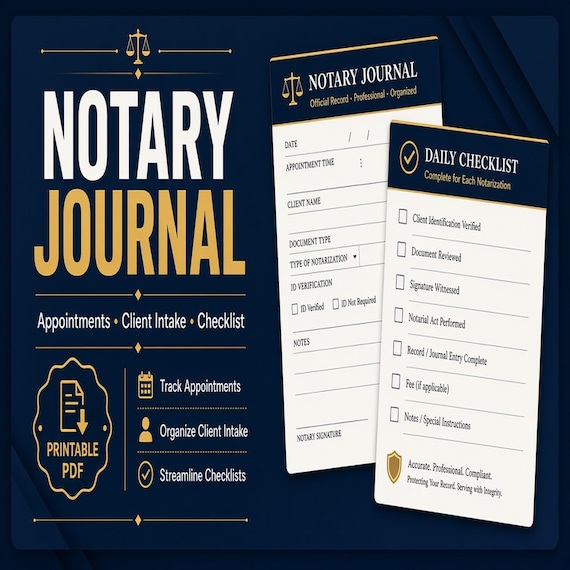
Start with the files the current listing actually describes. The SteadyStackStudio Notary Journal Template, Appointment Checklist and Client Intake Tracker is a digital template kit for mobile notaries, signing agents, admin assistants, and appointment-based document service providers. The listed contents are printable PDF workbook and form pages, an editable DOCX template, an Excel XLSX tracker, and a README or license note. It is an instant digital download. No bound journal, stamp, seal, ink pad, printer, or office supplies ship.
Open the README first, then keep the original ZIP and one untouched copy. Compare the listed pieces with the job you need. This pack is built around three working formats: a PDF you can print for a clipboard, signing bag, or desk folder; a DOCX you can rewrite in your own wording; and an XLSX workbook for appointment dates, status, and follow-up. The listing does not name a booking calendar, electronic signatures, ID-scanning software, a tamper-evident electronic journal, a compiled client database, PowerPoint cards, or a Google Sheets file. If you expected a commission-required bound journal in a specific state format, a loan-signing software subscription, or a beauty-service consent kit, skip to those downloads instead of stretching this pack.
The listing is also explicit about scope. The files help you organize appointment notes, document checklist details, ID-check reminders, fee tracking, and follow-up tasks. They do not provide legal, medical, health, safety, licensing, tax, or compliance advice. You remain responsible for final review, platform rules, local requirements, and professional use decisions. Single-buyer, single-business commercial use inside your own business is included. Do not resell, share, or redistribute the raw template files.
- Verify that the ZIP matches the listed PDF pages, DOCX template, XLSX tracker, and README.
- Read the license note before you print a client-facing page.
- Keep an untouched master copy and make a separate working copy.
- Treat the pack as editable paperwork, not as a shipped bound journal or a legal service.
Decide whether notary appointment paperwork is the missing job
This pack fits when the friction is the appointment record, not the notarial act itself. A stamp, a seal, and a commissioning card do not record who booked the visit, which documents were supposed to be present, whether identification was ready, what fee was quoted, or what still needed a follow-up call. The useful question is not “does the cover look like a notary office.” It is “can one appointment, one document checklist, one ID-check reminder, one fee note, and one follow-up date travel together without living in three text threads.”
It also fits when you already keep an official journal in whatever format your commission uses and still lose the operating trail. Mobile notaries and signing agents often keep the next address in a maps app, the document list in a message, the fee in a notes app, and the follow-up in memory. That works until a signer is not present, a document is missing, a travel fee is disputed, or nobody can find yesterday’s appointment. A printed PDF in the bag plus a workbook row you can update later is a better match for that job than a decorative cover with no status trail.
Skip this pack, or use it only as a starter, if the real need is a general local-service intake and consent checklist. That is a different download with different wording. Skip it if the missing job is wedding-officiant questionnaires and ceremony scripts, cleaning-business estimates and invoices, event-rental checkout condition, construction bids, or doula intake and postpartum checklists. Skip it if you only needed a bound official journal that already matches your commissioning rules and you do not want a separate appointment packet. Choose the smallest complete download that matches the missing job, then keep any required official journal as its own record.
- Use this pack when appointments, document checklists, ID-check reminders, fees, and follow-up are the gap.
- Use it when paper in the bag and a workbook at the desk need to describe the same visit.
- Do not expect a bound official journal, ID scanning, electronic signatures, or a booking app.
- Do not buy it first if the real need is beauty consent, officiant scripts, or a general service intake kit.
Protect the masters and set up a working copy
Download the ZIP once, unzip it into a folder you will not edit, and duplicate that folder for daily work. Name the master something obvious, such as original-notary-appointment-kit, and leave it closed. All wording changes, printed tests, and sample appointments happen in the working copy. If a print-margin experiment clips a signature line or a status column is overwritten, you still have the listed files.
Keep the three formats in their roles. Print the PDF when a page has to travel in a signing bag, on a clipboard, or to a second location. Edit the DOCX when your business name, appointment categories, fee labels, or reminder wording need to match how you actually talk to clients. Use the XLSX tracker for appointment dates, current status, fees, and follow-up, not as a second set of conflicting notes. Do not treat the PDF as the only record if the workbook is where you will look tomorrow.
Write a one-line use note in the working folder: internal appointment sheet, client-facing checklist, or combined status tracker. That note stops the same file from being handed to a signer on Saturday and used as a private fee log on Sunday without a fresh review. Finished-business use is not the same as redistributing the raw pack. If more than one person will print from the files, keep one working copy and a short rule about who may change headings.
- Unzip once, keep a locked master, and edit only a duplicate.
- Use PDF for a traveling page, DOCX for wording, and XLSX for status follow-up.
- Write the intended job on the working folder so the same files are not reused blindly.
- Follow the listed license: business use is not the same as reselling the raw pack.
Give every appointment a stable identity
A checklist is useless if nobody can tell which visit it belongs to. Before the first live appointment, decide how a client will be named and how an appointment will be named. A client identity can be as simple as a full name plus a short code, such as patel-03. An appointment identity can be the date plus the location type, such as 2026-09-20-home or 2026-09-20-office. Write the same identity on the printed page and in the workbook row.
List what the visit actually is, not a marketing package name. “Loan signing” does not help a later follow-up if three documents were expected and only two arrived. “Two acknowledgments, one jurat, homestead packet, 10 a.m. home visit” does. Include the pieces that disappear in conversation: who requested the appointment, who must be present, which documents were named, whether a travel fee was quoted, and whether the visit is first-attempt or a return. If those details do not have a home on the record, they will not be there when the signer calls back.
Put a current-status word on the appointment as soon as it exists. Useful first words are inquiry, booked, documents-confirmed, in-progress, complete, follow-up, and closed. Pick a short list and do not invent a new word for every visit. The XLSX tracker is the place for that status if you need to scan the week. The printed PDF is the place for the same identity when you cannot open a spreadsheet in a driveway.
- Give each client and appointment a short identity that appears on paper and in the workbook.
- Record document types, who must be present, and location notes, not only a package nickname.
- Use a short status list such as booked, documents-confirmed, complete, follow-up, and closed.
- Do not keep a second unofficial list in messages that uses different names.
Build the pre-appointment document checklist
The document checklist is the page that saves a wasted trip. Before you confirm the time, write the documents that are supposed to be ready, not a vague “paperwork.” Name each item in plain language the signer will recognize: deed, affidavit, power of attorney, loan package, or whatever was actually requested. If more than one signer is involved, write whether each person must be present with the documents, not only “the couple.”
Use the same checklist to catch missing pieces while there is still time to reschedule. Common gaps are unsigned pages that still need a notarial act, a witness who has not been arranged, a document with a blank date, or a packet that arrived as photos instead of printouts. The listing does not turn this kit into a title-company platform or a loan-signing software suite. It gives you a place to write the list you are already trying to keep in your head.
Print one checklist per appointment identity. Do not reuse a half-filled page from a previous visit by crossing out the old names. If the same client books a second appointment, give it a new identity and a fresh checklist. A reused page looks faster in the moment and becomes unreadable when you later need to know which packet belonged to which date.
- Name each expected document in language the signer will recognize.
- Note who must be present with the documents, not only the person who booked.
- Use the checklist to catch missing pages, witnesses, or printouts before you travel.
- Print a fresh checklist for each appointment identity instead of recycling an old page.
Keep ID-check reminders with the same record
ID-check reminders belong with the appointment, not in a separate chat. Before the visit, write what you still need to confirm: whether each signer will have current identification, whether names on the documents match the identification they plan to bring, and whether any signer will appear by a different name than the one on the booking message. The kit is a reminder and intake aid. It is not an identity-verification service and it does not scan cards.
Keep the reminder short enough to use at the door. A useful line is “current photo ID for each signer, name match against the documents, extra ID only if your own procedure requires it.” Do not turn the page into a lecture. Do not invent identification rules this listing does not contain. If your commissioning rules or your own written procedure require a specific ID sequence, write that sequence in the DOCX working copy after you have reviewed it. The downloaded wording is a starting point, not a finished professional opinion.
If a signer is not present, or identification is not ready, record that on the same appointment identity instead of deleting the row. A cancelled or incomplete visit still happened as an operating event. The workbook can carry a status such as incomplete or rescheduled, and the printed page can stay in the folder until the return visit gets its own identity. That is easier than trying to remember why Tuesday’s driveway appointment never started.
- Write ID-check reminders on the same record as the appointment and document list.
- Keep the reminder short enough to use at the door.
- Do not treat the kit as ID scanning, identity verification software, or legal advice.
- Record incomplete visits instead of erasing them when a signer or ID is missing.
Track fees without mixing them into the signing notes
Fee notes need a home that is not the same paragraph as the document list. Quote the pieces that actually change from visit to visit: notarial fee, travel fee, wait time if you charge it, and any extra-document fee you already disclosed. Write the quoted total on the appointment record before you leave, then write the collected amount when the visit closes. If those two numbers live in different apps, you will not be able to answer a simple “what did Tuesday cost.”
Use the XLSX tracker for the money trail and keep the printed page for the visit facts. A workbook row can hold quoted fee, collected fee, method if you record one, and whether a receipt still needs to be sent. The printed PDF can hold the appointment identity and a short fee reminder so you do not invent a number in the driveway. Do not copy a full invoice essay into both places.
This kit does not calculate tax, set legal maximum fees, or replace bookkeeping software. It does not guarantee that a fee is allowed in your location. If your commissioning rules cap a notarial fee, review that cap yourself before you reuse a number from a previous client. The tracker is there so quoted and collected amounts stay attached to the same appointment identity.
- Record quoted and collected amounts on the same appointment identity.
- Separate travel or extra-document fees from the notarial fee when you actually charge them that way.
- Use the workbook for the money trail and the printed page for a short fee reminder.
- Do not treat the tracker as tax software or as permission to charge a fee.
Use the workbook as an index, not a second story
The XLSX tracker is for dates, status, fees, and follow-up. It is not a place to rewrite the full checklist. If the workbook becomes a diary and the PDF becomes decoration, you will maintain two stories. Keep the tracker columns boring on purpose: client identity, appointment identity, date, location type, status, quoted fee, collected fee, and a follow-up date. Open the matching paper file when you need the wording.
Pick one closing habit for status changes. A week of invented status words is harder to scan than a short list. The words from setup — inquiry, booked, documents-confirmed, complete, follow-up, closed — are enough for most appointment-based document work. If a visit needs a return trip, add a new appointment identity rather than overwriting the first. A second attempt is easier to read as a sequence than as an edited cell.
Protect the file the same way you protect the paper masters. Keep a blank tracker in the original folder. Work in a dated copy. If two people might edit it, agree that only one live file is open. The listing does not include shared-cloud setup, permissions, or automatic backups. A simple folder rule plus an untouched master is the method that matches the files you actually received.
- Use the XLSX file for identity, dates, status, fees, and follow-up.
- Keep full wording on the PDF or DOCX pages, not duplicated as tracker essays.
- Add a new appointment identity for a return visit instead of overwriting the first.
- Keep a blank tracker master and edit only a working copy.
Close the appointment without losing the packet
Closing is a status change, not a feeling that the driveway visit is over. When the signing ends, mark the appointment complete or incomplete on both the printed page and the workbook row. Note whether every expected document was handled, whether a follow-up is still owed, and whether a receipt still needs to be sent. If you wait until Sunday night to reconstruct the week, the details will already be mixed together.
Keep the packet together for as long as you still need it. The appointment identity should appear on the checklist, on any working notes you kept, and on the tracker row. Do not store the paper under a generic “this week” clip without a name. If your commissioning rules require a separate official journal, that official journal stays its own record. This kit is the appointment packet and status trail. Mixing the two into one unofficial pile is how entries become hard to reconstruct.
Some commissioning rules require a complete line for each notarial act, and shortcuts that look tidy in a spreadsheet may not be allowed in an official journal. This download does not replace that official record and does not tell you which shortcuts your commission allows. If you notarize more than one signature or more than one document in a single visit, keep the appointment identity on this kit, then complete any required official journal in the format your commission actually uses. Review that format yourself before you rely on either file.
- Mark complete or incomplete before you leave the location, then update the workbook the same day.
- Keep the appointment identity on every page in the packet.
- Treat this kit as the appointment trail, not as a replacement official journal.
- If several notarial acts happen in one visit, finish any required official journal in the format your commission uses.
Who this fits and who should skip it
This setup fits mobile notaries, signing agents, and appointment-based document service providers who already take visits and need one consistent path from booking to follow-up. It is especially useful when home visits, office visits, and return appointments share the same bag and the same people. A PDF page that can sit on a clipboard and a workbook that can be updated later match that rhythm better than a long form nobody files.
It is a weaker fit if you already run a complete booking, journal, and billing system and only wanted a decorative cover page. It is also a weaker fit if the real gap is an official bound journal in a required state format, electronic journaling with a signature pad, or ID-scanning hardware. Those jobs are outside this download. Keep this pack for the appointment packet. Use your commissioning rules and your own reviewed procedure for the official record.
Choose a neighboring kit when the service is not notary work. A general local-service intake and consent checklist, a wedding-officiant questionnaire and script, cleaning-business estimates and invoices, event-rental checkout condition, construction bids, or doula intake and postpartum pages are separate downloads with separate wording. Do not stretch notary appointment language over those visits. The related product pages exist so you can compare the closest kit instead of rewriting this one into something it is not.
- Good fit: appointment-based notaries and signing agents who need checklists, ID reminders, fees, and follow-up in one kit.
- Weaker fit: offices that already have a complete record system, or buyers who only needed an official bound journal.
- Use the related service-form pages when the real job is officiant, cleaning, rental, construction, or doula paperwork.
- Keep any required official journal as its own record, linked by appointment identity rather than mixed into one pile.
When this download may not be the right fit
A good match for Notary Journal Setup: Record Appointments, Document Checklists, and Fee Follow-Up should be practical, specific, and easy to use after checkout. It may not be the right fit if you need a fully custom service, a physical bound journal shipped to you, professional review included with the purchase, electronic signatures, ID scanning, or a file format the listing does not show. Use this page as a comparison step, not as a promise that every download will fit every business, printer, device, or professional requirement.
It is also the wrong first download if the missing job is beauty-service consent, tattoo or piercing intake, lash paperwork, or a therapy worksheet. Those kits use different wording for a different visit. It is the wrong download if you expected Google Sheets, a shared calendar, or loan-signing software. The listed files are PDF, DOCX, and XLSX plus a README.
For notary, licensing, identification, fee, or journal-format questions, review the final wording and your own record-keeping setup against your local requirements before relying on it. The files help you keep a clearer appointment trail. They do not replace commissioning rules, training, or a reviewed professional procedure.
- Check the preview images and file details before opening Etsy.
- Choose the smallest complete download that solves the real job.
- Use related product pages when another service’s paperwork fits better.
- Review the final wording against your own rules and local requirements before a live appointment uses it.
Before you click through to Etsy
Use the SteadyStackStudio product preview as a final check. Confirm the title, price, file type, preview image, and related downloads all point to notary appointments, document checklists, ID-check reminders, and fee follow-up. If the recommended product looks close but not exact, compare the general intake, officiant, cleaning, rental, construction, or doula pages in the same topic hub before leaving the site. A good match should show PDF, DOCX, and XLSX files, not a shipped bound journal and not a beauty-consent ZIP.
Once the product page and Etsy listing agree on what is included, the Etsy click is the checkout step rather than a blind jump. Answer the paperwork question first, compare the matching download second, then use Etsy only when the fit is clear. After checkout, run one fictional appointment through checklist, ID reminder, fee note, status, and follow-up before a live visit uses the pages.
This page is a comparison and setup step, not a promise that every download will fit every printer, device, or professional requirement. For journal format, identification, fees, or other legal-adjacent use, review the final wording against your local requirements before relying on it. The files help you keep a clearer record. They do not replace professional judgment, training, or a reviewed procedure.
- Check the preview images and file details before opening Etsy.
- Choose the smallest complete download that solves the real job.
- Use related product pages when another appointment kit fits better.
- Review the final wording against your rules and local requirements before a live client uses it.
Printables used in this guide
Instant downloads from the SteadyStackStudio Etsy shop.
Notary Journal Template
A polished template kit for mobile notaries, signing agents, admin assistants, and appointment-based document service providers.
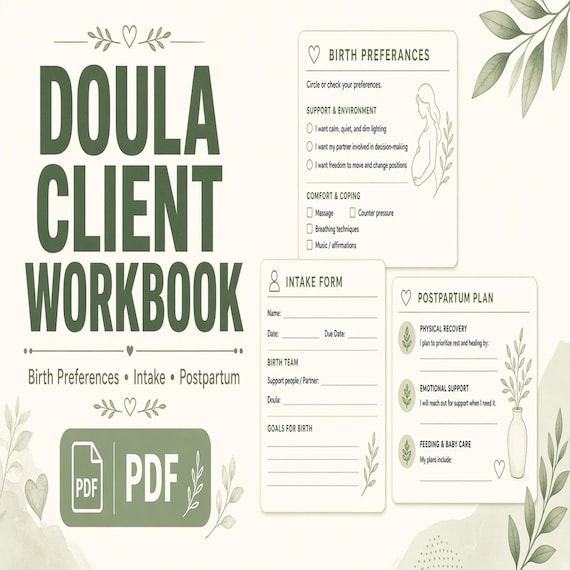
Doula Client Workbook
Give new doula clients one organized workbook for preferences, support notes, visit planning, and postpartum follow-up.
Cleaning Business Forms Bundle
Cleaning business forms bundle for residential cleaners and small cleaning companies: 26-page fillable PDF with client intake…
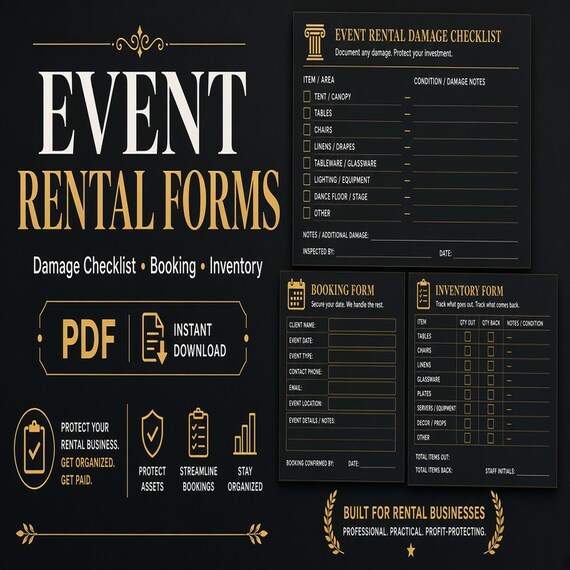
Party Rental Forms
Track bookings, rental items, checkout condition, damage notes, deposits, returns, and inventory follow-up.