Small Business Templates · Jul 25, 2026 · 12 min read
Soap and Candle Product Card Workflow: Batch Labels, Care Cards, and Market Displays
A practical setup for keeping soap and candle batch references, product cards, scent cards, care cards, and market signs consistent from maker records to the printed display.

Confirm the card kit and software fit before building the system
Start with the files the current listing actually describes. The SteadyStackStudio handmade soap and candle card kit lists printable PDF card and label templates, editable PPTX card layouts, PNG card sheets, a copy-bank spreadsheet, a quick-start guide, and a README with license information. It is an instant digital download; printed cards, labels, packaging, soap, candles, display stands, and other physical supplies are not shipped.
Open the quick-start guide first, then confirm that the PDF, PPTX, spreadsheet, PNG, and README files all open in the software you plan to use. Keep the original ZIP and one untouched extracted copy before editing anything. Work from duplicates named for the collection, season, or market. This simple check prevents a half-finished card system built around a format, font, page size, or editing feature that does not fit your setup.
- Compare the current Etsy previews with the downloaded file list before starting.
- Keep one clean master folder and create a separate working folder.
- Verify the editable PPTX and spreadsheet in the software you will actually use.
- Remember that the download supplies templates and organization files, not printed packaging or compliance review.
Give every card or label one clear job
A product card system becomes confusing when one small piece of paper is expected to identify a batch, describe a scent, show a price, provide care information, and carry every statement that belongs on the product packaging. Separate the jobs before editing the layouts. Your internal batch label or working reference connects an item to the maker record. A customer-facing product card helps someone identify and compare the item. A scent card describes an approved fragrance direction. A care card supports the business's reviewed after-purchase instructions.
These are workflow roles, not a claim that every supplied layout contains every field your business needs. Use only the templates shown in the current files, and adapt them to your reviewed wording and applicable requirements. Required product labeling and warnings belong wherever the rules for your product and market place them. A decorative display card should not be treated as a substitute for the label, record, test, instruction, or professional review the business is otherwise required to maintain.
- Internal reference: connects the physical item or production group to the correct working record.
- Product card: helps a customer identify the item and understand a short, accurate distinction.
- Scent card: presents reviewed descriptive wording without turning fragrance notes into ingredient or performance claims.
- Care card: carries only the instructions your business has already reviewed for that product.
- Display sign: explains a collection, price group, or customer action without repeating every card.
Choose the source record before writing customer-facing copy
Do not begin with an old social caption, a remembered recipe name, or the wording on a card left over from last season. Choose the current business record that controls each factual detail. Depending on your existing process, that may be a batch record, inventory sheet, approved product specification, price list, care-instruction master, or another reviewed source. The template can organize the handoff, but it cannot decide which record is authoritative for your business.
Create a short source checklist for every card family. Confirm the approved product name, the exact variation being sold, the current internal reference, the wording your business uses for factual product details, the current price location, and the approved care text. Keep confidential formulas or unnecessary production details out of customer materials. When labeling, ingredient, warning, or claim requirements apply, take that wording from the current qualified source rather than improvising it inside a card template.
- Copy product names and variations exactly from the current approved record.
- Verify prices against the source used at checkout before each print run.
- Use reviewed care wording instead of shortening an instruction from memory.
- Keep descriptive copy separate from required factual or warning text.
- Record where each approved statement came from so the next update is traceable.
Build a reference chain from the maker record to the printed card
A dependable card should be easy to trace back without exposing the whole production record to a customer. Use the identifier that already belongs to the product, batch, variation, or version in your own system. Then connect that identifier to the editable card file and the approved print or export. If you do not yet use a stable reference, create one under your established recordkeeping process before producing a large set of cards; do not let the printed card become the only place the reference exists.
The public card does not always need to show the full internal code. The important step is preserving a documented connection. For example, the working spreadsheet can associate the approved product name with the current batch reference, card filename, revision date, and print status. Those columns are setup suggestions and may need to be added to your working copy. The result should let a second person answer a practical question: which approved record and which editable file produced this card?
- Use one stable internal reference for the item or variation throughout the workflow.
- Include the reference in the working record and file-naming method.
- Link the card revision to the record instead of relying on a folder's modification date alone.
- Avoid placing confidential formulas or unnecessary internal notes on a customer card.
- Stop the print run if the product, record, and card version cannot be matched confidently.
Create a short reading order for product, scent, price, and care
Choose a consistent hierarchy before filling every card. The first line should tell the shopper what the item is. A second line can communicate one useful, approved distinction such as a variation name or concise scent description. Price information should appear in the location your table or shop uses consistently, whether that is the individual card, a group sign, or another clear display. Care information belongs on the product card only when it remains readable and is the correct place for that instruction in your business's system.
Test the hierarchy with the hardest realistic example: the longest product name, the fullest approved description, and the most demanding care line. If that card becomes crowded, remove secondary copy or move it to the appropriate separate material. Do not shrink essential text until it looks neat only in a close-up image. A customer should be able to identify the product quickly, while detailed required information remains complete in the places where it belongs.
- Lead with the exact product or collection name.
- Use one concise distinction instead of several promotional sentences.
- Keep price placement consistent across comparable products.
- Move detailed care information to a separate reviewed card when the product card becomes crowded.
- Use the same labels and reading order across the whole collection.
Turn the copy bank into a controlled phrase library
The included copy-bank spreadsheet is most useful when it reduces rewriting rather than becoming another collection of abandoned drafts. Create a working row for each approved product or reusable phrase. Useful working columns may include product name, variation, factual source, approved short description, care-text reference, card type, review date, file name, and status. Add only the fields your team will maintain; these suggestions do not imply that every column is already built into the download.
Use simple statuses such as draft, under review, approved, printed, and retired. When a phrase changes, update the working record first, revise the PPTX master or card file second, and replace the physical output last. Do not correct a printed card by hand while leaving the editable file unchanged. The next print run will restore the old mistake, and nobody will know which version should be trusted.
- Store approved short copy separately from rough ideas and unused alternatives.
- Record the source and review date for factual wording.
- Use one status system for editable files and printed cards.
- Retire obsolete phrases instead of deleting the history immediately.
- Keep the copy bank with the active card files and a protected backup.
Edit one PPTX master before duplicating a full collection
Open a working copy of the editable PPTX and choose one representative layout. Set the business name, type styles, spacing, color use, and field order once, then save that version as the collection master. Confirm any font substitutions before duplicating it. A substitute font can change line breaks and card height even when the slide looked correct on the original device.
Populate the master with the longest approved content rather than the shortest. Export or print that demanding example and inspect the physical result. Once it passes, duplicate the approved master for the rest of the collection. Use the supplied PNG card sheets only according to the current file notes and the output size you have verified; a sharp-looking image on screen is not proof that it will print correctly at an assumed dimension. Keep the unedited supplied layouts available in case the working master becomes damaged.
- Create one collection master instead of styling each product independently.
- Confirm fonts, line breaks, margins, and alignment after opening the PPTX on your device.
- Test the longest realistic content before duplicating the layout.
- Name exports so they can be matched to the editable source and revision.
- Preserve the supplied original layouts in the clean master folder.
Keep factual product text separate from scent and mood language
Soap and candle cards often mix a product name with sensory language. Keep those layers visibly and procedurally separate. Names, variations, sizes, materials or ingredients, care instructions, warnings, and other factual details must come from the sources your business relies on for those facts. Scent notes and mood words are descriptive copy. They should help a customer compare the direction of a fragrance without being presented as proof of ingredients, safety, health effects, or guaranteed personal results.
Write a modest description that can be understood without a sales explanation. Remove therapeutic promises, unsupported performance language, and any statement that conflicts with the product's reviewed records. If the business sells unscented and scented versions, or several products with a similar fragrance name, make the actual variation clear rather than assuming the customer will infer it from color or packaging. The companion scent-card guide is the better fit when notes, pairings, and a fragrance-led sample station are the central task.
- Verify factual details against the current approved product source.
- Treat fragrance notes as description, not as an ingredient list or outcome promise.
- Use distinct names for variations that a shopper could otherwise confuse.
- Remove language that the responsible reviewer cannot support.
- Keep required information in its proper label or instruction system.
Proof one batch label, one product card, and one care card
Do not print the entire collection as the first test. Select one example of each card role you plan to use, preferably the examples with the most text. Print from the intended PDF or exported file using the printer, paper, scale, and finishing method planned for the actual setup. Check page size, margins, crop marks or cut lines if provided, front-to-back orientation if relevant, and whether any automated printer setting changed the scale.
Trim the proof and place it beside the real packaging. Read it in the lighting and at the distance a customer or team member will encounter. Check contrast, line breaks, price visibility, and whether the card can be distinguished from neighboring variations. Review the batch reference against the working record and the care text against its approved source. Mark the proof with its filename and revision date so a successful physical result can be reproduced instead of guessed at later.
- Use the densest realistic card for the first print test.
- Compare the printed scale with the intended holder, package, or display space.
- Inspect the proof under actual booth, shop, or studio lighting.
- Verify references and care wording against their source records.
- Save the approved print settings with the active files.
Test the cards in holders, market displays, and product photos
A card is not finished until it works in the physical place where it will be seen. If you use a slot, clip, rail, or stand, test the trimmed card's width, thickness, height, and viewing angle. Confirm that the holder does not cover the product name, price, lower care line, or internal reference used by staff. Place the setup on the real table covering or shelf, add nearby stock, and check whether the base remains stable during normal browsing.
- Measure the finished card, not only the editable slide or PDF page.
- Check that the holder leaves every important line visible.
- Test stability and readability with nearby products in place.
- Keep photo props and customer-facing cards on the same approved wording.
- Treat the card templates and printable fixture files as separate downloads with separate fit checks.
Arrange the market table so cards stay paired with the right products
At a market, a beautifully designed card still fails if it drifts to the wrong scent, size, or product group. Give every active card a defined position. Group cards in the same order as the products, keep variation names visible, and use a larger collection sign only for information shared by the whole group. If one price applies to several items, make that grouping unmistakable rather than leaving a small sign between two unrelated products.
Create a short opening check before customers arrive: the product is present, its card matches the active version, the price source agrees, care cards are stocked where the handoff occurs, and retired cards are out of sight. During the event, return moved cards to their assigned places and remove a card when its product is no longer available. The display should help someone compare confidently without requiring the seller to correct the printed information verbally.
- Match the left-to-right order of cards and products.
- Use group signs only when the shared information is genuinely the same.
- Keep after-purchase care cards near the handoff or checkout point used by the business.
- Remove sold-out, retired, or mismatched cards from the active table.
- Run the same product-card-price check before every event or display reset.
Update the source, editable file, print, and display in that order
Changes should move through the system in a predictable sequence. First confirm the new fact in the appropriate business record. Next update the copy bank or working index, revise the editable card, export or print the approved version, and replace every active physical copy. If the same card appears at a market table, shop shelf, stockist, photo setup, or packing station, note those locations so an old version is not left behind.
Use clear revision names rather than files called final, final-new, and final-really-new. A date or simple version code can work when it matches the working record. Archive the previous approved file away from the active print folder, and mark retired physical cards so they cannot return to the display accidentally. At the end of an event, record recurring customer questions as review prompts. Verify the answer before changing copy; a repeated question can reveal unclear wording, but it does not make an improvised answer accurate.
- Confirm the source record before changing the card.
- Update the working index and editable file before producing a replacement.
- Replace all active copies together when practical.
- Archive old versions outside the active print folder.
- Treat customer questions as prompts for review, not instant changes to factual copy.
Choose the focused card kit or the adjacent tool that fits the real gap
The handmade soap and candle product-card kit is the clearest fit when the immediate task is organizing printable card and label templates, editable PPTX layouts, PNG sheets, and a copy-bank spreadsheet for a repeatable customer-facing workflow. Check the latest preview images, file details, software requirements, digital-delivery note, and license before opening Etsy. Skip it if you need physical printed materials, custom design service, live inventory software, formulation guidance, testing approval, or a professional labeling review.
- Use the focused card kit for reusable customer-facing cards, labels, editable layouts, and copy organization.
- Use the fragrance-led kit for scent notes, pairings, and a sample-station display.
- Use batch, testing, or inventory tools for their specific recordkeeping jobs.
- Use a printable holder only after card size, printer access, and physical display needs are clear.
- Do not purchase when the current previews and file details do not show a workable fit.
Printables used in this guide
Instant downloads from the SteadyStackStudio Etsy shop.
Candle Care Card and Soap Label Templates
Soap and candle makers who need real label/card sheets for markets and shops — not a thin one-page mockup.
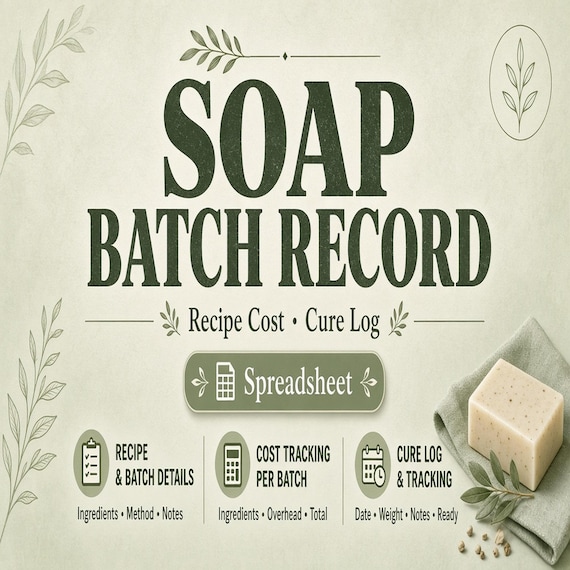
Soap Batch Record Spreadsheet
This system is built for real small-batch makers who need to track batches, costs, supplies, tests, inventory, product-card…
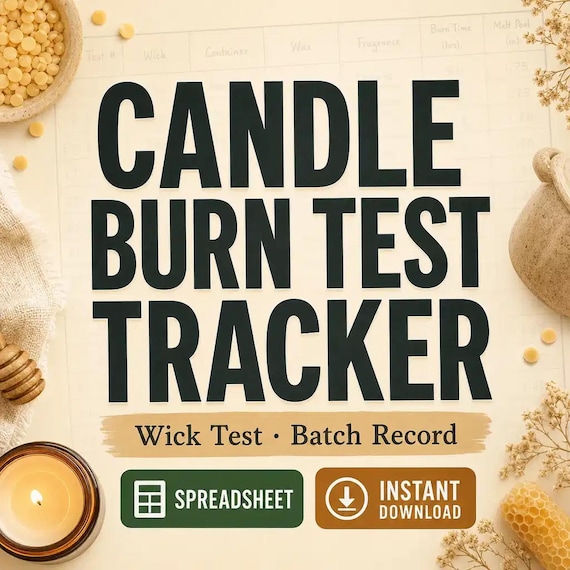
Candle Burn Test Log Spreadsheet
Candle burn test tracker spreadsheet — Excel-first wick test log, batch record, and burn-rate (g/hr) formulas — plus a 13-page…
Candle and Soap Inventory Spreadsheet
This system is built for real small-batch makers who need to track batches, costs, supplies, tests, inventory, product-card…