Therapy Worksheets · Aug 6, 2026 · 15 min read
SFBT Worksheet Setup: From a Preferred Future to One Workable Next Step
A practical guide for trained practitioners choosing and sequencing solution-focused brief therapy worksheets for preferred futures, exceptions, scaling, coping, and progress.
Name the worksheet job before opening the full toolkit
A solution-focused worksheet is most useful when it supports a conversation the practitioner already understands. Start by naming the immediate job in one sentence: clarify a preferred future, notice an exception, make a scale more concrete, recognize coping, choose a small next step, or review change since the last conversation. That decision is more important than the number of pages in the download.
Avoid treating a complete toolkit as a packet that must be finished from front to back. A client may need one carefully chosen page and plenty of conversation, while another page may be useful only at a later review. Choosing the smallest relevant piece keeps the worksheet from becoming an interview script or a demand for polished answers.
This guide is for trained therapists, counselors, social workers, coaches working within their scope, and supervised trainees who already use solution-focused brief therapy principles. It explains file fit and page sequence; it does not teach the model, select care for an individual, or replace supervision and professional judgment.
- Write the purpose of the page before printing or editing it.
- Choose one primary conversation job rather than every available worksheet.
- Keep room to set the page aside if it does not help the conversation.
- Use the client's words and priorities instead of supplying an expert answer.
Check what the current SFBT download actually includes
The current SteadyStackStudio Solution-Focused Brief Therapy Toolkit is described as a 21-page printable resource. Its listed pages cover a preferred future, the miracle question, exceptions, coping, and progress. The package also lists an editable Word version of every worksheet, Excel session, goal, and scaling trackers, and a start-here guide with professional-use and privacy notes.
The formats serve different jobs. The US Letter PDF provides a stable page for printing or digital annotation. The Word files allow approved changes to headings and fields. The Excel workbook is intended for session, goal, and scaling tracking. The files arrive in a ZIP folder, so confirm that the intended device can download and extract the package and that the necessary software is available before checkout.
Inspect the inside-page previews rather than relying on the cover or title. Check the amount of writing space, the wording of instructions, the scale anchors, and whether the page can be introduced naturally in the setting where it will be used. Confirm that the stated files match the current listing before building a workflow around them.
- Use the PDF when a stable printable or annotatable page is the best fit.
- Use Word only when customization is permitted and the edited copy can be controlled.
- Use Excel only for the listed tracking jobs and only in an approved location.
- Keep an untouched original so a customized working copy can be checked later.
Build a small page sequence instead of a complete packet
A practical setup can be as short as five steps: record the client's stated focus, describe a preferred future, notice what already works or happens differently, make progress observable, and choose one next action or observation. The worksheet should help the conversation move; it should not decide what the client must say.
Do not assume that preferred-future, miracle-question, exception, coping, scale, and progress pages all belong in the same meeting. Some of these pages offer different routes to the same useful detail. If a direct preferred-future prompt produces a clear, everyday description, a separate miracle-question page may add little. If a scale feels artificial, an exception or coping page may be a better fit.
Create a simple page map before use. Mark each file as start, explore, review, or optional. That map makes a large download easier to navigate and reduces the chance of handing out a worksheet merely because it is next in the folder.
- Start: the client's best hope or stated focus in their own language.
- Explore: preferred-future, exception, previous-solution, or coping pages as appropriate.
- Clarify: a scale only when its anchors and purpose are clear.
- Close: one small next step, observation, or review point that the client recognizes as useful.
- Optional: any page that repeats information or interrupts the conversation.
Turn a preferred future into observable everyday details
A preferred future becomes useful when it can be recognized in ordinary life. Broad answers such as feel better, communicate more, or be less stressed may express an important direction, but they do not yet show what would be different. A worksheet should leave enough room to describe the first small signs, the setting where they would appear, and what the client or another person might notice.
Keep the description connected to the client's priorities. Ask what they would be doing, saying, noticing, or choosing rather than turning the page into a list of outcomes selected by the practitioner. Include context: a useful sign on a quiet weekend may not mean the same thing during work, caregiving, conflict, pain, or another demanding situation.
Do not force every hope into a perfectly measurable goal while it is still being explored. The page can hold tentative language and can be revised. Its job is to make the desired difference detailed enough to recognize, not to make uncertainty disappear.
- Describe the first small sign rather than only the final outcome.
- Use actions and interactions the client can recognize in daily life.
- Record who might notice a difference and what they might observe.
- Leave space for the preferred future to change as the conversation develops.
Treat the miracle-question page as an invitation, not a script
The miracle question is commonly used to help a client imagine how life would look if the difficulty were resolved or improved. On a worksheet, the value is not the word miracle by itself. The useful material is the client's detailed description of the earliest noticeable differences and the everyday actions connected to them.
A printed prompt can make the question look fixed, but delivery and fit still matter. Some people may find imaginative language engaging; others may prefer a direct preferred-future question. A practitioner should be able to adapt the wording within training, scope, culture, accessibility needs, and the client's response rather than insisting that the blank must be completed exactly as written.
Slow the page down after a broad answer. Capture one detail at a time: what is first, what happens next, what the client does differently, and what someone else might notice. Do not turn the exercise into a promise that a problem will vanish, and do not use future-focused language to move past pain, risk, material barriers, discrimination, loss, or another part of the client's reality that needs attention.
- Preview the exact prompt and make sure its language fits the intended setting.
- Offer a direct preferred-future route when imaginative framing is not useful.
- Follow the client's description instead of correcting it toward a prepared answer.
- Keep required assessment, safeguarding, and crisis procedures active when they apply.
Connect exceptions and previous solutions to the preferred future
Exception pages help identify times when the difficulty was absent, less intense, shorter, handled differently, or prevented from becoming worse. Previous-solution pages look for something the client or others did that helped before. These are related ideas, but the distinction can matter: an exception may occur without a deliberate strategy, while a previous solution may be a purposeful action that is no longer being used.
Record enough context to understand the difference. Note what was happening, who was present, what the client did, what other conditions helped, and which part might be repeatable. Avoid turning an exception into proof that the problem is simple or under complete personal control. Resources, access, safety, relationships, timing, health, and environment may all affect whether a helpful pattern can happen again.
Link the detail back to the preferred future. Ask which small part is already visible and what made it possible. A useful worksheet connection is specific: the client wants calmer mornings, remembers one morning that was slightly easier, identifies the conditions that differed, and decides whether one of those conditions is realistic to notice or recreate.
- Separate a spontaneous exception from a deliberate previous solution when useful.
- Record the conditions around the difference, not only the result.
- Ask the client which details feel meaningful and repeatable.
- Do not use exceptions to minimize hardship or assign blame.
Make scaling numbers meaningful in the client's words
A scale is useful only when everyone knows what is being scaled and what the endpoints mean. Confidence, progress, urgency, hope, safety, readiness, and satisfaction are not interchangeable. Write the exact subject above the scale, define the anchors in language that fits the conversation, and record the date and context if the number will be revisited.
The number is a doorway to description, not a grade. Ask what makes the current point that number rather than a lower one, what the client is already doing that supports it, and what a small difference in the preferred direction would look like. A move from four to five should become an observable description, not a demand to improve by one point.
Do not compare one person's number with another person's number or treat a repeated score as proof that nothing changed. The meaning may shift between conversations. If the scale does not add clarity, use ordinary descriptive questions instead. The listed Excel scaling tracker can help organize repeated entries, but a tidy chart does not make unlike ratings comparable.
- Name one thing being scaled and define both ends clearly.
- Record what supports the current number before focusing on a higher one.
- Describe the smallest noticeable difference in the preferred direction.
- Recheck whether the anchors still mean the same thing at review.
- Stop tracking a scale that no longer helps the conversation.
Use coping pages without shrinking the difficulty
Coping questions can make effort, persistence, protection, and existing resources more visible during difficult circumstances. A coping page may help record how the client has continued, kept something from becoming worse, reached support, completed an essential task, or protected another priority. The tone matters: the question should recognize the weight of the situation rather than imply that endurance removes the need for help.
Write the client's description of what the coping action costs as well as what it accomplishes. A strategy can be useful in one moment and exhausting over time. It may depend on another person, money, transport, health, privacy, or a setting that is not always available. Those conditions belong on the page if they affect whether the action can continue.
Coping pages do not replace risk assessment, crisis planning, safeguarding, medical evaluation, or other required processes. If the situation calls for an approved procedure, follow it directly. A worksheet can support a trained professional's conversation only inside the wider responsibilities of the setting.
- Acknowledge the difficulty before asking what has helped the client continue.
- Record resources and conditions that made the coping action possible.
- Notice both the benefit and the cost of the strategy.
- Use required safety and support procedures instead of expecting a general page to cover them.
Turn the conversation into one workable next step
A useful closing page does not need a large action plan. It can record one small behavior, conversation, observation, experiment, or support that the client identifies as relevant to the preferred future. The step should be specific enough to recognize and flexible enough to fit real conditions.
Connect the next step to evidence already on the page. It might repeat part of an exception, protect a condition that supported a previous solution, notice the first sign described in the preferred future, or test what a small movement on the scale would look like. Write who chose the step, what would make it feasible, and when it will be reviewed.
Avoid using a worksheet to manufacture agreement. If the client does not identify a useful action, the next step may be observation, clarification, another conversation, or no worksheet task at all. Record uncertainty honestly rather than filling the final box because the template has one.
- Choose one step that follows from the client's own description.
- Make the step small, observable, and realistic in context.
- Note the support or condition needed for it to be possible.
- Set a review point without presenting the step as a test the client can fail.
Keep worksheet notes separate from required records
An SFBT worksheet, a case formulation, a treatment plan, a progress note, and a supervision record can inform one another, but they do different jobs. The worksheet supports a particular solution-focused conversation. A formulation organizes a broader working hypothesis. A treatment plan holds agreed goals and required planning details. A progress note documents a contact according to the setting's standards. A supervision record documents supervision, decisions, feedback, hours, and follow-up.
Do not copy the same sensitive detail into every file. Decide before use whether a completed worksheet belongs in the formal record, a permitted working file, or nowhere after the conversation. Follow the employer, placement, board, insurer, privacy, retention, and documentation requirements that apply to the setting and location.
The current SFBT product presents itself as an educational and organizational resource, not a diagnosis, treatment protocol, crisis plan, electronic health record, or replacement for training, supervision, informed consent, professional judgment, and local requirements. Editable files do not become an approved record system simply because they can hold text.
- Choose the record that matches the job instead of making one page serve every purpose.
- Use the minimum necessary information and avoid unnecessary duplication.
- Decide storage, access, retention, and disposal before entering real information.
- Use an approved system whenever policy requires one.
Choose PDF, Word, or Excel by the job
Use the PDF when the page should stay visually stable for printing or digital annotation. Before printing a full set, test one page at actual size. Check margins, type size, writing room, contrast, and whether duplex printing would put unrelated or sensitive pages back to back. If the page will be completed on a device, confirm that the chosen annotation app saves reliably without changing the layout.
Use Word when approved customization will make a heading, prompt, or field fit the setting better. Save an untouched original, create a clearly named working copy, and check that edits do not remove scope notes or make the page promise something it cannot provide. Export a test PDF if the final version will be printed, because spacing and page breaks can change between devices.
Use the Excel trackers for the listed session, goal, and scaling jobs only when a table genuinely improves review. Define every column, keep scale anchors visible, and avoid mixing different measures in one trend. Protect the file according to the setting's rules. If a simple dated note is clearer and safer, a spreadsheet is not automatically the better choice.
- PDF: stable page, test print, or approved digital annotation.
- Word: controlled customization with an original kept unchanged.
- Excel: repeated tracking with clear definitions and permitted storage.
- ZIP folder: confirm extraction and software access on the actual device before purchase.
Test the files with a fictional case before real use
A short fictional test will show whether the download fits better than a cover image can. Use invented information with no connection to a real person. Open the ZIP on the intended device, review the start-here guide, choose one preferred-future or miracle-question page, add one exception, complete one scale, and record one possible next step. Then try revising the page so you know how the working copy behaves.
Check the handoff from one page to the next. The client's stated focus should still be recognizable in the preferred future. The exception should connect to a detail the client values. The scale should have defined anchors, and the next step should follow from the conversation rather than appear from nowhere. Remove any page that only repeats information.
Finally, test the record workflow. Confirm where a blank master lives, how a working copy is named, who can access it, whether printing is permitted, and how the file would be stored or disposed of. If those answers are unclear with fictional information, resolve them before using the template in practice.
- The ZIP extracts and every needed file opens on the intended device.
- The inside pages are readable at the intended print or screen size.
- The page sequence follows one clear conversation job.
- The scale anchors and review date remain understandable later.
- The storage and disposal plan meets the rules of the setting.
Compare SFBT with the neighboring downloads
Choose the featured SFBT toolkit when the practitioner already uses solution-focused principles and needs reusable preferred-future, miracle-question, exception, coping, progress, goal, or scaling pages. Choose the ACT workbook when the main job is values clarification, defusion, willingness, present-moment awareness, perspective, or committed action. Choose the motivational interviewing toolkit when OARS preparation, change talk, confidence, values, and action-planning pages better match the conversation.
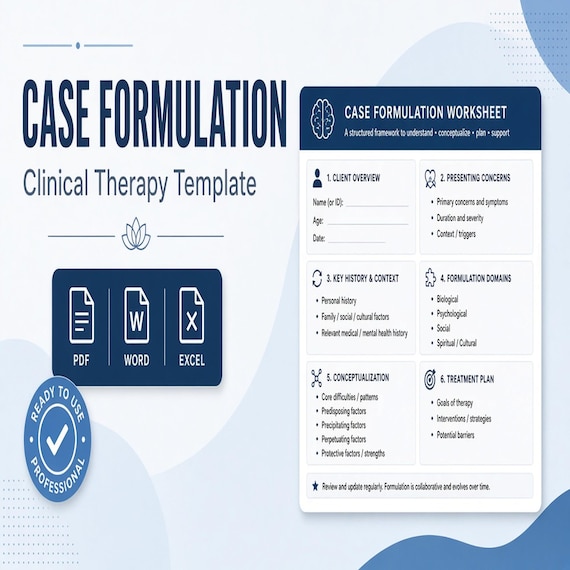
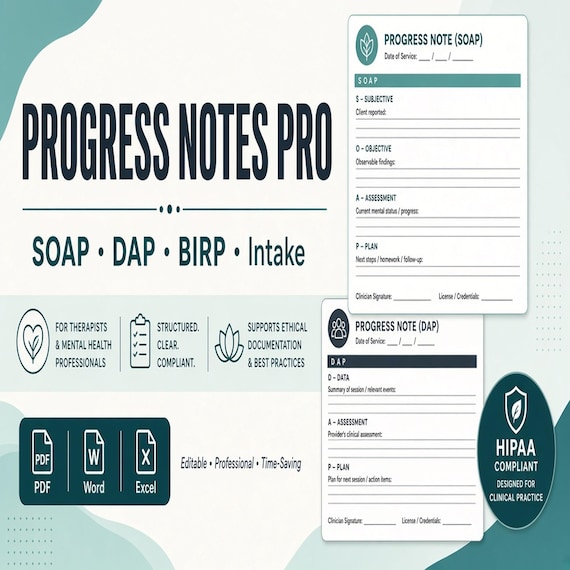
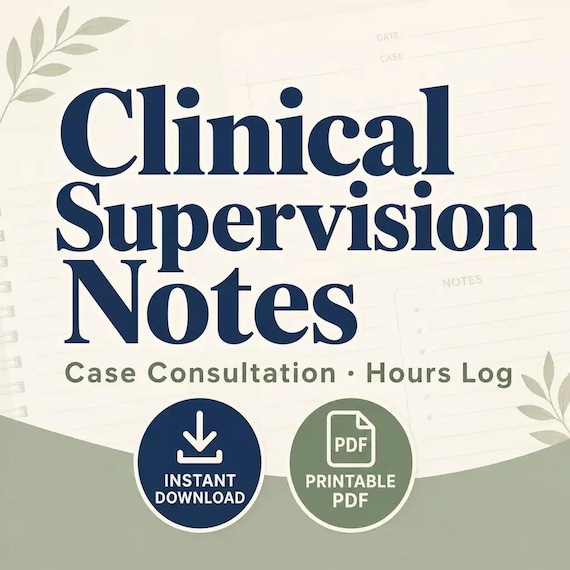
Choose the case-formulation toolkit when the missing task is a broader, revisable working hypothesis across assessment details, strengths, context, maintaining patterns, goals, interventions, and review. Choose the progress-notes and treatment-planner product when printable intake, treatment-plan, and session-documentation forms are the primary need. Choose the clinical-supervision pack when the real job is case preparation, feedback, action items, verified hours, and supervision follow-up.
These files may sit beside one another, but buying several frameworks does not create an integrated professional system by itself. Start with the narrowest download that supports the task already understood, then add another only when a separate gap is clear.
- SFBT: preferred future, exceptions, coping, scaling, progress, and a workable next step.
- ACT: values, defusion, willingness, perspective, and committed action.
- Motivational interviewing: OARS, change talk, confidence, values, and action planning.
- Case formulation: synthesis and a revisable working hypothesis.
- Progress notes or supervision: required record and follow-up jobs rather than framework worksheets.
Run a final fit check before checkout
The SFBT toolkit is a good fit when a trained practitioner or supervised trainee wants a reusable set of solution-focused pages, understands how the pages belong inside a real conversation, and can use the listed PDF, Word, and Excel files within an approved privacy workflow. It is less likely to fit someone seeking self-guided treatment, professional training, a required electronic record, a crisis or risk tool, or a universal packet to give every client.
Open the SteadyStackStudio product page and compare the current previews with the job named at the start of this guide. Confirm the 21-page scope, the pages you expect to use, the editable and tracking formats, the ZIP download, the software available, and the rules of the intended setting. Compare the related therapy downloads only if another framework or record type better matches the real need.
Use Etsy when the page role, file format, scope, storage plan, and current listing details are clear. Skip the purchase if the prompts do not fit the practitioner's training or audience, the files cannot be stored appropriately, a required system already covers the job, or the worksheet would add paperwork without improving the conversation.
- The intended user already has the training and supervision needed for the model.
- One or more visible pages solve a specific preparation or review job.
- The file formats work on the intended device and in the approved system.
- The toolkit complements rather than replaces assessment, safety, consent, and documentation duties.
- The current product page and Etsy listing agree on what is included.
Printables used in this guide
Instant downloads from the SteadyStackStudio Etsy shop.
Motivational Interviewing Worksheets
A calm, practical download for counselors, social workers, coaches, supervised trainees, and other trained helping professionals…
Case Formulation Template
Therapist Case Formulation & Conceptualization Toolkit Bring assessment details, working hypotheses, strengths, context…
SOAP Note Template and Therapy Progress Notes
Therapist Progress Notes Pro — a mid-tier multi-format documentation pack for clinicians who want real SOAP, DAP, and BIRP…
Clinical Supervision Notes Template
A calm, practical download for clinical supervisors, supervisees, counselors, social workers, and training programs that need a…