Event & Wedding Pros · Jul 6, 2026 · 6 min read
Photographer Mini Session Workflow Template: What to Check Before You Buy
A practical checklist for comparing mini session workflow templates, client prep guides, shot lists, and file formats before opening the download on Etsy.
Start with the path from booking to gallery delivery
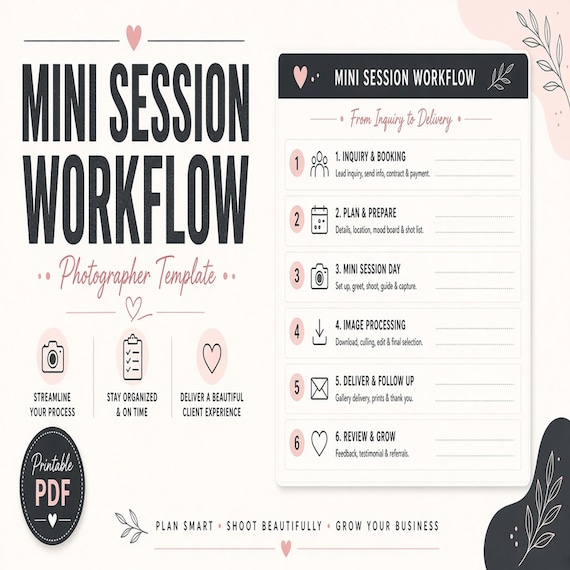
A mini session template should make a fast, repeatable photography day easier to run. The first thing to check is whether the download follows the whole path: inquiry, booking, prep, session-day timing, shot list, follow-up, and delivery. Pretty pages help, but they do not replace a clear order of operations.
Mini sessions move quickly. If a buyer is trying to fill a 10-minute or 20-minute slot, the useful template is the one that reduces repeated decisions before the first client arrives. Look for pages that tell you what to send, what to collect, what to remind clients about, and what to do after each session.
- Booking steps: inquiry reply, package details, time slot, payment note, and confirmation.
- Prep steps: outfit guidance, location directions, arrival time, children or family notes, and weather backup details.
- Session-day steps: quick pose flow, must-have frames, transition notes, and buffer time.
- Delivery steps: gallery timeline, image selection notes, print or upgrade reminders, and follow-up message.
Check whether the client prep guide answers real questions
A strong client prep guide should do more than look polished. It should answer the questions photographers usually receive again and again: what to wear, when to arrive, what to bring, how children should be prepared, whether pets are allowed, where to park, and when the finished gallery will be ready. If the guide does not remove repeated messages, it may not save much time.
- Look for client-facing wording that sounds warm but clear.
- Make sure there is room to add your own location, weather, outfit, and timing notes.
- Check whether the preview shows actual prep pages, not only a cover mockup.
- Prefer files that can be edited for different themes, locations, and session lengths.
Make sure the shot list fits a short session
Mini sessions are not full portrait sessions squeezed into a smaller window. The shot list needs to be short enough to use in real time. A good workflow template should separate must-have shots from nice-to-have extras so the photographer is not trying to remember every pose while watching the clock.
For families, couples, branding minis, or holiday sets, the checklist should help you move from safe frames to variety quickly: full group, close crop, individual moments, detail shots, and one or two personality frames. If the template includes a session map or timing block, that is even better because it turns the shot list into a plan.
- Must-have frames should be visible at a glance.
- Pose prompts should be short enough to read quickly.
- Timing notes should leave room for late arrivals or a nervous child.
- The template should not force a wedding-length shot list into a mini-session product.
Compare file types before you open the Etsy listing
Before buying, check which formats are included and whether they match the way you work. Editable Canva pages can be useful for branded client guides. PDF pages are better for quick reference or printing. Spreadsheets are useful when the download includes booking slots, client lists, payment status, or gallery delivery tracking. A template with several formats can be more useful than a single pretty PDF if you need both client-facing pages and behind-the-scenes organization.
- Editable pages help with colors, fonts, logo placement, and wording changes.
- Printable PDFs help with session-day clipboards and quick reference sheets.
- Spreadsheet trackers help with slot times, balances, email status, and delivery notes.
- Preview images should show enough of the actual pages to confirm what you receive.
If you searched for 17hats workflow templates
A 17hats workflow template search usually means you want fewer repeated admin steps, but not every useful download is a native 17hats import. Before buying, check whether the product is a general workflow checklist, a client-prep guide, email wording, a DOCX/PDF handout, or a spreadsheet tracker that you can manually adapt inside your existing client system.
For photography mini sessions, the most important fit check is the actual workflow: inquiry reply, booking confirmation, prep instructions, session-day shot flow, gallery delivery, and follow-up. If you already use 17hats, HoneyBook, Dubsado, or another client tool, use the download as your structure and copy only the pieces that match your packages and policies.
- Check whether the listing claims a platform import or simply provides editable files you adapt yourself.
- Look for client-ready wording you can paste into emails, forms, scheduler notes, or prep guides.
- Confirm the download includes the workflow pieces you repeat most: inquiry, booking, reminders, shot list, delivery, and follow-up.
- Keep one clean original file and build your working 17hats/HoneyBook/Dubsado version from a copy.
Look for client messages and boundaries
The best mini session systems usually include communication pieces, not just a checklist. Clear messages reduce confusion around lateness, outfit changes, rescheduling, gallery timing, retouching limits, and upgrade options. If a download includes reminder text, follow-up wording, or a client prep note, read the preview closely to see whether the tone fits your brand.
- Booking confirmation should clearly repeat date, time, location, and next step.
- Reminder copy should be friendly but direct about arrival time and preparation.
- Delivery notes should set expectations around gallery timing and included images.
- Policy wording should be easy to edit so it matches your actual business rules.
Use previews to spot copy-and-paste work
A buyer should be able to tell from the preview whether the template is made for photographers or just renamed from a generic planner. Look for photography-specific language: session prep, shot flow, gallery delivery, image selection, outfit guidance, location notes, and client experience. Generic task pages can still be useful, but they should not be the only thing in the pack.
Also check whether the pages leave enough blank space for your own details. A beautiful guide can become frustrating if every page is locked into one exact service style, one location type, or one brand voice. The right download gives structure without forcing you to rewrite everything.
- Open the product page images and look for real page samples.
- Avoid downloads that show only lifestyle mockups with no readable contents.
- Check whether the template is specific to mini sessions, client prep, and shot planning.
- Choose pages that can handle family, couple, branding, holiday, or themed minis with small edits.
Match the template to your busiest bottleneck
Different photographers need different help. If the problem is client confusion, start with a client prep guide. If the problem is a chaotic shoot day, choose a shot list and timing checklist. If the problem is admin follow-up, look for email copy, booking trackers, payment notes, and delivery reminders. A smaller template that fixes the main bottleneck is often more useful than a large bundle that does not fit your workflow.
- For inquiry overload: look for reply copy, package explanation, and booking instructions.
- For nervous clients: look for prep guidance, outfit tips, and timeline expectations.
- For rushed sessions: look for a tight shot list, timing grid, and session-day checklist.
- For missed follow-up: look for gallery delivery notes and post-session message prompts.
Open the matching product page before Etsy
Use the SteadyStackStudio product page as a quick fit check before going to Etsy. For a photography mini session workflow, start with the page for the Photographer Mini Session Workflow Template, Client Prep Guide and Shot List. Confirm the title, category, image preview, file purpose, and related templates before opening the Etsy checkout page.
If your business is close but not exactly photography, compare adjacent products too. A wedding content creator kit, photo booth business kit, customer file checklist, or handmade product card template may solve a related workflow problem better than a photography-specific guide. The goal is to buy the download that matches the job you repeat most often.
- Open the operator templates topic page if you want to compare several business workflow downloads.
- Use related products to compare client prep, shot lists, file handoff, booking forms, and customer-facing instructions.
- Check the product previews first, then open Etsy when the format and purpose are clear.
- Save a clean original copy after purchase so you can edit a working version without losing the starter file.
Printables used in this guide
Instant downloads from the SteadyStackStudio Etsy shop.
Mini Session Planner for Photographers
Plan mini-session dates, clients, shot lists, outfit-prep notes, gallery delivery, and follow-up steps.
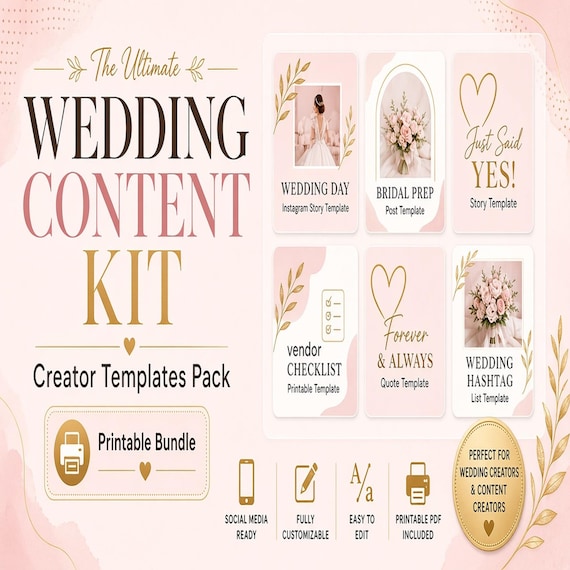
Wedding Content Creator Kit
A practical digital template bundle built around an urgent buyer need: Client intake, shot list, wedding-day timeline…

Candle Care Card and Soap Label Templates
Soap and candle makers who need real label/card sheets for markets and shops — not a thin one-page mockup.
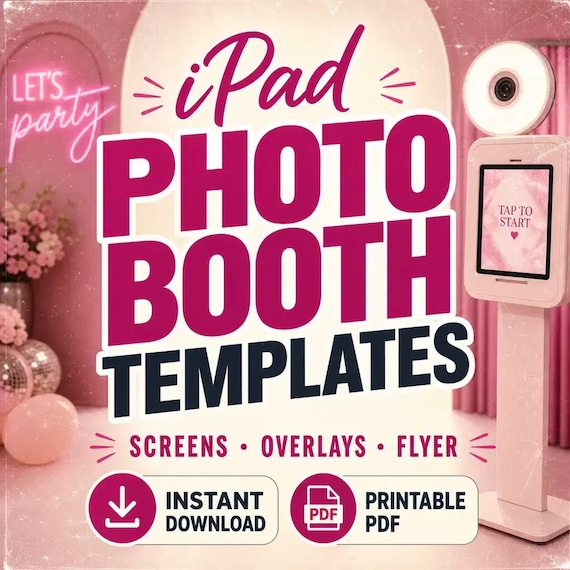
iPad Photo Booth Templates
A downloadable iPad photo booth template bundle with start screens, overlay assets, flyer designs, contract-style forms and…