Caregiver & Just in Case · Sep 14, 2026 · 17 min read
Pet Emergency Binder Setup: Record Each Pet's Profile, Vet Contacts, and Sitter Checklist
A practical setup plan for the pet emergency binder: confirm the PDF and Word files, give every pet a stable identity, put vet and emergency contacts in calling order, make feeding and medication followable, and hand a sitter a checklist they can use without guessing.
Confirm what the current download includes
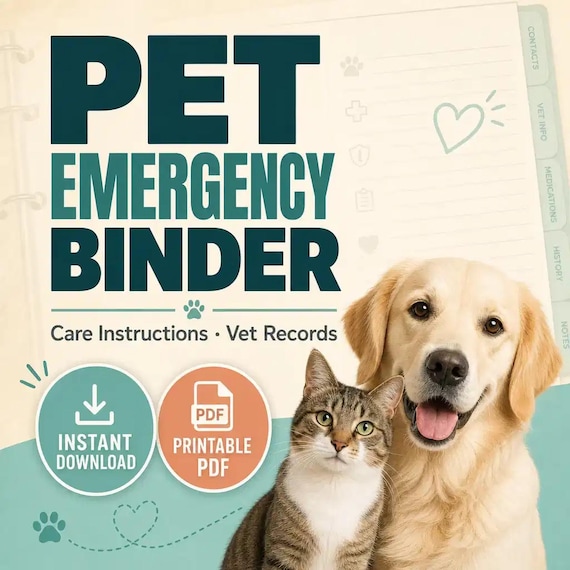
Start with the files the current listing actually describes. The SteadyStackStudio Pet Emergency Binder is a digital organizer for pet owners who want emergency caregivers, sitters, or family members to know what each pet needs. The listed contents are printable PDF organizer pages, an editable Microsoft Word (.docx) version, a Quick Start PDF, and a README/license note. It is an instant digital download. No printed binder, tabs, vet records, microchip tags, or supplies ship.
Open the unzipped folder and compare it with that list before anyone writes on a page. Confirm you received both printable PDFs and the Word files. This page does not add Excel, Google Sheets, a shared calendar, a microchip registry login, or a compiled pet database. If a README or license note is in the folder, read it before you print a sitter-facing page or duplicate the files for a second household.
The listing is also explicit about scope. These pages help you organize pet care instructions, vet contacts, feeding, medications, and sitter notes. They are templates only. They are not legal, medical, veterinary, insurance, or professional advice, and they do not replace a veterinarian, a reviewed household plan, or the actual records your clinic keeps. You remain responsible for filling every page with current facts for the animals you actually live with. Personal, household use for the purchasing buyer is the usual digital-download rule. Do not resell, share, or redistribute the raw template files.
- Verify that the download matches the listed PDF pages, Word files, Quick Start PDF, and README/license note.
- Confirm PDF plus Word. Do not expect Excel, Google Sheets, or a booking app.
- Read any license note before a second person prints from the working copy.
- Treat the pack as editable pet paperwork, not as a shipped binder or a veterinary service.
Decide whether a pet-first packet is the missing job
This pack fits when the friction is one animal's care record, not a whole-household emergency map. A family emergency binder can hold contacts, document locations, and a short pet note next to childcare and utilities. That is useful. It is not the same as a packet a sitter can follow for feeding, medication, daily routine, and what to do if the pet will not eat. The useful question is not “does the cover look like a pet planner.” It is “can one pet, one feeding plan, one medication list, and one sitter checklist travel together without living in a notes app and a text thread.”
It also fits when you already have a vet, a food brand, and a usual walker and still lose the paper trail. Owners often keep the clinic number in a phone, the feeding amount in a cupboard, and the “do not give chicken” rule in a message from last year. That works until someone else is in the house, a clinic is closed, or two pets have different food. A printed PDF in a known place plus a Word copy you can update after a diet change is a better match for that job than a one-line pet box inside a household binder.
Skip this pack, or use it only as a neighbor, if the real need is a household emergency plan, a human medical binder, or a just-in-case organizer for people. Those jobs live in their own downloads. Skip it if you run a grooming, walking, or pet-sitting business and needed client intake for paying customers. Those are service forms, not an owner packet. Choose the smallest complete download that matches the missing job. If you want the pet binder plus death binder, documents map, medical binder, and the rest of the life-admin set in one ZIP, compare the complete bundle instead of stretching this pet pack.
- Use this pack when one pet's profile, vet contacts, feeding, medications, and sitter checklist are the gap.
- Use it when a printed page and an editable Word file need to describe the same animal.
- Do not expect a household evacuation map, a human medication binder, or a shipped pet book.
- Do not buy it first if the real need is family emergency pages, a death binder, or pet-service client forms.
Protect the masters and make a working copy
Download the ZIP once, unzip it into a folder you will not edit, and duplicate that folder for daily work. Name the master something obvious, such as original-pet-emergency-binder, and leave it closed. All pet-name changes, printed tests, and sample sitters happen in the working copy. If a print-margin experiment clips a medication line or a heading is overwritten, you still have the listed files.
Keep the two formats in their roles. Print the PDF when a page has to travel in a folder, on the fridge, or with a sitter who should not edit your wording. Edit the Word file when names, clinic numbers, food amounts, or sitter rules need to match how you actually care for the animal. Do not treat the PDF as the only record if the Word file is where you keep the current feeding amount. Do not invent a third unofficial version in a notes app that uses different headings.
Write a one-line use note in the working folder: internal household copy, sitter-facing packet, or boarding folder. That note stops the same file from being handed to a weekend visitor and used as a private health log without a fresh review. Finished-household use is not the same as redistributing the raw pack. If more than one person will print from the files, keep one working copy and a short rule about who may change amounts and clinic numbers.
- Unzip once, keep a locked master, and edit only a duplicate.
- Use PDF for a traveling page and Word for current feeding, medication, and contact wording.
- Write the intended job on the working folder so the same files are not reused blindly.
- Follow the listed license: household use is not the same as reselling the raw pack.
Give every pet a stable identity on the Start Here page
A sitter page is useless if nobody can tell which animal it belongs to. Before the first live handoff, decide how each pet will be named on every sheet. Use the name people actually call them, plus one extra detail that separates look-alikes, such as luna-black-cat or river-senior-beagle. Write the same identity on the Pet Profile, Vet and Emergency Contacts, Feeding Routine, Medication and Health Notes, Daily Routine, Emergency Care Instructions, Pet Sitter Checklist, Vaccination and Records Log, Boarding / Travel Notes, Supplies Tracker, and Update Log.
Open the Start Here page first, as the listing instructs. Use it as the cover rule for the packet, not as decoration. Record where the finished copy lives, who may update it, and which pet the folder is for if you keep more than one animal. If you print one packet per pet, label the folder with that identity. If you keep several pets in one binder, give each pet a tab or a repeated identity line at the top of every page so a sitter never mixes food bowls.
List what “current” means. A useful first status is complete-enough-for-a-sitter, needs-clinic-update, or travel-packet-ready. Pick a short list and do not invent a new word after every vet visit. The printed packet is the place for that status when the person in the house cannot open your phone. If you later add a date on the Update Log, use the same pet identity there instead of a nickname only one person understands.
- Give each pet a short identity that appears on every page in the packet.
- Fill Start Here before you decorate later pages.
- Say where the finished copy lives and who is allowed to change it.
- Do not keep a second unofficial list in messages that uses different names.
Write a Pet Profile a stranger can use
The Pet Profile is the page that should answer “who is this animal” without a follow-up text. Write the name, species, breed or mix if you know it, sex, approximate age or birth year, color and markings, and any ID that actually exists, such as a collar tag number or a microchip number you have verified. If you do not have a microchip number, leave that line blank rather than guessing. A blank line is safer than a wrong number.
Add the facts a stranger needs in the first minute: typical weight range if you know it, whether the pet is indoor, outdoor, or both, and one sentence about temperament that is specific. “Warms up slowly, do not reach over the head, likes treats from an open palm” is usable. “Sweet boy” is not. If two pets in the house cannot be left loose together, write that on both profiles. If a pet is not safe around children, other animals, or open doors, that belongs here, not in a later story.
Keep photos in the same physical place as the packet if you use them, but do not pretend the download includes photo software. A printed recent photo in the folder, labeled with the same pet identity, helps a sitter or a clinic confirm they have the right animal. Update the profile when the animal’s appearance or ID changes. The profile is a current snapshot. It is not a baby book and it is not a replacement for the clinic’s medical chart.
- Record name, species, markings, and any ID number you have actually verified.
- Write temperament and household rules in words a first-time sitter can follow.
- Leave unknown lines blank instead of inventing a microchip or birth date.
- Keep the profile short enough to read in one minute.
Put vet and emergency contacts in calling order
The Vet and Emergency Contacts page should work when the usual person is unavailable. Write the primary clinic name, address, and phone number as they appear on a recent invoice or the clinic’s own card. Add the after-hours or emergency clinic you would actually drive to, not a hospital across town you have never visited. If you have a poison-control number you already use, put it on this page. Do not invent a clinic relationship that does not exist.
Put people in calling order. Owner first, backup person second, then anyone else who can make a decision or get to the house. Include a number that will be answered, not only an email. Write what each person is for: “can pick up from clinic,” “has house key,” “can approve emergency treatment up to a stated limit you have already discussed.” If that limit conversation has not happened, the page cannot create it. The template records the decision. It does not make the decision.
Read the finished page out loud as if you were the sitter. Can they find the clinic without unlocking your phone? Can they tell which number is after-hours? If two pets use different clinics, say so on each pet’s page. Do not hide a second clinic in a group text. This pack does not include click-to-call software or a shared address book. The printed order of names is the system.
- List the primary clinic and the after-hours clinic you would actually use.
- Put people in calling order with a reachable number and a one-line role.
- Record only contacts and limits you have already agreed, not hoped-for ones.
- Test the page without your phone in hand.
Make feeding, medication, and daily routine followable
Feeding is where most sitter mistakes start. On the Feeding Routine page, write the food name as it appears on the bag or can, where it is stored, how much, how often, and what not to give. “One-half cup of the brown kibble in the pantry bin at 7 a.m. and 6 p.m., water always available, no grapes, no table scraps” is usable. “Feed normally” is not. If meals are timed with medication, say that on both the feeding page and the medication page so neither sheet contradicts the other.
Medication and Health Notes should name the product, the dose, the time, and the place the bottle lives. Include how it is given — with food, in a pill pocket, or as a topical — and what to do if a dose is missed only if your veterinarian has already told you. Do not write a new medical plan on this page. If the pet has allergies, chronic conditions, or a recent procedure, record them as facts the sitter and the clinic already need, then stop. This binder is not a diagnosis form and it is not a substitute for the clinic record.
Daily Routine is the ordinary day, not a wish list. Walks or play, litter or yard access, crate or quiet hours, and any cue that prevents a problem belong here. “Leash before the door opens,” “litter scooped each morning,” and “last outing at 10 p.m.” are the kind of lines that save a night. If the routine changes on weekdays versus weekends, write both. Keep the page short enough that a tired person can follow it. The files you received are paper and Word pages. They do not send reminders.
- Name the food, amount, times, storage place, and foods to avoid.
- Write medication as product, dose, time, location, and how it is given.
- Keep daily routine as the actual day, including door and yard rules.
- Do not invent missed-dose or medical advice the veterinarian has not given.
Write emergency care instructions a sitter can follow under stress
The Emergency Care Instructions page is for the next hour, not for every possible crisis. Write what to do if the pet will not eat, is vomiting, is missing, is injured, or got out. Keep each situation to a few lines: what the sitter should look for, who to call first, and whether to wait or go to the emergency clinic. Tie those lines to the same contact order you already wrote. A page that says “call me” with no backup number fails the moment you cannot answer.
Be specific about access. Where is the carrier? Where is the leash? Where is the extra litter or the muzzle if you use one? If the pet bolts when the door opens, write the door rule on this page as well as on Daily Routine. If you have a recent photo in the folder, mention that it is there. Do not assume a sitter will hunt through drawers while an animal is loose.
Stay inside the template’s job. These pages organize instructions. They do not diagnose, authorize treatment, or replace a veterinarian. If a situation needs a clinical decision, the instruction is to call the clinic or the emergency number you listed, not to improvise from a blog post. If you want a household evacuation map, utilities, or people-first medical profiles, that work belongs in the family emergency binder, not in extra sentences squeezed onto this pet page.
- Write short if-then lines for not eating, injury, escape, and after-hours care.
- Point to the same calling order, carrier, leash, and extra supplies.
- Keep the page usable under stress; cut decoration.
- Do not turn emergency notes into veterinary advice.
Use the Pet Sitter Checklist as a handoff, not a novel
The Pet Sitter Checklist is the page you walk through before you leave, not a document you email at the airport. Use it to confirm the sitter has seen feeding, medication, daily routine, contacts, and where the packet lives. Check that keys, alarm codes if you choose to share them, and the pet’s location in the house are clear. If you do not want a code written down, say how the sitter will get in and keep that method off a page that might be photographed.
Keep household privacy in mind. A sitter needs pet facts, not your full document map, passwords, or human medical details. If those belong somewhere, they belong in the important-documents organizer, digital life organizer, or medical information binder — not copied onto a pet sitter page. The pet packet should be complete for animal care and small enough to hand over without exposing the rest of the household file.
Date the checklist for this stay. Write the start and end, who is on duty, and any one-time exception, such as a mid-stay vet visit already booked. After the stay, mark the Update Log if food amounts, behavior, or supplies changed. Do not leave last month’s stay notes looking like standing rules. The listing does not include a messaging app or an automated reminder. The dated checklist plus a known folder is the handoff the files actually give you.
- Walk the sitter through the checklist before you leave, with the packet in hand.
- Share only the access details you are willing to put on paper.
- Keep human passwords and household document maps off the pet pages.
- Date the stay and update the packet if anything changed while you were gone.
Keep vaccination, boarding, supplies, and the update log current
The Vaccination and Records Log is a location guide and a short history, not a replacement for the clinic chart. Write what exists and where the proof lives: rabies certificate in the front sleeve, other records in the clinic portal, last visit date if you know it. If you photocopy a certificate into the folder, label it with the pet identity and the expiration date you can read on the paper. Do not recreate a full medical history from memory.
Boarding / Travel Notes are for a kennel, a second home, or a trip where someone else feeds the pet. Copy the same identity, feeding, medication, and contact facts rather than writing a second unofficial version. Add only what changes for travel: crate size, reservation name, drop-off time, and what must go in the bag. The Supplies Tracker is the boring list that prevents a 9 p.m. store run: food, litter, medication quantity, and where extras are stored. Count what is actually in the house, not what you meant to buy.
Use the Update Log every time a fact that a sitter would need has changed. New food, new dose, new clinic, new “do not” rule, new microchip number. Write the date, the pet identity, and the change in one line. A log that is three years stale is worse than a short packet that is true. Set a simple review habit you will keep, such as after each vet visit and before each trip. The files do not create that habit. The log is where you prove you kept it.
- Record where vaccination proof and clinic records actually live.
- Reuse the same feeding and medication facts on boarding notes instead of a second story.
- Count real supplies in the house, including medication quantity.
- Log every sitter-facing change with a date and the pet identity.
Run a ten-minute stranger test before a real handoff
Before a live sitter uses the packet, hand it to someone who does not live the routine. Ask them to find the pet, the food, the medication, the clinic number, and the carrier using only the pages. Time it. If they need your phone, a cupboard tour, or a follow-up question you did not write down, fix the Word file. The test is the point. A pretty packet that still requires you to narrate the day has not done the job.
Print one test set at the size you will actually store. Check margins, handwriting space, and whether the feeding amounts remain readable after a normal amount of ink. If a heading wraps badly or a table feels too tight, fix the Word file and reprint the test. Keep that test packet in the working folder as the example of a complete pet. If you have two animals, run the test once per identity so food bowls cannot be swapped.
Write a one-page household rule next to the working copy: which pages a sitter sees, where the finished folder lives, who updates amounts, and how often the Update Log is checked. The files do not create that rule for you. A short rule plus an untouched master is the method that matches a PDF and Word kit. If the test shows you also need a whole-household emergency map, a human medication list, or client forms for a sitting business, stop and compare those downloads instead of rewriting pet headings until they pretend to cover every job.
- Ask someone else to find food, medication, clinic, and carrier from the pages alone.
- Print a test set and check handwriting space before a real stay.
- Write a short filing and update rule next to the working copy.
- Compare a neighboring kit if the test reveals a different missing job.
Who this fits, who should skip it, and what to check before Etsy
This setup fits pet owners who already have animals in the house and need one consistent path from profile to sitter checklist. It is especially useful when more than one person might feed, medicate, or open the door. A PDF page that can sit in a known folder and a Word file you can rewrite after a diet change match that rhythm better than a long note nobody files. It is a weaker fit if you already keep a complete, current pet record and only wanted a decorative cover, or if the real gap is people-first paperwork.
Choose a neighboring download when the job is not a pet-first packet. The family emergency binder is for household contacts, medical basics, document locations, and short notes for sitters and caregivers across the home. The medical information binder is for human medications, providers, and appointments. The death binder includes a pet-care line inside a just-in-case plan for people; it is not a full feeding and sitter kit. Pet-sitting, walking, and grooming forms are for a service business with paying clients. The complete life-admin bundle is the comparison when you want several of those organizers in one ZIP.
Use the SteadyStackStudio product preview as a final check. Confirm the title, price, file type, preview image, and related downloads all point to pet profile, vet contacts, feeding, medications, sitter checklist, and records. A good match should show printable PDFs and editable Word files, not a shipped binder and not a clinic portal. Once the product page and Etsy listing agree on what is included, the Etsy click is the checkout step rather than a blind jump. After checkout, run the ten-minute stranger test before a real sitter uses the pages. The files help you keep a clearer record. They do not replace veterinary judgment or a conversation you still need to have with the person who will be in your house.
- Good fit: households that need one pet's profile, contacts, feeding, medications, and sitter checklist in one kit.
- Weaker fit: buyers who already have a current pet record, or who needed household, human-medical, or service-business pages.
- Compare the family emergency binder, medical binder, death binder, or complete bundle when those jobs are the real gap.
- Check the preview images and file details before opening Etsy, then test the packet with a stranger before a live handoff.
Printables used in this guide
Instant downloads from the SteadyStackStudio Etsy shop.
Pet Emergency Binder Printable
A practical pet care instructions printable for pet owners who want emergency caregivers, sitters, or family members to know…
Family Emergency Binder Printable
Family emergency binder for households: 28-page fillable PDF with household profile, emergency contacts, medical info pages…
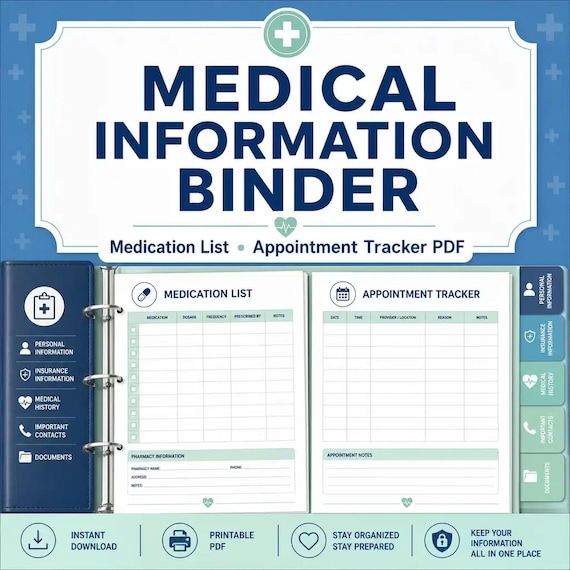
Medical Binder Printable
A practical medical information binder for families who want health contacts, medications, appointments, and insurance details…

Emergency Binder Printable
Emergency Binder Printable with Death Binder, Just in Case Binder, End of Life Planner, Important Documents Family Organizer PDF.