Caregiver & Just in Case · Jul 24, 2026 · 13 min read
Family Emergency Binder Setup: Build a Quick-Reference Plan for Home, Sitters, and Caregivers
A practical way to organize household contacts, medical basics, document locations, care notes, and a secure handoff without trying to finish every page at once.
Confirm what the current family emergency binder includes
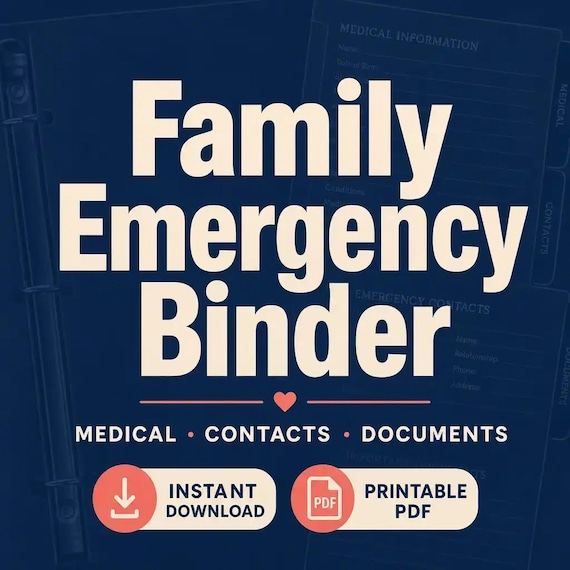
Start with the current product details rather than assuming every emergency binder has the same pages. The featured download is described as a printable PDF and an editable Word document in US Letter size, with a quick-start guide and README. Its listed sections cover family emergency contacts, quick-reference information, one household medical profile per person, allergies, medications, providers, insurance and document checklists, home utilities, evacuation notes, pets, childcare, and caregiver information. It is an instant digital download; no printed binder or physical supplies are shipped.
That scope makes the file an organizer, not an emergency response service or a substitute for medical, legal, insurance, or public-safety guidance. Before checkout, inspect the current preview images and file list, confirm that PDF and DOCX files suit the devices and software available in the household, and decide who will maintain the finished copy. A useful binder should help another person find verified information quickly. It should not ask them to interpret an outdated note, guess at a medical instruction, or search through every household record while time is limited.
- Confirm the current PDF, DOCX, US Letter, quick-start, and digital-delivery details.
- Choose one person to maintain the main copy and one trusted backup when appropriate.
- Treat every blank field as optional until its purpose and privacy risk are clear.
- Use official local instructions and qualified advice for decisions the template cannot make.
Give the front pages one quick-reference job
An emergency binder becomes easier to use when its first pages answer the questions a trusted helper is most likely to face. Build a short quick-reference section from the included contact and household pages instead of placing every form at the front. The exact order should reflect the home: who lives there, who may be caring for children or pets, which contact should be called first, and where the fuller records are kept.
Keep this section brief enough to scan. Use clear names and roles, current phone numbers, the household address, an agreed meeting or contact plan, and a dated note showing when the information was checked. Add only medical basics that the household has verified and that a helper genuinely needs. If a detail requires explanation, point to the fuller profile rather than squeezing it into tiny print. The front section is a navigation page, not a place to copy every policy number, identity document, password, or private account detail.
- Put the first household contact and a backup near the top.
- Label each person by role so a sitter or caregiver understands the relationship.
- Add a reviewed date to every quick-reference page.
- Point to secure records instead of crowding sensitive details onto the first sheet.
Plan the handoff before filling every form
Picture one realistic moment when someone else might open the binder. A sitter may need a parent, pediatric provider, allergy note, pet routine, and the location of a spare key. A family member staying in the home may need utility contacts, an evacuation plan, and a clear way to reach the household. A caregiver may need a current provider list and medication record while keeping daily care notes in a more specialized system. These situations share some information, but they do not require identical access.
Write the main handoff moments on a scrap page before completing the download. For each one, name the person using the binder, the first decision they may need to make, the information that supports that decision, and anything they should never have to guess. This prevents the project from becoming a page-completion exercise. It also shows when one general binder is enough and when a separate caregiver, medical, pet, or important-documents organizer would be clearer. Complete the highest-value handoff first, then add the less urgent sections in later sessions.
- Name the likely reader: household member, sitter, caregiver, neighbor, or trusted relative.
- List the first three facts that person would need in the agreed situation.
- Separate shared household information from role-specific private records.
- Mark pages that require confirmation before anyone relies on them.
Build a contact chain with roles and backups
A long address book is not the same as a contact plan. Arrange the included contact information in a simple sequence. Put the primary household contact first, then an alternate who is likely to answer, followed by the providers, school or childcare contacts, pet contacts, utility providers, or local services that fit the household plan. Use the current local emergency number and official alert channels for the place where the binder will be used; do not assume one generic list works everywhere.
Beside each name, add a role and the circumstances in which that person should be contacted. A phone number without context can leave a sitter wondering whether someone is a neighbor, relative, clinician, veterinarian, landlord, or service provider. Verify consent before assigning a person a responsibility, and confirm that backups know what they have agreed to do. Call or message non-emergency contacts during setup so wrong numbers and old relationships are corrected before the page is needed. Keep one dated master list, then replace stale copies rather than letting several versions circulate.
- Order contacts by likely use instead of alphabetically.
- Record each person's role, preferred contact method, and agreed responsibility.
- Verify non-emergency phone numbers rather than copying an old list unchanged.
- Remove or securely destroy superseded contact pages after an update.
Complete one verified household profile at a time
The current download calls for one profile per household member and includes space for medical information such as allergies, medications, and providers. Complete one person's page from current, reliable records rather than filling the whole household from memory. Use the names and wording shown on current labels, instructions, insurance records, or provider information, and ask the person or responsible caregiver to review the page when possible. Add the date checked so a later reader can judge how current it is.
Keep facts separate from instructions. A binder can identify an allergy, list a medication as currently recorded, and provide a clinician or pharmacy contact. It cannot diagnose a condition, change a dose, explain a new symptom, or authorize care. Do not invent an instruction to make the page look complete. If an emergency action plan, signed authorization, or other formal direction exists, record its secure location and follow the issuing professional's current instructions. If a field is uncertain, mark it for verification instead of copying a best guess into a page that may be trusted later.
- Work person by person so names and records do not cross between profiles.
- Copy only current, verified information and record the review date.
- List providers and record locations without turning the page into medical advice.
- Flag uncertain or changing details for confirmation rather than guessing.
Turn home and evacuation notes into a usable map
The listed home-utility and evacuation pages are most helpful when they reflect the actual property and the official guidance for the area. Record the household's agreed exits, meeting places, communication plan, accessibility needs, transportation limits, and the official sources used for local alerts. Walk through the plan with the people who live in the home. A route that looks simple on paper may be blocked, difficult at night, unsuitable for a mobility need, or confusing to someone who enters through a different door.
For utilities, identify the provider, account contact route, and the known location of relevant controls only when that information belongs in the household plan. Do not tell an untrained sitter or helper to operate gas, electrical, water, heating, or other equipment. Record who is authorized to act and direct everyone else to the utility provider, property manager, emergency service, or other appropriate authority. Keep alarm, device, building, and evacuation instructions consistent with manufacturer, landlord, venue, and local requirements. The binder should reduce searching without creating a risky shortcut.
- Walk the agreed exits and meeting points instead of relying on a diagram alone.
- Include accessibility, mobility, language, transportation, and communication needs.
- Use current official alert and local authority information for the household's location.
- Do not turn a utility location note into an unqualified operating instruction.
Make child, pet, sitter, and caregiver notes action-ready
The current file includes childcare, pet, and caregiver notes, which can make a general household binder useful during an ordinary handoff as well as an urgent one. Keep each set of instructions attached to the right person or pet. Use clear headings, current routines, approved contacts, known restrictions, pickup or access information where appropriate, and the location of any separate authorization or formal care plan. Avoid unexplained family shorthand that an occasional sitter would not understand.
Test the page with the person expected to use it. Ask them to locate the first contact, identify which child or pet a note belongs to, and explain where a fuller record or supply can be found. Fix anything that requires verbal translation. For ongoing care, use the general binder as a stable household overview and keep changing appointment logs, medication administrations, symptom notes, payments, or detailed care records in the system intended for those jobs. A concise handoff page and a dedicated working log can support each other without becoming two conflicting masters.
- Label every instruction with the correct person or pet and a review date.
- Use plain language that a first-time helper can follow without family shorthand.
- Point to approved authorizations and care plans rather than recreating them casually.
- Keep frequently changing care records in a dedicated tracker when the household needs one.
Use the insurance and document pages as a location guide
An insurance or important-documents checklist should help a trusted person find the right record, not turn an ordinary binder into a collection of identity documents and complete financial details. For each item that matters, record a plain description, the responsible person or organization, a current contact route, and the secure location of the official record. Note when the location was last confirmed. If the binder is lost or viewed by the wrong person, the exposed information should be no broader than necessary.
Keep originals, full account credentials, unprotected identification copies, security codes, and other high-risk details in storage suited to their sensitivity. The binder can point to a labeled secure file, safe, provider portal, attorney, insurer, or approved digital folder without copying everything inside. Confirm that the trusted person knows how access is meant to work and has any authority required outside the binder. A location note does not grant legal access, prove coverage, or replace an official document, so those questions still belong with the issuing organization or qualified professional.
- Record what the document is, who maintains it, and where the current version is stored.
- Use partial references when a full number or copy is not needed for navigation.
- Keep passwords, access codes, and sensitive originals out of an unsecured binder.
- Review access and authority separately from the printable checklist.
Choose PDF or Word by the way updates will happen
Use the printable PDF when handwriting is comfortable, the fixed layout is easy to scan, and a physical copy is the most dependable format for the household. Use the editable Word document when typing improves readability, sections need family-specific wording, or replacing one changed page is easier than rewriting it. The listing describes both formats, so there is no need to commit the entire binder to one method. A typed contact page and handwritten temporary note can coexist if one copy is clearly marked as current.
Save the purchased files unchanged in an archive folder and create a dated working copy before entering information. Open the quick-start guide, then test one representative PDF page on the printer and one representative DOCX page in the software that will be used. Check text size, margins, page breaks, writing room, and whether the person maintaining the file can update it without damaging the layout. Do not assume that an editable document is private merely because it is stored on a personal device. Choose secure storage and backups separately from the editing format.
- Archive the original download and edit a dated duplicate.
- Test one PDF print and one DOCX page before entering the full household record.
- Mark the current copy clearly when paper and digital versions both exist.
- Protect the finished file according to the sensitivity of the information inside it.
Balance access with privacy
A binder that nobody can find will not support a handoff, but a detailed copy left in an open household area can expose information unnecessarily. Divide access by need. A brief quick-reference page may be suitable for an agreed sitter or caregiver location, while fuller medical, insurance, document, and household records may need more secure physical or digital storage. Tell trusted people where the current version is and how they are expected to access it; do not rely on them discovering it during a stressful moment.
Review every page from the perspective of someone who should not see it. Remove fields that add risk without helping the intended reader, and avoid distributing extra copies for convenience. If a digital copy is used, choose access controls and backup methods appropriate for the household rather than sending an unprotected attachment to a large group. If a paper copy is used, decide how old pages will be destroyed when they are replaced. Access, backup, retention, and secure disposal are part of the setup, not chores to postpone until the binder is already full.
- Give each person only the information needed for the agreed role.
- Separate a short handoff sheet from more sensitive supporting records when useful.
- Tell trusted people how to find the current copy without creating uncontrolled duplicates.
- Plan secure replacement and disposal before the first update.
Run a ten-minute handoff check
A completed-looking binder can still fail if another person cannot navigate it. Ask a trusted household member, sitter, or caregiver to run a short check without coaching. Give them a harmless scenario: find the first household contact, locate one person's verified profile, identify where the current insurance record is stored, find the pet or childcare note, and point to the agreed local plan. Use sample or nonsensitive information if the reviewer does not need access to the real details.
Watch where the reader pauses, opens the wrong section, encounters duplicate pages, or cannot tell which copy is current. Fix labels and order before adding decoration or extra tabs. This check does not validate an emergency plan, medical direction, or legal authority; it only tests whether the organizer communicates as intended. Repeat the check after a major layout change or when a new person takes over a care role. The best result is not speed alone. It is a reader finding the correct, current information without guessing or seeing more private material than the role requires.
- Test navigation with a person who may actually use the binder.
- Use nonsensitive sample data when the reviewer does not need the real record.
- Correct confusing labels, duplicate versions, and unclear document locations.
- Treat the exercise as an organization check, not proof that a plan or instruction is complete.
Update by event and by review date
The product instructions recommend updating after major life or medical changes. Turn that into a visible routine. Review the affected pages after a move, contact change, new household member, change in childcare or caregiving, new pet, provider change, medication change confirmed through the proper source, insurance change, altered access arrangement, or revised local plan. Also choose a regular review date so quiet changes do not wait for a major event.
Put the last-reviewed date on the front sheet and on pages that change at different speeds. Keep a short update log with the page changed, date, source checked, and initials of the person who made the change. Replace old paper pages and archive or dispose of them according to their sensitivity. If a detail cannot be confirmed during review, mark it as unresolved and assign a follow-up instead of leaving an old value in place. A smaller current binder is more useful than a thick binder that mixes three versions of the household.
- Review immediately after a relevant household, care, provider, insurance, or location change.
- Choose a regular calendar review in addition to event-based updates.
- Record what changed, when it changed, and which source was checked.
- Remove stale pages so the current version is unmistakable.
Choose the family binder or a more focused organizer
Choose the featured family emergency binder when the immediate job is a shared home overview: contacts, household medical basics, insurance and document locations, utilities, evacuation notes, and practical instructions for pets, children, sitters, and caregivers. Its current listing describes a printable PDF and editable Word file, so it suits a household that wants one compact, customizable starting point. Skip it if those sections duplicate a clear system you already maintain or if you need a physical binder, custom planning service, or a file format the listing does not include.
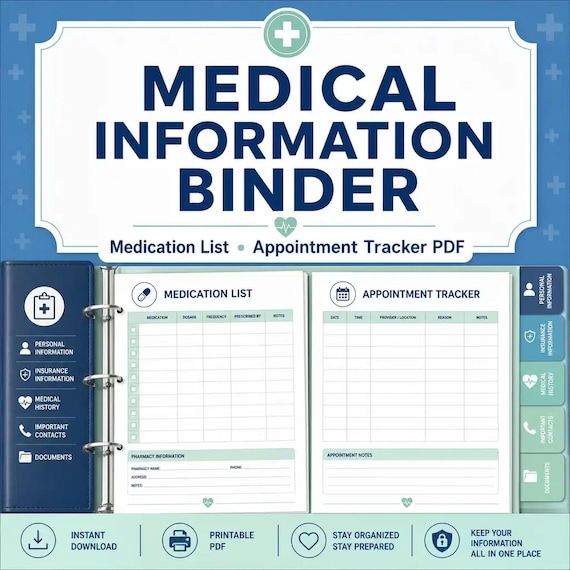
Choose a caregiver or elder-care organizer when appointments, daily care, and changing records are the main job. Choose a medical information binder when medications, providers, and appointment details need more space. Choose a pet emergency binder when the handoff is centered on animal routines and veterinary records, or an important-documents organizer when the main gap is a household records map. A death binder covers broader just-in-case and end-of-life information, while the complete life-admin bundle fits households that genuinely need several coordinated organizers. Compare the current previews and file lists, choose the smallest complete system for the real handoff, and use the direct product page as the final check before opening Etsy.
- Family emergency binder: shared quick-reference and household handoff.
- Caregiver, elder-care, medical, or pet binder: deeper role-specific working records.
- Important-documents organizer: focused map of family records and locations.
- Death binder or complete bundle: broader just-in-case planning across several areas.
Printables used in this guide
Instant downloads from the SteadyStackStudio Etsy shop.
Family Emergency Binder Printable
Family emergency binder for households: 28-page fillable PDF with household profile, emergency contacts, medical info pages…
Medical Binder Printable
A practical medical information binder for families who want health contacts, medications, appointments, and insurance details…
Pet Emergency Binder Printable
A practical pet care instructions printable for pet owners who want emergency caregivers, sitters, or family members to know…
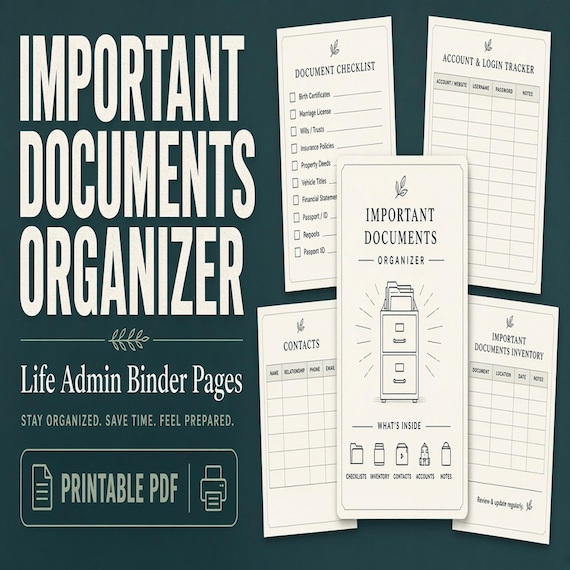
Important Documents Organizer
A practical important documents organizer for busy households that need one map for IDs, certificates, policies, records, and…