Caregiver & Just in Case · Jul 9, 2026 · 7 min read
Emergency Binder vs Death Binder vs Password Organizer: Which Printable Fits?
A calm comparison checklist for choosing between an emergency binder, death binder, digital life organizer, or complete life admin bundle before opening Etsy.
Start with the moment you are preparing for
Emergency binders, death binders, password logs, and life admin bundles can look similar in a thumbnail, but they solve different problems. The easiest way to choose is to picture the moment when someone would actually open the pages. Is the goal a fast medical contact list, a document map for a trusted helper, a set of end-of-life instructions, or a safer overview of online accounts and devices?
A simple emergency binder is usually for quick access. A death binder or just-in-case planner is for deeper instructions when a loved one needs to understand your papers, wishes, contacts, and household details. A digital life organizer is narrower: it helps someone find accounts, devices, subscriptions, and recovery instructions without turning a printable into an unsafe password dump. A complete life admin bundle is for households that need several of those systems connected in one place.
- Choose an emergency binder when the main need is contacts, medical information, document locations, and household instructions.
- Choose a death binder when the main need is final wishes, important papers, legal-document locations, financial contacts, and next steps for family.
- Choose a digital life organizer when the main need is account access notes, devices, subscriptions, online files, and password-manager instructions.
- Choose a complete life admin bundle when you want one printable library for documents, medical details, home records, pets, accounts, and planning pages.
When an emergency binder is enough
An emergency binder is the right first download when someone may need practical information quickly but does not need a full planning workbook. Think of a babysitter, spouse, adult child, caregiver, pet sitter, or trusted neighbor who needs to find phone numbers, medications, insurance cards, vet details, school contacts, utility notes, or document locations without calling five people. The binder should be easy to skim, easy to print, and not so large that it never gets filled in.
- Look for household contact pages, emergency names, doctor and pharmacy fields, insurance notes, medication lists, and allergy pages.
- Check whether the preview shows clear places for children, pets, vehicles, home access, utility providers, and service contacts if those matter to your household.
- Prefer layouts with enough handwriting room, especially if the pages will live in a kitchen drawer, home office, or caregiver folder.
- If the download is only a pretty cover plus a few blank lined sheets, it may not save time during a real emergency.
When a death binder or just-in-case planner fits better
A death binder sounds heavy, but the practical goal is simple: reduce guessing for the people who would have to help later. Public aging resources often point families toward the same planning buckets: estate and financial papers, future health care choices, important document locations, and telling a trusted person where those papers can be found. A printable does not replace legal documents, and it should never claim to. It should help you make a clear map of what exists and where it is kept.
This type of download should go deeper than emergency contacts. It should help organize final wishes, document locations, insurance policies, account locations, household notes, pet instructions, memorial preferences, and names of professionals to contact. If you already have a will, powers of attorney, advance directives, or insurance papers, the binder can list where those records are stored. If you do not have them yet, the binder can show which gaps to discuss with the right professional.
- Check for pages that separate legal-document locations from personal wishes so the printable does not pretend to be a legal form.
- Look for financial-contact pages, insurance-policy notes, home and vehicle records, pet care notes, and final-wishes prompts.
- Make sure the wording is calm and practical, not fear-based or confusing.
- For legal, tax, medical, or estate decisions, use the printable as an organizer and talk with a qualified professional when needed.
Where a digital life organizer belongs
A digital life organizer is not the same thing as a full death binder. It focuses on online accounts, devices, subscriptions, photos, cloud storage, app logins, email addresses, recovery methods, and instructions for a trusted helper. That makes it useful for everyday family admin and for just-in-case planning, but it should be handled carefully because account details are sensitive.
Security guidance commonly encourages long, unique passwords, password managers, and multifactor authentication for important accounts. That means the safest printable is often a map, not a loose sheet of every full password. The pages can record which accounts exist, which email is attached, which device receives codes, where a password manager is used, and who is allowed to help. Full passwords, backup codes, and recovery keys should be stored only in the safest place you choose.
- Look for fields for website or app name, account purpose, login email, recovery email, device, notes, and subscription status.
- Look for prompts for password-manager location, emergency access instructions, and two-step verification details.
- Avoid treating a printable as a public notebook. Keep the finished pages secure and tell only the right person where they are stored.
- If the household already uses a password manager, the printable can point to the manager instead of repeating every password on paper.
Use previews to check coverage before opening Etsy
The cover image tells you the theme; the preview pages tell you whether the download will work. Before opening Etsy, scan the product page for the actual inside pages, file list, page count, editable format, and any quick-start instructions. A strong listing should show enough real pages to prove the structure, not just a styled desk scene. For life admin products, the preview should make the scope obvious: emergency binder, end-of-life organizer, account planner, medical binder, pet care binder, or a larger bundle.
- Check whether the preview shows real interior pages such as contacts, medical notes, documents, accounts, wishes, home records, or pet care pages.
- Check whether the product is a single focused printable or a bundle with separate folders and files.
- Check whether the page size works for your printer, binder, or tablet workflow.
- Check whether the download includes a quick-start guide so you can fill the most important pages first instead of trying to complete everything in one sitting.
Compare file types before you buy
For this kind of product, file type matters because people fill in pages differently. A PDF is best when you want a clean printable you can write on by hand. An editable Word or DOCX file is helpful when you want to type details, adjust wording, or update pages over time. A spreadsheet can be useful for logs, trackers, appointments, medications, or household lists where sorting and repeated entries matter.
The most flexible downloads usually include both a ready-to-print version and an editable version. The important thing is truth in the listing: if the title says PDF and Word, the preview and file list should make that clear. If it says Excel or spreadsheet, the visible pages should match that promise. If you only need a simple emergency contact sheet, a big bundle may be more than you need. If you are organizing several parts of a household, the larger bundle may save repeated purchases.
- PDF: best for printing, handwriting, binder tabs, and sharing a clean page format.
- Word or DOCX: best for typing, editing labels, and updating family details later.
- Excel or spreadsheet: best for repeatable logs such as medication lists, appointments, budgets, or records.
- ZIP bundle: useful when a complete set includes several focused products, but the listing should explain exactly what is inside.
Which SteadyStack page to open next
If you want the broadest option first, open the Complete Life Admin Binder Bundle page and compare it against the focused products. It is the best starting point when one household needs a death binder, document organizer, medical notes, home records, pet instructions, and account-planning pages together. If the need is narrower, open the product page that matches the immediate job: Death Binder for just-in-case planning, Digital Life Organizer for accounts and devices, Important Documents Organizer for paperwork, Medical Information Binder for health details, Elder Care Organizer for caregiving notes, or Pet Emergency Binder for sitter and vet instructions.
- Open the complete bundle when you want one connected system instead of several separate downloads.
- Open the death binder when final wishes, document locations, and loved-one instructions are the main concern.
- Open the digital life organizer when accounts, devices, subscriptions, and password-manager notes are the main gap.
- Open the medical, elder-care, or pet binder pages when one practical area needs attention first.
A simple first-hour setup plan
The best printable is the one you will actually start. After downloading, print only the highest-priority pages first: emergency contacts, medical details, document locations, trusted contacts, account map, and any household or pet instructions someone would need quickly. Fill those before adding the lower-priority pages. A half-complete binder with the most important information is more useful than a perfect bundle that stays untouched.
Then choose one secure storage place and one trusted person who knows where to find it. Keep sensitive pages protected, update the binder when major details change, and use the editable files when you need a cleaner typed copy. If the download helps you make the first few decisions calmly, it has done its job.
- Print the quick-start or most urgent pages first.
- Fill emergency contacts, medical details, document locations, and account map pages before decorative or optional pages.
- Store sensitive pages securely and tell one trusted person where the binder is kept.
- Review the binder after major changes such as a move, new doctor, new pet, account change, caregiving change, or updated legal document.
Printables used in this guide
Instant downloads from the SteadyStackStudio Etsy shop.
Emergency Binder Printable
Emergency Binder Printable with Death Binder, Just in Case Binder, End of Life Planner, Important Documents Family Organizer PDF.
Just in Case Binder Printable
Give your family a calm, practical Just-in-Case binder — 48 printable pages + editable Word — so key contacts, document…
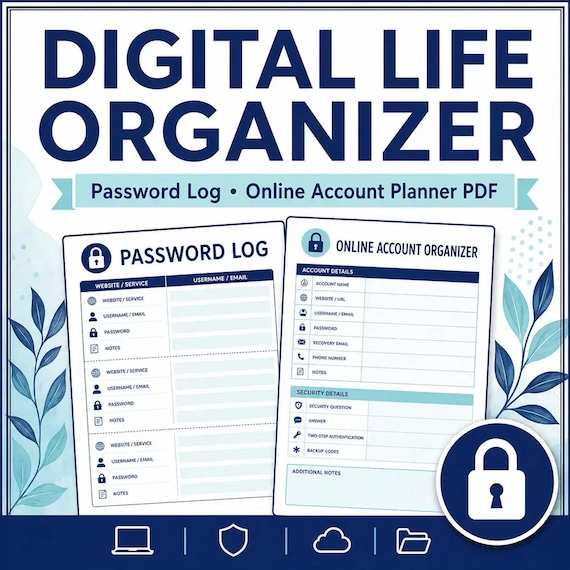
Digital Life Organizer
A practical digital life organizer for families who need a safe overview of online accounts, devices, subscriptions, and digital…
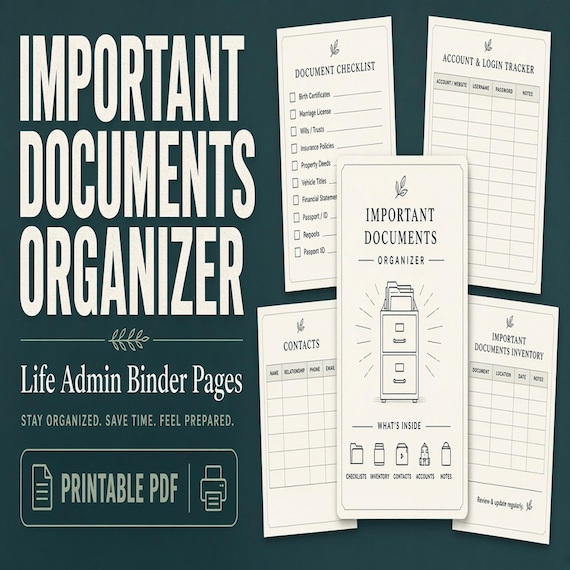
Important Documents Organizer
A practical important documents organizer for busy households that need one map for IDs, certificates, policies, records, and…