Caregiver & Just in Case · Aug 26, 2026 · 12 min read
Caregiver Medication Log Setup: Daily Records and Clear Shift Handoffs
A practical guide to setting up a caregiver medication log with one current medication list, clear daily entries, factual notes, and a short handoff for the next approved caregiver.
Give the medication log one clear job
A caregiver medication log should answer a narrow set of household questions: what was scheduled from the current instructions, what was recorded, when it was recorded, who made the entry, and what still needs attention. It should make the next approved caregiver less dependent on memory, loose notes, or a chain of text messages. It should not become a place where anyone invents a dose, changes a schedule, interprets a symptom, or replaces the current label, care plan, pharmacist, prescriber, or emergency guidance.
Start by naming the breakdown you want the log to fix. Perhaps two family members cannot tell whether a scheduled item was already handled. Perhaps appointment notes and refill tasks disappear into messages. Perhaps a backup caregiver needs a short, dated record rather than a full life-admin binder. Choose one primary problem and build the first version around it. A smaller log that everyone can read and maintain is safer and more useful than a crowded workbook whose fields are skipped.
Agree on who may view and update the record before entering private information. If the care recipient can participate, include their preferences and preserve as much control as possible. In a workplace, agency, or paid-care setting, use the required documentation system and policies; a household spreadsheet is not automatically an approved clinical or employment record.
- Primary job: record scheduled and completed entries clearly enough for the next handoff.
- Source of instructions: current labels, written care instructions, and qualified professionals—not the spreadsheet.
- Update owner: one named person who checks the active copy and resolves version confusion.
- Access rule: only approved people receive the information needed for their role.
Confirm the file package before building the active record
The current SteadyStackStudio Senior Caregiver Log is described as an editable system for Excel or Google Sheets. Its listed areas include a medication log, daily care log, vital-sign sheet, appointment tracker, emergency contacts, and care instructions or reminders. The description also names a reusable CSV template for medication journaling and formulas or status fields for summaries. Those details make it a candidate for repeat entries, but they do not turn it into medical software or promise a feature that is not shown in the current listing.
Open the current product page and inspect the direct sheet previews after the cover. Check whether the medication fields, daily-care areas, note space, text size, and column widths fit the way the approved caregivers will work. Confirm that the intended device can download the files and open the spreadsheet format. If Google Sheets will be used, plan to inspect the imported formatting, dates, formulas, and print settings before entering real information.
Decide whether you actually need a row-based log. A printable or Word-based organizer may be easier when the main need is a stable medical snapshot or appointment packet. A broader PDF-and-Excel caregiver binder may fit when contacts, care-team information, appointments, daily notes, and weekly reviews need to stay together. Choose the repeat-entry spreadsheet only when repeated dated records are the real gap.
- Check the current file list and preview images rather than relying on the title alone.
- Confirm the spreadsheet opens on the device and software the caregivers will use.
- Test Google Sheets import behavior instead of assuming every formula or print area transfers unchanged.
- Choose a broader organizer only when its additional pages have a clear owner and purpose.
Separate the current medication list from the daily log
The current medication list and the daily record answer different questions. The list describes what is currently in use according to the appropriate source. The log records dated activity against those instructions. Keeping them separate prevents an old checkmark from looking like a current direction and makes it easier to replace an outdated list without erasing the history of prior entries.
Build the current list directly from current labels, written instructions, and other approved source documents. Include the identifying details the household and care team have said should be maintained, such as the full name, strength or dose, schedule, route or form when relevant, prescriber or pharmacy contact, and the date the list was verified. Include prescription medicines, over-the-counter products, vitamins, and supplements when the responsible professional and care recipient want them recorded together. Do not fill a blank from memory when the source is unclear.
Put a visible reviewed date on the list and name the person who checked it. After a new prescription, refill change, hospital visit, appointment, or written instruction, compare the active list with the new source. Move the replaced version out of the working view so nobody chooses it accidentally, but preserve it only when the household or required recordkeeping process has a reason to do so.
- Current list: what the approved source says is active now.
- Daily log: what was recorded on a particular date and time.
- Reviewed date: when the active list was last checked against its source.
- Archive rule: replaced copies are clearly marked and kept away from active use.
Design each daily entry for a fast read-back
A useful entry can be understood without a phone call to the person who wrote it. Use a consistent date and time format, the medication name exactly as it appears on the active list, the scheduled time when that is part of the instructions, the time recorded, a clear status, and the initials or name of the person making the entry. Use the dose or amount only as confirmed by the current source. If the included spreadsheet already provides these fields, keep their meaning consistent rather than adding competing columns elsewhere.
Choose a small status set the approved caregivers understand. The current product description refers to taken status and side-effect fields, but the household should still define how each available status is used. Do not use a vague blank to mean several different things. A blank might mean not due, forgotten entry, unknown, or intentionally left open; those are not interchangeable. When something is uncertain, mark it for clarification instead of converting uncertainty into a completed entry.
Keep the note factual and brief. Record what was observed, what the care recipient reported, which professional or service was contacted, and where any official instruction is stored. Avoid diagnostic language, conclusions about cause, or a long narrative copied into every row. The entry should support continuity while pointing important decisions back to their proper source.
- Use one date and time convention throughout the active log.
- Match names, strengths, and units to the current approved source.
- Identify who made the entry when more than one person shares care.
- Define statuses so a blank, delayed item, refused item, and unresolved question cannot be confused.
- Write observations and contacts, not a diagnosis or improvised instruction.
Make the shift handoff shorter than the full daily record
The incoming caregiver should not have to reread every row to learn what changed. Add a short handoff that names the time period covered, the person handing off, the current medication-list review date, the next scheduled task from the approved plan, anything marked uncertain or incomplete, supplies or refills that need action, appointments or calls affecting the routine, and the person responsible for each follow-up.
Use the handoff as a read-back, not as a second medication record. The outgoing caregiver can review the latest entries with the incoming caregiver, point to unresolved items, and confirm which active list controls. The incoming caregiver can repeat the next task and open question in their own words. If the two people cannot agree on what the record means, the handoff is not complete; mark the uncertainty and use the appropriate professional or emergency route rather than guessing.
Keep repeated reference details out of every handoff. Emergency contacts, pharmacy information, and the full current list should live in controlled reference areas. The handoff should point to those pages and focus on changes since the prior update. This makes it easier to scan and reduces the number of places where current information can drift apart.
- What changed since the last handoff?
- What remains incomplete, uncertain, or awaiting a reply?
- What is the next scheduled task according to the current source?
- Who owns each follow-up, and when should it be checked?
- Which dated medication list is the active reference?
Handle missed, refused, delayed, or uncertain entries without improvising
A log is most valuable when the routine does not go as expected, but it must not become a substitute decision-maker. If an item is missed, refused, delayed, spilled, vomited, unavailable, duplicated, or uncertain, record the facts and time as accurately as possible. Do not use a formula, prior habit, internet answer, or another person's old note to decide what should happen next.
Follow the current written plan for who should be contacted. Depending on the situation, that may be the prescriber, pharmacist, nurse line, poison control service, or emergency service. Record that contact was made, the time, and where the professional's instructions can be found. If the situation is urgent, use the appropriate emergency response first; completing the spreadsheet comes later.
Use the same caution for possible side effects or changes in condition. A factual note can describe what was observed or reported and when it occurred. It should not label the cause or decide that a reading is safe. The product's side-effect flags and vital averages are organizational cues only. Current professional instructions and direct assessment remain the authority.
- Record the event and time without changing the original entry to hide it.
- Mark uncertainty plainly instead of selecting a completed status.
- Use the current contact or escalation plan for guidance.
- Document the contact and location of the received instruction without rewriting it from memory.
- Treat urgent needs first and update the log only when it is appropriate to do so.
Connect daily care, vitals, appointments, and refill tasks without duplicating facts
The current spreadsheet includes nearby tracking areas, but each should keep a distinct job. The medication log records dated medication entries. The daily care area records practical routine information described by the care plan. The vital-sign area records only the readings and context the responsible professional has asked the caregiver to track. The appointment area prepares visits and preserves follow-up tasks. Emergency contacts and care instructions remain reference pages.
Link related entries by date, time, or a short reference instead of copying the same paragraph into several sheets. For example, a medication row can point to a dated note about a reported concern, while the appointment tracker can carry the question that should be raised. The official visit summary, label, or provider message should remain in its approved location. A spreadsheet link or note helps people find the source; it does not replace it.
Give refill and appointment follow-up a responsible person and due date. A general note such as “needs refill” can remain invisible until the supply is gone. A task such as “Alex will call the pharmacy on Tuesday and record the confirmed pickup plan” is easier to hand off. Do not mark the medication record as completed merely because a refill request was sent.
- One sheet or page has one primary job.
- Related records point to each other by date or reference rather than repeating a changing fact.
- Follow-up tasks have an owner, a due date, and a clearly recorded outcome.
- Official instructions remain in their approved source location.
Test formulas, imports, and print views with fictional entries
Before using the workbook for real care information, save an untouched original and create a test copy. Enter a few clearly fictional medications and daily records, include one delayed item and one unresolved question, then complete a mock shift handoff. Check that dates sort correctly, statuses remain understandable, notes are readable, and any summary formula responds as expected. Delete the test copy or remove every fictional row before real use.
If the workbook is imported into Google Sheets, review every area the household plans to use. Confirm formulas, ranges, dropdowns, date and time formats, frozen rows, filters, conditional formatting, and print areas. A successful upload does not prove that every workbook behavior transferred. The same review is useful when opening the file in a different spreadsheet app or on a smaller screen.
Print one blank or fictional page if paper will be used at the care location. Check scaling, column breaks, text size, handwriting room, headers, page numbers, and whether the reviewed date remains visible. A printout is a dated snapshot; mark it clearly and replace it when the active digital record changes. Avoid allowing a paper copy and a shared sheet to become two competing active logs.
- Preserve a clean source file before editing.
- Use obviously fictional names and values for the rehearsal.
- Test one exception and one handoff, not only perfect completed rows.
- Review imported formulas and formatting on the actual device and app.
- Choose whether paper or digital is active, and label snapshots with their date.
Protect private information and keep one active version
A caregiver log may contain names, medication information, care notes, provider details, appointments, and contact information. Store it where approved caregivers can reach it without making it available to casual visitors or unrelated users of the device. Use the household's or organization's approved access controls. Avoid putting sensitive details in filenames, notification previews, unprotected links, or email subjects.
Choose one active file and give it a clear name. If copies are created for appointments, backup caregivers, or printing, add an as-of date and treat them as snapshots. Do not allow several relatives to keep separate files that all appear current. When access changes, review shared links and copies rather than assuming everyone who once needed the file still does.
Set a short review rhythm. Check open tasks and unclear entries at each handoff. Review the medication list whenever the source changes and on the schedule recommended for the care situation. Review contacts, permissions, and storage periodically. Remove superseded pages from the working location so a clean-looking old copy cannot be mistaken for the active record.
- One named file or binder is the active record.
- Shared and printed copies carry an as-of date.
- Access is limited to approved people and reviewed when roles change.
- Replaced pages and files are removed from active view.
- Private details are stored according to their sensitivity, not convenience.
Complete a final fit check before opening Etsy
This caregiver log is a practical candidate when the main need is a repeat-entry spreadsheet for medication records, daily care, vital signs, appointments, contacts, reminders, and short handoffs. It is best suited to approved caregivers who can use Excel or Google Sheets, agree on one active copy, verify entries against current sources, and understand that formulas and status fields organize records rather than make care decisions.
It may not be the right fit when the household needs a printable PDF packet, editable Word pages, a concise medical snapshot, a broad emergency binder, official clinical charting, agency documentation, medication reminders delivered by an app, automatic pharmacy connections, professional monitoring, or emergency guidance. Compare the caregiver binder, elder-care organizer, and medical-information binder when the primary job is reference or appointments rather than repeated spreadsheet rows.
Before checkout, inspect the current preview images and description, confirm the file and software fit, and rehearse one fictional day from the active medication list through the final handoff. You should be able to identify the current source, understand every status, find the next task, and recognize the active version without asking the person who built the sheet. If any of those checks fail, simplify the setup or choose a different format before adding private information.
- Good fit: repeated dated entries and caregiver handoffs are the missing piece.
- Confirm: current previews, included files, software, import behavior, and print needs.
- Pause: you need medical decisions, emergency guidance, official charting, or a feature not shown in the listing.
- Buy only when the intended caregivers can maintain one clear active record.
Printables used in this guide
Instant downloads from the SteadyStackStudio Etsy shop.
Senior Caregiver Log Printable
Senior Caregiver Log pack for family caregivers and home-care helpers: 26-page fillable PDF with medication logs, vitals, meals…
Elder Care Planner Printable
A practical elder care organizer for adult children and family helpers coordinating senior appointments, care notes, medications…
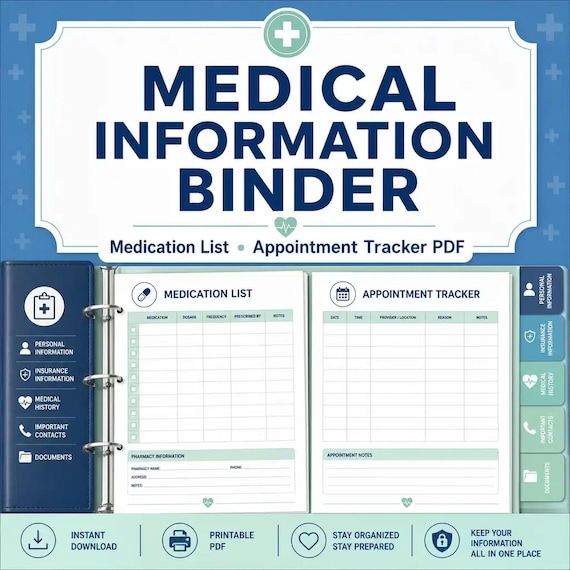
Medical Binder Printable
A practical medical information binder for families who want health contacts, medications, appointments, and insurance details…
Family Emergency Binder Printable
Family emergency binder for households: 28-page fillable PDF with household profile, emergency contacts, medical info pages…