Planners & Trackers · Aug 9, 2026 · 16 min read
HOA Board Meeting Workflow: Agenda, Minutes, Action Log, and Contractor Follow-Up
A practical setup guide for turning agenda items into clear decisions, assigned actions, contractor follow-up, and a usable board handoff while keeping local rules and governing documents in charge.
Start with the rules that control your meeting
An HOA meeting template should support the association's approved process, not replace it. Before customizing any page, collect the declaration, bylaws, current board resolutions, meeting policies, retention schedule, and any professional guidance the association relies on. Requirements for notice, open sessions, homeowner participation, voting, minutes, privacy, and record access can differ by location and by association. Use those sources to decide what belongs on the agenda, what must be recorded, and who is allowed to see each record.
Name the people responsible for each stage before the next meeting. One person may draft the agenda, another may distribute the approved notice, and a secretary or manager may prepare the minutes. The board may also have a defined review and approval process. Write those responsibilities at the top of the working instructions so a volunteer does not have to reconstruct the process every month.
The current SteadyStackStudio pack is an administrative set, not legal advice. It does not override governing documents, state law, notice rules, voting rules, open-meeting requirements, or professional counsel. That boundary is useful: it keeps the pages focused on preparation, decisions, actions, maintenance, contractors, and handoff while the association's controlling sources remain in charge.
- Identify the controlling declaration, bylaws, resolutions, local requirements, and current board policies.
- Confirm who drafts, distributes, records, reviews, approves, stores, and shares each meeting document.
- Mark which records may contain private, privileged, personnel, owner, or contractor information and handle them under the association's rules.
- Do not add a form to the workflow simply because a generic template includes space for it.
Give every agenda item a decision path before the meeting
A useful agenda tells the board what kind of work each item requires. Label an item as information, discussion, or decision so participants can prepare appropriately. For a decision item, state the question the board needs to resolve in plain language. Attach or reference the supporting material the board is permitted to review, such as a maintenance summary, a contractor scope, a budget comparison, or a prior decision that affects the choice.
Keep one short intake note for proposed agenda items. Record who submitted the item, the date received, the requested outcome, the supporting file location, and any deadline. Then route the item according to the board's rules. Some requests may be ready for the next agenda, some may need more information, and some may belong with a manager or committee rather than the full board. The template should make that status visible without promising that every submission will become an agenda item.
Do not hide the requested decision inside a long paragraph. A board can discuss a complex issue more efficiently when the decision prompt is explicit: approve a scope, select an option, request another quote, defer until a named condition is met, or take no action. Use wording that matches the association's process and avoid drafting legal motions unless the responsible professional or governing rules provide the required language.
- Item name and short background
- Information, discussion, or decision label
- Requested outcome and supporting document location
- Submission date, responsible reviewer, and relevant deadline
- Ready, waiting for information, referred, deferred, or closed status
Prepare a compact packet instead of printing every page
The current HOA Board Meeting and Action Log Pack lists 19 printable pages, an editable Word version, Excel trackers, and meeting pages for agendas, minutes, homeowner comments, and handoffs. It also lists action, decision, maintenance, contractor, and calendar trackers. That does not mean every page should appear in every meeting packet. Choose only the pages that serve the meeting in front of you.
A simple packet can begin with the approved agenda, followed by the supporting items in the same order. If a maintenance decision is on the agenda, include the concise issue summary and the permitted contractor information directly behind it. If a prior action is returning for review, include the current status rather than an entire history of unrelated actions. Add a working notes page only for the person assigned to capture the meeting record.
Use stable file names so the digital packet and final records stay connected. A date-first pattern such as YYYY-MM-DD followed by the meeting type and document role is easier to sort than names such as final, final-new, or revised-again. Follow the association's retention and access rules when choosing the storage location; a convenient personal drive is not automatically an approved record system.
- Arrange supporting items in agenda order and label them with the matching item number.
- Print or share only the pages needed for that meeting and audience.
- Use a consistent date, meeting type, and document-role naming pattern.
- Keep drafts, working notes, and approved records distinct under the association's policy.
Record the decision separately from the discussion
Discussion explains how the board reached a point; the decision controls what happens next. During the meeting, capture enough working detail to identify the agenda item, the final decision or disposition, any vote information required by the association's rules, and the follow-up that was assigned. Do not assume that a generic minute-taking style is correct everywhere. The required level of detail, approval process, and treatment of owner comments or executive-session material must come from the association's governing sources and local requirements.
Use a separate working line for questions that still need an answer. A question about price, insurance, scope, access, scheduling, or a governing-document requirement is not the same as an approved action. Mark it as pending and assign the fact-finding step. This prevents uncertain discussion from being copied into the action log as if the board had authorized work.
After the meeting, reconcile the working notes with the decision tracker and action log before preparing the record for review. The wording should agree across all three places. If the minutes say an item was deferred, the action log should not show the project as approved. If the board selected a contractor subject to a condition, record the condition and who must verify it before scheduling.
- Agenda item reference
- Final decision, disposition, or deferral
- Vote or approval details only as required by the applicable process
- Conditions that must be satisfied before work begins
- Assigned follow-up, owner, and due or review date
Move every approved next step into one action log
Minutes preserve the meeting record; an action log helps the board finish the work. As soon as a next step is authorized, create one action entry with a stable ID. Link it to the meeting date and agenda item, name one responsible owner, and set a due date or next review date. When several people are involved, keep one accountable owner and list the other participants in a notes field rather than leaving ownership vague.
Customize the listed Excel action tracker around the fields the board actually uses. Helpful fields can include the action ID, source decision, task, owner, due date, status, dependency, last update, and completion reference. Use a small status set such as not started, waiting, in progress, ready for review, and closed. Define those labels once. A status such as pending means little unless everyone knows whether it is waiting for approval, a document, a contractor, or a scheduled meeting.
Review open actions on a fixed rhythm that fits the association. Sort by overdue items, near-term deadlines, and matters returning to the next agenda. When an action is complete, add the completion date and point to the approved evidence or final record location. Do not paste sensitive records into the tracker merely for convenience. A short reference can connect the action to the authorized storage system without duplicating private material.
- One stable action ID and one accountable owner
- Source meeting, agenda item, and decision reference
- Due date or next review date rather than an open-ended promise
- Clear status, dependency, last update, and completion reference
- A regular overdue and next-meeting review
Use a decision log to preserve context without reopening every issue
The current pack lists a decision tracker in addition to the minutes pages. Use it as a compact index of board outcomes, not as a substitute for approved records. A practical entry can point to the meeting date, agenda item, decision summary, effective date, related policy or project, and the location of the approved record. If a decision changes or expires, link the later decision instead of silently rewriting the old entry.
This index can answer routine questions quickly: When was the scope approved? Which meeting deferred the project? Was the contractor choice conditional? Which later decision replaced the earlier one? The answer should lead back to the authoritative record. Avoid turning the decision log into a second set of unofficial minutes with extra commentary that was never reviewed.
A decision log is especially helpful during officer, manager, or committee handoff. The new person can see the current state without reading every packet first, then open the underlying record when detail matters. Apply the association's access and retention rules to the log just as carefully as to the documents it references.
- Keep each decision tied to a meeting date and approved record.
- Show whether the decision is active, completed, replaced, deferred, or subject to a condition.
- Link later changes rather than erasing earlier history.
- Use neutral summaries and avoid unapproved commentary.
Run contractor work as a linked follow-up workflow
Contractor tracking should begin with the board's approved need, not with a company name. Give the maintenance or service request a stable reference and write a neutral scope that contractors can respond to. Record the request date, response deadline, permitted comparison points, and where quotes or supporting documents are stored. Follow the association's procurement, conflict, insurance, licensing, budget, and approval requirements rather than inventing a new rule inside the spreadsheet.
The current pack lists an Excel contractor tracker and a maintenance tracker. Connect them with the same issue or project ID. The maintenance entry describes the condition or requested service; the contractor entry records the sourcing and follow-up; the decision entry records what the board approved; and the action entry names the person responsible for the next step. This chain makes it easier to spot a quote that was collected but never presented, an approval that was never scheduled, or completed work that still needs closeout review.
Use the tracker to record facts, dates, and status. It can show that a quote was requested, received, clarified, selected, scheduled, completed, or closed. It should not declare a contractor qualified merely because a row is complete. Keep the actual quote, contract, certificate, invoice, inspection note, warranty, or completion evidence in the association's approved system and reference it from the tracker.
Before closing the item, confirm the association's required completion steps. Depending on the project, that may include a board or manager review, resident communication, invoice matching, warranty information, or a return to the agenda. Record only the steps that apply. A clean closeout entry should make the final status and record location clear to the next person without overstating that every legal, technical, or safety requirement has been satisfied.
- Start with a board-approved need and a clearly identified scope.
- Use one issue or project ID across maintenance, contractor, decision, and action records.
- Track request, response, clarification, approval, scheduling, completion, and closeout status as applicable.
- Reference source documents in approved storage instead of copying sensitive files into the tracker.
- Apply the association's own procurement and professional-review requirements.
Keep maintenance intake separate from approval
A reported maintenance concern is not automatically an approved project. Begin with a factual intake entry: date reported, location or asset, short description, permitted photo or document reference, immediate safety routing if required, and the person reviewing it. Avoid diagnosing the cause or promising a remedy in the tracker unless a qualified person and the board's process support that conclusion.
Next, mark the route. The concern may need manager review, an emergency procedure, a contractor visit, a committee recommendation, a budget check, or a future agenda item. Use the maintenance tracker to show where it is in that path. If the board makes a decision, link the decision and create the resulting actions. If no board action is required, record the authorized route without making the minutes carry an operational detail that does not belong there.
Privacy still matters. A location description can accidentally reveal an owner's personal circumstances, complaint history, access details, or another sensitive fact. Record the minimum necessary information and store restricted material only where the association permits it.
- Separate reported condition, review route, board decision, contractor work, and closeout.
- Record facts and references without guessing at technical causes.
- Use the approved emergency path for urgent safety issues rather than waiting for a routine tracker review.
- Minimize owner and access details in broadly shared working files.
Give homeowner comments a defined route and a privacy check
The current pack lists homeowner comment pages. Before using them, confirm when comments are accepted, how time or order is handled, whether a response is expected, and how the association records or routes a request. Those choices belong to the applicable rules and meeting policy. A template can capture the operational handoff, but it should not create participation rights, deadlines, or promises that the board has not adopted.
Use a simple reference for the topic and requested next step. If the comment points to a maintenance concern, document request, or proposed agenda item, route it into the correct process after the meeting. Do not copy an entire personal statement into several trackers. Record only what is needed to acknowledge, assign, and follow up, and keep restricted details in the authorized location.
Close the loop with a status that is accurate and modest: received, routed, waiting for information, scheduled for review, answered under the applicable process, or closed. Do not mark an issue resolved merely because it was discussed. When the board cannot address a matter in the meeting, the record should make the next permitted step clear without promising a particular outcome.
- Confirm the association's comment and participation process before customizing the page.
- Capture the topic, permitted contact reference, requested next step, and routing status.
- Move maintenance, records, or agenda requests into the correct workflow instead of duplicating the full comment.
- Use the minimum necessary personal information and avoid promising an outcome.
Choose PDF, Word, or Excel by the job it needs to do
The current listing describes a US Letter PDF for printing or digital annotation, an editable Word version for changing headings and fields, and an organized Excel workbook where noted. It lists the files in one ZIP folder and makes clear that no physical item is shipped. Choose the format by task rather than trying to force every part of the workflow into one file.
Use the PDF when a stable printable page or straightforward annotation copy fits the board's approved process. Use Word when the association needs to adapt page headings, instructions, or fields before making a working master. Use Excel for the listed action, decision, maintenance, contractor, and calendar tracking roles when sortable working rows are more useful than a stack of paper. Confirm that the software and device available to the responsible person can open the files before relying on the pack.
Keep one untouched copy of the downloaded ZIP and create a clearly named working copy. Test one PDF page for margins and legibility before printing a packet. Open the Word and Excel files to confirm they display correctly in the software the association uses. If a required collaboration feature, automation, cloud permission model, signature tool, or records integration is not stated in the listing, do not assume it is included.
- PDF: US Letter printing or digital annotation
- Word: customize headings and fields in a working master
- Excel: maintain the listed action, decision, maintenance, contractor, and calendar trackers
- ZIP: retain the original package and make a separate working copy
- Test the actual software, printer, storage, and access process before the next live meeting
Test one complete meeting cycle before rolling it out
Use a closed, low-risk issue from a prior meeting as a practice run. Add it to a sample agenda, identify the supporting material, record the known decision, create the resulting action, connect the maintenance or contractor reference if applicable, and close the item with a final record location. The goal is to see whether each page hands the work to the next page without requiring someone to retype the same story.
During the test, look for duplicate fields and missing handoffs. If the meeting date and item number appear in five places, decide which entries truly need both. If an action can be closed without a completion reference, add that field to the working Excel copy. If a contractor row cannot point back to an approved decision, add the shared issue or project ID. Customize only what helps the association's real process; extra fields can make a volunteer system harder to maintain.
Then give the sample to the person who will inherit the work. Ask them to identify what was decided, what remained open, who owned the next step, when it was due, which contractor or maintenance record was connected, and where the approved record lives. If they can answer those questions without an oral explanation, the workflow is ready for a limited live test.
- Run a known issue from agenda intake through record, action, contractor or maintenance follow-up, and closeout.
- Remove duplicate fields that do not serve a clear handoff.
- Add a shared reference wherever two trackers cannot be connected reliably.
- Have a second person test the handoff without verbal coaching.
- Revise the working copy while preserving the untouched original download.
Know when this pack is not the right fit
The current listing describes administrative meeting and tracking templates. It specifically says that proxy, ballot, lien, violation, and legal-notice forms are not included. It also does not provide legal advice or replace declarations, bylaws, board resolutions, state law, notice and voting rules, open-meeting requirements, or professional counsel. If the immediate need is one of those legal or formal documents, this pack is not a substitute.
It may also be the wrong fit if the association needs a managed portal, automated notices, electronic voting, integrated accounting, work-order dispatch, contract management, role-based records access, or a complete property-management platform. The listing promises PDF, Word, and Excel files, not those services. A small board that already has an approved management system may only need to improve its current process rather than add another set of files.
The pack fits best when a volunteer board member or community manager wants a reusable starting structure for agendas, minutes, homeowner comments, handoffs, actions, decisions, maintenance, contractors, and calendar follow-up—and has the authority and guidance needed to adapt it. Choose it for administrative organization, not for a guarantee of compliance or a replacement for qualified advice.
- Skip it when you need a proxy, ballot, lien, violation, legal notice, or other formal document the listing excludes.
- Skip it when the real requirement is a managed software platform or professional service.
- Confirm that Word, Excel, PDF, ZIP delivery, and US Letter pages fit the people and tools involved.
- Use qualified guidance for legal, governance, accounting, technical, safety, and procurement questions.
Run a final fit check before opening Etsy
First, name the missing link in the current board process. If agendas are clear but assignments disappear after the meeting, focus on the action log. If contractor quotes and maintenance issues cannot be connected to decisions, focus on shared project IDs and tracker handoffs. If a new officer cannot tell what happened, focus on the decision index and handoff pages. A specific gap makes it easier to judge whether the pack will improve the real workflow.
Next, review the current product preview and file list. Confirm the 19-page meeting operations pack, editable Word version, listed Excel trackers, agenda, minutes, homeowner comment, handoff pages, US Letter PDF, and ZIP delivery fit the intended setup. Check the inside-page previews rather than relying only on the styled cover. Verify any essential field, software requirement, print need, or sharing method that the listing does not state.
Finally, confirm the boundary. The association still needs its governing documents, approved policies, local requirements, retention and privacy rules, and professional guidance. Open the SteadyStackStudio product page for a larger preview and related options, then use Etsy only when the included administrative files match the job. If the need is a formal legal form, a managed platform, or a custom governance review, choose the appropriate professional or system instead of stretching a template beyond its stated role.
- The pack solves one named preparation, decision, action, contractor, maintenance, or handoff problem.
- The listed PDF, Word, Excel, and ZIP files work with the association's devices and approved storage process.
- The preview shows enough inside-page detail to judge the workflow before purchase.
- The association's governing and professional sources remain in charge.
- The current product page and Etsy listing agree before checkout.
Printables used in this guide
Instant downloads from the SteadyStackStudio Etsy shop.
Homeschool Co-op Planner
A calm, practical download for homeschool co-op leaders, volunteer coordinators, class instructors, and parent committees…
Grant Tracker Spreadsheet for Nonprofits
Track opportunities from first screen through submission, award setup, deliverables, spending, reporting, and closeout so…

Book Fair Planner
Give the book fair team one cleaner place for volunteer slots, cash counts, budget notes, restock lists, and closeout handoff.
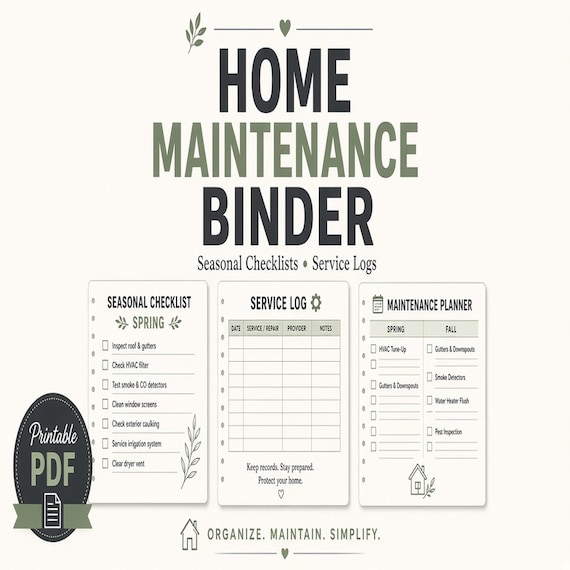
Home Maintenance Binder Printable
A practical home maintenance checklist for homeowners and renters who want repairs, warranties, utilities, and service contacts…