Small Business Templates · Jul 23, 2026 · 12 min read
Candle Burn Test Tracker Setup: Assign Test IDs, Log Each Burn, and Compare Wick Results
A practical recordkeeping workflow for giving test candles durable IDs, controlling comparisons, documenting supervised burn sessions, and carrying reviewed results into repeatable batch records.
Confirm what the current candle tracker includes
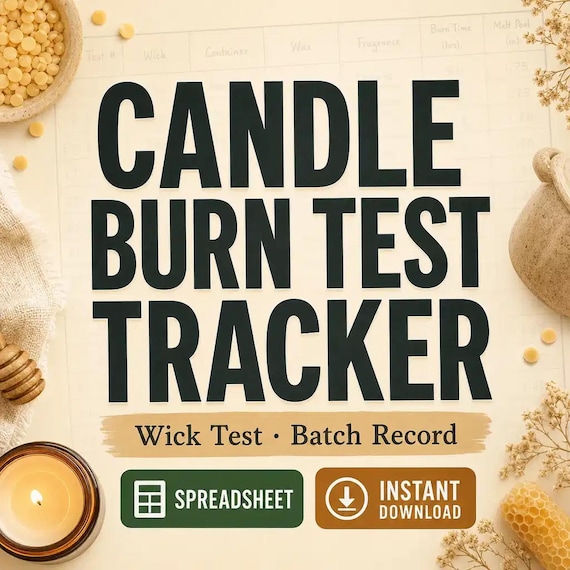
Start with the current listing instead of assuming that every candle-testing spreadsheet has the same scope. The featured download is described as an Excel workbook, printable burn-test sheets, a wick and fragrance test matrix, a batch log, a quick-start guide, and a README or license note. The listing also describes organized workbook tabs, styled input areas, formulas, and summary areas where applicable. It is a digital download; no candles, supplies, testing equipment, or physical binder are shipped.
Those files organize records, but they do not create a testing method or certify a candle as safe, compliant, or ready for sale. Review the latest previews, file list, software fit, digital-delivery details, and license before checkout. Compare the included pieces with the procedure, standards, supplier guidance, insurance conditions, and record-retention rules that apply to your own business. If you do not already have a qualified testing process, establish that first. The template should document an approved process, not become a substitute for one.
- Check the current workbook, printable-sheet, matrix, batch-log, and guide details.
- Confirm that Excel and PDF files fit the devices and apps you plan to use.
- Treat the download as a recordkeeping system rather than a testing protocol.
- Review current safety, compliance, insurance, and business requirements separately.
Define the test question before making a comparison
A useful record begins with one clear question. You may need to compare two wick options in an otherwise unchanged candle, document a repeat of a previous batch, or observe how one fragrance variation behaves within a defined product setup. Write that question at the top of the working record before preparing the samples. If the question cannot be answered by the samples you are making, narrow it rather than collecting a page of unrelated notes.
Also write the review criteria required by your established procedure before the first session. The spreadsheet cannot decide those criteria for you, and this guide does not prescribe them. Use the current rules, standards, supplier instructions, and qualified guidance that apply to the materials, vessel, candle type, and market where the product will be offered. Separating the question from the observation helps prevent a preferred result from changing the plan halfway through a comparison. It also makes an inconclusive result useful: you can see exactly what needs to be repeated instead of guessing what the test was meant to prove.
- State one decision the comparison is intended to support.
- List the factors that must remain unchanged for the comparison to be meaningful.
- Set review criteria from your qualified procedure, not from the template.
- Mark an unclear result as inconclusive instead of forcing a pass or fail.
Give every test candle a durable reference code
Names such as vanilla jar one or larger wick are too easy to confuse once several samples are on the testing surface. Create a short reference code that connects each physical sample to its matrix row, batch record, observation sheet, and any supporting photos. A code can include a project, batch, sequence, or version element, but it should stay readable and should not depend on remembering an informal nickname. Keep the decoding key with the master workbook.
Use an identification method appropriate for your setup that does not cover required warnings, interfere with the candle, or create a new hazard. Verify the code at the beginning and end of every supervised session. If a code is missing, duplicated, or unreadable, pause the comparison until the sample can be identified confidently. Do not transfer observations to the closest-looking row. A durable reference is what allows a later reviewer to connect one note to one sample, understand which variable changed, and repeat the work without relying on the original maker's memory.
- Assign the code before the first observation is recorded.
- Use the same code on the sample record, matrix, batch log, and supporting files.
- Keep a plain-language decoding key beside the master workbook.
- Stop and resolve missing or duplicated codes before continuing.
Build the wick and fragrance matrix around controlled changes
The current download lists a wick and fragrance test matrix, which is most useful when the comparison plan is disciplined. Put the candidate samples in rows and identify the factor intentionally changed in each one. Then list the conditions your own procedure requires you to hold constant. Depending on the product, those may include the vessel, wax system, fragrance choice, batch reference, sample preparation, age at testing, and observation method. Use only the fields that are relevant and verified for your process.
Avoid changing several major factors in the same comparison and then assigning the outcome to one of them. If a sample differs in vessel, wick, fragrance, and preparation, record it as a different configuration rather than a clean wick comparison. The matrix is an organizing surface, not a chemistry calculator and not a safety determination. A result from one configuration should not be copied automatically to another candle size, material combination, or production batch. When a needed detail does not fit the current sheet, add a clearly labeled supporting note without damaging formulas or hiding the difference.
- Identify the one planned change for every comparison row.
- Record the conditions your procedure requires you to keep constant.
- Separate materially different configurations instead of treating them as equivalents.
- Use a supporting note when a verified detail does not fit the current matrix.
Preserve the original workbook before entering records
Keep the original download and an untouched workbook in a clearly named archive folder. Make a dated working copy for the active project so that an accidental formula edit, sort, or overwrite does not destroy the clean master. Open the included quick-start guide before entering real records. The current listing directs users to place inputs in yellow spreadsheet cells and review green calculated cells where formulas are included; confirm that behavior in the current file rather than applying the color rule to unrelated workbooks.
Test the working copy in the software and version you plan to use. Check date formats, filters, formulas, print areas, and any summary sections with a disposable sample row before loading a full testing history. Save a backup before changing formulas heavily, and document any intentional customization in a change note. If the workbook is imported into another spreadsheet app, verify the results again. A polished dashboard can still be wrong when a formula was shifted or a field was interpreted differently, so the source observations and qualified review remain more important than appearance.
- Archive the original files and work from a dated duplicate.
- Read the current quick-start guide before changing cells or formulas.
- Test formats, formulas, filters, and printing with disposable data first.
- Record customizations so later users know what changed from the supplied file.
Create a supervised test calendar from your approved procedure
Turn the established procedure into a calendar before the first session. Schedule each sample, the observation windows required by that procedure, the responsible person, and the time needed for review and a possible repeat. Do not choose burn durations or approval thresholds from a generic article or blank template. Build the schedule from the current requirements and qualified guidance that apply to the candle and materials you are evaluating.
Every live-flame session should remain actively supervised under the safety controls required for your workspace. Follow all applicable warnings and instructions, use an appropriate clear testing area, keep the necessary safety equipment available, and stop when a condition falls outside your procedure or feels unsafe. Never let a calendar pressure you into running more samples than can be watched properly. Leave room between planned production and launch dates for an inconclusive result, a damaged sample, a recording mistake, or a full retest. The tracker helps show what is due; it does not make a rushed or unattended session acceptable.
- Schedule sessions only from the procedure already approved for your work.
- Assign a responsible person and preserve active supervision throughout each session.
- Leave time for review, correction, and a complete repeat when needed.
- Stop rather than forcing the schedule when conditions fall outside the procedure.
Start each session from a documented baseline
Before beginning, verify the sample code against the working sheet and confirm that the sample still matches the planned configuration. Record the session date, start time, responsible person, and the baseline details required by your procedure. Note any condition that could affect comparability before the candle is lit. A damaged vessel, incorrect identifier, unexpected material change, or missed preparation step should be resolved or recorded as a deviation rather than quietly folded into the result.
Use the observation checkpoints defined by your own process and record them when they occur. Do not backfill a sequence later from memory. If your procedure uses photographs, name them with the sample code and checkpoint so they can be matched to the correct row without opening every file. Keep image storage separate from the workbook unless the current file is explicitly designed for attachments. At the end of the session, record the stop time and status, then verify that the physical sample and notes still carry the same reference code.
- Match the physical sample to the planned matrix row before starting.
- Record required baseline details and deviations at the time they are observed.
- Use the checkpoints in your established process instead of inventing new intervals.
- Name supporting files with the same sample code and checkpoint reference.
Write observations that another test can repeat
Record what was observed before writing what you think it means. Use consistent, specific language for the items your procedure calls for, such as changes in flame behavior, visible smoke or soot, the melt surface, the vessel condition, or the remaining candle state. Those are examples of observation areas, not a complete testing standard and not proof of a safe product. Use the same vocabulary across samples so the comparison does not depend on one day's wording.
Keep interpretation in a separate note or result field. Phrases such as looked fine or burned badly do not tell a later reviewer what happened or when. If a checkpoint was missed, write not observed rather than estimating it. If an external event interrupted the session, describe the deviation and decide under your procedure whether the sample can still be compared. Neutral notes make a retest easier and protect the history from hindsight. They also allow another qualified person to review the sequence without treating a dashboard score or memory as the source record.
- Describe the observed condition before assigning meaning to it.
- Use one defined vocabulary across every sample in the comparison.
- Mark missed checkpoints and interruptions instead of reconstructing them later.
- Keep interpretation, review, and final status separate from raw observations.
Use paper at the testing station and the workbook as the master
The current download includes printable burn-test sheets as well as the Excel workbook. Give each format one job. A printed sheet can stay beside the supervised station for immediate notes without placing a computer in the working area. The workbook can remain the controlled master for sorting, comparing, backing up, and linking sessions across a project. Write the sample code and page number on every printed sheet before use so loose pages cannot become anonymous.
Choose a regular transfer routine. Enter the handwritten notes into the workbook, check the entry against the source page, and mark the paper record as transferred with a date or initials. Do not keep two unmarked versions that can drift apart. If a correction is needed, preserve the original entry according to your recordkeeping rules and document the change rather than erasing the history. Store paper and digital records for the period required by your business, insurer, market, or applicable rules. The template can hold the information, but you remain responsible for access, backups, retention, and secure disposal.
- Put the sample code and page number on every printed sheet before the session.
- Transfer notes on a predictable schedule while the source is still easy to verify.
- Mark records as checked so paper and digital versions do not compete.
- Keep corrections, backups, retention, and disposal aligned with current requirements.
Compare like with like before assigning a result
When the planned sessions are complete, group only samples that share the conditions required for a fair comparison. Review the reference codes, intended variable, deviations, completed checkpoints, and source notes before looking at a summary. A sample with missing observations or a material deviation may need a repeat instead of a place in the final comparison. Keep excluded samples visible with a reason so they are not accidentally treated as successful later.
Use status labels defined by your business, such as under review, repeat required, held, or rejected, and reserve any approved status for the qualified review required by your procedure. A formula, colored cell, or dashboard cannot make a safety or compliance decision. Record who reviewed the result, when the review occurred, which criteria were applied, and what the next action is. If two samples are close but the evidence is incomplete, schedule the specific repeat needed to answer the original question rather than adding unrelated variations to the next round.
- Verify comparability and completed checkpoints before using a summary.
- Keep excluded samples visible with the reason for exclusion.
- Apply only the status labels and review steps defined by your procedure.
- Turn an unresolved comparison into a specific repeat question.
Carry a reviewed result into batch and inventory records
After the required qualified review, connect the selected configuration to the batch records used by the business. Carry forward the exact sample or configuration reference rather than retyping a casual description. If you use a separate inventory tracker, production log, label file, or product-card system, link those records with a shared batch or version reference so the approved history remains traceable. The candle tracker should explain where the decision came from; the production record should show where it was used.
Do not copy provisional observations into customer-facing claims, instructions, or labels. Label wording, warnings, product claims, and legal or regulatory review are separate responsibilities. When a material, supplier, vessel, wick, fragrance, process, or other controlled factor changes, follow your established rules for review and retesting instead of assuming the old result transfers. Archive superseded configurations without deleting their history. A clean chain from test code to review to batch record makes it easier to investigate a question later and prevents an outdated setup from returning through an old file.
- Link the reviewed configuration to production with a shared reference code.
- Keep provisional notes out of customer-facing copy and labels.
- Apply your change-control and retesting rules when a controlled factor changes.
- Archive superseded versions without erasing the decision history.
Choose the focused tracker or the complete maker bundle
The featured candle tracker is the clearest fit when the immediate gap is organizing burn-test sheets, a wick and fragrance comparison matrix, batch references, and a workbook-backed review trail. Confirm the current file list and previews before buying, then compare them with the records you already maintain. If you only need a printed note page or already have a controlled workbook that does the job, the full download may be more than you need.
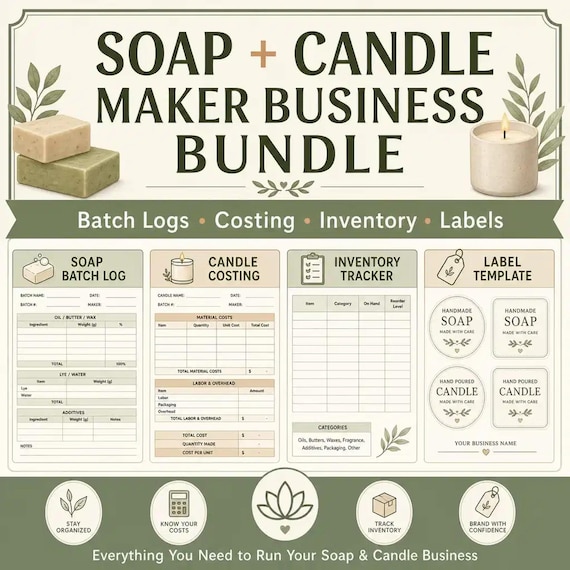
Choose the complete soap and candle maker bundle when your real workflow also needs the other systems described in its current listing: soap costing, candle testing, inventory or cure-rack tracking, and card or label templates. The separate soap batch record, inventory tracker, and handmade product-card kit cover narrower adjacent jobs. A pricing calculator belongs to cost and margin decisions rather than test approval. Select the smallest current download that closes the documented gap, review the digital format and license, and keep safety, compliance, and professional review outside the template purchase decision.
- Choose the focused tracker when candle-test records are the main missing system.
- Compare the full bundle only when the additional maker workflows are needed now.
- Use separate inventory, card, soap, or pricing tools for their stated jobs.
- Verify current contents, software fit, digital delivery, and license before checkout.
Printables used in this guide
Instant downloads from the SteadyStackStudio Etsy shop.
Candle Burn Test Log Spreadsheet
Candle burn test tracker spreadsheet — Excel-first wick test log, batch record, and burn-rate (g/hr) formulas — plus a 13-page…
Soap and Candle Business Planner Bundle
Soap and Candle Maker Business Bundle, Batch Logs Costing Inventory and Label Templates
Soap Batch Record Spreadsheet
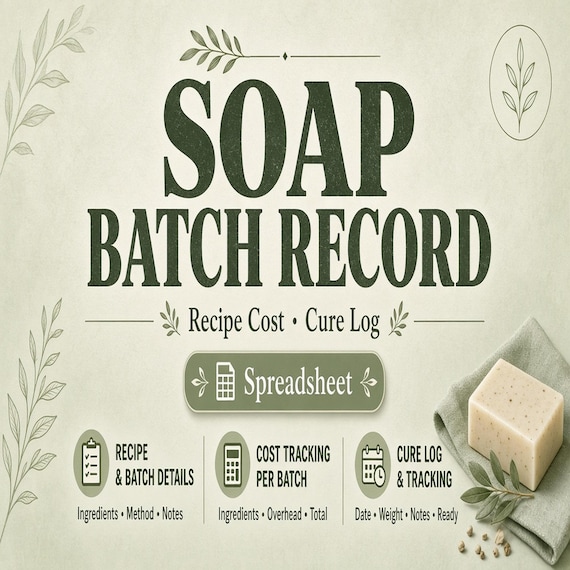
This system is built for real small-batch makers who need to track batches, costs, supplies, tests, inventory, product-card…
Candle and Soap Inventory Spreadsheet
This system is built for real small-batch makers who need to track batches, costs, supplies, tests, inventory, product-card…