Small Business Templates · Aug 31, 2026 · 17 min read
Bridal Makeup Trial Workflow: Record the Approved Look, Party Schedule, and Wedding-Day Kit
A practical setup guide for bridal makeup artists who need one path from consultation and trial notes to an approved look, party schedule, packed kit, and wedding-day handoff.
Confirm what the current bridal makeup download is built to organize
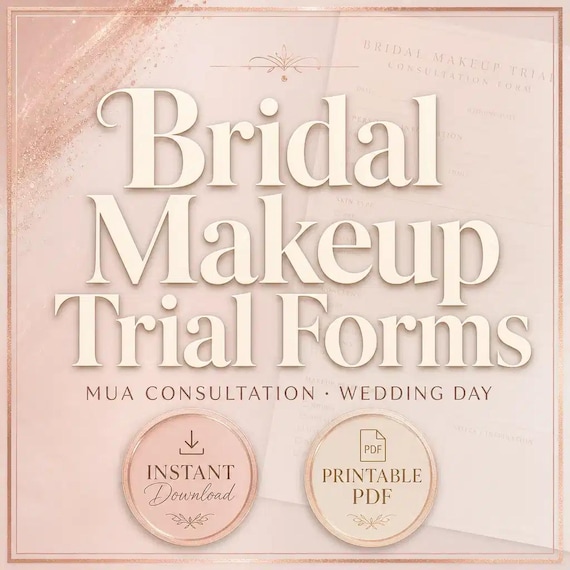
The current SteadyStackStudio bridal makeup kit is a digital template set for independent makeup artists and small bridal beauty teams who keep trial notes, party schedules, and wedding-day records together. The listed files are a 22-page bridal makeup planning and service pack, an editable Word version, an Excel workbook with clients, trials, wedding parties, schedules, products, kit, and payment trackers, and a ZIP that arrives as an instant digital download. No physical item is shipped. The pages described in the listing include an inspiration brief, product map, trial feedback, approved-look page, party roster, pack list, and wedding-day pages, plus health, allergy, sanitation, permission, and local-policy boundary notes.
Review the current previews before choosing it. Confirm that the printed pages have enough writing space, that the Word wording can be edited on the computer you actually use, and that the spreadsheet can hold the client, trial, party, and kit notes your studio already tracks. The listing describes an organized Excel workbook with filterable tables and useful formulas. Do not assume online booking, automatic reminders, live inventory, a client portal, or a calculated wedding-morning timeline. Those features are not part of the current description.
This kit can support a paper-and-spreadsheet workflow. It is an administrative planning template only. It is not medical advice, diagnosis, allergy testing, infection-control training, a consent form, a contract, an insurance document, or legal advice. Customize every page for your business before a client sees it. Follow product directions, professional sanitation standards, manufacturer guidance, client instructions, and local rules. Keep required consents, deposits, photo permissions, and licensing records in the systems your business already uses for those jobs.
- Use the PDF when you need a printable consultation, trial, roster, pack-list, or wedding-day page.
- Use the Word file when you need to change headings, prompts, or studio wording before printing.
- Use the Excel trackers for clients, trials, parties, schedules, products, kit notes, and payment status that change over time.
- Leave contracts, required consents, payments, and medical decisions in their approved places.
- Do not treat boundary notes on the template as a finished legal or health form.
Choose the trial-to-wedding-day path instead of a generic beauty intake
A bridal makeup record and a general beauty intake form can both collect a name and an appointment date, but they answer different questions. Bridal work usually spans at least two visits: a trial where a look is tested, and a wedding morning where that look has to be repeated under time pressure. The hard part is keeping those visits connected so the artist, or another permitted teammate, can see what was requested, what was approved, which products created it, who else is being painted, and when the room must be ready.
Use this guide when the immediate task is building that connected path. Use the companion officiant guide when the harder task is collecting ceremony choices, drafting a script, and running a rehearsal. A wedding can need both pros, but the records should not compete. An approved lip color is not a vow sequence, and mixing them on one vague wedding form makes the next handoff harder to reconstruct.
Define the handoff before entering real names. The consultation and inspiration brief should show what was discussed. The trial pages should show what was tested and what the client approved. The product map should show what will be packed. The party roster and schedule should show who is being served and in what order. The pack list and wedding-day pages should show how the morning will actually run. If those facts live in texts, screenshots, and memory, the paperwork is not doing its job.
- Consultation and inspiration brief: wedding details, preferences, and what the client does not want.
- Trial record: what was tested, what was changed, and what was approved.
- Product map: the shades and products needed to repeat the look.
- Roster and schedule: who is being served, in what order, with setup and travel buffers.
- Pack list and wedding-day notes: what leaves the studio and what happens in the room.
Freeze one consultation record before the trial chair time
Trial results will keep moving if the consultation is still a group-chat conversation. Before anyone blocks a long chair time or buys extra product for a wedding, create one dated consultation record for that client. Capture who booked, the wedding date, ceremony time if it is known, getting-ready location, and whether the booking is for the bride only or for a party. If a planner or day-of contact exists, write how that person can be reached on the morning itself, not only how the couple prefers to text during planning.
Record the version or date of the brief beside the request. If the client later sends a new Pinterest board, asks for a bolder eye, or adds three bridesmaids, treat that as a visible revision rather than typing over the first notes. The person who packs the kit and the person who paints on the wedding morning need to know which brief is current. Keep any signed agreement, deposit, or cancellation term in the business's normal client file. The consultation page can point to that decision without becoming the contract.
Do not combine different jobs under a label such as bridal consult. A first-time makeup-only trial, a combined hair-and-makeup trial, a party-preview appointment, and a wedding-morning touch-up plan are not the same visit. If the chair time, kit, or staffing would change, the record should distinguish the visit type. Give the client one stable reference, such as a short client code plus the trial date, that can appear on the form, tracker row, and later wedding-day notes.
- Date the consultation and name the artist who will own the trial.
- Write the wedding date, getting-ready location, and whether a party is included.
- Mark later changes as revisions instead of overwriting the first brief.
- Keep deposits and booking terms in the studio's existing agreement process.
- Use one client reference across paper pages and the spreadsheet.
Keep inspiration, preferences, and do-not-want notes as separate facts
A useful bridal brief does more than collect contact details. It documents what the client is starting with, what they want, and what they want to avoid, without collapsing those into one impression. Inspiration can include linked or printed photos, but the useful part is what the client likes in each photo: skin finish, eye definition, lash preference, lip intensity, or overall glam level. Preferences are the result they asked for in their own words. Do-not-want notes are equally important, because a saved screenshot can include a lip the client never noticed.
Keep those three areas distinct on the inspiration brief. A client can love a soft editorial photo and still need a look that lasts through outdoor portraits, dancing, and a long wear time. That is not a reason to argue on the form. It is a reason to record both the reference and the setting so the trial conversation is honest. Likewise, previous professional makeup that felt too heavy, too matte, or poorly matched should be written as the client's experience, not as a diagnosis.
Leave space for artist observations that another permitted team member could understand later. A note such as wants skin to look like skin, open to lashes, no sharp liner is more useful than pretty and natural. Do not invent face-chart grids, Fitzpatrick scores, or undertone formulas that the downloaded pages do not provide. Use the writing space that is actually on the form, and add only the extra detail your studio already records elsewhere if the page cannot hold it. If inspiration files are stored separately, write where they live under the studio's photo process instead of treating a phone album as the official brief.
- Ask what the client likes in each reference photo, not only which photo was sent.
- Write a short do-not-want list in the client's language.
- Separate requested glam level from the conditions the look has to survive.
- Record previous makeup experiences as client reports, not as clinical findings.
- Point to stored inspiration files instead of leaving them only on a phone.
Collect sensitivities and setting notes without turning the page into a medical chart
Bridal makeup is applied close to eyes, mouth, and skin that will be photographed for hours. The listing includes health, allergy, sanitation, permission, and local-policy boundary notes so the studio can collect client-provided preferences, sensitivities, and relevant instructions without diagnosing. Use those prompts to record what the client tells you: product reactions they already know, current irritation they report, recent facials, peels, spray tans, lash or brow services, or anything they ask you to avoid. Stay inside the studio's professional limits.
Do not use a template as allergy testing, medical advice, or infection-control training. If a health question arises that is outside your scope, refer the person to a qualified professional and do not invent a clearance checkbox the download does not provide. Keep required consent, photo permission, and sanitation procedures in the documents and training your business already uses. If a prompt on the template overlaps a required form, decide which document is official and remove the duplicate from the working copy.
Setting notes belong beside sensitivities because they change product and timing choices. Indoor versus outdoor, expected heat or humidity, first-look photos, a second look later in the day, and how long the makeup needs to wear are planning facts, not medical facts. Write them as logistics. If the client has not confirmed a getting-ready room or ceremony time yet, mark those fields as unknown rather than guessing. An honest unknown is more useful on wedding week than a confident placeholder.
- Record client-reported sensitivities and avoid lists in the client's words.
- Do not diagnose, test allergies, or claim the page replaces professional health advice.
- Keep required consents and photo permissions in their approved files.
- Write venue, weather, wear time, and photo timing as logistics.
- Leave unknown wedding details blank or marked unknown until they are confirmed.
Record trial results as an approved look, not as a vibe
The trial is where the look stops being a mood board and becomes a repeatable plan. After the appointment, complete the trial-feedback and approved-look pages before the details live only in one person's memory. Write what was tested, what was adjusted, and what the client approved on that date. If two options were tried, name the winner and the runner-up so a last-minute wedding-week change is a documented revision, not a vague maybe we liked the glossier one.
Approved does not mean the artist liked it. It means the client accepted a specific result after seeing it in person, in the lighting you actually used, and with any lashes, liner, or lip the trial included. If lighting in the studio is different from the getting-ready room, note that limitation on the page. If photos were taken, store them through the studio's permission and storage process. The template can note that photos were taken. It should not become a hidden photo album.
Finish the trial record the same day. A note completed the next morning is more likely to miss a lash style, a concealer swap, or a lip that was blotted down. If the client asks for a change after they get home, add a dated revision instead of editing the original approval until it no longer matches the trial they attended. The wedding-morning artist needs to know which version is current.
- Write what was tested, changed, and approved, with the trial date.
- Name a runner-up look if one was seriously considered.
- Note lighting or photo limits so wedding day is not a surprise.
- Store trial photos in the studio's approved process, not only on a phone.
- Treat later requests as dated revisions, not silent overwrites.
Map products and shades so wedding day does not depend on memory
Repeating a bridal look is a product problem as much as a taste problem. Use the product map to record the items and shades that created the approved result, at the level your studio already uses: base, conceal, set, eye, lash, brow, lip, and any extras that are easy to forget under time pressure. Write names the person packing the kit will recognize. A private nickname that only one artist understands is not a product map.
If a product used at the trial will not be on the wedding-day kit, write the substitute before the week of the event. If a product is shared across several weddings, note whether a backup must travel. Do not invent inventory columns the spreadsheet does not have. If a needed detail will not fit, keep it in the studio's existing product list and put a short pointer on the tracker. The listing includes kit and product trackers for this kind of follow-up, not a live stock system.
Keep retail sales and kit packing as separate jobs. If the client purchases a lip or a mini for touch-ups, record that sale in the studio's money process. The product map can note that the client is bringing a specific item, but it should not become the receipt. On wedding morning, the packed kit should match the approved map, not the original inspiration board.
- List the products and shades that created the approved look, in studio language.
- Record substitutes and backups before wedding week.
- Connect the product map to the pack list with the same client reference.
- Keep retail purchases in the normal money process.
- Do not treat the tracker as live inventory software.
Build the party roster and service order before locking the morning timeline
A bridal morning fails in the roster as often as it fails in the makeup chair. Use the party-roster page to name who is receiving service, what they booked, and any client-provided notes that affect the chair, such as lashes, glasses, or a requested start time. Confirm the count against the booking, not against a group text. A cousin added on Wednesday is a roster change, not a hallway surprise.
Service order is a planning decision, not a personality contest. Early risers, people who need longer application time, photographers' first-look needs, and the bride's own slot all affect the sequence. Write the intended order on the roster before you copy times onto the schedule. If a second artist will be in the room, write who is assigned to whom. The template does not calculate how many artists you need. That is a studio staffing decision based on the party size, the looks you approved, and the time the photos and ceremony actually require.
Give each person on the roster the same kind of identifier you use for the bride, even if it is only a first name plus a role. Makeup notes for Maid of honor, glasses, no lashes are easier to follow than a row that says girl in pink. If someone declines service after the roster is built, mark that change. A crossed-out name with a date is clearer than an erased line that makes the count look smaller than the room will be.
- Confirm names and booked services against the actual booking.
- Write the intended service order before filling clock times.
- Name artist assignments if more than one person is working.
- Record add-ons and drop-offs as dated roster changes.
- Do not let a group text replace the roster page.
Work the wedding-day schedule backward from photos, ceremony, and travel
The listing asks you to build the wedding-day schedule with setup, sanitation, touch-up, and travel buffers. Start from the times you cannot move: ceremony, photographer arrival, first look if there is one, and any hard venue access. Then work backward through the last person finished, the bride's slot, the party, and your own setup. A schedule that starts with an arbitrary 7 a.m. and hopes the photos will wait is not a schedule.
Buffers are part of the plan. Setup and sanitation need a real block before the first client sits down. Travel needs a real block if getting ready is off-site. Touch-ups need a real block if the artist is expected to stay until portraits. Write those blocks on the schedule page instead of squeezing them into leftover minutes. Exact durations depend on the party, the looks, the number of artists, and the room. Do not copy a sample timeline from the internet onto every wedding, and do not assume the spreadsheet will compute those minutes for you.
Share one current schedule. The couple, the photographer, the planner if there is one, and any second artist should be looking at the same version. If the photo timeline changes a month out, revise the beauty schedule as a new dated version rather than stacking conflicting printouts in the kit. The Excel schedule tracker is the right place for times that still might move. The printed wedding-day page is the right place for the version that travels in the bag.
- Start from ceremony, photos, and venue access, then work backward.
- Give setup, sanitation, touch-up, and travel their own blocks.
- Set durations from this wedding's party and staffing, not from a generic sample.
- Keep one current schedule version in circulation.
- Use the spreadsheet while times are still moving; print the version that travels.
Pack the kit from the approved look and the actual getting-ready room
The pack list exists so wedding morning is not a memory test. Build it from the approved product map, the party roster, and the room you were told you would enter. Include the makeup that creates the look, the extras the roster requires, sanitation supplies your process uses, and the printed pages the artist will need in the room. If the getting-ready space has limited outlets, light, or table room, write that constraint on the wedding-day notes so the kit is packed for the room you will actually get.
Check the list against the bag, not against the intention to pack later. If two weddings share products, the pack list should show what must come back, what is reserved for this bride, and what can be substituted. Do not turn the list into a wholesale inventory. It only needs to answer whether the approved look can be repeated for every person on the roster in the time you scheduled.
Bring the current paper packet, not every draft. The bag should contain the approved look, product map, roster, schedule, pack list, and wedding-day notes for this event. Older trial experiments, superseded schedules, and another bride's pages create the wrong kind of choice under time pressure. After the event, use the wedding-day notes to record what actually happened: late arrivals, product swaps, touch-up timing, and anything the next bridal trial should learn. Then update the tracker status so the booking is closed instead of lingering as if the morning never occurred.
- Pack from the approved map, roster, and known room constraints.
- Check the bag against the list before you leave.
- Travel with the current packet only.
- Write what actually happened before the details fade.
- Close the booking on the tracker after the event.
Give the PDF, Word file, and spreadsheet different jobs
Keep the original download unchanged in a source folder. Make a dated working copy for the studio and preserve a clean master before changing labels or prompts. Decide which copy is authoritative. If several artists each save a slightly different form, trial notes and party times will drift even when every file looks complete.
Use the US Letter PDF for pages you want to print as they are, after you confirm the layout at the size you will actually use. Use the Word file when wording must change: studio name, service names, schedule labels, or client-facing lines. After you edit the Word file, print the client-facing pages from that approved version rather than handwriting a new process onto an old PDF. Use the Excel workbook for clients, trials, parties, schedules, products, kit notes, and payment status that need to be sorted, filtered, or updated without reprinting the whole packet.
Avoid copying every changing time into every format. Connect the files with the client reference, trial date, and current schedule date instead. If a first-look time moves, update the tracker and, if a printed schedule already traveled, issue a corrected page according to the studio's process. Two start times in two places, with no owner, is how a bridal morning begins late.
- Keep one untouched download, one approved master, and one controlled working copy.
- Edit wording in Word; print stable pages from the approved result.
- Let the spreadsheet hold moving times, status, and kit notes.
- Use the same client reference across paper and tracker.
- Remove superseded printouts from the wedding-day bag.
Test one fictional wedding and decide whether the file set fits
Before using the templates with a booked couple, run one fictional wedding through the full path. Include a consult with mixed inspiration, a trial that changes one feature, an approved look with a product map, a party of several people, a schedule that must absorb travel, a pack list, and one last-minute roster change. Print the pages at the size you will use in a getting-ready room. Check writing space, page breaks, contrast, and whether the client reference remains visible when pages are clipped into a folder.
Open the Word and Excel files on the computers that will edit them. Confirm that saved copies reopen correctly and that the layout in the current previews matches what you expected. If you work from a tablet, test that path too. A form that looks fine on a desktop can be hard to complete at a vanity between clients. The tracker should let you see which trials are approved and which wedding mornings still need a packed kit without opening every paper packet.
The featured kit is most suitable for an independent artist or small bridal team that wants printable pages plus an editable tracker and can keep one controlled current copy. Choose a more connected studio platform when you need live multiuser records, online intake, automatic reminders, or payment tools. A template is a good fit only when it closes a real handoff gap: the brief, the approved look, the products, the roster, the schedule, and the bag. If those facts are already clear in a system the team trusts, do not add a second packet that will fall out of date. Delete the fictional wedding when the master and training notes are complete.
- Test a consult, a trial change, an approved look, a party roster, travel, and a last-minute add-on.
- Ask someone who did not build the setup to find the approved products and the start time.
- Use the real printer, bag, and computers.
- Fix duplicate fields, unclear visit types, and conflicting times before launch.
- Delete the fictional client after the approved master and training notes are complete.
Printables used in this guide
Instant downloads from the SteadyStackStudio Etsy shop.
Bridal Makeup Trial Forms
Bridal makeup trial forms for MUAs: 26-page fillable PDF with client consultation, skin/allergy intake, trial booking and look…
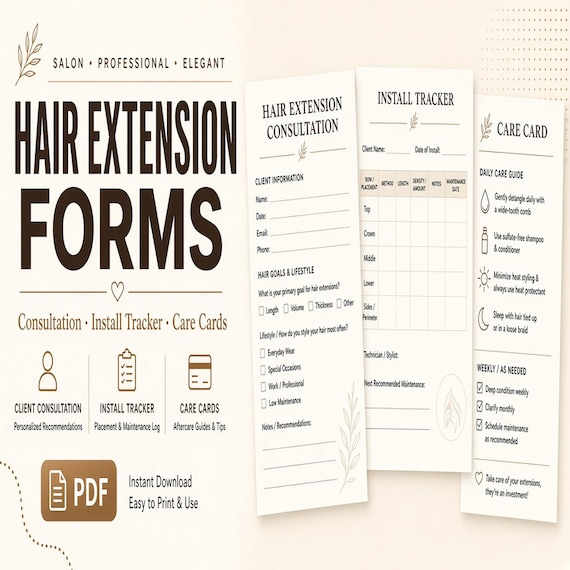
Hair Extension Consultation Form
A polished template kit for hair extension stylists, salon owners, mobile stylists, and beauty service providers.

Lash Tech Consent Forms
Lash tech forms bundle for lash artists and beauty studios: 26-page fillable PDF with consent, client intake, contraindication…
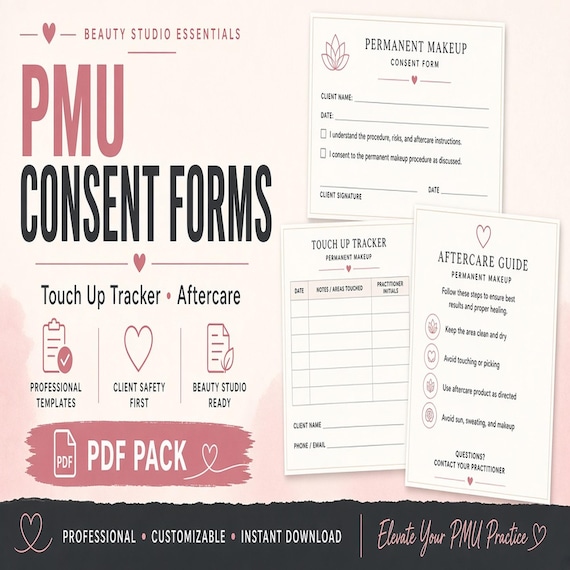
PMU Consent Form Bundle
A polished template kit for permanent makeup artists, brow PMU studios, beauty service owners, and solo artists.