Small Business Templates · Jul 4, 2026 · 4 min read
Weekly Planning Ideas for Templates and Digital Downloads
Simple ways to use planners, checklists, worksheets, spreadsheets, and visual assets throughout a busy week.

Give each day one practical planning job
Weekly planning works best when the template has a clear job. Instead of trying to use every download every day, assign each file to a moment in the week: planning, client prep, product setup, money review, content creation, or cleanup.
This keeps digital downloads from turning into a messy folder of good intentions. The template becomes part of a routine instead of another thing to organize.
- Monday: choose priorities, appointments, product tasks, and admin work.
- Tuesday or Wednesday: update forms, checklists, pricing, inventory, or content files.
- Thursday: prep customer-facing materials such as cards, labels, graphics, or instructions.
- Friday: review what changed and save clean copies of finished files.
Match the template to the type of week you are having
A quiet planning week needs different files than a launch week, client-heavy week, event week, or market-prep week. Pick the template by the pressure point.
- Use planner pages when the problem is scattered tasks.
- Use spreadsheets when the problem is numbers, inventory, costs, bookings, or follow-up.
- Use client forms when the problem is repeated appointment information.
- Use visual assets or product cards when the problem is marketing or packaging presentation.
Set up a reusable folder before downloading more
Create a simple weekly folder with sections for blank templates, active copies, finished exports, and archive files. That small structure makes it easier to use one download several times instead of repeatedly buying a new file for the same job.
- Keep originals untouched so you can restart clean.
- Rename working copies by date or project.
- Save exported PDFs or images separately from editable files.
- Archive old versions after the week ends so the active folder stays light.
When templates save the most time
Templates help most when the task repeats and the format does not need to be reinvented. Product cards, batch labels, intake forms, pricing sheets, checklists, and weekly trackers all work because the same structure can be reused with fresh details.
They help less when the task is one-of-a-kind, heavily customized, or needs professional judgment before use.
What to check before opening Etsy
Before clicking through, confirm the product preview shows the kind of week you need to plan. A soap label card, a photographer workflow, a budget tracker, and a coloring page pack all support different routines.
- Check file format and whether editing is required.
- Check whether the preview shows actual template pages.
- Check whether the template is specific enough for your business or project.
- Check whether the related downloads add something useful or only duplicate the same role.
Recommended next step
Choose the most urgent weekly bottleneck first. Open the product preview that matches it, check the file types and example pages, then use Etsy only when you can name exactly how the download will be used this week.
Quick fit check before you buy
Before choosing a weekly planning download, decide whether the file needs to plan time, products, clients, money, or household tasks. A simple planner can feel clean but still miss the tracking fields that make it useful after the first week.
Open the preview and look for enough writing space, clear page order, and a repeatable weekly reset step. If the product is editable, confirm the file format matches the app or software you actually use.
- Choose printable pages when you want a paper reset at the start of the week.
- Choose a spreadsheet when totals, repeat tasks, or business numbers need formulas.
- Choose a niche template when the workflow is specific, such as product cards, client prep, or shop upload notes.
When this download may not be the right fit
A good match for Weekly Planning Ideas for Templates and Digital Downloads should be practical, specific, and easy to use after checkout. It may not be the right fit if you need a fully custom service, physical printed materials shipped to you, professional review included with the purchase, or a file format the listing does not show. Use this page as a comparison step, not as a promise that every download will fit every business, event, printer, device, or professional requirement.
- Check the preview images and file details before opening Etsy.
- Choose the smallest complete download that solves the real job.
- Use related product pages when another format, worksheet role, template type, or bundle level fits better.
- For consent, financial, therapy, dental, beauty, or legal-adjacent uses, review the final wording or spreadsheet setup against your local requirements before relying on it.
Before you click through to Etsy
Use the SteadyStackStudio product preview as a final check. Confirm the title, price, file type, preview image, and related downloads all point to the same job you came here to solve. If the recommended product looks close but not exact, compare the other downloads in the same topic hub before leaving the site.
Once the product page and Etsy listing agree on what is included, the Etsy click is the checkout step rather than a blind jump. Answer the question first, compare the matching download second, then use Etsy only when the fit is clear.
- Open the matching product page if you want a larger preview and related options.
- Use the Etsy button when the file format and use case are clear.
- Skip the purchase if the preview does not show enough detail for the way you plan to use the download.
Printables used in this guide
Instant downloads from the SteadyStackStudio Etsy shop.
Music Teacher Studio Planner
Music teacher studio manager for private lesson teachers: 26-page fillable PDF with student intake, lesson policies, attendance…

Candle Care Card and Soap Label Templates
Soap and candle makers who need real label/card sheets for markets and shops — not a thin one-page mockup.
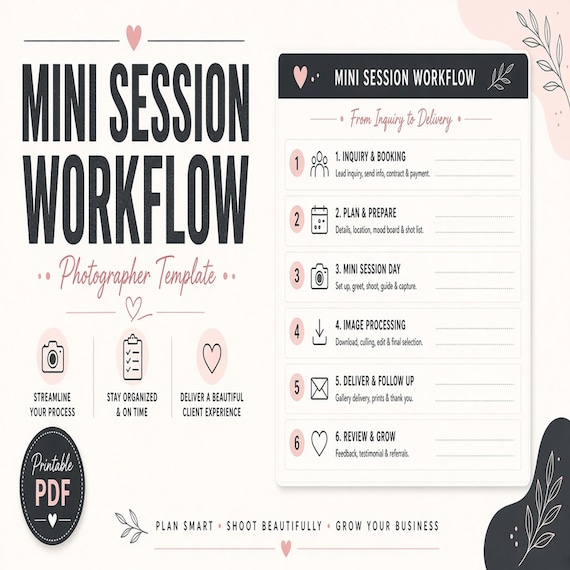
Mini Session Planner for Photographers
Plan mini-session dates, clients, shot lists, outfit-prep notes, gallery delivery, and follow-up steps.
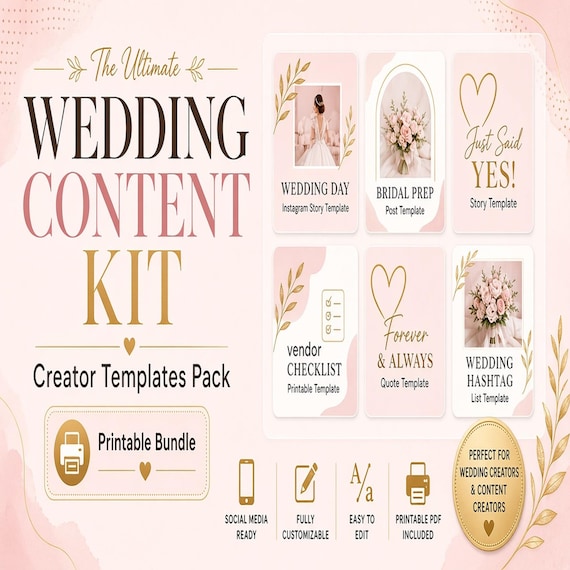
Wedding Content Creator Kit
A practical digital template bundle built around an urgent buyer need: Client intake, shot list, wedding-day timeline…