Small Business Templates · Jul 10, 2026 · 10 min read
Nonprofit Grant Tracker Spreadsheet: From Opportunity Screen to Final Report
A practical workflow for screening grant opportunities, assigning application tasks, tracking award budgets and deliverables, and keeping report deadlines visible from first review through closeout.
Map the full grant lifecycle before you add rows
A useful grant tracker follows an opportunity beyond the application deadline. Start by naming the stages your organization actually uses: prospecting, eligibility review, go or no-go decision, application development, internal approval, submitted, decision pending, awarded, declined, active award, reporting, and closeout. Your labels can be simpler, but they should make it clear what happened and what must happen next. Use the funder’s current instructions and award documents as the authority whenever their language differs from your internal labels.
Keep the main pipeline scannable. One row can hold the funder, program name, opportunity link, purpose, possible amount, deadline with time zone, assigned owner, current stage, next action, next-action date, and location of the supporting folder. Put detailed application tasks, award terms, and report preparation on their own pages or tabs. Trying to store every note in one crowded row makes the deadline list harder to review and easier to ignore.
- Use one stable record for each opportunity, even if the status changes several times.
- Separate the external funder deadline from your earlier internal deadline.
- Give every active record one owner and one dated next action.
- Link to the approved document location instead of attaching scattered copies in messages.
- Keep declined and closed records so the team can see prior decisions without rebuilding the history.
Run a go or no-go screen before anyone starts writing
A short screen protects staff time. Check whether the organization and proposed program fit the funder’s stated eligibility, geography, population, purpose, award size, and timing. Note any registration, cost-share, matching-fund, partnership, board-approval, or fiscal-sponsor requirement that must be resolved before submission. If the answer is uncertain, mark it as a question to verify rather than turning an assumption into a green light.
Capacity belongs in the decision too. A grant may fit the mission but still require a reporting schedule, measurement plan, reimbursement process, or project start date the team cannot support. Record who made the decision, when it was made, the reasons, and any condition that must be met. A clear no-go record is useful: it prevents another person from reopening the same poor-fit opportunity next week and preserves the reason for reconsidering it later if circumstances change.
- Mission and program fit: does the proposed work align with both organizations’ stated priorities?
- Eligibility: entity type, location, population served, registration, and application limits.
- Financial fit: award range, restricted costs, payment timing, match, and staff capacity.
- Delivery fit: project dates, partners, measurable results, and reporting workload.
- Decision record: go, no-go, or verify, with an owner and review date.
Turn the application into a dated workplan
Once the team decides to apply, work backward from the official deadline and build an internal schedule with breathing room. List each required narrative, budget, attachment, registration, partner item, approval, portal entry, and final review. Assign a person and due date to every task. If one item depends on another, show that dependency so a late budget or support letter does not silently block the final package.
Distinguish the person coordinating the application from the person authorized to approve or submit it. Some portals use specific roles and permissions, so follow the current platform and funder instructions rather than assuming every team member can press submit. Keep passwords out of the tracker. Instead, record the approved workspace, document folder, version owner, and submission role. Use a consistent file name for the final narrative, budget, and attachments so the team knows which package was actually approved.
- Create an internal deadline early enough to fix a portal, attachment, or approval problem.
- Track required and optional items separately so an optional attachment is not mistaken for a requirement.
- Add reviewer initials or an approval date for the narrative and budget.
- Confirm file names, formats, page limits, and upload limits against the current instructions.
- Schedule the final check and submission as separate tasks.
Preserve the submission receipt and decision trail
Submission is a milestone, not the end of the record. Capture the date and time, time zone, portal or delivery method, official confirmation or tracking number, person who submitted, and location of the exact submitted package. If the application is corrected or resubmitted, preserve the earlier confirmation and identify which version is current. That trail makes it easier to answer a later question without searching several inboxes.
Set the next follow-up from the funder’s stated review timeline. Record a status update only when it comes from the official portal, funder contact, or written notice. For a decline, save the decision and any feedback the funder provides; do not guess at the reason. For an award, create a separate award record rather than stretching the application row into a substitute for the agreement, budget, deliverables, and reporting calendar.
- Save the final submitted files together with the confirmation receipt.
- Record the application or tracking number exactly as issued.
- Add the expected decision window and the next appropriate follow-up date.
- Mark withdrawn, declined, and awarded outcomes without deleting the original opportunity.
- Carry useful feedback into a future application only after the team reviews it.
Open an award record before grant work begins
When an award arrives, read the current agreement and turn its requirements into a kickoff record. Capture the approved amount and budget, award period, restrictions, payment or reimbursement method, required match, reporting dates, deliverables, key contacts, authorized signatory, amendment process, and document location. The signed agreement and the funder’s current rules remain the source of truth; the tracker is a working summary that helps the team act on them.
Hold a brief kickoff with the people responsible for program work, finances, reporting, and funder communication. Confirm who approves spending, who maintains evidence, who reviews financial information, who drafts each report, and who submits it. Add the first deliverable and report dates immediately. If a term is unclear, record the question and the person responsible for getting clarification from the appropriate funder contact instead of filling the gap with an assumption.
- Link the signed agreement, approved budget, final application, and award notice.
- Record both the project period and any separate spending or reporting period.
- Assign an owner to every deliverable, payment request, and report.
- Note restrictions and approval requirements in plain language, then point back to the official clause.
- Schedule a recurring award review before the first deadline is close.
Track budget visibility without replacing the accounting record
A grant workbook can help program and development staff see the approved categories, current spending snapshot, commitments, remaining amount, and questions that need finance review. It should not become an unofficial second ledger. Use the organization’s approved accounting system and financial reports for transactions, reconciliations, payroll allocations, and formal reporting. In the tracker, include an as-of date and the location of the supporting financial report so every number has context.
Keep approved budget, proposed changes, and actual information visibly separate. A formula that shows remaining funds is useful for planning, but it does not decide whether a cost is allowable or whether a budget change needs prior approval. Confirm those questions against the agreement, current funder guidance, organizational policy, and qualified financial or legal support when needed. Reconcile the tracker to the approved records on a regular schedule and have the appropriate finance reviewer sign off before a financial report is submitted.
- Show the approved category amount and the date of the latest actual-spending update.
- Keep committed costs separate from posted transactions.
- Flag a possible overage, underspend, or category change for review before acting on it.
- Record the source report and reviewer instead of relying on an unexplained total.
- Never treat a planning formula as proof that an expense is eligible or reimbursable.
Build the reporting calendar from each award agreement
Reporting dates and formats can differ from one award to another, even when the projects look similar. For every required program, financial, progress, or final report, capture the reporting period, official due date, required portal or recipient, responsible writer, finance reviewer, approver, evidence needed, internal draft date, final review date, submission date, and confirmation location. Do not copy last year’s schedule into a new award without checking it.
Start evidence collection when the award begins. Program staff may need participation totals, milestones, stories, outputs, outcomes, invoices, partner records, or other documentation defined by the agreement. A simple evidence list beside each deliverable helps the team see missing inputs while there is still time to resolve them. When a requirement is unclear or circumstances change, contact the designated grant or program officer through the approved channel and save the response with the award record.
- Create internal draft and review dates ahead of the official due date.
- Name the person responsible for each data source, narrative, and financial attachment.
- Record the covered period so two reports with similar names are not confused.
- Save the submitted report and its receipt together.
- Keep recurring reports on the calendar until the funder confirms the obligation is complete.
Treat amendments and closeout as their own phases
Project dates, activities, budgets, personnel, or deliverables sometimes need to change. Use an amendment log to record the requested change, reason, request date, person who submitted it, funder response, effective date, and location of the approved document. A conversation or draft request is not the same as approval. Keep the original terms visible and update the working plan only in the way authorized by the funder and your organization.
Closeout deserves a checklist rather than a single “done” status. Track final program and financial reports, final payment or reimbursement steps, unresolved deliverables, equipment or property instructions when applicable, partner records, communication with the funder, and the required document-retention period. Mark the award closed only when the required work has been completed and the appropriate confirmation is saved. Then note lessons, reusable language, future eligibility, and a realistic renewal or reapplication date.
- Log requested, approved, denied, and withdrawn changes separately.
- Attach or link the written approval that changes the governing terms.
- Use a final checklist for reports, finances, deliverables, records, and confirmation.
- Record the retention rule from the applicable agreement or policy.
- Schedule a short debrief while the team still remembers what worked and what caused delays.
Choose PDF, Word, or Excel by the work each file needs to do
Excel is the natural home for repeatable pipeline rows, sortable deadlines, contact lists, budget snapshots, award records, deliverables, and report calendars. Word is useful for adapting headings, preparing narrative notes, and maintaining pages that need more flexible text. A printable PDF can support a kickoff meeting, go or no-go review, handoff, or paper file when a team prefers a fixed page. Choose the format from the maintenance job, not from the number of files in the download.
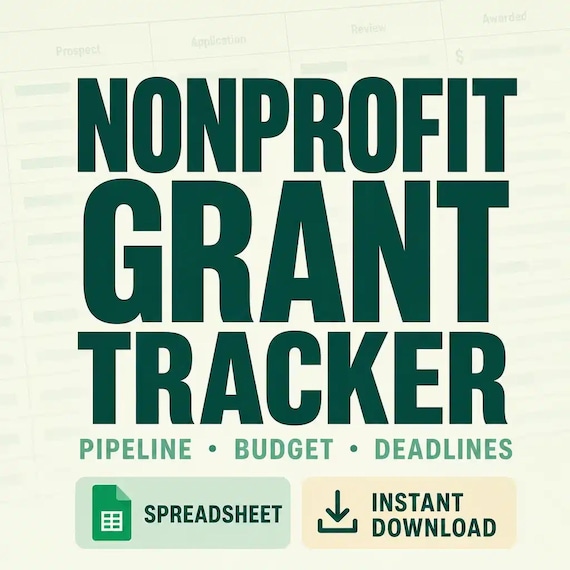
The current SteadyStackStudio nonprofit grant tracker listing describes a 23-page grant pipeline and reporting pack, an editable Word version, and an Excel workbook for opportunities, applications, deadlines, contacts, budgets, awards, deliverables, reports, and documents. It also lists go or no-go, workplan, award kickoff, amendment, reporting, and closeout pages, packaged as a ZIP with a US Letter PDF. Check the live product page before checkout in case the included files or delivery details have changed.
- Choose Excel for rows, dates, filters, repeated status updates, and working totals.
- Choose Word for editable prompts, longer notes, and organization-specific labels.
- Choose PDF for printing, fixed-layout review pages, and digital annotation.
- Confirm that your device can open a ZIP and the stated Word and Excel file types.
- Keep an untouched original before customizing the working copy.
Check the product preview against your team’s real workload
A strong preview should show the inside pages that carry the workload, not only a cover. Look for an opportunity pipeline, eligibility or go or no-go screen, application workplan, deadline and contact tracking, award kickoff, budget view, deliverable list, reporting calendar, document tracker, amendment log, and closeout page if you need the full lifecycle. Confirm the page size, file formats, editability, delivery method, and whether the writing space and spreadsheet columns fit the way your team works.
A template can organize decisions, ownership, deadlines, and document locations. It cannot research funders for you, write a competitive proposal, approve spending, interpret an agreement, replace accounting records, guarantee an award, or provide fundraising, tax, audit, legal, or compliance advice. If you only need a short prospect list, a smaller sheet may be enough. If several people manage applications and active awards, choose a system that makes the next action, official source, owner, and due date easy to find.
- Open representative inside-page previews and read the column labels.
- Confirm the exact PDF, Word, and Excel files included before purchase.
- Check whether the tracker covers applications only or continues through awards, reports, and closeout.
- Make sure the workflow distinguishes official records from internal planning notes.
- Skip the purchase if the preview does not show enough detail for your team to maintain it confidently.
Printables used in this guide
Instant downloads from the SteadyStackStudio Etsy shop.
Grant Tracker Spreadsheet for Nonprofits
Track opportunities from first screen through submission, award setup, deliverables, spending, reporting, and closeout so…
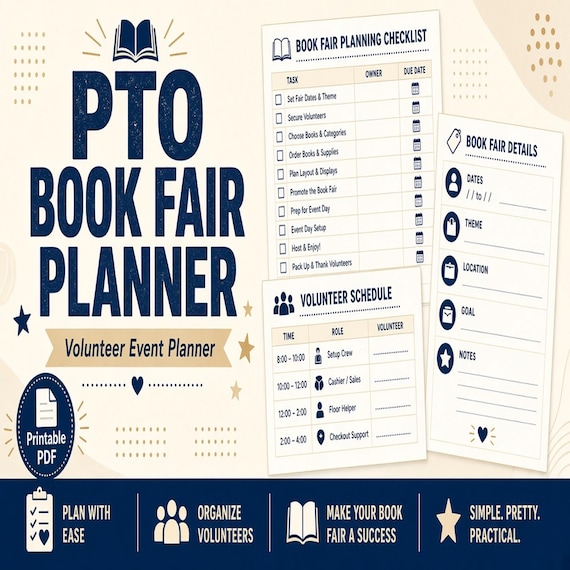
Book Fair Planner
Give the book fair team one cleaner place for volunteer slots, cash counts, budget notes, restock lists, and closeout handoff.

Homeschool Co-op Planner
A calm, practical download for homeschool co-op leaders, volunteer coordinators, class instructors, and parent committees…
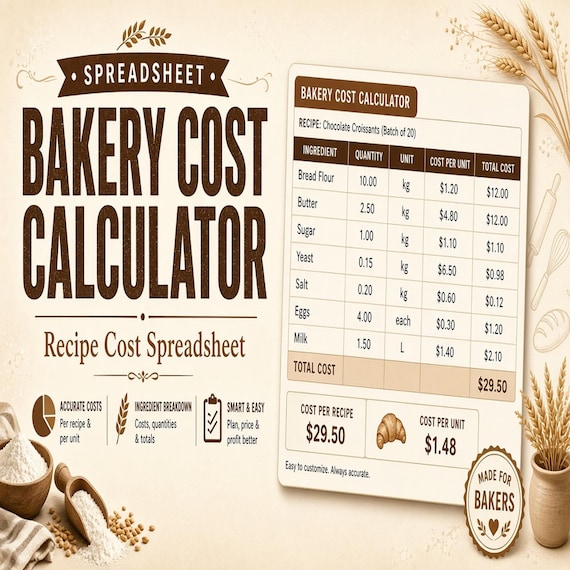
Bakery Pricing Calculator Spreadsheet
Stop underpricing cakes, cookies, and cottage bakery orders. This is an instant digital download designed for buyers who want a…