Caregiver & Just in Case · Jul 15, 2026 · 12 min read
Final Wishes Planner Setup: Record Preferences, Contacts, and a Clear Handoff
A calm, step-by-step guide to completing a final wishes planner, separating preferences from formal documents, organizing practical notes, and giving a trusted person a usable handoff.
Confirm the planner's role before filling in the pages
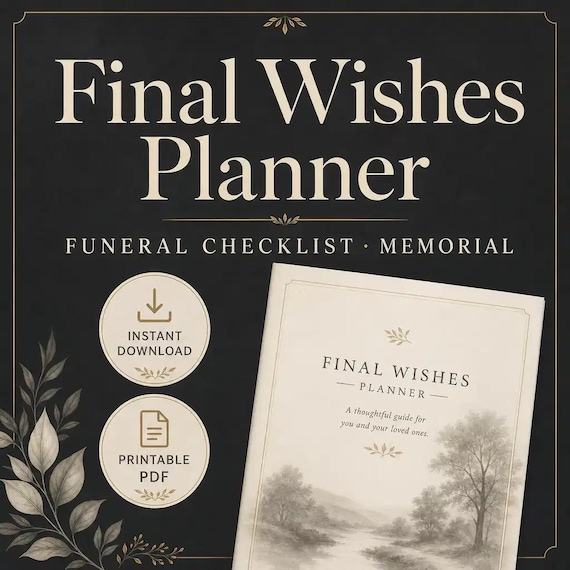
A final wishes planner is most useful as a clear record of preferences, people to contact, practical questions, and the location of supporting information. It can reduce guesswork for a trusted person, but it is not automatically a will, advance directive, funeral contract, insurance policy, authorization, or substitute for advice from the professionals who handle those documents. Keep those formal records in their proper approved locations and use the planner as a readable map to them when appropriate.
The current SteadyStackStudio download is a digital organizer with printable PDF pages, an editable Microsoft Word version, a Quick Start PDF, and a README or license note. Its listed sections cover a memorial preference overview, funeral-home notes, burial or cremation preferences, people to notify, an obituary worksheet, photos and memories, music and readings, gathering notes, donation notes, a cost and payment tracker, and a family message. Review the current product page before purchase because that listing is the final description of what is included.
- Use the planner to make preferences and information locations easier to understand.
- Keep signed, witnessed, notarized, medical, legal, insurance, and financial records in the places required for them.
- Do not assume that writing a choice on an organizer page completes a legal or provider process.
- Confirm that the current PDF and Word files fit the way you expect to maintain the planner.
Begin with the handoff, not the longest checklist
Before writing detailed ceremony notes, decide who should know that the planner exists and where the finished copy will be kept. A beautifully completed organizer cannot help if it is hidden in an unlabeled folder, stored on a locked device no one can access, or mixed with outdated drafts. Choose one trusted person who can find the current version, understand what it is, and know which professionals or family members must make the actual decisions.
Write a short handoff note at the front: the planner owner's full name, the date reviewed, the name and contact method of the trusted person, the location of the current copy, and the location of separate formal documents. Use locations rather than copying every sensitive detail. For example, record that an insurance policy is in a named secure file or that an attorney holds a document; do not turn an ordinary printable into a vault of account numbers, passwords, access codes, or identity documents.
- Name one primary trusted person and one backup when that is appropriate for your situation.
- Label one copy as current and mark old drafts as superseded or destroy them safely.
- Point to secure document locations instead of attaching every private record.
- Tell the trusted person where the planner is stored; do not rely on someone discovering it later.
Complete the preference overview before the detail pages
The overview page should give a calm, one-page picture of what matters most. Start with broad preferences that would otherwise cause uncertainty: whether there is a preferred type of service or gathering, whether burial or cremation is being considered, whether a religious, cultural, military, family, or community tradition should be discussed, and which people should be consulted. Mark anything undecided instead of forcing a false answer simply to finish the page.
Separate firm preferences, flexible preferences, and open questions. A firm preference might be a person who should be contacted. A flexible preference might be a choice between two meaningful readings. An open question might require a conversation with family, a faith leader, a cemetery, a funeral provider, or another qualified professional. This labeling helps the trusted person understand where the planner is offering direction and where it is only preserving a starting point for a later decision.
- Use plain language that another person can understand without interpreting shorthand.
- Mark each item as firm, flexible, or undecided when that distinction matters.
- Add the date beside time-sensitive preferences and conversations.
- Leave room for a trusted person to note who confirmed the final decision and when.
Turn funeral-home and disposition notes into a question list
The funeral-home and burial or cremation pages are useful places to collect names, locations, prior conversations, and questions. They should not imply that a provider has been chosen, a space has been reserved, a price is guaranteed, or an arrangement is complete unless separate current records actually confirm that. Record the provider's current contact details, the date information was received, the person spoken with, and where any written estimate or agreement is stored.
When comparing options, ask for current itemized information and write down what is included, what is optional, which third-party charges may be separate, and how long an estimate remains useful. Rules, availability, prices, and required authorizations can change. Keep the planner focused on the questions and preferences that help a family conversation; keep signed agreements, permits, deeds, prepaid-plan records, and official instructions with the appropriate provider or secure document file.
- Record dates and sources beside provider notes so an old conversation is not mistaken for a current quote.
- List questions about timing, transportation, service options, disposition, cemetery or crematory details, and required paperwork.
- Store contracts and official records separately, then note their location in the planner.
- Review local requirements with the relevant provider or qualified professional rather than relying on a generic page.
Build a notification map that someone can actually follow
A people-to-notify page works best as an ordered map, not a crowded address book. Group contacts by role: immediate family, close friends, faith or community contacts, employer or professional contacts, clubs or organizations, and practical service contacts. Add the preferred contact method and a short note about who should make the call. Avoid copying contacts that have no reason to be part of this handoff.
Decide which notifications are personal and which are administrative. A sibling may need a direct call, while a community group may only need one designated contact. If one person can notify an entire branch of the family, write that handoff clearly so several people do not make the same calls. Review names and numbers periodically, especially after a move, job change, family change, or long gap in contact. The list should save the trusted person from reconstructing relationships under pressure.
- Put the first three calls at the top instead of making every contact look equally urgent.
- Add a relationship or role so names are understandable to someone else.
- Use one family or community point person when that prevents duplicate calls.
- Remove stale contacts rather than keeping them for completeness.
Draft obituary, photo, and memory notes in layers
The obituary worksheet and photo or memory list do not need to become a finished announcement in one sitting. Begin with stable facts that can be checked: preferred name, important places, relationships, work or service, communities, interests, and the names of people who can verify details. Then add stories, phrases, or accomplishments that feel representative. Leave a clear note when spelling, dates, titles, or family names still need confirmation.
For photos, record a simple description and location rather than moving every original into the planner. Note whether an image is a print, a file on a device, or part of a shared album, and identify the person who knows how to find it. Avoid placing the only copy of a meaningful photograph inside a working binder. A short, verified list of usable images is more helpful than a large unsorted folder that no one can navigate.
- Separate verified facts from stories or wording that still needs family review.
- Use descriptions such as 'blue album, second shelf' or an approved digital folder name.
- Keep original photos and irreplaceable records in their proper protective storage.
- Name one person who can check family names, spellings, dates, and photo permissions.
Organize music, readings, gathering, and donation preferences
Ceremony and gathering pages are easier to use when each idea includes enough context. Instead of writing only a song title, add the performer or version if it matters and note where the selection would fit. For a reading, record the title, author or source, and the person who might be asked. For a gathering, describe the feeling and practical priorities before listing decorations or menu ideas. This helps a family preserve the intention even when a specific venue, reader, song version, or item is unavailable.
Donation or charity notes should include the organization's current name and a way to verify the intended destination. Do not assume an old web address, fund name, or local chapter will remain unchanged. Mark alternatives and identify which choices are essential versus optional. The goal is not to script every minute; it is to make the values behind the preferences visible enough that people can adapt responsibly when timing, budget, availability, or family needs require a change.
- Add enough detail to distinguish the intended song, reading, organization, or gathering style.
- Label must-have, preferred, and optional ideas instead of presenting one long undifferentiated list.
- Include an acceptable alternative when a specific person, place, or item may not be available.
- Verify donation information before it is shared publicly.
Use the cost and payment page as a map, not a financial vault
The listed cost and payment tracker can help organize estimates, deposits, expected categories, people to contact, and the location of supporting records. Keep the entries descriptive: provider name, item or service, estimate date, amount discussed, payment status, contact person, and the secure location of an invoice or agreement. Update the page when an estimate changes so the trusted person does not rely on a crossed-out total or an undated number.
Do not place full card numbers, bank logins, security codes, tax identifiers, or unprotected copies of financial documents in an ordinary binder or editable file. A planner can say that a prepaid arrangement, insurance contact, designated account, or family discussion exists and point to the approved record. It cannot confirm coverage, availability, beneficiary rules, or authorization. Those details should be verified with the financial institution, insurer, provider, estate professional, or other appropriate source.
- Date every estimate and identify who supplied it.
- Distinguish estimated, quoted, deposited, paid, reimbursable, and unknown amounts.
- Point to secure invoices and agreements without copying sensitive access information.
- Reconcile the planner against current provider and account records during each review.
Choose PDF or Word by the way the planner will be maintained
Use the printable PDF when handwriting is comfortable, a physical binder is easiest to locate, and the page layout should stay fixed. Use the editable Word version when you need to type longer notes, revise sections cleanly, or reprint only the pages that changed. Preserve the original download and work from a separate copy so formatting experiments or accidental deletions do not remove the clean template.
Before completing the whole organizer, test one representative page. Print it at the size described by the current instructions, check legibility and writing space, or open the Word copy in the software you expect to use and confirm the layout behaves normally. If another family member will maintain the planner, test the workflow with that person instead of choosing a format only because it is familiar to you. A simpler version that gets reviewed is better than an elaborate file no one can update.
- Keep the purchased ZIP and original files unchanged in a clearly named folder.
- Create a dated working copy before typing or rearranging pages.
- Run one print or editing test before entering sensitive or time-consuming information.
- Do not assume an editable document provides secure storage or controlled access.
Make the family message specific enough to be useful
A family message can explain the purpose of the planner, what has already been discussed, and what remains open. It does not need to carry every emotion or settle every possible disagreement. A practical opening is: this organizer records preferences and information locations as of a stated date; formal documents and provider decisions are stored or handled separately; the named people should be consulted where possible.
Add brief context for choices that may otherwise be misunderstood, especially when a preference reflects a tradition, accessibility need, family circumstance, budget boundary, or request for privacy. Avoid using the message to assign duties to someone who has not agreed, promise money or property, or override formal authority. If a conversation is important, have it while the planner owner can participate, then record the date and a neutral summary rather than expecting the page to replace the conversation.
- State what the planner is, when it was reviewed, and where formal documents are kept.
- Record agreed roles separately from hoped-for roles.
- Explain the reason behind a preference when that context helps people adapt it faithfully.
- Use the page to support a conversation, not to surprise someone with a responsibility.
Store, share, and review without creating extra risk
Choose storage that balances access and privacy. A physical copy may fit a labeled home records area, safe, or secure binder location; a digital copy may fit an approved encrypted or access-controlled folder. The right choice depends on what the planner contains and who needs it. Do not email an unprotected copy broadly or leave a detailed version in an unlocked public or shared location simply because relatives need to know it exists.
Set a review cue rather than trusting memory. Review after a major family change, move, provider conversation, change in contact information, or change in preferences, and also choose a regular interval that feels manageable. Put the review date on the front page. During each review, remove superseded drafts, test contact information, confirm document locations, and ask whether the same trusted person is still willing and able to receive the handoff.
- Share the location and access plan with only the people who need it.
- Keep a visible review date and mark the current copy clearly.
- Update contacts, provider notes, document locations, and stated preferences together.
- Dispose of outdated pages and drafts in a way that protects the information they contain.
Use a calm 30-minute first pass
A useful first pass does not require completing every section. Open the Quick Start page, write the planner owner's name and review date, choose the trusted contact, record where formal documents are located, complete the high-level preference overview, and list the first three people to notify. Then mark the sections that require a conversation or outside information. Stop with a clear next step instead of rushing through sensitive choices to make the binder look finished.
On the second pass, work on one cluster: provider questions, obituary facts, photos and memories, ceremony details, gathering notes, donations, or cost records. Keep a short unresolved list at the front. A small number of accurate pages can reduce more uncertainty than a full organizer copied from assumptions. The planner becomes useful through clear decisions, dated sources, respectful conversations, and regular review—not through page count alone.
- First ten minutes: name, date, trusted contact, storage location, and formal-document map.
- Second ten minutes: firm, flexible, and undecided overview preferences.
- Final ten minutes: first notifications, open questions, and the date for the next pass.
- Pause any section that needs consent, confirmation, or professional guidance.
Compare a final wishes planner with a broader life-admin binder
Choose the final wishes planner when the main gap is funeral, memorial, obituary, notification, photo, music, reading, gathering, donation, and cost-preference notes. Choose a death binder when trusted people also need a broader map of important documents, medical basics, insurance, bills, digital accounts, home details, pet care, and other just-in-case information. Choose the complete life-admin bundle when several household areas need coordinated organizers rather than one narrow planning file.
Before checkout, inspect the current preview images and file details. Confirm that a printable PDF and editable Word document suit your device, software, printer, privacy plan, and maintenance routine. This is an instant digital download, so no printed binder or physical package will arrive. Choose the smallest complete organizer that solves the real handoff problem, and skip the purchase if you need a custom legal document, professional planning service, physical stationery, or a format the current listing does not include.
- Final wishes planner: focused preferences and practical funeral or memorial notes.
- Death binder: broader just-in-case instructions and household information map.
- Complete bundle: several life-admin organizers maintained as one larger system.
- Open the direct product page first and use the current Etsy listing as the final purchase check.
Printables used in this guide
Instant downloads from the SteadyStackStudio Etsy shop.
Final Wishes Planner Printable
Final Wishes Planner — a calm, practical funeral and memorial organizer for adults and families: 28-page fillable PDF with…
Just in Case Binder Printable
Give your family a calm, practical Just-in-Case binder — 48 printable pages + editable Word — so key contacts, document…
Emergency Binder Printable
Emergency Binder Printable with Death Binder, Just in Case Binder, End of Life Planner, Important Documents Family Organizer PDF.
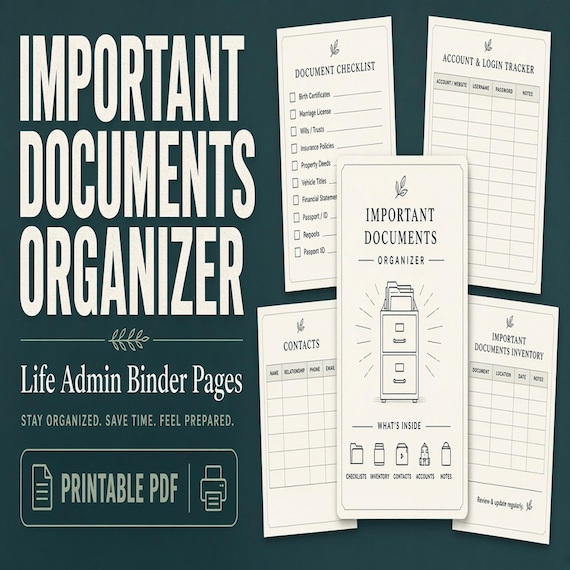
Important Documents Organizer
A practical important documents organizer for busy households that need one map for IDs, certificates, policies, records, and…