Beauty & Wellness Forms · Sep 13, 2026 · 16 min read
Facial Treatment Forms Setup: Record Skin Analysis, Intake, Consent, and Aftercare
A practical setup plan for the facial treatment forms pack: confirm the PDF and Word files, give every client and visit a stable identity, complete intake before the skin analysis, match consent to the treatment you will actually do, keep a record the next visit can read, and hand off aftercare as its own step.
Confirm what the current download includes
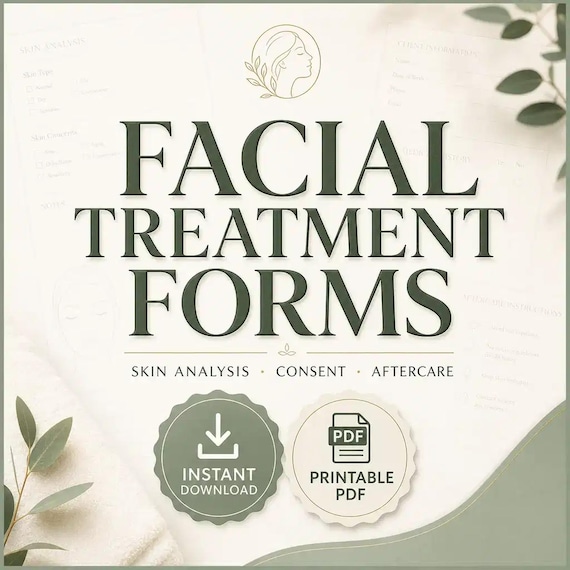
Start with the files the current listing actually describes. The SteadyStackStudio Facial Treatment Forms pack is a digital template kit for estheticians and skincare studios that need skin analysis, client intake, treatment consent, aftercare, and treatment-record paperwork in one place. The listed contents are a facial client intake form, a skin analysis / consultation worksheet, a facial treatment consent form, a facial aftercare card, editable Microsoft Word DOCX files, printable PDFs, and a quick-start guide. It is an instant digital download. No printed binder, clipboards, product samples, or treatment supplies ship.
Open the unzipped folder and compare it with that list before a live client writes on a page. Confirm you received both printable PDFs and editable Word files. This page does not add Excel, Google Sheets, electronic signatures, a booking calendar, photo-upload software, or a compiled client database. If a README or license note is in the folder, read it before you print a client-facing page or duplicate the files for a second room.
The listing is also explicit about scope. These pages help you organize facial paperwork. They are templates only. They are not legal, medical, licensing, insurance, or compliance advice, and they do not replace training, a reviewed studio policy, or a professional who can check wording for your location. You remain responsible for customizing every page for the services you actually offer and for the rules that apply to your studio. Single-buyer, single-business use inside your own practice is the usual digital-download rule. Do not resell, share, or redistribute the raw template files.
- Verify that the download matches the listed intake form, skin analysis worksheet, consent form, aftercare card, Word files, PDFs, and quick-start guide.
- Confirm PDF plus Word. Do not expect Excel, Google Sheets, or a booking app.
- Read any license note before a second person prints from the working copy.
- Treat the pack as editable facial paperwork, not as a shipped binder or a legal service.
Decide whether facial paperwork is the missing job
This pack fits when the friction is the facial record, not the product menu. A retail display, a treatment menu, or a social post can show what you offer. It does not record who sat in the chair, what the skin looked like today, which steps were agreed, or what aftercare left with them. The useful question is not “does the cover look like a spa.” It is “can one client, one visit, one skin analysis, one consent page, and one aftercare card travel together without living in a notes app and a text thread.”
It also fits when the studio already has a way to book facials and still loses the paper trail. Independent estheticians and small skincare rooms often keep intake answers in a message, product notes on a sticky, and aftercare as a spoken reminder. That works until a client returns in four weeks, a product caused a reaction, or nobody can find last month’s analysis. A printed PDF at the bed plus a Word copy you can rewrite for your studio name is a better match for that job than a generic beauty waiver with no skin-analysis page.
Skip this pack, or use it only as a neighbor, if the real need is lash extensions, waxing, brow lamination, lash lift, or PMU color notes and touch-ups. Those visits have different wording and different aftercare. Skip it if you only wanted an injectable or filler packet, an online form builder, or a shipped client book. Choose the smallest complete download that matches the missing job. If the studio needs facial pages plus lash, wax, brow, and PMU kits in one ZIP, compare the esthetician mega bundle instead of stretching this facial pack.
- Use this pack when skin analysis, facial intake, consent, treatment notes, and aftercare are the gap.
- Use it when a clipboard page and an editable Word file need to describe the same visit.
- Do not expect a booking app, electronic signatures, injectables paperwork, or a shipped client book.
- Do not buy it first if the real need is lash, wax, brow, PMU, or a multi-service mega kit.
Protect the masters and make a working copy
Download the ZIP once, unzip it into a folder you will not edit, and duplicate that folder for daily work. Name the master something obvious, such as original-facial-treatment-forms, and leave it closed. All studio-name changes, printed tests, and sample clients happen in the working copy. If a print-margin experiment clips a signature line or a consultation heading is overwritten, you still have the listed files.
Keep the two formats in their roles. Print the PDF when a page has to travel on a clipboard, in a guest folder, or to a second room. Edit the Word file when your studio name, service list, aftercare reminders, or consultation headings need to match how you actually talk to clients. Do not treat the PDF as the only record if the Word file is where you keep the current wording. Do not invent a third unofficial version in a notes app that uses different headings.
Write a one-line use note in the working folder: internal desk sheet, client-facing consent page, or combined visit packet. That note stops the same file from being handed to a guest on Saturday and used as a private follow-up log on Sunday without a fresh review. Finished-studio use is not the same as redistributing the raw pack. If more than one esthetician will print from the files, keep one working copy and a short rule about who may change headings.
- Unzip once, keep a locked master, and edit only a duplicate.
- Use PDF for a traveling page and Word for studio-specific wording.
- Write the intended job on the working folder so the same files are not reused blindly.
- Follow the listed license: studio use is not the same as reselling the raw pack.
Give every client and every visit a stable identity
A consent page is useless if nobody can tell which visit it belongs to. Before the first live facial, decide how a client will be named and how a visit will be named. A client identity can be as simple as a full name plus a short code, such as rivera-04. A visit identity can be the date plus the room or esthetician, such as 2026-09-20-am. Write the same identity on the intake form, the skin analysis worksheet, the consent page, the treatment notes, and the aftercare card.
List what the visit actually is, not a marketing package name. “Glow facial” does not help a later follow-up. “First visit, congestion along the T-zone, no peel, enzyme cleanse and hydration mask” does. Include the pieces that disappear in conversation: what the client asked for, what you observed, which products or steps you used, and whether aftercare left as a printed card or a spoken reminder. If those details do not have a home on the record, they will not be there when the client returns.
Put a current-status word on the visit as soon as it exists. Useful first words are inquiry, booked, intake-complete, in-progress, complete, aftercare-sent, and closed. Pick a short list and do not invent a new word for every appointment. The printed packet is the place for that identity when the person at the bed cannot open a laptop. If you later add a simple date log in your own notebook, use the same visit identity there instead of a second nickname.
- Give each client and visit a short identity that appears on every page in the packet.
- Record the actual treatment, not only a menu nickname.
- Use a short status list such as booked, intake-complete, complete, aftercare-sent, and closed.
- Do not keep a second unofficial list in messages that uses different names.
Complete intake before the skin analysis
The intake form is the first working page, not a formality to rush while the steamer warms up. Ask the client to finish it before you start looking at the skin in detail. Intake is where contact details, visit goals, current home products, recent treatments, known sensitivities, and anything the client wants you to know should land. If those answers arrive after you have already chosen a peel or an extraction plan, you are guessing.
Read the completed intake out loud in short pieces, not as a silent scan. Confirm the visit goal in one sentence the client can hear: hydration, congestion, a special-event facial, or a first-visit look at the skin. Confirm recent sun, recent procedures, and products they are already using, especially anything they describe as strong or new. If a line on the template does not match how your studio talks, change that line in the Word file before the next client, rather than scribbling a private code in the margin.
Do not copy medical-history theater onto a facial intake if you are not offering that kind of service. This pack is facial treatment paperwork, not an injectable chart, a chemical-peel-only medical packet, or a diagnosis form. Record what you need in order to choose a safe facial for this visit, then stop. If a client’s answers mean you should not proceed, write that decision on the same visit identity instead of starting a treatment you will later have to explain from memory.
- Finish intake before you commit to today’s steps.
- Confirm visit goal, recent treatments, home products, and known sensitivities in the client’s hearing.
- Edit Word headings to match your studio language rather than inventing margin codes.
- Do not stretch this intake into injectables, diagnosis, or a service you do not offer.
Use the skin analysis as today’s map
The skin analysis / consultation worksheet is the page that makes this pack different from a generic beauty waiver. Use it to record what you observed on this visit and what you plan to do next, not as a mood board of every concern the client has ever mentioned. A useful analysis is short and dated: what the skin looks like now, where the concern sits, what you will treat today, and what you will leave alone.
Write observations in words a colleague could reread in four weeks. “T-zone congestion, dry cheeks, makeup along the hairline, client wants less tightness after cleansing” is usable. “Needs glow” is not. If you use a simple face diagram on the worksheet, mark the areas you actually looked at. If the template has lines instead of a diagram, use those lines. Do not invent a second analysis on a sticky note because the worksheet felt too formal.
Connect the analysis to the intake instead of starting a new story. If the intake said they started a new home acid last week, that belongs next to what you see today. If they have an event in three days, that belongs next to the plan, because it may change how aggressive the visit should be. The analysis is a map for this appointment. It is not a promise that every future facial will follow the same steps.
- Date the analysis and keep it on the same visit identity as the intake.
- Record what you observed and what you will do today, not a vague studio slogan.
- Tie today’s notes to home products and recent treatments from the intake.
- Do not keep a second unofficial analysis on a sticky note.
Match consent to the treatment you will actually do
Consent should describe the facial you plan after the analysis, not a menu of every service in the building. If today’s visit is a cleanse, extraction, and hydrating mask, the consent page should not read as if a peel, a device, or a different service was the plan. Edit the Word file so the service name, a short description of the steps, and any studio rules you need the client to see match the appointment they booked.
Have the client review the page after you have named the plan, not before you have looked at the skin. A signature on a blank-looking waiver at check-in does not help if the treatment changed once you saw the face. Walk through the parts that matter in plain language: what you will do, what they should tell you during the visit, and what aftercare they will take home. If they ask to skip a step, write that change on the same visit identity.
This pack does not provide a lawyer-reviewed policy, a state-specific disclosure, or a medical consent for injectables. Customize the wording for your services, then have someone who understands your local requirements review it before you rely on it with paying clients. If you offer chemical peels, waxing, or device work as separate services, do not assume this facial consent page covers those visits. Compare the waxing pack or another service kit rather than stretching one paragraph.
- Name the actual facial steps on the consent page after the analysis.
- Let the client review the plan, not only a check-in signature.
- Write skipped or changed steps on the same visit identity.
- Review final wording against your studio rules and local requirements before live use.
Keep a treatment record the next visit can read
The listing describes treatment-record paperwork as part of the job this pack is meant to cover. Use that record as a short log of what happened, not as a second intake. After the facial, write the visit identity, the steps you completed, the products or machines you actually used, how the skin looked at the end, and anything the client reported during the appointment. A later you should be able to read it without decoding.
Keep the record with the analysis. If last month’s notes say you avoided a certain product, this month’s visit should see that line before you repeat it. If the client bought a home product, write the name they left with. If they need a follow-up, write a date rather than “soon.” The record is for continuity. It is not a place to rewrite the full consent page or to store payment details that belong in your ordinary checkout process.
If more than one esthetician might see the same client, agree on a few boring headings and stick to them. Date, visit identity, steps, products used, client comments, next visit. That list is enough for most small studios. Do not invent a private shorthand that only one person understands. The files you received are paper and Word pages. They do not sync across devices. The filing rule you choose — one folder per client, or one packet per visit stored by date — matters more than a decorative cover.
- Log completed steps, products used, and client comments on the same visit identity.
- Keep the treatment record next to the skin analysis so return visits can find it.
- Write a follow-up date instead of a vague reminder.
- Use short shared headings if more than one person will reread the file.
Hand off aftercare as its own step
Aftercare is easy to skip because the visit already feels finished. Treat the aftercare card as a separate handoff, not as a line you mention while walking the client to the door. The listed pack includes a facial aftercare card. Print it, put the visit identity on it if there is room, and give it to the client before they leave. If you also say the reminders out loud, still send the card. Spoken-only aftercare disappears.
Edit the Word version so the reminders match the facial you actually did. A hydration facial and a visit with extractions should not share leftover sentences that no longer apply. Keep the card short enough to read. Home cleansing, what to avoid for the rest of the day, when to resume a strong home product, and how to reach the studio if something does not look right are usually enough. Do not turn the card into a full retail catalog.
Record that the card left with the client. A one-word note such as aftercare-sent on the visit packet is enough. If you later text a reminder, use the same visit identity in your own log rather than starting a new unofficial aftercare story. The listing does not include SMS software or an automated drip. The card is the handoff the files actually give you.
- Give the printed aftercare card before the client leaves.
- Edit the card so it matches today’s facial, not a leftover menu.
- Keep the card short: what to do, what to avoid, and how to reach you.
- Mark aftercare-sent on the same visit identity.
Run one practice client before a live facial
Before a paying client uses the packet, run one fictional visit from start to finish. Choose a made-up name, fill the intake, complete a skin analysis, name a simple facial plan, fill the consent page, write a treatment record, and hand yourself the aftercare card. Time it. If the packet takes longer than the greeting window you actually have, cut duplicate questions in the Word file rather than skipping pages on the first live day.
Print one test set at the size you will use at the bed. Check margins, signature lines, and whether the analysis worksheet still has room after a normal amount of handwriting. If a heading wraps badly or a card feels too crowded, fix the Word file and reprint the test. Do not discover a clipped line while a client is waiting. Keep that test packet in the working folder as the example of a complete visit.
Write a one-page studio rule next to the working copy: which pages the client completes, which pages you complete, where finished packets are stored, and who may change wording. The files do not create that rule for you. A short rule plus an untouched master is the method that matches a PDF and Word kit. If the practice run shows you also need waxing, lash, brow, or PMU pages, stop and compare those downloads instead of rewriting facial headings until they pretend to cover every service.
- Walk one fictional client through intake, analysis, consent, treatment notes, and aftercare.
- Print a test set and check handwriting space before a live visit.
- Write a short filing and wording rule next to the working copy.
- Compare a neighboring kit if the practice run reveals a different service gap.
Who this fits and who should skip it
This setup fits estheticians and small skincare studios that already take facial appointments and need one consistent path from intake to aftercare. It is especially useful when first visits and return facials share the same room and the same people. A PDF page that can sit on a clipboard and a Word file you can rewrite for your studio name match that rhythm better than a long waiver nobody files.
It is a weaker fit if the studio already runs a complete client-record system and only wanted a decorative cover page. It is also a weaker fit if the real gap is another service: lash extensions, waxing, brow lamination, lash lift, or PMU. Those jobs live in their own form kits. Keep this pack for facial skin analysis, consent, treatment notes, and aftercare. Use the mega bundle when the missing job is several of those kits in one download.
Choose a neighboring kit when the visit is not a facial. Lash intake and aftercare, waxing consent and screening, brow and lash-lift paperwork, and PMU color notes and touch-ups are separate downloads with separate wording. Do not stretch facial consent language over those visits. The related product pages exist so you can compare the closest kit instead of rewriting this one into something it is not.
- Good fit: appointment-based facial studios that need intake, skin analysis, consent, and aftercare in one kit.
- Weaker fit: shops that already have a complete record system, or buyers who only needed another service’s forms.
- Use the lash, waxing, brow, PMU, or mega kits when those visits are the real job.
- Keep facial paperwork and other beauty services as linked records, not one mixed waiver.
Before you click through to Etsy
Use the SteadyStackStudio product preview as a final check. Confirm the title, price, file type, preview image, and related downloads all point to facial intake, skin analysis, consent, treatment notes, and aftercare. If the recommended product looks close but not exact, compare the lash, waxing, brow, PMU, or mega-bundle pages in the same topic hub before leaving the site. A good match should show printable PDFs and editable Word files, not a shipped binder and not an injectable packet.
Once the product page and Etsy listing agree on what is included, the Etsy click is the checkout step rather than a blind jump. Answer the paperwork question first, compare the matching download second, then use Etsy only when the fit is clear. After checkout, run one fictional client through intake, analysis, consent, treatment notes, and aftercare before a live facial uses the pages.
This page is a comparison and setup step, not a promise that every download will fit every studio, printer, device, or professional requirement. For consent, health, safety, or legal-adjacent use, review the final wording against your local requirements before relying on it. The files help you keep a clearer record. They do not replace professional judgment, training, or a reviewed studio policy.
- Check the preview images and file details before opening Etsy.
- Choose the smallest complete download that solves the real job.
- Use related product pages when another service’s paperwork fits better.
- Review the final wording against your studio rules and local requirements before a live client uses it.
Printables used in this guide
Instant downloads from the SteadyStackStudio Etsy shop.
Facial Consent Form Bundle
Facial treatment forms bundle for estheticians and skincare studios: 26-page fillable PDF with skin analysis, client intake…
Esthetician Forms Bundle
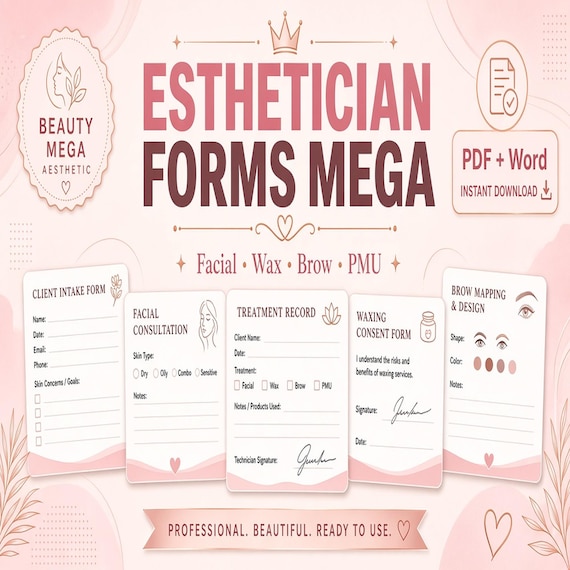
A printable beauty-forms mega bundle for lash techs, estheticians, wax specialists, brow/lash-lift artists, and PMU providers …
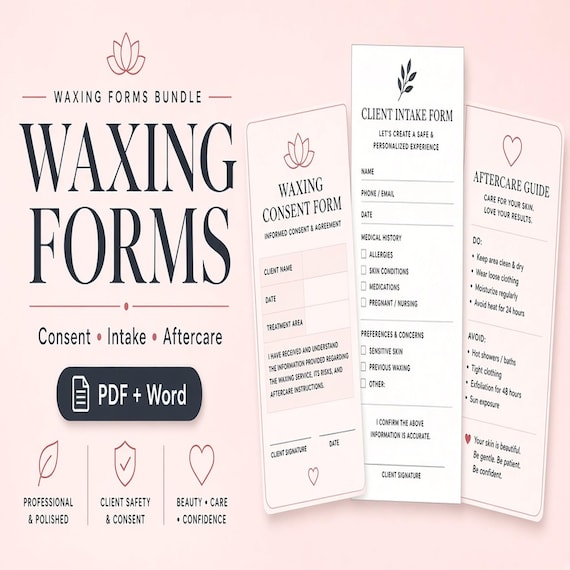
Waxing Forms Bundle
Waxing treatment forms bundle for estheticians, waxing specialists, and salon owners who need clean client intake, consent…
Lash Tech Consent Forms
Lash tech forms bundle for lash artists and beauty studios: 26-page fillable PDF with consent, client intake, contraindication…