Caregiver & Just in Case · Jul 8, 2026 · 6 min read
Digital Life Organizer Printable: Password Log Checklist Before You Buy
A practical checklist for comparing digital life organizers, password logs, online account planners, two-step verification notes, and editable file formats before opening Etsy.
Start with the account problem you are trying to solve
A digital life organizer is most useful when it answers a simple question: if someone had to help with your online accounts, devices, subscriptions, and files, what would they need to know first? The answer is not always a page full of passwords. Sometimes the safer and more useful page is an account map, a password-manager note, a device list, and clear instructions for who should handle what.
Before choosing a printable, separate the urgent household problem from the long-term planning problem. A busy parent may need one place for school portals, streaming accounts, utilities, and shared devices. A caregiver may need a phone passcode note, patient portal map, or subscription list. A just-in-case planner may need digital executor notes, account locations, and trusted-contact instructions that connect with a larger life admin binder.
- Choose a simple password log if you only need a handwritten account tracker for low-risk household accounts.
- Choose a digital life organizer if you need online accounts, devices, subscriptions, cloud storage, photos, and two-step verification notes together.
- Choose a broader life admin bundle if digital details need to sit beside documents, medical notes, final wishes, home records, and care instructions.
- Avoid buying only from the cover image; the inside pages decide whether the organizer will actually be filled in.
Use the organizer as a map, not a loose password dump
Password safety matters. Many security guides encourage password managers, unique passwords, and extra verification for important accounts. A printable can still be useful, but the safest setup is usually not an exposed sheet with every full password written in one obvious place. For many households, the organizer works better as a map: where accounts exist, which email is attached, which device or app receives verification codes, and where the password manager or recovery instructions live.
That approach makes the printable easier to share with the right person without turning it into a risk. You can decide which pages hold full details, which pages hold hints, and which pages simply point to a secure system. The right download should give you enough structure to make those choices instead of forcing every account into the same tiny row.
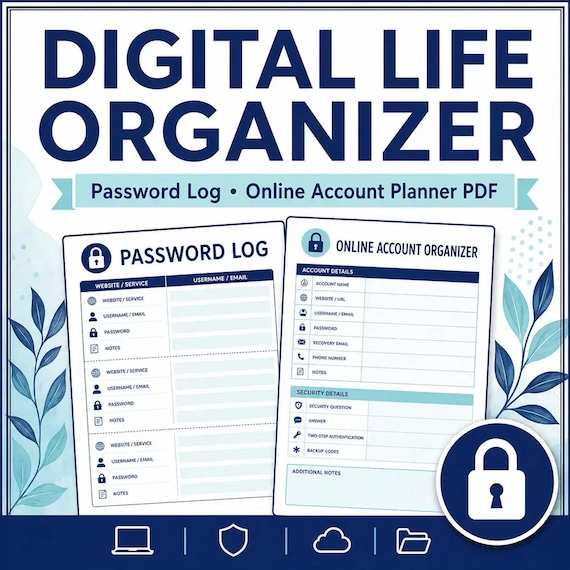
- Look for fields for website or app name, login email, account purpose, recovery email, and notes.
- Look for password-manager notes, master access instructions, emergency access contact, or safe-location prompts.
- Look for two-step verification fields, such as phone, authenticator app, backup codes, or recovery method.
- Keep the finished organizer in a secure place and tell only the right trusted person where it is stored.
- Use a separate professional, legal, or security review when the accounts involve money, business, estate, medical, or identity-sensitive details.
What the account pages should include
A useful online account planner should help you find the accounts that are easiest to forget. Email and banking are obvious, but many households also rely on cloud photos, phone backups, subscription apps, school portals, insurance logins, website domains, social profiles, loyalty programs, and payment apps. The best printable gives you enough categories to jog your memory without making the project feel impossible.
- Email accounts and recovery emails, because many other logins depend on them.
- Phone, tablet, computer, and device notes, including where chargers, backup devices, or lock-screen instructions belong.
- Financial and payment apps, with a reminder to handle sensitive accounts carefully and securely.
- Cloud storage, photo libraries, document storage, and backup locations.
- Subscriptions, memberships, streaming services, shopping accounts, and recurring-bill apps.
- Social media, creator accounts, websites, domains, newsletters, or online stores if they apply.
- Update log pages so the organizer does not become stale after a password change, new phone, or closed account.
Check for two-step verification and recovery details
Two-step verification can protect an account, but it can also confuse family helpers if nobody knows which phone, app, email, or backup code is needed. A strong digital life organizer should leave room to record the method without putting sensitive codes in an unsafe place. The goal is to prevent the common problem where everyone knows an account exists but nobody knows how access is supposed to work.
This section is especially helpful after phone upgrades, moves, business changes, or family emergencies. If the product preview never shows recovery information, account notes, or a device map, compare another organizer before buying.
- Which email or phone number receives account recovery messages.
- Whether an authenticator app, security key, text message, or backup code is used.
- Where backup codes are stored, without printing the full codes in a careless place.
- Which device must remain accessible for photo, cloud, bank, or medical portal recovery.
- Who should be contacted if account access is needed during an emergency.
Match the file format to how you will maintain it
Digital life pages change more often than a final wishes page. Passwords change, phones change, subscriptions are cancelled, and new accounts appear. That makes file format important. A printable PDF is easy for a binder, but an editable Word file can be better if you plan to type clean updates and reprint only changed pages.
Before checkout, confirm whether the download includes PDF, DOCX, a quick-start guide, and a clear file list. If the product comes as a ZIP, make sure you are comfortable opening ZIP files on your device. If you are buying for a parent, spouse, caregiver, or household helper, choose the format that person can realistically use.
- PDF: best for printing, handwriting, and adding pages to a physical binder.
- DOCX or Word: best for typed updates, larger notes, and custom household wording.
- Quick Start PDF: useful when you need to know which pages to fill first.
- Letter-size pages: usually easiest for standard home printers and binders in the United States.
- Simple page design: more useful than decorative layouts when account details need to stay readable.
Compare it with nearby life admin organizers
A password log is only one part of household organization. If your main worry is legal paper locations, insurance policies, certificates, or IDs, an important documents organizer may be a better first purchase. If the main gap is medical information, appointments, medications, or caregiver notes, a medical binder or elder care organizer may solve the daily problem faster. If the goal is end-of-life planning, a death binder or final wishes planner may need to sit beside the digital organizer.
A complete life admin bundle makes sense when several categories are unfinished and you want the pages to look and work together. A single digital life organizer makes sense when online accounts are the urgent mess and the rest of the binder can wait.
- Digital life organizer: best for online accounts, devices, password-manager notes, subscriptions, and recovery details.
- Important documents organizer: best for IDs, policies, certificates, records, and file-location checklists.
- Death binder: best for just-in-case instructions, family contacts, document locations, and final practical notes.
- Final wishes planner: best for funeral, memorial, obituary, and service preferences.
- Medical or elder care binder: best when health details, appointments, medications, and care contacts are the main concern.
What to check on the product page before Etsy
Use the product page as a fit check before checkout. A strong digital life organizer should show representative inside pages, the exact file formats, a practical quick-start path, and clear digital delivery wording. It should not promise to replace professional advice, and it should not make sensitive account handling sound casual. Look for a calm design, readable fields, and pages that help you decide what to write down, what to keep elsewhere, and what to share only with a trusted person.
- Confirm the download includes the formats you need, such as printable PDF and editable DOCX.
- Look for previews of account maps, device notes, two-step verification prompts, subscription lists, and update logs.
- Check that the product explains digital delivery clearly and does not imply a physical binder will ship.
- Make sure there is room to write safely, not just tiny rows that encourage cramped notes.
- Open the matching SteadyStackStudio product page first, compare the related life admin downloads, then use Etsy when the file fit is clear.
Printables used in this guide
Instant downloads from the SteadyStackStudio Etsy shop.
Digital Life Organizer
A practical digital life organizer for families who need a safe overview of online accounts, devices, subscriptions, and digital…
Emergency Binder Printable
Emergency Binder Printable with Death Binder, Just in Case Binder, End of Life Planner, Important Documents Family Organizer PDF.
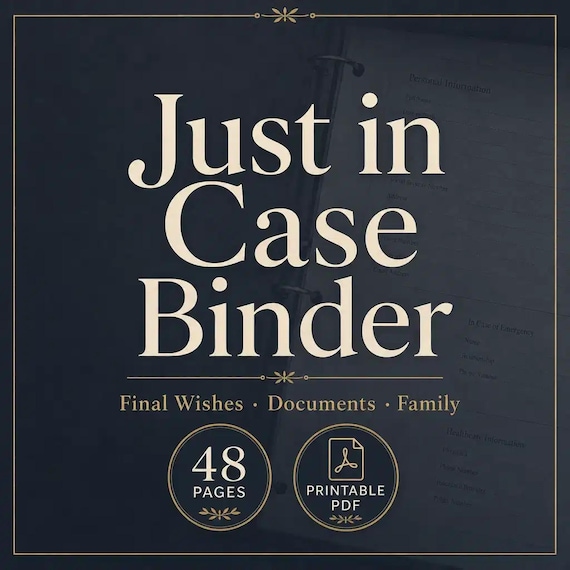
Just in Case Binder Printable
Give your family a calm, practical Just-in-Case binder — 48 printable pages + editable Word — so key contacts, document…
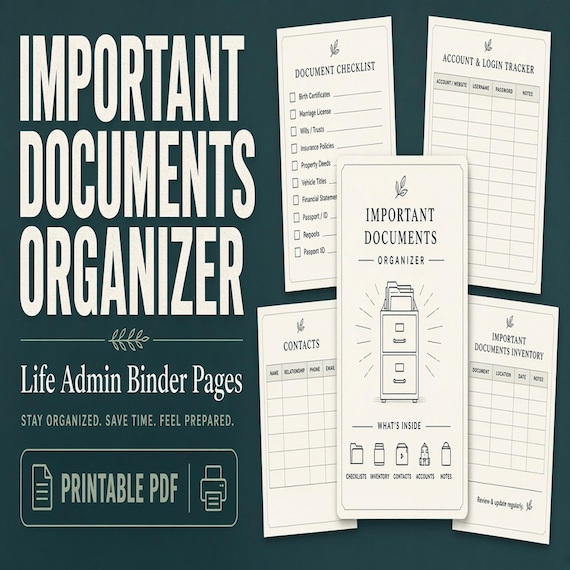
Important Documents Organizer
A practical important documents organizer for busy households that need one map for IDs, certificates, policies, records, and…