Planners & Trackers · Jul 31, 2026 · 13 min read
ADHD Planner Setup: Turn a Brain Dump into Daily Focus and a Weekly Reset
A practical way to set up an editable planning workbook around one capture place, a short daily focus list, a realistic weekly reset, and only the tabs you can keep current.
Confirm what the current workbook includes before building a routine
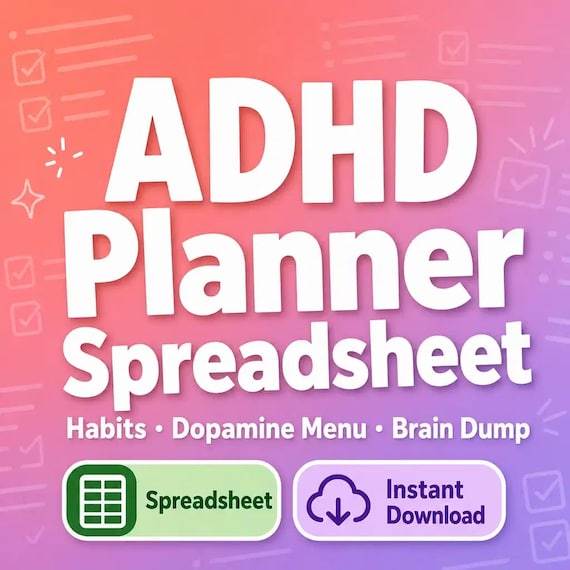
The featured SteadyStackStudio planner is currently described as one editable Excel workbook rather than a shipped notebook or a stack of printed pages. The listing names a daily focus sheet with morning and evening routines, a weekly overview with priorities and energy tracking, a monthly calendar, a 30-day habit tracker, a brain-dump page, a focus-session tracker with switch-buffer planning, a page labeled Dopamine Menu, a quarterly goal tracker, notes, and an ADHD hacks reference. It also says individual worksheet tabs can be printed as needed. Review the current listing images and file details before checkout, because the title of a download is not a substitute for confirming the exact file you will receive.
Treat the workbook as an optional organization tool, not as a diagnosis, treatment, medical record, or promise that a particular routine will work. It cannot decide which goals matter, determine a safe workload, or replace support from a qualified professional when that is needed. The useful buyer question is simpler: do the included Excel pages match the way you want to capture tasks, choose a short focus list, and review a week? Also confirm that you can open and edit an .xlsx workbook on the device you plan to use. If you need a bound planner, a mobile app, a PDF-only product, or automatic calendar synchronization, do not assume those are included.
- Expect an editable Excel workbook and instant digital delivery, not a physical planner.
- Check the current previews, named tabs, software fit, and printing needs before checkout.
- Use the workbook for personal organization rather than medical assessment or treatment.
- Choose it only if an Excel-based capture and review routine suits the way you plan.
Protect the original file and make one seven-day pilot copy
Save the purchased workbook unchanged in a clearly labeled source folder. Then duplicate it and give the working copy a plain name that includes the pilot week, such as “Planner Pilot — August 3–9.” This keeps the original available if a formula, layout, or label is accidentally overwritten. It also creates a clean boundary around the test: you are not committing to maintain every tab for the rest of the year. You are checking whether a small part of the system is easy enough to return to for seven days.
For the pilot, choose only three working areas: the brain dump, the daily focus page, and the weekly overview. Leave the monthly calendar, quarterly goals, habit tracker, focus sessions, and other pages available but inactive until there is a reason to add them. Put the working copy somewhere easy to reach from the device you normally use, and decide whether that file or a printed page will be the current master. A planning system becomes harder to trust when the same week is spread across several renamed workbooks, loose printouts, notes apps, and scraps of paper.
- Keep the delivered workbook unchanged and work from a dated duplicate.
- Test three core pages before trying to maintain the entire file.
- Name one digital or paper version as the current copy for the pilot.
- Use a fixed seven-day test instead of redesigning the workbook indefinitely.
Give loose thoughts one first landing place
Use the brain-dump page as the first stop for tasks, reminders, questions, and ideas that would otherwise compete for attention in several places. Capture the item in a few concrete words without trying to schedule it at the same moment. “Email landlord about the invoice” is easier to process later than “deal with apartment stuff.” If a note is only background information, label it as a reference rather than letting it look like an action. If it belongs to another person, record the handoff or reply you are waiting for instead of keeping the whole responsibility on your list.
Process the page at one chosen time rather than every time a thought arrives. During that short pass, give each item one destination: today, this week, later, reference, waiting, or delete. Those labels are a workflow you can apply around the page; they are not a claim that the workbook contains those exact fields. Move only the items that have earned a place on a daily or weekly plan. Cross out duplicates and vague ideas you no longer intend to act on. The goal is not to preserve every thought. It is to create one dependable inbox and then empty enough of it that the next action can be seen.
- Capture each loose item once and phrase actions with a visible verb.
- Separate actions, references, waiting items, and ideas you can release.
- Process the page at a set time instead of reorganizing after every entry.
- Move only chosen work onto the daily and weekly pages.
Turn the brain dump into a short daily focus card
The daily focus page works best when it represents a real day rather than a wish list. Start with fixed commitments that already consume time. Then choose one item that most needs forward movement and, if the day allows, one or two smaller supporting actions. Write the next visible step rather than the name of an entire project. “Open the workbook and enter July receipts” gives you somewhere to begin; “finish finances” does not. Keep errands, calls, computer work, and waiting items distinguishable so you can choose something that fits the time and tools available.
Leave room for the unplanned. A page filled edge to edge before the day starts cannot absorb a delayed appointment, a longer task, or ordinary recovery time. When a task will not fit, move it deliberately to the weekly page or back to the brain dump with a next-review date instead of copying it onto tomorrow automatically. At the end of the day, mark what happened factually: completed, moved, waiting, or no longer needed. That small closeout keeps tomorrow’s page from becoming a pile of inherited promises.
- Account for fixed commitments before choosing flexible work.
- Select one main focus and only a few supporting actions.
- Write the next visible step instead of a broad project label.
- Close the day by deciding what happens to each unfinished item.
Use morning and evening routines as small bookends
The current listing says the daily page includes morning and evening routine areas. Keep each bookend short enough to complete on an ordinary day. A morning check might be opening the current file, confirming the day’s fixed commitments, choosing the main focus, and placing the first needed material within reach. It does not need to become a long idealized checklist. If a step is already automatic and does not help you start the day, it may not need a box in the planner.
Use the evening area to close loops rather than to judge the day. Record the status of unfinished work, capture anything still circling in your head, and choose when the weekly list will be reviewed next. If the working file is stored on one device, save it and confirm that the latest version is in the intended location. A useful evening routine should make the next opening easier. If either bookend repeatedly takes longer than the work it supports, remove steps until it functions as a reliable cue rather than another project.
- Keep the morning check focused on opening, orienting, and beginning.
- Use the evening check to close statuses and prepare the next opening.
- Remove routine steps that add maintenance without helping you act.
- Judge the routine by whether you can repeat it on a normal day.
Use the weekly overview to make tradeoffs visible
Choose one regular weekly reset and keep it brief. First review the previous week for open tasks, waiting items, appointments, and notes that still matter. Next scan the brain dump and select only the work that fits around known commitments. Group related actions when that makes setup easier, but do not force every task into a complicated category. The weekly page should show what has been chosen and what has intentionally been left for later, not hide an unlimited backlog behind a neat layout.
The listing also names priorities, energy tracking, and mini habit checks on the weekly overview. Use those fields as observations that help you plan the next week, not as a verdict about character or health. Note when a task was easier or harder to start, which conditions helped, and whether the plan repeatedly exceeded the available time. Then change one part of the next week: reduce the number of priorities, make a first step smaller, move a demanding task, or drop a habit check that is not useful. A weekly reset earns its place when it produces a clearer next week, not simply a complete-looking page.
- Review open loops and fixed commitments before adding new priorities.
- Choose a limited week and leave the rest in a visible later list.
- Treat energy and habit notes as planning observations, not personal grades.
- Change one part of the next plan based on what the week actually showed.
Keep monthly and quarterly pages for horizon planning
Add the monthly calendar only when the daily and weekly pages are understandable. Use it for dated events, deadlines, and a small number of outcomes that need more than one week. Do not copy every daily task into the month. Instead, let the calendar answer two questions: what fixed dates will shape the coming weeks, and which longer item needs an earlier start? Review the month before each weekly reset so a future deadline becomes a planned first step instead of a last-minute surprise.
Use the quarterly goal tracker in the same restrained way. Choose a result you can describe, identify why it matters now, and write the smallest evidence that would show progress by the next review. Then connect it to one current-month outcome and one next-week action. If a quarterly item no longer fits, revise or retire it openly rather than carrying it as a permanent unfinished task. The monthly and quarterly pages should provide direction and timing. They should not become two extra copies of the same list or pressure you to fill every available field.
- Reserve the month for dates, deadlines, and a few longer outcomes.
- Review future dates before choosing the next week’s work.
- Connect a quarterly result to one monthly outcome and one next action.
- Revise goals when circumstances change instead of preserving stale commitments.
Run focus sessions with a clear start and stopping note
The workbook is described as including a focus-session tracker with switch-buffer planning. Before a session, name one task, the material you need, and the first action. Move unrelated tabs, papers, and notifications out of the immediate workspace when practical. Choose a time boundary that fits the task and your day, but treat it as a planning boundary rather than a guarantee of concentration. When the session ends, record what changed and what the next visible step would be if you return later.
Use the switch buffer to make transitions less abrupt. Before leaving one task, save the file, put loose information in the proper place, and write a one-line restart note. Before beginning the next task, gather its first needed item and confirm that it still belongs on today’s plan. This small handoff can prevent ten open documents from becoming ten competing reminders. If detailed session tracking becomes burdensome, keep only the fields that help you restart: task, start point, stopping point, and next step. The tracker should support work, not require a second session to document the first one.
- Name one task and first action before starting a focus block.
- End with a factual stopping point and a one-line restart note.
- Close or store the previous task before opening the next one.
- Keep only the session fields that make starting and restarting easier.
Use the habit tracker as a neutral observation
The current listing describes a 30-day habit tracker with a completion-count formula in Excel. Begin with one or two behaviors that are specific enough to mark without debate. “Open the weekly page on Sunday” is clearer than “be organized.” Decide in advance what counts as completed and leave an honest blank or note when it does not happen. Do not backfill from memory merely to make the row look consistent. The count is only a record of marked completions; it does not explain why a day was missed or measure the worth of the person using it.
Review the tracker at the weekly reset. Ask whether the behavior still supports a current goal, whether the wording is clear, and whether the chosen frequency fits real life. If the tracker is repeatedly ignored, test a smaller action or remove it. If you print the page, remember that the workbook’s formula will not update on paper; decide whether a handwritten count is useful or whether the digital sheet should remain the master. Avoid placing sensitive health details in the workbook unless the device, storage, access, and purpose are appropriate for that information.
- Start with one or two clearly defined behaviors.
- Decide what completion means before the first mark is made.
- Read the count as a record, not an explanation or personal score.
- Revise or remove a habit that no longer supports the current plan.
Make the Dopamine Menu a personal option list, not a promise
The workbook includes a page the listing calls a Dopamine Menu. Use that label as a planning prompt rather than a medical claim. Build a short list of breaks, small rewards, reset activities, or pleasant tasks that are realistic for your setting, available time, budget, and responsibilities. Separate very short options from activities that need more time so you do not choose a forty-minute project during a five-minute transition. Include options that require no purchase and no extra setup.
Decide how the menu will be used before attaching it to a task. It might offer a brief transition after a focus session or help you choose a restorative activity during a planned break. It should not be used to delay urgent responsibilities, ignore safety needs, or make a health decision. Remove options that routinely create more cleanup, spending, or disruption than they are worth. A useful menu is small, current, and easy to scan. It does not need to explain motivation or promise a particular emotional or neurological result.
- Treat the page name as an organizing label rather than a health promise.
- List realistic options by the amount of time and setup they require.
- Include choices that do not require spending or additional materials.
- Remove options that leave the next task harder to start.
Choose digital use or selective printing deliberately
Use the editable Excel workbook when you want to revise labels, duplicate tabs, keep the completion formula, or maintain one searchable working file. Before filling the entire workbook, test the daily and weekly sheets on the device you will actually use. Confirm that text is readable, cells accept the type of entry you need, and saved changes reopen correctly. Avoid changing formulas or structure until you have preserved the original and understand which cells are intended for entry.
Print individual tabs when handwriting or a visible desk page makes the current task easier. Run one test page first and check orientation, margins, scaling, writing room, and whether all needed columns remain legible. A printed page becomes a separate copy, so write its date and decide how completed notes will return to the digital master, if they need to return at all. Do not print every tab simply because it exists. Choose the pages that support the pilot and add another only when its maintenance job is clear.
- Keep the workbook digital when editing, formulas, and one current file matter most.
- Test saving and reopening before entering a large amount of information.
- Print one representative page and inspect the full layout before making a set.
- Date paper copies and decide whether they or the workbook hold the current record.
Run a seven-day fit test and choose the smallest tool that fits
At the end of the pilot, check the workflow rather than the number of filled cells. Could you find the brain dump quickly? Did the daily page show a believable first action? Did the weekly reset help you choose and defer work? Which page was easy to return to, and which one became maintenance without a clear benefit? Keep the useful core, revise one friction point, and leave unused tabs inactive. If the file was opened only once, identify the smallest possible restart, such as using just the brain dump and one daily page for another week, before deciding that a larger setup is needed.
Choose the featured ADHD-oriented Excel planner when the main need is one editable workbook connecting capture, daily focus, weekly and monthly planning, habits, focus sessions, and longer goals. Choose the No Spend Challenge or Debt Payoff Spreadsheet when the job is specifically a budget reset or debt plan. Choose the Family Emergency Binder when the goal is a household quick-reference handoff, or the Complete Life Admin Binder when several broad household-record jobs genuinely need one system. Compare the current previews and included files, then buy the smallest complete tool you can picture opening again next week.
- Evaluate whether the workflow was easy to reopen, not whether every tab was filled.
- Keep the useful core and change only one source of friction at a time.
- Use a focused financial or household organizer when that is the real task.
- Choose the smallest current download that matches a routine you can maintain.
Printables used in this guide
Instant downloads from the SteadyStackStudio Etsy shop.
ADHD Planner Spreadsheet
ADHD Planner Spreadsheet — habit tracker, dopamine menu, and brain dump built for adult ADHD brains that think fast and get…

Debt Payoff Spreadsheet
Debt payoff spreadsheet with snowball and avalanche planning: Excel-first workbook with debts list, auto priority ranks, payment…
Family Emergency Binder Printable
Family emergency binder for households: 28-page fillable PDF with household profile, emergency contacts, medical info pages…

Emergency Binder Printable
Emergency Binder Printable with Death Binder, Just in Case Binder, End of Life Planner, Important Documents Family Organizer PDF.