Therapist Forms & Notes · Aug 19, 2026 · 14 min read
School Counselor Caseload Tracker Setup: Connect Referrals, Sessions, and Follow-Ups Without Copying Sensitive Notes
A practical setup guide for using the current school-counselor operations pack to connect referrals, appointments, sessions, groups, contacts, and follow-ups while keeping student details to the minimum your school allows.
Start with the administrative loop, not a student story
A school caseload tracker is useful when it answers a small set of operational questions: who was referred, what the next allowed action is, when that action is due, who owns the follow-up, and whether the item is still open. That is a different job from writing a counseling note, building a treatment plan, or keeping a full student history. If those jobs share one crowded table, the file becomes both too sensitive and too hard to scan.
Begin by naming the loop you need this week. A new-referral week needs a review list, a status, and a first next action. A busy appointment week needs a calendar-style list that does not bury open follow-ups. A small-group week needs a group roster and session dates that stay separate from individual meetings. A transition week needs a short handoff of open items, not a rewrite of every earlier conversation.
The current SteadyStackStudio school-counselor pack is described as an administrative organization template for school counselors, school social workers, student-support staff, and supervised trainees. Use it to keep decisions, records, and next actions together. Do not use it as a student information system, electronic health record, crisis tool, diagnostic instrument, or replacement for school policy, consent, safeguarding, mandated reporting, emergency response, documentation rules, or approved storage.
- Referral: source, date received, current status, and the first allowed next action.
- Work: appointment, individual session, or group meeting recorded as its own event.
- Contact: family or teacher outreach with a date, purpose, and follow-up owner.
- Close or carry: a monthly review of unresolved items and overdue dates.
Confirm the current file package before you plan the setup
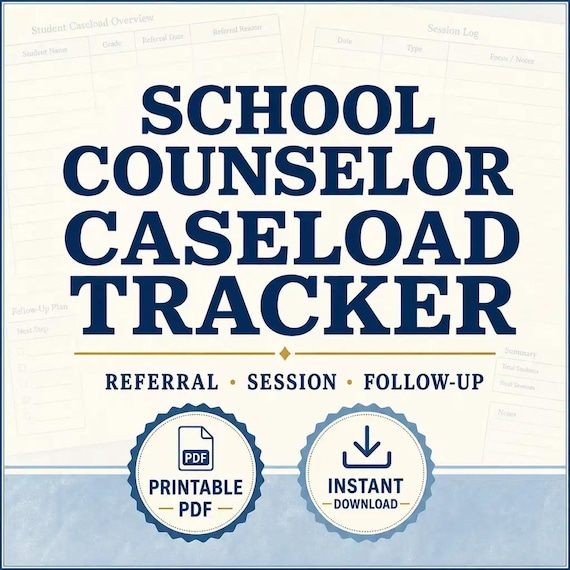
The featured School Counselor Caseload Tracker is currently described as a 21-page school-counselor operations pack. The listing includes an editable Word version and an Excel workbook with students, referrals, appointments, sessions, groups, contacts, follow-ups, and outcome trackers. It also lists referral-review, session-planning, family/teacher-contact, group, transition, and monthly-workload pages, plus privacy-first setup and record-minimization guidance.
The files have different jobs. The US Letter PDF is intended for printing or digital annotation. The Word version can support careful changes to headings and fields. The Excel workbook is described as organized tables with filters and useful formulas. The files are packaged in one ZIP folder as an instant digital download. No printed binder, completed caseload service, student database, or other physical item is shipped.
Open the current product page and compare the styled cover with the direct page previews. Confirm that the visible fields, writing space, page order, and file formats match the way your office actually works. If a particular column, formula, dropdown, page size, or print layout is essential, verify it in the current listing rather than assuming it from the title. After download, keep one untouched master copy so a working file can be compared with the original later.
- Confirm the current 21-page scope and the listed PDF, Word, Excel, and ZIP formats.
- Identify the first pages you would use: referral review, session planning, contacts, or monthly workload.
- Check that the intended computer or tablet can extract the ZIP and open the needed files.
- Do not infer an unlisted student-information field, crisis workflow, or official record standard.
Decide what your school permits you to record and where it may live
The listing’s first setup step is to confirm what information your school permits you to record and where it may be stored. Do that before adding a live student row. A clean spreadsheet on an unapproved laptop, personal cloud folder, or shared drive can still be the wrong place for student information. Follow the devices, accounts, retention rules, and access limits your school already requires.
Write a short local rule at the top of your working copy: what may be entered, what must stay in the official system, who may open the file, and how long a completed row may remain. If your school already uses a student information system, counseling platform, or mandated reporting path, decide which of those systems is authoritative. The download can hold a permitted administrative index. It should not compete with the official record.
Use the included privacy-first and record-minimization guidance as a reminder to collect less, not more. A useful row names the next action without copying a student’s private narrative. If you are a supervised trainee, confirm with your supervisor where this file may live and what must be omitted. If a field would require information your school does not allow in a local workbook, leave that field unused or remove it from your working copy.
- Name the approved device, account, and folder before the first live entry.
- Keep official counseling, attendance, and safeguarding records in the required school system.
- Write a local minimum-fields rule and follow it even when a blank cell looks incomplete.
- Ask a supervisor or administrator before storing the file anywhere new.
Build one student row with an ID and the fewest useful fields
Set up one complete student row before importing a whole caseload. The listing specifically recommends using student IDs rather than names when an approved system is not available. That habit reduces accidental exposure if a printed page is left on a desk or a file is opened in the wrong room. If your school requires a name in a particular official record, keep that requirement in the official system and use the ID as the matching key in this tracker.
Add only the fields that help the next allowed action: grade or team if your school uses it for scheduling, referral date, current status, next action, due date, and owner. Leave outcome, contact, and session details for the pages designed for those jobs. A student roster that also tries to hold every conversation becomes a second counseling chart, which this product is not.
Test the first row with a fictional ID before entering live information. Ask whether another authorized staff member could find the open item, the due date, and the next action without reading a story. If the answer is no, the row has too much narrative or too little structure. Once that test works, duplicate the clean structure and replace every sample value. Never leave one student’s details in another student’s working row.
- Prefer a school-issued ID as the matching key whenever policy allows it.
- Keep the roster short: status, next action, due date, and owner.
- Store sensitive narrative, if it must be kept, only in the approved official record.
- Test one fictional row for scanability before adding live caseload information.
Turn every referral into a next action and a due date
The Excel referrals tracker and the referral-review page should work as a queue, not as a diary. Enter the date received, the source if your school allows that label, the current status, the first allowed next action, and a due date. Typical next actions are administrative: review the referral, request permitted background information, schedule a first meeting, assign a group screening slot, or close the item because it belongs with another staff member.
Do not paste the referral narrative into the spreadsheet. The listing’s own use steps say to track referrals, next actions, and due dates without copying sensitive narrative details into the spreadsheet. A short status such as received, waiting, scheduled, open, or closed is enough when everyone in the office uses the same meanings. If a referral includes safety, abuse, or crisis content, follow the school’s required reporting and emergency path first. This file is not a crisis system.
Review the referral list on a set schedule so new items do not sit unmarked. When a referral becomes an appointment, session, group, or contact task, create that next record and update the referral status instead of leaving two competing open rows. When a referral is declined, transferred, or completed, record the close date and the permitted reason label, then stop adding notes to that row.
- One referral row: received date, source label if allowed, status, next action, and due date.
- Keep the original referral document in the approved system, not in a spreadsheet cell.
- Use the same status words across the office so the queue can be scanned quickly.
- Move work to the appointment, session, group, or contact page when that next step begins.
Keep appointments, sessions, and small groups as separate lists
The current workbook lists appointments, sessions, and groups as separate Excel trackers, and it includes session-planning and group pages. Keep those jobs distinct. An appointment is a scheduled time. A session is a completed or attempted meeting with a factual administrative result. A group is a shared series with its own roster, dates, and attendance pattern. Mixing them into one calendar dump makes it hard to see who still needs a first meeting and which group still has an open seat.
On the session-planning page, write only the operational plan: purpose in school-safe language, time window, location or modality your school uses, and the materials you will bring. Do not write a clinical formulation or a play-by-play of a previous meeting. After the meeting, mark the session tracker with the date, ID, whether the meeting occurred, and the next allowed action. If a student did not attend, record that fact and the follow-up owner rather than leaving a blank that later looks unfinished.
For small groups, use the group tracker and group page to hold the group name, meeting dates, member IDs, and attendance. Keep individual counseling follow-ups on the individual follow-up list so a group absence does not disappear into a shared roster. If a student moves from group to individual work, or the reverse, update both lists and close the old status. The template can organize those handoffs; it does not decide whether a student should be in a group.
- Appointment: future time, location, purpose label, and preparation owner.
- Session: dated result, attendance or attempt, and the next allowed action.
- Group: shared dates, member IDs, attendance, and a separate individual follow-up when needed.
- Do not use a group roster as a substitute for an individual open-item list.
Record family and teacher contacts without copying the conversation
The contacts tracker and family/teacher-contact pages are for coordination, not transcripts. Enter the date, the ID, the role of the person contacted, the purpose in a short school-safe phrase, the result if a result is needed, and the next action. A useful entry might read that a teacher was emailed about a scheduled time, or that a family call was attempted and a second attempt is due. That is enough for another authorized staff member to continue the work.
Do not copy emails, voicemails, or meeting notes into the spreadsheet. Those records, if they must be kept, belong in the school’s approved communication or counseling system. A contact log that contains quotations, opinions, or detailed student disclosures becomes a high-risk file and a poor scanner. If a contact raises a safeguarding or mandated-reporting question, leave the tracker and follow the required school procedure.
Give every contact a close or carry decision. Closed means no further outreach is needed for that purpose. Open means a named person will try again by a named date. Waiting means you are expecting a reply and have a review date. Vague phrases such as “keep in touch” do not tell the next person what to do. If several people share family outreach, agree on who owns the next attempt before the row is saved.
- Record date, role, purpose, result, and next action in short administrative language.
- Keep the actual message or conversation in the approved school system.
- Use closed, open, or waiting with a review date instead of an unexplained blank.
- Follow safeguarding and reporting procedures outside this file when those issues appear.
Use follow-ups, outcomes, transition pages, and the monthly workload review
The follow-ups and outcome trackers exist so open work does not hide inside old session rows. A follow-up is one unfinished administrative task with an owner and a due date: send a permitted reminder, check attendance with the approved office process, offer a next appointment, or close a completed cycle. An outcome entry, if you use that tracker, should stay at the level your school allows, such as completed, continued, transferred, or no longer active. It is not a grade, diagnosis, or proof of counseling effectiveness.
The transition page is for handoffs between terms, buildings, counselors, or support roles. Include only the ID, current status, open actions, due dates, and the location of official records. Do not transfer a private narrative “just in case.” If a receiving counselor needs history, point them to the approved system and the school’s records process. A short transition list is easier to protect and easier to use than a copied caseload story.
The listing’s fourth use step is to review unresolved follow-ups and overdue items on a set schedule. Use the monthly-workload page for that review. Look for referrals with no next action, appointments with no result, contacts still waiting, groups with missing attendance, and follow-ups past due. The review is a workload and queue check, not a performance score. Carry only the items that still need a person and a date; archive or close the rest so the working file stays small.
- Follow-up: one unfinished task, one owner, one due date.
- Outcome: a school-allowed status, not a clinical conclusion.
- Transition: open actions and record locations, not copied student stories.
- Monthly review: find overdue and ownerless items, then close or reassign them.
Choose PDF, Word, or Excel by the job you will actually maintain
Use the PDF when you need a printed referral-review sheet, a session-planning page for a meeting, or a monthly-workload page you can mark by hand. Printed pages are easy to lose and easy to leave in the wrong place, so print only the page you will use that day and store completed paper according to school rules. Do not print a full caseload list “for convenience” if that list includes more student information than the task requires.
Use the Word version when headings, labels, or local policy lines need to match your office language. Change labels only when the meaning stays accurate. Do not add fields that invite extra sensitive detail. If you customize a page, save your version with a clear name and keep the original blank file untouched. The Word file does not become an official school form unless your administration adopts it through the normal process.
Use Excel for the lists you will filter, sort, and update through the week: students, referrals, appointments, sessions, groups, contacts, follow-ups, and outcomes. Keep one working workbook, one blank master, and a dated archive copy if your retention process allows a local archive. If two people need the file, follow the school’s sharing rules rather than emailing a full caseload workbook as an attachment. A shared inbox is not an access-control plan.
- PDF: print or annotate one page for a single task, then store or destroy it under school rules.
- Word: adjust headings and local labels without adding extra sensitive fields.
- Excel: maintain the live queues and dated event lists.
- Keep a blank master, a working copy, and only the archives your school permits.
Know when this tracker is not the right tool
Skip this download if you need a student information system, counseling EHR, crisis-response platform, diagnostic tool, or a form that your district already requires as the official record. The current listing is explicit: this is an administrative organization template only. It does not replace school policy, consent, safeguarding, mandated reporting, emergency procedures, documentation standards, or approved storage. Use only approved devices and storage if you do buy it.
Choose a neighboring SteadyStackStudio download when the job is different. The Nonprofit Grant Pipeline and Reporting Tracker is for screening opportunities, submissions, award setup, deliverables, spending, reporting, and closeout, not student caseloads. The Music Teacher Studio Manager is for private-lesson studios: inquiries, attendance, repertoire, and payments. The Homeschool Co-op Operations Planner and the PTA/PTO Meeting and Fundraiser Operations Pack organize rosters, volunteers, meetings, and events. The PTO Book Fair Planner is for volunteer slots, cash counts, and event closeout. Those files can sit beside a counseling office, but they do not track counseling referrals.
If the real need is clinical supervision notes, hour logs, and case-consultation agendas, use the companion supervision guide and the matching supervision download instead of stretching this caseload tracker. If the real need is classroom coverage for an unexpected absence, the substitute-teacher binder is the closer classroom packet. A good match is the smallest complete file whose page roles, formats, and stated limits fit the job you will maintain this month.
- Not a fit: official SIS or EHR, crisis response, diagnosis, or required legal documentation.
- Grant, studio, co-op, PTA, or book-fair work: compare the neighboring operations packs.
- Supervision notes and hours: use the companion supervision guide and matching download.
- Classroom emergency coverage: compare the substitute-teacher binder, not this caseload file.
Check the download against your real caseload routine before checkout
A good fit should be specific enough to name the first loop you would run. Confirm the current 21-page operations pack, editable Word file, Excel trackers for students, referrals, appointments, sessions, groups, contacts, follow-ups, and outcomes, plus the referral-review, session-planning, family/teacher-contact, group, transition, and monthly-workload pages. Make sure a ZIP of PDF, Word, and Excel files works on the device and in the storage location your school allows.
Check the scope as carefully as the page names. The product is an administrative organization template for school counselors, school social workers, student-support staff, and supervised trainees. It is not an SIS, EHR, crisis system, diagnostic tool, legal record standard, or substitute for school policy, consent, safeguarding, mandated reporting, emergency response, documentation, or privacy procedures. You still need your school’s approval path for any local file that may hold student information.
Skip this download if you need a physical binder, a pre-filled student database, individualized consulting, or a secure platform your district has not approved. If the featured pages are close but not exact, compare the neighboring school-operations downloads and the supervision companion guide before you leave the product preview. Open Etsy only after the file formats, first-week pages, storage plan, license, and practical limits are clear.
- I can name the first referral, session, contact, and follow-up pages I would use.
- I checked the current inside-page previews and the listed PDF, Word, Excel, and ZIP details.
- I know where a working copy may be stored and who may open it.
- I understand the administrative scope and the limits of the download.
- I will choose another resource or the official school system if this file does not fit the task.
Printables used in this guide
Instant downloads from the SteadyStackStudio Etsy shop.
School Counselor Caseload Tracker Spreadsheet
School Counselor Caseload Tracker — a real operations pack for school counselors: 22-page US Letter fillable PDF plus Excel…
Grant Tracker Spreadsheet for Nonprofits
Track opportunities from first screen through submission, award setup, deliverables, spending, reporting, and closeout so…

Book Fair Planner
Give the book fair team one cleaner place for volunteer slots, cash counts, budget notes, restock lists, and closeout handoff.

Music Teacher Studio Planner
Music teacher studio manager for private lesson teachers: 26-page fillable PDF with student intake, lesson policies, attendance…