Spanish Party Games · Jul 28, 2026 · 13 min read
Quinceañera Planning System: Budget, Guest List, Padrinos, Seating, and an Event-Day Packet
A practical family planning guide for connecting the budget, guest list, padrinos, seating, pro contacts, Mass and reception notes, timeline, and final-week checklist without losing track of the current plan.
Confirm that the planner matches the family’s real job
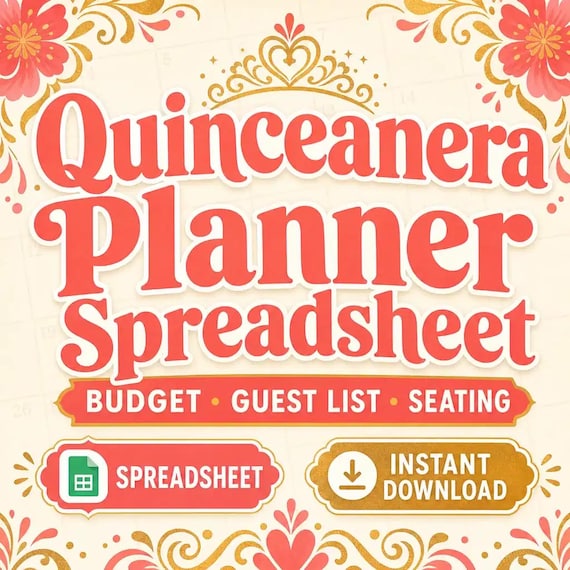
Start by naming the planning problem. A quinceañera can involve a household budget, a changing guest count, family supporters, several pros, a ceremony and reception, seating decisions, and a final week when many details must move at once. The featured SteadyStackStudio Quinceañera Planner is described as a bilingual planning workbook for budget, guest list, padrinos, seating, timeline, checklist, and pro notes. The current download includes a printable PDF workbook, an Excel workbook described as Google Sheets import-friendly, a quick-start guide, and a README/license note.
That scope makes the kit a fit when the family needs one connected planning record instead of loose messages and unrelated lists. It is not an event-planning service, venue reservation, pro contract, invitation suite, seating guarantee, religious guide, financial plan, or physical binder. No printed item ships. Before checkout, review the current preview images and file list, confirm that the household can open ZIP, PDF, and XLSX files, and decide whether the people maintaining the plan are more comfortable in Excel, an imported online sheet, or printed pages.
- Choose the kit when budget, guests, padrinos, pros, seating, and timing need to stay connected.
- Confirm the current PDF, XLSX, quick-start, and README contents in the listing.
- Check device, software, ZIP access, printing, and sharing needs before purchase.
- Skip it if the main need is a hired coordinator, legal agreement, invitation design, or physical supplies.
Give the spreadsheet and printable pages different roles
Use the spreadsheet for details that change: estimates, response status, contact notes, table assignments, pro follow-up, and timeline revisions. Use printed pages for a focused meeting, venue walk-through, or event-day packet where a short current view is easier to carry. Do not let both formats become competing masters. When someone marks a paper copy, assign one person to review the change and move the approved information back into the current digital record.
Keep one untouched copy of the original download before customizing anything. Make a separate working copy named for the celebration, then decide where it will be stored and who can edit it. If the Excel workbook is imported into Google Sheets, inspect the resulting tabs, labels, dates, and calculations before relying on it; import-friendly does not remove the need for a real-file check. Export or print a fresh handoff copy only after the working record has been reviewed. Put a date or version note on every printed packet so an older seating chart cannot quietly return to use.
- Keep changing information in one controlled digital record.
- Use printed pages as dated snapshots for meetings and event-day handoffs.
- Protect an untouched original and customize a separate celebration copy.
- Check an imported or exported file before assuming every detail carried over correctly.
Create a small control page before filling every tab
Begin with the few facts that anchor every later decision: the celebration date, confirmed locations, primary household contacts, the person maintaining the file, and the next major decision deadline. Mark each item as confirmed, tentative, or still to be decided. This status language is a planning choice you add around the template; it prevents a suggested time or hoped-for venue from being repeated as if it were final.
Add a short decision list rather than trying to complete the whole workbook in one sitting. Each open decision should have an owner, a next step, and a review date. For example, one person may confirm venue capacity while another requests a pro’s written details. Keep the list focused on choices that affect several sections, such as the date, locations, guest-count ceiling, ceremony timing, and reception format. Once an item is confirmed, update the connected budget, guest, seating, pro, or timeline area instead of leaving the answer only on the control page.
- Record the date, locations, file owner, household contacts, and next major deadline first.
- Distinguish confirmed facts from tentative ideas and unanswered questions.
- Give each open decision one owner, next action, and review date.
- Carry approved changes into every affected part of the plan.
Build the budget from visible decisions, not a single total
A useful event budget should show what each amount means. Organize costs in categories that match the actual celebration, then keep early estimates, pro quotes, approved amounts, deposits, remaining balances, and paid amounts visibly different. Those labels are part of the family’s setup rather than a promise about prebuilt fields. When a price changes, preserve enough of the earlier note to understand the change instead of replacing every number with the newest total and losing the decision history.
Connect each material budget line to a source: a written quote, contract, receipt, family decision, or clearly labeled estimate. Record the due date and the person responsible for follow-up, but keep payment credentials and sensitive account information out of a broadly shared workbook. Decide as a household how unassigned funds or a contingency will be handled; a template cannot determine what the family can afford. Review taxes, service charges, tips, delivery, setup, rentals, alterations, and other possible additions directly with the appropriate pros. This workbook organizes the plan but does not provide financial, tax, or contract advice.
- Separate estimates, quotes, approvals, deposits, balances, and paid amounts.
- Attach each important number to a source or label it clearly as an estimate.
- Track due dates and owners without storing payment credentials in the shared file.
- Confirm fees and terms with each pro instead of treating the planner as a quote.
Turn the guest list into a dependable headcount
Enter guests in a consistent unit before counting them. A household record can help keep invitations and replies together, while individual names are still useful for seating and meal information. Choose one approach and document how plus-ones, children, members of the court, pros, and other attendees are counted. Do not mix invited people, tentative additions, declined invitations, and confirmed attendees in one unlabeled number.
Set a response status and a follow-up date, then record the confirmed count from the list rather than from memory. Keep contact details limited to what the planning team actually needs, and restrict access to the file appropriately. If guests share accessibility, dietary, language, or other requests, record the request accurately and route it to the venue or responsible pro for confirmation; do not translate a request into a promise the family cannot verify. Before making seating assignments, compare the confirmed guest count with the current venue capacity, table plan, meal arrangement, and any attendee groups that require separate handling.
- Choose a consistent way to count households, individuals, plus-ones, and children.
- Keep invited, awaiting reply, declined, and confirmed statuses separate.
- Use the list—not remembered conversations—as the source for the current headcount.
- Protect contact details and send special requests to the person who can confirm them.
Track padrinos with respect and specific agreements
The featured planner includes a padrinos tracker, but every family may define roles, traditions, and expectations differently. Begin with the family’s own language and customs rather than copying a generic list of titles. Record the person or household, the agreed role or item, the best contact, the person coordinating with them, and whether the commitment is proposed, discussed, or confirmed. A clear record should support the relationship, not turn a meaningful role into a collection notice.
Keep a family commitment separate from a pro order or completed payment. If a padrino or madrina is helping with an item that must be reserved, fitted, delivered, or coordinated with a pro, note the practical deadline and the next conversation without assuming money has changed hands. Confirm spelling, preferred names, introductions, acknowledgments, and event-day instructions directly with the people involved. Limit the planning file to useful details and avoid private financial commentary. When a role changes, contact the affected people first and update the budget, ceremony notes, reception plan, and timeline only after the family has confirmed the new arrangement.
- Use the family’s own definitions for roles and traditions.
- Record the person, agreed support, contact, coordinator, status, and practical deadline.
- Keep supportive commitments distinct from pro contracts and payment records.
- Confirm names, acknowledgments, and event-day instructions directly and respectfully.
Move from confirmed attendance to a workable seating plan
Do not begin with names floating around a drawing. First confirm the venue’s current room layout, table shapes, stated capacities, fixed features, access paths, and any placement rules with the venue. Give each table a stable reference, then assign confirmed guests from the current list. A table number should point to one physical table on the approved layout; changing the label without updating the floor plan creates confusion for the people setting the room.
Build seating in passes. Place the head table or other family-defined focal group, then account for accessibility and practical needs that guests have shared, then place household and social groups. Review the plan for total seats, empty seats, duplicate assignments, and confirmed guests who are missing. Keep sensitive family commentary out of the shared chart; the final seating plan needs assignments, not the private reasoning behind every choice. Freeze a dated setup version at the venue’s deadline, and create a clear change method for late replies rather than allowing several relatives to edit separate copies.
- Confirm the venue layout and table capacities before assigning guests.
- Use stable table references that match the approved physical plan.
- Seat from the confirmed list and check for duplicates, omissions, and overfilled tables.
- Share assignments without circulating private family notes.
Keep pro contacts attached to decisions and deadlines
A contact list becomes useful when it explains why and when someone should be contacted. For each current pro, record the business and contact name, the service under discussion or agreement, the household contact responsible for that relationship, the next due date, and where the signed agreement or current written details are stored. The planner can point to those records, but it should not replace the pro’s contract, invoice, insurance information, or official communication channel.
After every material call or message, write a short factual note and the next action. If the delivery window, setup responsibility, quantity, location, or price changes, update every affected part of the plan after the pro confirms it in the appropriate way. Avoid copying one pro’s terms into another pro’s line. In the final week, contact pros through the agreed channel and verify only the details that matter for the current handoff: arrival, access, named contact, scope, dependencies, and unresolved questions. A dated confirmation is more useful than a long history no one can scan on event day.
- Record the pro, service, household owner, next deadline, and source-document location.
- Keep contracts, invoices, and official terms in their proper records.
- Turn each material conversation into a factual note and next action.
- Update connected budget, seating, and timeline details only after a change is confirmed.
Use the Mass and reception pages as confirmed question lists
The current product description includes Mass and reception notes. Use those pages to organize family-approved questions and confirmed information, not to invent a universal ceremony. Requirements and customs can differ by family, parish, celebrant, venue, and location. Ask the appropriate religious or venue contact about timing, preparation, participants, music, readings, rehearsals, photography, processions, objects, dress, access, and any other details that apply. Record the answer, who provided it, and the date it was confirmed.
Keep ceremony notes and reception operations separate enough that each team can find its responsibilities quickly, while linking the transition between locations. Confirm addresses, entrances, parking or drop-off instructions, travel time, accessibility, named contacts, and the moment each group needs to be ready. If a tradition or role is meaningful to the family, use the family’s chosen wording and ask before publishing an explanation. The planner is an organizational aid; it does not provide religious, cultural, venue, legal, or professional direction. When information conflicts, pause the schedule and resolve it with the responsible person rather than choosing the most convenient note.
- Organize questions before meetings with the parish, celebrant, or venue.
- Record confirmed answers with a source and date.
- Keep ceremony responsibilities distinct from reception setup and service tasks.
- Use family-approved language and qualified local guidance for traditions and requirements.
Build the timeline backward from fixed checkpoints
Start with the times and access windows that have actually been confirmed: ceremony start, venue entry, reception start, required arrival, pro setup, photography, transportation, or another fixed point. Work backward to identify when each person, item, and decision must be ready. Add travel, loading, dressing, setup, transition, and reasonable buffer time based on the family’s real locations and pro guidance rather than copying a sample schedule.
Give every timeline line an owner and a clear completion point. “Decorations” is not an event-day task; “venue contact opens the room, decoration lead checks the approved layout, and setup team confirms completion by the agreed time” can be handed off. Mark dependencies so a late delivery or unresolved seating change is visible before it affects several people. Maintain one detailed working timeline and create shorter role-based views only after it is stable. Put the version date on every printed copy, and retire superseded pages when the schedule changes.
- Anchor the plan to confirmed times and access windows.
- Work backward with real travel, preparation, setup, transition, and buffer needs.
- Assign an owner and completion point to each event-day task.
- Date every printed timeline and remove older versions from circulation.
Turn the final-week checklist into an event-day packet
The featured kit includes a final-week checklist. Review it against the family’s actual plan and remove items that do not apply rather than checking boxes automatically. Add unresolved decisions, pro confirmations, final counts, pickup or delivery tasks, payments due through approved methods, items that must travel, and the person responsible for each. Separate “confirm” from “do”; calling a pro and physically packing an item are different actions even when they concern the same service.
Build a lean event-day packet from the reviewed record. It may include the current timeline, essential contacts, venue instructions, the approved seating and table references, the ceremony-to-reception transition, pro arrival notes, and a short exception list. Include only information each holder needs, especially when contact or payment details are sensitive. Give packet holders a role and one update channel. The complete planning workbook can remain protected with the file owner; event-day helpers need a clear current view, not every early quote, declined guest, private note, or abandoned seating draft.
- Adapt the final-week checklist to the confirmed celebration instead of treating it as universal.
- Give each confirmation, pickup, packing, payment, and handoff task an owner.
- Create a short packet from the current timeline, contacts, seating, access, and exception details.
- Share the minimum useful information and keep the full planning record protected.
Run one handoff and one controlled path for changes
Hold a short handoff with the people who will make or receive decisions on the day. Walk through the sequence, named contacts, locations, packet sections, and open exceptions. Ask each person to describe their first task, the information they will use, and where they will report a problem. This catches vague ownership while there is still time to fix it. Do not use the handoff to reopen every settled preference; focus on execution and unresolved risks.
Choose one person or small team to approve changes to the working record. When a guest cancels, a table changes, or a pro updates an arrival time, record the change once, note who confirmed it, and replace only the affected current views. Avoid sending a fresh full workbook to everyone after every adjustment. At the end of the celebration, collect temporary paper copies that contain personal information, store records according to the household’s needs and pro agreements, and preserve a clean reusable original separately. The system has done its job when the current plan was findable, changes were traceable, and helpers did not have to guess which version to trust.
- Rehearse the sequence, contacts, first tasks, and exception path with packet holders.
- Use one authorized path for approving and recording late changes.
- Replace affected current pages instead of recirculating every planning draft.
- Collect sensitive temporary copies and preserve the clean original after the event.
Choose the complete quinceañera planner or a narrower tool
Choose the featured Quinceañera Planner when the household needs the current budget, guest list, padrinos, seating chart, pro contacts, timeline, Mass and reception notes, and final-week checklist to work as one event system. It is the best match for this guide because the current listing places those jobs together in printable PDF and Excel formats, with a quick-start guide and README. Review the latest listing and previews before opening Etsy, and skip it if the family needs a physical product, custom planning service, pro booking, invitation design, or professional advice.
Choose the wedding guest-list spreadsheet when RSVP, meal, seating, and table planning are the narrow job and a complete quinceañera system would be more than you need. Choose the day-of coordinator timeline when a professional wedding run sheet and pro handoff is the real task, or the family reunion planner when the gathering is a reunion with its own itinerary and group records. Choose the paycheck budget planner when the question is household cash flow rather than event coordination. These products serve different jobs, so compare their current previews, formats, and scope instead of treating every event or budget spreadsheet as interchangeable.
- Use the quinceañera planner for connected family, guest, padrinos, pro, seating, and timeline organization.
- Use a guest-list tool when invitations, replies, meals, and tables are the only planning gap.
- Use an event-operations or reunion planner only when that event and handoff structure matches the job.
- Use a household budget tool for ongoing cash-flow planning, not as a substitute for an event record.
Printables used in this guide
Instant downloads from the SteadyStackStudio Etsy shop.
Quinceanera Planner Spreadsheet
Quinceanera Planner Spreadsheet with Quince Budget, Guest List, Seating Chart, Mis Quince Checklist Excel PDF.
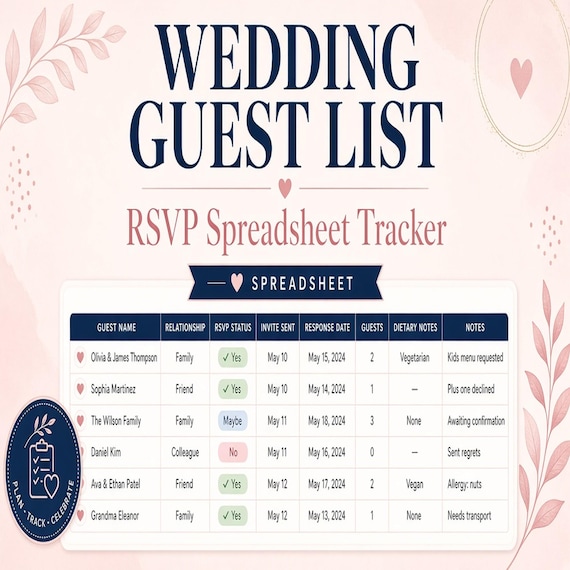
Wedding Guest List Spreadsheet
Plan RSVPs, seating, meals, gifts, and day-of lists in one workbook. This is an instant digital download designed for buyers who…
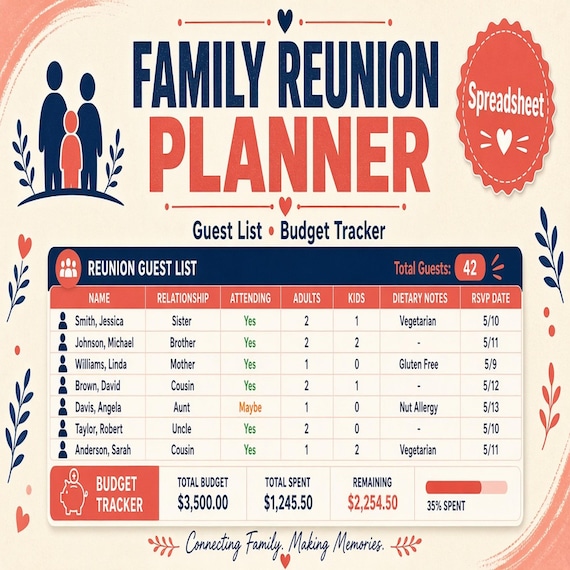
Family Reunion Planner Spreadsheet
A practical digital template bundle built around an urgent buyer need: Budget, RSVP, family groups, itinerary, meal planning…
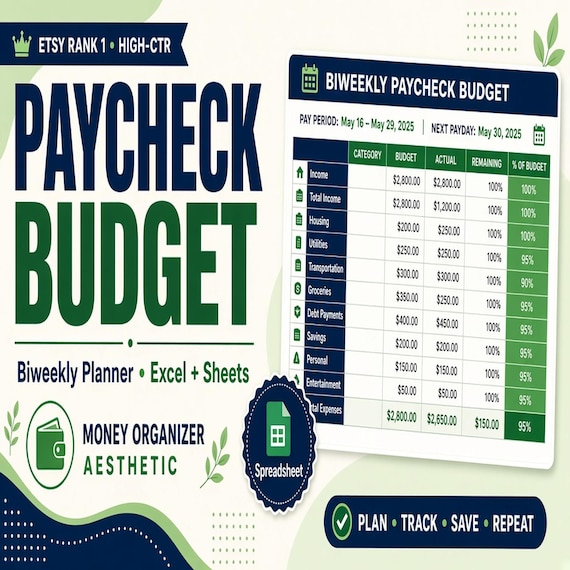
Paycheck Budget Spreadsheet
Plan every paycheck before it disappears with a paycheck budget spreadsheet, bill tracker and printable budget planning pages.